
In This Article
Why an Outlet Energy Meter Is the Cheapest Upgrade in Your Home
Your electric bill tells you how much you spent. It never tells you where the money went. That’s the gap an outlet energy meter fills — and in 2026, with the average US residential rate hovering around 18 cents per kilowatt-hour, that gap is getting expensive.
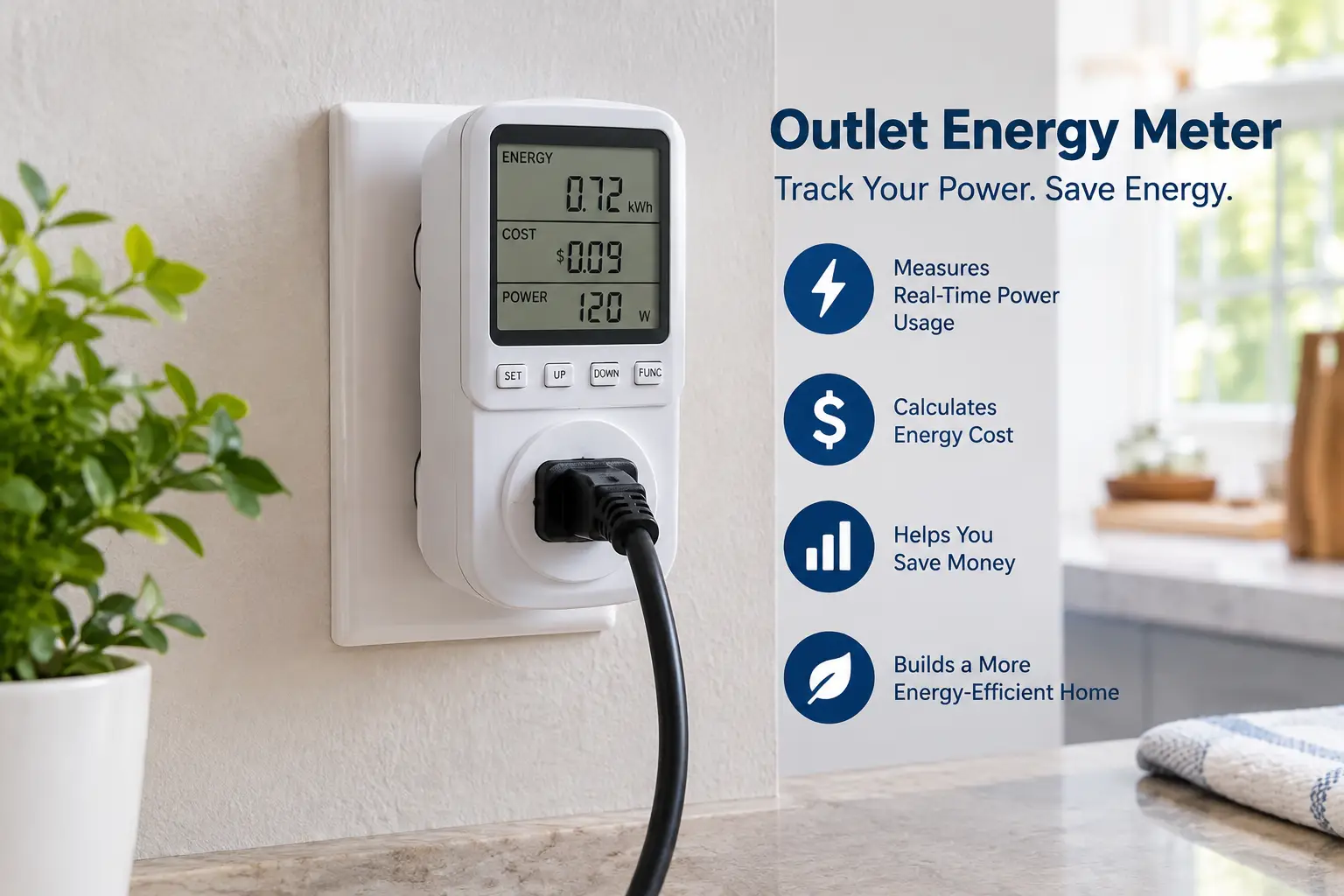
An outlet energy meter sits between the wall and whatever you plug into it. Within seconds, it shows how many watts that device is pulling right now; leave it running for a day or a week, and it tallies the kilowatt-hours (kWh) the device actually consumed. Suddenly, “I think the old garage fridge is costing us” becomes a hard number you can act on.
The US Department of Energy recommends this exact approach in its guide to estimating appliance and home electronic energy use, noting that plug-in monitors work with any device that runs on standard 120-volt power. That’s the fine print most shoppers miss, by the way: an outlet energy meter can’t measure your 240V dryer, water heater, or central AC. For those, you need a different tool (we’ll cover that comparison later).
This guide is built from real spec sheets, published manufacturer data, and the aggregated sentiment of actual buyer reviews — not invented test stories. You’ll find:
- ⚡ A quick comparison table of 7 real products available on amazon.com
- 🔍 An honest, spec-by-spec analysis of each meter, with pros and cons
- 🛠️ A 30-day game plan for turning readings into real savings
- 🧮 Cost math, safety standards, and the mistakes that trip up first-time buyers
Whether you want a no-app, no-account plug-in energy monitor or an energy monitoring smart plug that logs data around the clock, you’ll know exactly which one fits by the end.
What Is an Outlet Energy Meter?
An outlet energy meter is a small device that plugs into a standard wall receptacle and measures the electricity flowing to whatever you plug into it. It displays real-time watts, volts, and amps, and accumulates kilowatt-hours over time, so you can calculate exactly what an appliance costs to run.
In practice, these devices come in two flavors. The first is the classic display meter — the category made famous by the Kill A Watt, which, according to Wikipedia’s Kill A Watt entry, is manufactured by Prodigit Electronics and sold by P3 International for the North American NEMA 5-15 outlet. You read the numbers off an LCD screen, no Wi-Fi involved. The second flavor is the energy monitoring smart plug: same measurement job, but the data lives in a phone app, often with history graphs, schedules, and remote on/off control.
Both do the core job. The difference is how you consume the data — standing next to the outlet, or scrolling a chart from the couch. That single distinction drives almost every buying decision in this guide, so keep it in mind as we go.
Quick Comparison: 7 Best Outlet Energy Meter Picks at a Glance
| Product | Type | Data Display | Standout Spec | Price Range | Best For |
|---|---|---|---|---|---|
| P3 Kill A Watt P4400 | Display meter | LCD on unit | The original benchmark | Around $20–$30 | P3 Kill A Watt P4400: quick one-off checks |
| P3 Kill A Watt EZ P4460 | Display meter | LCD + cost forecast | Built-in cost projection | Around $30–$45 | P3 Kill A Watt EZ P4460: bill-focused beginners |
| Kill A Watt Connect P4498 | Display meter | Separable display | 35-inch cord | Around $40–$55 | Kill A Watt Connect P4498: outlets behind furniture |
| Poniie PN2000 | Display meter | Backlit LCD | 0.20W start detection | Around $20–$30 | Poniie PN2000: standby-power hunters |
| Kasa Smart Plug KP125M | Smart plug | Kasa app | Matter + time-of-use estimates | Around $25–$35 (2-pack) | Kasa Smart Plug KP125M: budget smart homes |
| Shelly Plug US Gen4 | Smart plug | App + local web UI | Wi-Fi/Zigbee/Matter, local control | Around $20–$25 | Shelly Plug US Gen4: tinkerers and Home Assistant users |
| Eve Energy (Matter) | Smart plug | Eve app (iPhone best) | No account, Thread | Around $35–$45 | Eve Energy (Matter): privacy-first Apple homes |
Looking at the table, the split is clear: the four display meters (P3 Kill A Watt P4400, P3 Kill A Watt EZ P4460, Kill A Watt Connect P4498, and Poniie PN2000) are diagnostic tools you move from appliance to appliance, while the three smart plugs are “set it and leave it” monitors. If your goal is a weekend energy audit, a display meter wins on simplicity and privacy. If you want ongoing history — say, to catch a freezer that starts cycling harder as its seals age — a smart plug like the Kasa Smart Plug KP125M gives you that trend line for a similar outlay.
💬 One click helps other shoppers make an informed choice too! 😊
Top 7 Outlet Energy Meter Picks: Expert Analysis
1. P3 Kill A Watt P4400 — the no-frills classic benchmark
The P3 Kill A Watt P4400 is the reference point nearly every other plug-in energy monitor gets compared against, and for good reason: it does one job with zero setup.
It reads volts, amps, watts, VA, frequency, power factor, and accumulated kWh on a basic LCD. In practice, that means you plug in a TV, press a button, and instantly see whether “standby” means 1 watt or 15. The catch, documented on its Wikipedia entry, is that the P4400’s readings reset when power is disconnected — so unplugging it to move it wipes your running total.
Based on the specs, this is the right tool for renters, students, and anyone doing spot checks: “How much does my space heater really draw?” It’s less suited to week-long measurements where a brief power flicker could erase days of data. If you’re after long-term cost tracking, the P3 Kill A Watt EZ P4460 is the smarter step up.
Customer reviews consistently praise its dead-simple operation and durability over years of use; the most common complaints involve the small, non-backlit screen and the lack of memory.
Pros:
- ✅ No app, no account, no Wi-Fi required
- ✅ Measures power factor and VA, not just watts
- ✅ Decades-long track record as the category benchmark
Cons:
- ❌ Loses accumulated data when unplugged
- ❌ Screen is hard to read in dim spaces
Typically in the $20–$30 range (check the current price) — excellent value if you just need quick, trustworthy readings.
2. P3 Kill A Watt EZ P4460 — turns watts into dollars automatically
The P3 Kill A Watt EZ P4460 keeps the familiar Kill A Watt formula but adds the one feature most homeowners actually want: a cost forecast.
You enter your electricity rate, and the meter projects cost per day, week, month, or year. Its rating is 115V, 15A, and 1,875 VA, which covers virtually every standard plug-in appliance. What that means in practice: instead of doing kWh-times-rate math on a napkin, you plug in the dehumidifier overnight and read “$9.40/month” in the morning.
This is the meter we’d point beginners toward, especially anyone who finds kilowatt-hours abstract. It also retains measurements better than the base model, making multi-day tests on cycling appliances (refrigerators, freezers, dehumidifiers) far more practical. Power users who want graphs over time will still need a smart plug.
Aggregated buyer feedback frequently highlights the cost projection as the reason they chose it over the P4400; complaints tend to center on the button-driven setup being fiddly the first time.
Pros:
- ✅ Built-in cost forecast removes the math
- ✅ Better suited to multi-day appliance testing
- ✅ Private: nothing leaves the device
Cons:
- ❌ Costs more than the basic P4400
- ❌ Still only one appliance at a time
Usually around $30–$45 at the time of writing — worth the premium over the P3 Kill A Watt P4400 if cost numbers are your end goal.
3. Kill A Watt Connect P4498 — a display you can actually see
The Kill A Watt Connect P4498 solves the most annoying problem with outlet meters: outlets hide behind couches, fridges, and desks.
Its two-piece design splits the plug/socket housing from the display, joined by a 35-inch cord, and the display attaches magnetically when you want it compact. It shows volts, current, watts, frequency, power factor, and VA, converts usage into cost, and keeps measurements in memory during power interruptions. It’s also ETL listed with over-current protection. Practically, this means you can meter a refrigerator without pulling it out of its alcove every time you want a reading.
One thing buyers overlook: despite the “Connect” name, this isn’t a Wi-Fi or app-based device. The “connection” is the cable. Some reviewers note this as a letdown when they expected app data logging, so set your expectations accordingly.
Reviews generally praise the separable display and memory retention; the main criticism is the missing app connectivity.
Pros:
- ✅ Separable display with a 35-inch cord
- ✅ Retains data through power interruptions
- ✅ ETL listed with over-current protection
Cons:
- ❌ “Connect” doesn’t mean Wi-Fi or app
- ❌ Priciest of the display-style meters
Expect roughly $40–$55 (prices may vary) — strong value if your outlets are hard to reach.
4. Poniie PN2000 — best for hunting tiny standby loads
The Poniie PN2000 stands out for sensitivity: it begins detecting loads at just 0.20W, which makes it a sharp tool for tracking down phantom power.
It advertises Class 1.0 accuracy with 0.01W, 0.01V, and 0.001A display resolution, plus a backlit LCD and “hold over circuit memory” for cumulative time and kWh. It also ships with a short 14AWG extension cord. Translated: you can read it in a dark closet, it won’t forget your running total if a breaker trips, and it can distinguish a phone charger’s idle draw from true zero.
The honest trade-off is accuracy consistency. An independent comparison by YourBestDigs observed more variation in the Poniie PN2000‘s readings than in the Kill A Watt’s, though the difference was modest for everyday budgeting. For hunting standby drains, the low detection threshold matters more than a few percent of variance.
Buyers frequently praise the bright backlit screen and memory; a recurring complaint is that the menu settings take some trial and error to learn.
Pros:
- ✅ Detects loads as low as 0.20W
- ✅ Backlit screen readable anywhere
- ✅ Memory survives power interruptions
Cons:
- ❌ Menu takes time to figure out
- ❌ Readings may vary slightly more than Kill A Watt
Typically $20–$30 (check current pricing) — a standout value for standby-power detective work.
5. Kasa Smart Plug KP125M — the value pick for smart homes
The Kasa Smart Plug KP125M is the easiest entry into continuous monitoring, combining energy tracking with Matter certification at a low per-plug cost.
It’s rated for 100–120V, 15A, and 1,800W resistive loads, and Kasa lists real-time and historical energy data, schedules, remote control, and voice-assistant support. Its bill-estimate feature can use single-rate or time-of-use tariffs. In real life, that TOU support is a big deal: if your utility charges more from 4–9 p.m., you can see exactly what running a dehumidifier during peak hours costs versus overnight.
This is the plug for households already using Alexa, Google Home, or Apple Home that want “set and forget” data. Matter certification also makes it less likely to be stranded if you switch ecosystems later. It’s not ideal for privacy purists, since the connected features depend on an app and network.
Across reviews, the Kasa app is consistently praised as one of the more polished smart-home apps; complaints mostly involve occasional Wi-Fi reconnection hiccups.
Pros:
- ✅ Continuous history with time-of-use cost estimates
- ✅ Matter certified for cross-platform control
- ✅ Slim design leaves the second outlet free
Cons:
- ❌ Connected features require app and network
- ❌ Not suited for heavy motor or compressor loads
Often sold as a two-pack around $25–$35 at the time of writing — arguably the best cost per monitored outlet.
6. Shelly Plug US Gen4 — local control for power users
The Shelly Plug US Gen4 is built for people who want their energy data without depending on a cloud.
It supports Wi-Fi, Zigbee, Bluetooth, and Matter, handles up to 1,800W at 15A, and includes protection against over-wattage, over-current, over- and under-voltage, and overheating. It also offers a built-in web interface, local schedules that run without internet, a light sensor, and a scripting editor. Practically, this means you can pipe readings into Home Assistant, automate a rack of gear to reboot after an outage, or check usage from a browser on your home network.
Based on the spec sheet, this is the most flexible monitor in the lineup — but flexibility has a learning curve. Beginners may find the multi-protocol setup (Matter firmware by default, Zigbee via a button sequence) more than they need. Shelly also backs Gen4 devices with a three-year warranty, longer than most rivals.
Verified aggregated Amazon review data for this newer US model is thinner than for Kasa or Kill A Watt, so we’re relying mainly on published specs and trade-press coverage, which emphasizes its local control and broad platform compatibility.
Pros:
- ✅ Local control works without internet
- ✅ Four connectivity protocols in one plug
- ✅ Three-year manufacturer warranty
Cons:
- ❌ Steeper learning curve for beginners
- ❌ Fewer long-term US reviews to date
Shelly lists an MSRP near $20 (check the current Amazon price) — outstanding value for automation fans.
7. Eve Energy (Matter) — privacy-first metering for Apple homes
The Eve Energy (Matter) is the premium choice for households that want accurate metering with no account and no cloud.
It runs Matter over Thread, is rated to 120V, 15A, and 1,800W, and reports live watts, running kWh, and projected cost. Because it acts as a Thread router, each plug also strengthens your mesh network for other Thread devices. In everyday terms: fast, local responses, no signup, and your usage data stays in your home.
The honest caveat is ecosystem fit. You need a Thread border router (such as a recent Apple TV or HomePod), and reviews note the fullest energy-monitoring experience is in the Eve app on iPhone or iPad. Android-first households should look at the Kasa Smart Plug KP125M or Shelly Plug US Gen4 instead.
Owner reviews repeatedly describe the connection as rock-solid and setup as quick; the most common complaints are the higher price and the Thread hub requirement.
Pros:
- ✅ No account or cloud required
- ✅ Extends your Thread network as a router
- ✅ Reliable, fast local responses
Cons:
- ❌ Requires a Thread border router
- ❌ Energy features work best on Apple devices
Usually $35–$45 (prices may vary) — a fair premium if privacy and Apple Home integration matter most.
Top 7 Outlet Energy Meter Specs Side by Side
| Product | Max Load | Data Memory | Connectivity | Rating/Listing Notes | Best For |
|---|---|---|---|---|---|
| P3 Kill A Watt P4400 | ~15A at 115V | Resets on unplug | None | Long-established benchmark | P3 Kill A Watt P4400: spot checks |
| P3 Kill A Watt EZ P4460 | 15A / 1,875 VA | Stores readings | None | Cost forecast built in | P3 Kill A Watt EZ P4460: cost tracking |
| Kill A Watt Connect P4498 | 15A | Retains through outages | Cable only | ETL listed | Kill A Watt Connect P4498: hidden outlets |
| Poniie PN2000 | 16A (~1,840W at 115V) | Retains kWh | None | Class 1.0 accuracy claim | Poniie PN2000: phantom loads |
| Kasa Smart Plug KP125M | 15A / 1,800W | Cloud/app history | Wi-Fi, Matter | Time-of-use estimates | Kasa Smart Plug KP125M: easy smart home |
| Shelly Plug US Gen4 | 15A / 1,800W | App + local | Wi-Fi, Zigbee, BT, Matter | UL listed | Shelly Plug US Gen4: automation |
| Eve Energy (Matter) | 15A / 1,800W | Local app | Thread, Matter | No account needed | Eve Energy (Matter): privacy |
The memory column is the one to study. A meter that resets on unplug, like the P3 Kill A Watt P4400, is fine for five-minute checks but risky for week-long tests on cycling appliances. Note also that the Poniie PN2000‘s 16A rating doesn’t let you exceed your outlet’s own 15A limit — your wall circuit, not the meter, is the real ceiling.
How to Use an Outlet Energy Meter: Your First 30 Days
Buying the meter is step one. Turning readings into savings takes a simple plan.
Week 1: Build your “suspects” list
Walk through your home and list every plug-in device that runs constantly or heats/cools something: refrigerators, freezers, dehumidifiers, aquariums, game consoles, desktop PCs, TVs with soundbars, and space heaters. These are your top suspects because they either run all day or draw big wattage.
Week 2: Measure long, not short
Here’s where most people go wrong. A refrigerator might show 150W when the compressor runs and 2W when it rests — a single glance tells you nothing. Leave the meter connected for at least 24 hours (a full week for anything seasonal or thermostat-controlled), then read the accumulated kWh. Multiply by your rate. At 18 cents per kWh, a fridge using 1.8 kWh per day costs roughly $118 a year.
Week 3: Hunt the phantom loads
Switch to the entertainment center and home office. Measure each device while it’s “off.” Cable boxes, older game consoles, and subwoofers often idle at 10–30W. A 30W constant draw adds up to about 263 kWh a year — close to $47 at average rates — for doing nothing.
Week 4: Act and verify
Put phantom-load clusters on a switched power strip or an energy monitoring smart plug with a schedule. Then re-measure to confirm the savings are real.
Maintenance tips: keep display meters in a dry drawer, check for heat at the plug after long tests, and reset kWh counters between appliances so readings don’t blend together. ⚡
Real-World Scenarios: Matching the Right Meter to Your Home
Specs mean more when you attach them to real lives. Here are three common profiles and the reasoning behind each match.
🏢 The apartment renter on a tight budget
Profile: One-bedroom rental, under $35 to spend, wants to know why the summer bill jumped.
Best match: The Poniie PN2000 or the P3 Kill A Watt P4400. Renters don’t need permanent monitoring — they need a quick audit of the window AC, the mini-fridge, and the gaming setup. Both meters cost little and require no app or landlord permission. If the renter wants the lowest-glare screen for a dim closet, the Poniie PN2000‘s backlight tips the decision.
🏡 The suburban family with a garage fridge
Profile: Family of four, second fridge and chest freezer in an unconditioned garage, bills around $200 in summer, budget up to $50.
Best match: The P3 Kill A Watt EZ P4460 first, then a Kasa Smart Plug KP125M two-pack. The EZ’s cost forecast answers the big question fast — “Is the 20-year-old garage fridge worth replacing?” — and the Kasa plugs then keep watching both units through summer heat, when garage appliances work hardest. Usage frequency here is daily and ongoing, which justifies logging.
🍎 The Apple-centric remote worker
Profile: Works from home, iPhone and Apple TV already in place, cares about privacy, budget flexible.
Best match: Two Eve Energy (Matter) plugs — one on the desk setup, one on a space-heater-free lamp and monitor cluster. The existing Apple TV serves as the Thread border router, so there’s no extra hub cost, and no data leaves the house. A home-office worker also gets the payoff of schedules that cut standby draw after 6 p.m.
✨ Ready to see where your money is really going?
🔍 Take your energy audit to the next level with this carefully curated lineup. Click a highlighted product to check current pricing and availability — these picks help you find the waste your whole household can stop paying for! 💡
Problem → Solution: Fixing Common Plug-In Energy Monitor Headaches
Problem 1: “My fridge reading keeps jumping around.” Solution: That’s normal compressor cycling. Ignore watts and read accumulated kWh after 24 hours or more. Meters with memory, like the Kill A Watt Connect P4498, protect that total if power blinks.
Problem 2: “The meter says 0W but my device is ‘off’ and the light is on.” Solution: Some basic meters can’t resolve very small loads. The Poniie PN2000‘s 0.20W detection threshold is better suited to hunting tiny standby draws.
Problem 3: “My smart plug dropped offline and I lost history.” Solution: Check that the plug sits within solid 2.4GHz Wi-Fi range. If outages are frequent, the Shelly Plug US Gen4 keeps local schedules running without internet, and the Eve Energy (Matter) uses Thread rather than Wi-Fi.
Problem 4: “The display is behind the couch.” Solution: Use the Kill A Watt Connect P4498‘s 35-inch separable display, or switch to an app-based smart plug and read it from your phone.
Problem 5: “I want to measure my dryer or central AC.” Solution: No outlet energy meter can — those are 240V circuits. You’ll need a whole-home monitor installed at the panel (see our comparison below).
How to Choose an Outlet Energy Meter
Follow these seven steps and you’ll avoid buying the wrong tool:
- Define your question. “What does this one appliance cost?” points to a display meter; “How does usage change over months?” points to a smart plug.
- Confirm voltage and outlet type. US meters are built for 120V NEMA 5-15 outlets. They can’t measure 240V appliances at all.
- Check the load rating. Look for 15A/1,800W or better, and compare it with your appliance’s nameplate wattage before plugging in.
- Prioritize memory for long tests. Meters that retain kWh through power interruptions make 24-hour-plus measurements reliable.
- Decide where your data should live. An LCD keeps everything private; an app adds history but may require an account and cloud.
- Match your smart home ecosystem. Matter support (as on the Kasa Smart Plug KP125M, Shelly Plug US Gen4, and Eve Energy (Matter)) keeps your options open across Alexa, Google, and Apple.
- Look for safety certification. UL or ETL listing signals independent safety testing — non-negotiable for a device carrying 15 amps.
Beyond these steps, think about readability. A backlit screen or separable display sounds minor until you’re squinting at an outlet behind a dresser. And if you pay time-of-use rates, a plug with TOU cost estimates will reveal savings a flat-rate calculation hides completely.
Plug-In Energy Monitor vs Energy Monitoring Smart Plug
Both measure the same electricity; they differ in how you live with the data.
A plug-in energy monitor — the P3 Kill A Watt EZ P4460 or Poniie PN2000, for instance — is a portable diagnostic tool. You move it from device to device, like a thermometer. Its strengths are privacy, zero setup, and no dependency on apps that could be discontinued. Its weakness is that it only tells you what’s happening right now at that outlet, and you have to walk over to read it.
An energy monitoring smart plug stays put and watches one device continuously. That opens up things a display meter can’t do: spotting a freezer whose consumption creeps up month after month (a sign of failing seals), scheduling a dehumidifier to avoid peak-rate hours, or getting remote confirmation that the curling iron is off.
| Factor | Plug-In Energy Monitor | Energy Monitoring Smart Plug | Best For |
|---|---|---|---|
| Setup | Plug in and read | App pairing, network | Monitor: P3 Kill A Watt P4400 for instant use |
| History | Running total only | Graphs over weeks/months | Smart plug: Kasa Smart Plug KP125M |
| Privacy | Fully offline | Varies by brand | Eve Energy (Matter) for offline-style privacy |
| Control | None | Schedules, remote on/off | Shelly Plug US Gen4 for automation |
| Portability | Excellent | Usually fixed in place | Poniie PN2000 for room-to-room audits |
The table shows why many households end up owning both: one display meter to audit the whole house over a month, then two or three smart plugs parked on the worst offenders it uncovers. Since the smart plugs cost roughly the same per unit, the combined kit rarely tops $80 — far less than a whole-home system.
Outlet Energy Meter vs Whole-Home Energy Monitor
A whole-home energy monitor, such as the Emporia Vue 3, installs inside your electrical panel with current-transformer clamps. It sees your service mains and, with extra sensors, individual branch circuits — including the 240V loads an outlet meter can’t touch: HVAC, water heaters, dryers, EV chargers, and solar production.
That coverage comes with trade-offs. Panel installation exposes you to live, dangerous voltage, and many homeowners will want a licensed electrician. Emporia also states the Vue requires internet access and relies on its cloud service. And a circuit-level reading can’t always tell you which of several appliances on the same circuit is the energy hog.
An outlet energy meter wins on precision per device, cost, and simplicity. Wikipedia’s overview of home energy monitors notes that studies have found household energy reductions of roughly 4–15% when people use energy displays — and much of that comes from simply seeing the numbers, which even a $25 meter delivers for individual devices.
Our take: start with an outlet meter. If your audit shows plug-in loads explain only a small slice of your bill, that’s your signal that the big spending is in 240V territory — and a whole-home monitor becomes worth the investment.
Features That Actually Matter (and Ones That Don’t)
Marketing copy on energy meters loves long feature lists. Here’s what genuinely changes your results.
✅ Features that matter
- Accumulated kWh with memory. This is the single most important feature. Without it, you’re guessing at the consumption of anything that cycles.
- Cost calculation. Entering your rate once turns every reading into dollars, which is what motivates action.
- Low-load sensitivity. If phantom loads are your target, a start threshold like the Poniie PN2000‘s 0.20W matters.
- Safety listing. UL or ETL certification is your assurance the device has been tested for heat and electrical safety.
- Time-of-use support (for smart plugs). If your utility uses TOU pricing, flat-rate estimates can mislead you.
❌ Features that matter less than you’d think
- Power factor and frequency readings. Interesting for hobbyists and electricians, largely irrelevant for trimming your bill. Grid frequency in the US is essentially fixed at 60Hz.
- Ultra-fine display resolution. Showing 0.01W is nice, but resolution isn’t the same as accuracy. A Class 1.0 rating or published accuracy figure tells you more.
- Voice control on a monitoring plug. Handy for lamps, but asking Alexa to switch your freezer off is not a feature you’ll want.
The bottom line: memory, cost math, and safety listing do 90% of the work. Everything else is a nice-to-have.
Long-Term Cost: Does an Electricity Usage Monitor Pay for Itself?
Short answer: almost always, and quickly — as long as you act on what you find.
According to the US Energy Information Administration, the average residential electricity price climbed from 16.0 cents per kWh in 2023 to 16.5 cents in 2024, and monthly EIA data puts it near 18 cents in mid-2026. Every cent of that increase makes waste more expensive, and makes measurement more valuable.
| Discovery | Annual kWh Wasted | Approx. Cost at 18¢/kWh | Meter Payback | Best Tool |
|---|---|---|---|---|
| 30W entertainment-center standby | ~263 kWh | ~$47/year | Weeks | Poniie PN2000 |
| Aging garage fridge (vs. new ENERGY STAR model) | ~300–400 kWh | ~$54–$72/year | Weeks | P3 Kill A Watt EZ P4460 |
| Dehumidifier running on peak TOU rates | Varies by tariff | Often $20–$40/year shifted | 1–2 months | Kasa Smart Plug KP125M |
| Desktop PC never sleeping | ~200–400 kWh | ~$36–$72/year | Weeks | Shelly Plug US Gen4 |
These figures are illustrative estimates built from typical wattages and the national average rate — your own numbers will differ, which is precisely why you measure. The pattern holds, though: a single real discovery usually recoups the cost of a $20–$45 meter within the first year, often within months. Ongoing costs are near zero; display meters draw about a watt or less themselves, and smart plugs add only a small standby draw of their own.
Safety, Regulations, and Standards
An outlet energy meter carries the full current of whatever you plug into it, so safety deserves real attention.
Look for UL or ETL listing. Both are Nationally Recognized Testing Laboratory marks showing the product was tested against US safety standards. The Kill A Watt Connect P4498 is ETL listed, and Shelly markets the Shelly Plug US Gen4 as UL listed. Unlisted bargain meters are a gamble with a device carrying up to 15 amps.
Respect the 15A ceiling. Standard US outlets are on 15A or 20A circuits, and most meters and smart plugs top out at 15A/1,800W. A 1,500W space heater draws about 12.5A — technically within spec but running near the limit for hours. Many heater manufacturers advise plugging directly into the wall, so if you meter a heater, do it briefly, feel the meter for heat, and never leave it unattended.
Be careful with motors and compressors. Kasa and other brands note that resistive ratings don’t automatically cover inductive loads with high startup surges, like pumps and compressors. Check the fine print before automating a sump pump or fridge with a smart plug — you don’t want a schedule accidentally cutting power to a freezer, either.
Stay indoors and dry. None of the seven picks here are weather-rated. Use outdoor-rated gear for patios and damp garages.
Mind FCC and data privacy for smart plugs. Wi-Fi and Thread devices sold in the US must carry FCC authorization. Beyond compliance, consider where your usage data lives; local-first options like the Eve Energy (Matter) and Shelly Plug US Gen4 keep more of it at home.
Common Mistakes to Avoid When Buying an Electricity Usage Monitor
1. Expecting it to measure 240V appliances. Your dryer, range, and central AC are out of reach. Buying an outlet meter for those is the most common disappointment in reviews.
2. Taking a single instant reading. A five-second glance at a refrigerator, freezer, or heater tells you almost nothing. Measure kWh over 24 hours minimum.
3. Assuming “Connect” or “smart” means app data. As covered above, the Kill A Watt Connect P4498 is cable-connected, not Wi-Fi.
4. Ignoring ecosystem fit. The Eve Energy (Matter) is superb for Apple homes but needs a Thread border router; Android-only households will get more from a Kasa Smart Plug KP125M.
5. Skipping the safety listing to save $5. A no-name meter without UL or ETL marks isn’t worth the savings when it’s handling 1,500W loads.
6. Measuring and not acting. The meter doesn’t save money — your changes do. Schedule, unplug, replace, or re-time the offenders, then re-measure to confirm.
7. Blending readings. Forgetting to reset the kWh counter between appliances produces a meaningless combined total. Reset every time you move the meter.
FAQs
❓ Is an outlet energy meter accurate enough to trust?
❓ Can I leave a plug in energy monitor plugged in permanently?
❓ Where can I buy an electricity usage monitor in the US?
❓ Do energy monitoring smart plugs work with Alexa and Google Home?
❓ Which outlet energy meter is best for a refrigerator?
Conclusion: Stop Guessing, Start Measuring
An outlet energy meter is one of the rare home upgrades that costs less than a pizza night and can pay for itself within weeks. It turns vague suspicion — “something’s eating our bill” — into precise, dollar-denominated facts.
If you want the simplest possible start, the P3 Kill A Watt P4400 remains the benchmark, while the P3 Kill A Watt EZ P4460 is our pick for beginners who want dollar figures without math. Hard-to-reach outlets call for the Kill A Watt Connect P4498, and standby-power hunters will appreciate the sensitivity of the Poniie PN2000.
For ongoing monitoring, the Kasa Smart Plug KP125M offers the best value per outlet, the Shelly Plug US Gen4 is a power user’s dream with local control, and the Eve Energy (Matter) delivers privacy-first metering for Apple households.
Whatever you choose, remember the formula that actually saves money: measure for at least a day, calculate the yearly cost, act on the biggest offenders, and re-measure to confirm. Do that for one month, and you’ll know your home’s energy story better than your utility does.
🚀 Your lower power bill starts with one plug!
💡 Pick the meter that matches your home, click a highlighted product to check current pricing and availability, and start your 30-day energy audit this weekend. Your wallet — and your curiosity — will thank you! ⚡
Recommended for You
- Digital Outdoor Timers: 7 Best Weatherproof Picks for 2026
- Smart Timer for Outdoor Lights: 7 Brilliant Picks for 2026
- Weatherproof Timer Guide 2026: 7 Best Picks That Survive Any Storm
Disclaimer: This post contains affiliate links. As an Amazon Associate, I earn from qualifying purchases made through these links, at no additional cost to you.
✨ Found this article helpful? Share it with someone who needs it! 💬🤗
