
In This Article
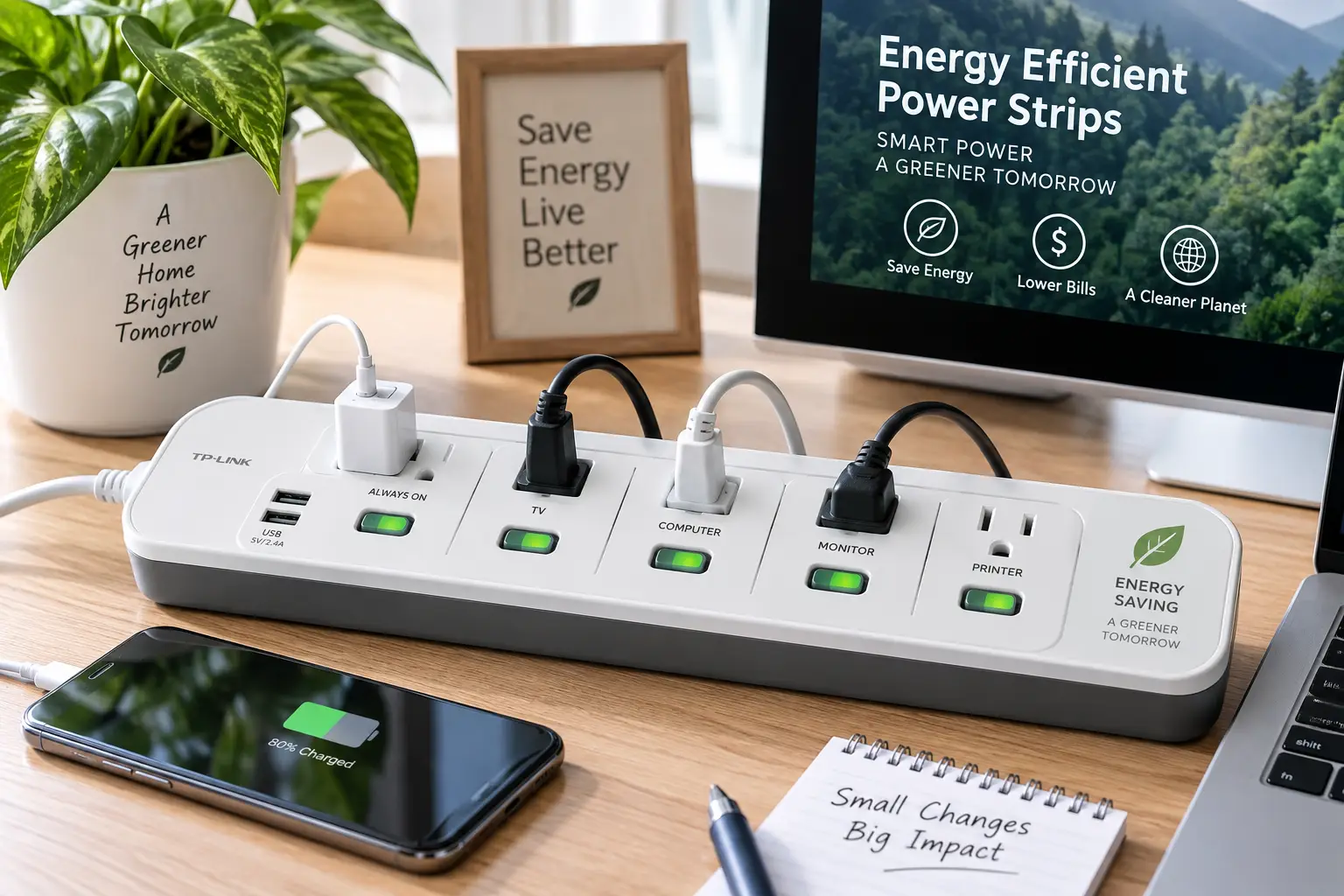
You probably don’t think twice about the power strip tucked behind your desk or TV stand — but it might be quietly costing you more than you realize. Energy efficient power strips are built specifically to cut that waste, automatically shutting off power to idle devices instead of letting them sip electricity around the clock. According to the U.S. Department of Energy, standby power can account for 5 to 10 percent of a home’s total electricity use, which adds up to real money over a year.
The good news? You don’t need to overhaul your home to fix this. Swapping a plain strip for an energy efficient power strip — whether it’s a Wi-Fi-enabled smart model or a “set it and forget it” advanced power strip — is a five-minute upgrade with a payback period measured in months, not years. In this guide, we’ll break down seven real, currently available options that cover every budget and use case, from a $15 automatic office strip to a $60 app-connected smart hub. We’ll also dig into how these devices actually work, where they shine, where they fall short, and how to pick the right one for your specific setup — home office, entertainment center, kitchen counter, or all three.
Whether you’re chasing a lower electric bill, trying to tame a tangle of chargers, or just tired of getting up to flip a dozen switches, there’s a model on this list built for you. Let’s get into it.
Quick Comparison: Energy Efficient Power Strips at a Glance
| Product | Outlets | Type | Best For | Price Range |
|---|---|---|---|---|
| Kasa Smart Wi-Fi Power Strip HS300 | 6 + 3 USB | Smart Wi-Fi | Energy monitoring nerds | $50–$65 |
| TP-Link Tapo P316M | 6 + 3 USB | Smart Wi-Fi (Matter) | Cross-platform smart homes | $35–$50 |
| TP-Link Kasa KP303 | 3 | Smart Wi-Fi | Budget smart control | $20–$30 |
| TrickleStar TS1006 | 12 | Tier 1 Advanced (auto) | Large entertainment centers | $45–$60 |
| TrickleStar TS0006 | 4 | Tier 1 Advanced (auto) | Compact desks | $20–$30 |
| APC P7GB SurgeArrest | 7 | Auto power-saving surge | Trusted surge protection | $30–$40 |
| Amazon Basics Smart Power Strip | 6 + 3 USB | Smart Wi-Fi | First-time smart home buyers | $25–$35 |
Looking at the table above, the split really comes down to two philosophies: automatic “master/switched” strips like the TrickleStar TS1006 and APC P7GB require zero setup and just work in the background, while app-connected strips like the Kasa Smart Wi-Fi Power Strip HS300 and TP-Link Tapo P316M trade a little setup time for granular, per-outlet control and real energy data. If you want the absolute simplest path to savings, an automatic model wins; if you want to see exactly how many kilowatt-hours your gaming PC eats, a smart strip is worth the extra few dollars.
💬 One click helps other shoppers make an informed choice too! 😊
Top 7 Energy Efficient Power Strips: Expert Analysis
We evaluated these seven models on standby power draw, build quality, real aggregated customer sentiment, and genuine day-to-day usefulness — not just spec-sheet bragging rights. Here’s how each one stacks up.
1. Kasa Smart Wi-Fi Power Strip HS300 — best for tracking real energy use
The distinguishing feature here is per-outlet energy monitoring, something most competitors skip entirely. Six independently controlled outlets plus three always-on USB ports give you room for a full desk or media console setup, and the Kasa app lets you name each socket (“Monitor,” “Lamp,” “Router”) so scheduling never turns into guesswork. Reviewers consistently point to six independently controlled outlets with dedicated energy tracking per socket as the feature that sets this strip apart from cheaper look-alikes.
What that monitoring means in practice: instead of guessing which gadget is driving up your bill, you can literally watch a device’s live wattage in the app and catch a “phantom load” hog — an old cable box, a subwoofer that never fully powers down — red-handed. That data is genuinely useful for anyone who wants to make an evidence-based decision about what to unplug versus what to leave running. Based on comparing the specs against similar six-outlet smart strips, the HS300’s combination of scheduling, away mode, and Alexa/Google Assistant voice control puts it a notch above strips that only offer basic on/off toggling.
Aggregated customer reviews consistently praise the app’s reliability and the flat-plug design that lets furniture sit flush against the wall, though a portion of reviewers note the initial 2.4GHz-only Wi-Fi setup can trip up less tech-savvy users.
Pros:
- ✅ Per-outlet energy monitoring shows real wattage
- ✅ Six independently scheduled outlets plus 3 USB ports
- ✅ Works with Alexa and Google Assistant voice commands
Cons:
- ❌ 2.4GHz-only Wi-Fi setup frustrates some first-time users
- ❌ No Matter support, so it’s locked into the Kasa ecosystem
Expect to pay in the $50–$65 range. For anyone who wants to actually see savings translate into data, not just take them on faith, this is worth the premium over a basic smart strip.
2. TP-Link Tapo P316M — widest smart home compatibility
The standout here is Matter support, meaning this strip talks to Apple Home, Google Home, Amazon Alexa, and Samsung SmartThings without needing a separate hub or app juggling. It packs six individually controlled AC outlets and three always-on USB ports, essentially matching the HS300’s outlet count while future-proofing your smart home investment. One review found the Tapo P316M gives buyers six independently managed AC outlets plus three always-on USB ports with energy monitoring and scheduling — useful in a home office, entertainment setup, or shared dorm-style room.
In practical terms, Matter compatibility means you’re not betting on one brand’s app surviving the next five years; if you switch from Alexa to Apple Home down the road, this strip comes with you. That’s a meaningful advantage over single-ecosystem strips, especially for buyers who’ve been burned before by a smart device losing app support. The energy monitoring, while slightly less granular than the HS300’s, still gives you enough usage data to spot obvious offenders like a space heater left running.
Reviewers highlight the easier initial pairing process compared to older Kasa models, crediting the Matter standard for smoothing out what used to be a clunky multi-app setup.
Pros:
- ✅ Matter compatibility works across Alexa, Google, and Apple Home
- ✅ Six controlled outlets plus 3 always-on USB ports
- ✅ Energy monitoring and app-based scheduling included
Cons:
- ❌ Matter setup can still stall on older router firmware
- ❌ Slightly less detailed per-outlet data than premium rivals
Priced around $35–$50, this is the smartest pick if you’re not sure which voice assistant ecosystem you’ll be using in three years.
3. TP-Link Kasa KP303 — best budget smart entry point
This is the strip to buy if you want smart scheduling without paying for outlets you’ll never use. Three individually controlled outlets keep the price down while still delivering the core Kasa app experience: remote on/off, scheduling, and countdown timers. One buying guide specifically flags the Kasa KP303 as delivering core individual outlet control and energy monitoring at the lowest cost per outlet among the models tested.
What that lower outlet count means in real use: it’s not built for a sprawling entertainment center, but it’s perfect for a nightstand, a small kitchen counter setup, or three or four items on a desk you want to control independently — a desk lamp, a space heater, and a monitor, say. Based on comparing this against six-outlet models, you’re not sacrificing app quality or reliability, just outlet capacity, which makes the KP303 a smart way to test whether smart power strips fit your routine before committing to a pricier model.
Aggregated reviews describe the KP303 as reliable and simple to set up, with the most common critique being that three outlets fill up fast if you have more than a couple of always-on devices.
Pros:
- ✅ Lowest cost per smart outlet in this roundup
- ✅ Full Kasa app scheduling and remote control
- ✅ Compact footprint fits tight spaces easily
Cons:
- ❌ Only three outlets limits larger setups
- ❌ No USB ports included on this model
You’ll typically find it in the $20–$30 range, making it an easy, low-risk way to try smart power management for the first time.
4. TrickleStar TS1006 12-Outlet Tier 1 Advanced Power Strip — best for large entertainment centers
This is the largest, most automated option in our lineup, and it doesn’t rely on an app at all. It uses a control outlet, three always-on outlets, and eight automatically switched outlets, so when your TV or receiver powers down, everything plugged into the switched outlets loses power with it. The manufacturer notes it delivers 4,320 joules of surge protection using ceramic-encased MOVs that dissipate heat faster and last roughly three times longer than standard surge components.
In everyday terms, that means you plug your TV into the control outlet, your soundbar, streaming box, and game console into the switched outlets, and your router or DVR into the always-on outlets — then you never think about it again. The strip senses when the TV shuts off and kills power to everything else automatically, which is exactly the kind of “invisible savings” the U.S. Department of Energy points to when it explains that three types of advanced power strips exist: timer-equipped, occupancy sensing, and current sensing models, with current-sensing models like this one handling entertainment centers particularly well.
Reviewers and program administrators who distribute these strips through utility rebate programs consistently cite the adjustable threshold switch as a practical touch, since it lets you fine-tune sensitivity for different TV/PC combinations rather than guessing.
Pros:
- ✅ Automatically kills power to 8 switched outlets
- ✅ 4,320 joules of ceramic-MOV surge protection
- ✅ No app or Wi-Fi setup required at all
Cons:
- ❌ No remote control or smartphone visibility
- ❌ Bulkier footprint needs more desk or floor space
Expect a price in the $45–$60 range, which is genuinely reasonable given the outlet count and surge protection rating — a strong value pick for a packed media console.
5. TrickleStar TS0006 4-Outlet Tier 1 Advanced Power Strip — compact automatic energy saver
Where the TS1006 goes big, the TS0006 goes small — a compact, wall-mountable advanced power strip built for a single desk or a tidy corner setup. It uses the same control/switched logic on a smaller scale: one master control outlet, one always-on outlet, and two automatically switched outlets, plus a manufacturer-rated standby consumption of less than 1 watt at all times.
What that sub-1-watt figure means practically: the strip itself barely sips any power while it’s doing its job, so nearly all of the savings you see on your bill come from cutting your devices’ standby draw, not from the strip adding its own overhead. That’s an important distinction, since some cheap “smart” strips quietly consume more standby power than they save. This model’s low-profile, wall-mount design also makes it a smart pick for a home office where floor and desk space are tight, and the included outlet screw allows for a more permanent installation if you want it flush against a wall or under a desk.
Utility rebate program listings describe this exact model as a straightforward, no-fuss way to eliminate standby losses from smaller peripheral setups like a printer, monitor, and desk lamp combo.
Pros:
- ✅ Under 1 watt of standby power itself
- ✅ Low-profile, wall-mountable compact design
- ✅ 1,080 joules of surge protection included
Cons:
- ❌ Only 2 switched outlets limits peripheral count
- ❌ No smart features or remote visibility
Priced around $20–$30, it’s a smart, low-commitment upgrade for anyone with a compact desk setup who doesn’t need — or want — an app.
6. APC P7GB Power-Saving Essential SurgeArrest — trusted surge protection with auto power-saving
APC is one of the most recognized names in surge protection, and the P7GB blends that reputation with an automatic power-saving design. It offers seven outlets split between “always on” and controlled sockets, plus a documented 1,020 joules of surge protection with a lifetime equipment protection policy backing connected devices.
The practical upside is that this strip is designed to sense when your controlled device (often a desktop computer) is off, then cut power to accessories plugged into the controlled outlets — similar logic to the TrickleStar models, but from a brand many buyers already trust for surge protection specifically. One caveat worth flagging honestly: some longtime users note the auto-power-sensing feature was designed when desktop computers drew far more standby wattage than modern, more efficient systems do, so it may not always trigger reliably with newer, low-power PCs and laptops. That doesn’t diminish its value as a surge protector — it just means buyers with very efficient modern electronics should treat the energy-saving trigger as a bonus rather than the main reason to buy.
Reviewers who use it primarily for surge protection in a small office rate it highly, especially for the always-on outlets that keep routers and NAS drives running uninterrupted.
Pros:
- ✅ 1,020 joules of surge protection with lifetime warranty
- ✅ Always-on outlets protect routers and modems
- ✅ Trusted APC/Schneider Electric build quality
Cons:
- ❌ Auto-sensing may not trigger on newer low-power PCs
- ❌ Fewer total outlets than the TrickleStar 12-outlet model
You’ll generally see this strip in the $30–$40 range — a solid pick if surge protection pedigree matters as much to you as the energy-saving angle.
7. Amazon Basics Smart Wi-Fi Power Strip — easiest budget smart pick
Rounding out the list is Amazon’s own entry, which delivers the core smart-strip experience — six individually controlled outlets and three USB ports — without the premium price tag of the Kasa or Tapo models. One comparison notes this Amazon Basics model delivers straightforward smart control with six individually controlled outlets and three USB ports, making it a solid choice for those new to smart home devices, thanks to hub-free Wi-Fi setup.
In practice, that hub-free setup is the real selling point for beginners: you download the app, connect to Wi-Fi, and you’re scheduling outlets within a few minutes — no separate smart-home hub purchase required. The tradeoff is ecosystem breadth: it currently supports Alexa only, so if your household leans on Google Assistant or Apple Home, this isn’t the pick. It also skips surge protection and energy monitoring, two features bundled into pricier competitors, which keeps the price down but means you’re buying convenience and outlet-level control specifically, not comprehensive protection.
Aggregated reviews describe setup as genuinely beginner-friendly, with the most common critique centering on the single-ecosystem limitation rather than reliability issues.
Pros:
- ✅ Hub-free setup, ready in a few minutes
- ✅ Six controlled outlets plus 3 USB ports
- ✅ Most affordable full-size smart strip here
Cons:
- ❌ Alexa-only, no Google or Apple Home support
- ❌ No surge protection or energy monitoring included
Typically priced around $25–$35, this is the strip to buy if you want a taste of smart outlet control without committing to a premium ecosystem.
What Is Standby Power (Vampire Power) and Why It Matters?
Standby power — often called vampire power or phantom load — is the electricity your electronics draw while plugged in but switched “off” or idle. It’s not a fringe issue: government energy researchers estimate it accounts for roughly 5 to 10 percent of the average U.S. household’s total electricity use, silently padding your bill month after month.
The reason it’s so persistent is that modern electronics are designed to stay partially “awake” for convenience — instant-on TVs, Wi-Fi-connected printers, and phone chargers with always-lit LEDs all draw a trickle of current around the clock. Individually, each device sips a tiny amount; collectively, across a typical household of 40-plus always-plugged-in gadgets, that trickle becomes a measurable line item. This is precisely the gap energy efficient power strips are built to close — they physically cut power to idle devices instead of relying on you to remember to unplug a dozen cords every night.
How to Choose Energy Efficient Power Strips: 7 Expert Criteria
- Outlet count vs. real need. Count your actual devices before buying — a 12-outlet strip is wasted money on a desk with four gadgets.
- Smart vs. automatic control. Decide whether you want app-based scheduling (smart strips) or hands-off automatic switching (advanced power strips); each suits different habits.
- Surge protection rating (joules). Higher joule ratings absorb larger power surges — look for at least 1,000 joules for electronics-heavy setups.
- Standby power of the strip itself. A genuinely efficient strip should draw under 1 watt in standby mode, or it’s partially defeating its own purpose.
- Always-on outlets. Confirm the strip includes at least one or two always-on outlets for routers, modems, or DVRs that shouldn’t lose power.
- Smart home compatibility. If you already use Alexa, Google Home, or Apple Home, prioritize a strip (like a Matter-certified one) that fits your existing ecosystem.
- Certification and warranty. Look for ENERGY STAR-qualified models and a solid warranty — it signals the manufacturer stands behind the surge and safety components.
Smart Power Strips vs. Advanced Power Strips vs. Traditional Strips
These three categories get lumped together constantly, but they solve different problems. A traditional power strip is just a multi-outlet extension cord — convenient, but it does nothing to stop standby drain unless you manually flip its master switch. An advanced power strip (like the TrickleStar TS1006 or APC P7GB) automates that shutoff using a control/switched relationship, requiring zero ongoing effort once installed. A smart power strip (like the Kasa Smart Wi-Fi Power Strip HS300 or TP-Link Tapo P316M) goes further, adding app-based scheduling, remote access, and often energy monitoring — at the cost of needing Wi-Fi setup and, in most cases, a slightly higher price tag.
The practical takeaway: if you want maximum savings with zero ongoing interaction, an advanced power strip is hard to beat. If you want visibility into exactly how much energy each device uses and the flexibility to control outlets from your phone while you’re away, a smart strip earns its premium.
✨ Don’t miss these exclusive deals! 🔍 Take your energy-saving setup to the next level with this carefully curated lineup. Click a highlighted item to check current pricing and availability. These picks will help you cut phantom power the whole household will feel in next month’s bill!
Getting Started: Setting Up Your Energy Efficient Power Strip
Whether you chose a smart strip or an advanced power strip, the first 30 days matter most for actually seeing savings. Start by mapping your devices before plugging anything in: identify which device should be the “control” or “master” device (usually your TV, monitor, or desktop computer) and which peripherals should power down with it (speakers, streaming boxes, printers). Always-on outlets are reserved for anything that needs constant power, like a router, modem, or DVR recording overnight.
For smart strips specifically, resist the urge to skip the app setup — the scheduling and away-mode features are where most of the real savings come from, not just the manual on/off toggle. A common first-30-days mistake is plugging in devices randomly and never revisiting the outlet assignments; take ten minutes in week one to actually label each outlet in the app. For advanced power strips, test the adjustable threshold switch (if included) by turning your control device on and off a few times to confirm the switched outlets respond correctly before you walk away and forget about it.
Real-World Scenarios: Which Power Strip Fits Your Life?
If you’re a remote worker running a monitor, desk lamp, laptop dock, and printer eight hours a day, the TP-Link Kasa KP303 or TrickleStar TS0006 handles that compact footprint well, automatically or via simple scheduling, without eating desk space.
If you’re managing a packed entertainment center — TV, soundbar, streaming box, game console, and a router that needs to stay live overnight — the TrickleStar TS1006 is built exactly for that scenario, with enough switched outlets to cover everything except the always-on essentials.
If you’re a smart-home enthusiast who already has Alexa, Google, or Apple devices scattered around the house and wants your power strip to fit that ecosystem seamlessly, the TP-Link Tapo P316M‘s Matter support makes it the lowest-friction choice, while budget-conscious first-timers will likely get more everyday satisfaction from the Amazon Basics Smart Wi-Fi Power Strip.
Common Problems and Solutions With Energy Saving Power Strips
Problem: The strip doesn’t reduce my bill noticeably. Solution: audit which outlets are actually switched vs. always-on — a common mistake is leaving high-draw devices on the always-on outlets by accident, which defeats the purpose.
Problem: My smart strip keeps disconnecting from Wi-Fi. Solution: confirm you’re connected to a 2.4GHz network specifically, since most budget smart strips (including several on this list) don’t support 5GHz.
Problem: The advanced power strip won’t trigger the auto-shutoff. Solution: check the adjustable threshold switch, and note that some auto-sensing strips, including certain APC models, were calibrated for older, higher-draw electronics and may need a lower sensitivity setting for modern low-power devices.
Problem: I’m worried about overloading the strip. Solution: never daisy-chain multiple power strips together, and check the strip’s amp rating against your combined device load — the Consumer Product Safety Commission has repeatedly warned that overloaded power strips are a leading cause of electrical fires.
Common Mistakes to Avoid When Buying Power Strips With Individually Controlled Outlets
Buyers frequently overbuy outlet count “just in case,” ending up with a bulky 12-outlet strip for a 3-device desk — match the strip to your actual device count instead. Another frequent misstep is ignoring the joule rating entirely; a strip with no meaningful surge protection can leave expensive electronics exposed during a storm. Shoppers also often assume “smart” automatically means “energy monitoring,” but plenty of budget smart strips only offer remote on/off without any usage data — read the spec sheet closely if monitoring matters to you. Finally, many people skip checking ecosystem compatibility (Alexa vs. Google vs. Matter) until after unboxing, which is an easily avoidable frustration.
Energy Efficient Power Strips for Home Offices
Home offices are arguably the single best use case for this entire category, since a typical desk setup — monitor, dock, printer, desk lamp, speakers — draws standby power around the clock even when you’ve logged off for the day. A six-outlet smart strip like the Kasa Smart Wi-Fi Power Strip HS300 lets you schedule everything to power down at 6 p.m. and back on at 8 a.m., while an always-on outlet keeps your router alive for anyone else in the house. For a smaller desk, the TrickleStar TS0006‘s compact, wall-mountable design and automatic control-outlet logic mean you get the same standby-power elimination without needing an app at all — plug your monitor into the control outlet, and your desk lamp and speakers into the switched outlets, and you’re done.
What to Expect: Everyday Performance and Real Savings
In everyday use, the difference between a standard strip and an energy efficient one isn’t dramatic day-to-day — it’s cumulative. You won’t necessarily notice one evening’s savings, but over a billing cycle, cutting standby draw from five or six always-plugged-in devices adds up to a measurable line-item reduction. Smart strips add a secondary performance benefit: the convenience of app-based control means you’re less likely to leave devices running out of pure forgetfulness, which compounds the mechanical savings from automatic switching. Expect setup time of five to fifteen minutes for smart models (mostly Wi-Fi pairing) and closer to two minutes for automatic advanced power strips, which need no app at all.
Long-Term Cost and Maintenance: Are Smart Power Strips Worth It?
Most energy efficient power strips in this roundup pay for themselves within one to two years purely through reduced standby power costs, especially in a household with several always-on electronics. Maintenance is minimal: periodically check cords for damage, keep the unit dust-free, and for smart strips, install firmware updates when the app prompts you, since these patches often improve Wi-Fi stability and add new scheduling features over time. Total cost of ownership favors advanced power strips slightly, since there’s no ongoing app dependency or risk of a manufacturer discontinuing cloud support — though smart strips offer data visibility that arguably justifies their marginally higher price for anyone who wants to actively manage usage rather than “set and forget.”
Safety, Regulations, and Standards for Power Strips in the US
Safety should never be an afterthought when shopping in this category. Look for UL or ETL certification on any power strip or surge protector, since these marks indicate the product passed independent safety testing for fire and shock hazards. The CPSC estimates that faulty extension cords, power strips, and surge protectors cause thousands of injuries and residential fires each year, most tied to overloading or counterfeit certification labels on cheap, no-name strips — a strong argument for sticking with recognized brands like the ones featured here.
For energy efficiency specifically, ENERGY STAR certification (where applicable) confirms a product meets EPA-reviewed standby power benchmarks, and federal researchers have documented that advanced power strip technologies fall into distinct tiers, with Tier 1 and Tier 2 models using different control strategies to eliminate phantom loads. Never daisy-chain power strips, avoid covering them with rugs or furniture that blocks airflow, and unplug immediately if a unit ever feels warm to the touch.
Features That Actually Matter (and Ones That Don’t)
Features that matter: real surge protection (measured in joules), a standby draw under 1 watt for the strip itself, always-on outlets for essential devices, and — if you want data — genuine per-outlet energy monitoring rather than just a whole-strip total. Features that matter less than marketing suggests: extremely high outlet counts you’ll never fill, flashy LED indicator rings with no functional purpose, and “AI-powered” scheduling that, in most consumer strips, is really just a slightly fancier version of a basic timer. Cut through the marketing by checking the actual spec sheet for joule rating and standby wattage before comparing app features.
Buyer Decision Framework: Which Type Should You Choose?
If you want zero ongoing effort and don’t care about an app, choose a Tier 1 advanced power strip like the TrickleStar TS0006 or TS1006, because the automatic control/switched design does the work for you permanently. If you want visibility into exactly what each device costs you in electricity, choose a smart strip like the Kasa Smart Wi-Fi Power Strip HS300, because per-outlet monitoring turns guesswork into data. If you’re already invested in a specific smart home ecosystem, choose a Matter-certified option like the TP-Link Tapo P316M, because cross-platform compatibility protects your investment long-term. If budget is the deciding factor above all else, choose the TrickleStar TS0006 or Amazon Basics Smart Wi-Fi Power Strip, because both deliver the category’s core benefit — cutting standby power — at the lowest realistic price point.
FAQs
❓ Do energy efficient power strips actually save money?
❓ What's the difference between a smart power strip and an advanced power strip?
❓ Are energy efficient power strips safe to use overnight?
❓ How many joules of surge protection do I actually need?
❓ Can I plug a space heater into an energy efficient power strip?
Conclusion
Energy efficient power strips sit in that rare category of home upgrade that’s genuinely low-effort and low-cost, yet delivers a measurable, ongoing return. Whether you land on the data-rich Kasa Smart Wi-Fi Power Strip HS300, the ecosystem-flexible TP-Link Tapo P316M, or a completely hands-off pick like the TrickleStar TS1006 or TS0006, you’re addressing a real, well-documented source of household energy waste rather than chasing a marketing buzzword. The right choice really does come down to your habits: if you like data and remote control, go smart; if you want to install it once and never think about it again, go automatic.
Start with whichever setup drains the most standby power in your home — usually the entertainment center or home office — and expand from there. Small, unglamorous upgrades like this one are often the fastest path to a noticeably lower electric bill without changing a single daily habit.
💬 Ready to stop paying for electricity you’re not even using? Check current pricing on today’s pick and start cutting your standby power waste this week. 🔌⚡
Recommended for You
- Automatically Energy Saving Plugs: 7 Best Picks (2026)
- 7 Best Plug Electric Meter Picks for 2026 (Save on Power Bills)
- 7 Best Electric Power Meters in 2026: Track Every Watt & Save
Disclaimer: This post contains affiliate links. As an Amazon Associate, I earn from qualifying purchases made through these links, at no additional cost to you.
✨ Found this article helpful? Share it with someone who needs it! 💬🤗
