
In This Article
Your electric bill goes up every year, but the appliances actually responsible for that increase stay a mystery — until you start measuring. That’s the entire point of electric power meters: small, affordable tools that tell you exactly how many watts a device pulls, what it costs you per month, and whether it’s worth keeping plugged in at all. Some clip onto a single outlet in seconds. Others live inside your breaker panel and track every circuit in the house in real time.
This guide breaks down seven real, currently available options — from a $20 plug-in classic to a whole-home monitor that uses machine learning to identify individual appliances by their electrical signature. You’ll see honest analysis of what each one actually does well, where it falls short, and who it’s genuinely built for, based on real specs and aggregated customer feedback rather than marketing copy. Standby power alone — the electricity devices sip even while “off” — accounts for 5% to 10% of residential energy use and can cost the average U.S. household up to $183 per year, according to the Department of Energy. An electric power meter is how you find and fix that leak, room by room, outlet by outlet.
Whether you’re chasing a single appliance that’s quietly inflating your bill or you want circuit-level visibility across your entire home, there’s a meter here that fits your budget and your patience level. Let’s get into it.
Disclosure: This post contains affiliate links. As an Amazon Associate, I earn from qualifying purchases made through these links, at no additional cost to you.
Quick Comparison: Which Type of Electric Power Meter Fits You?
Before diving into all 7 products, here’s a fast overview by category — because “best” depends heavily on whether you want to spot-check one appliance or monitor your whole house.
| Meter Type | Setup Time | Typical Price Range | Best For |
|---|---|---|---|
| Basic plug-in meter | 10 seconds | Under $35 | Spot-checking individual appliances |
| Smart plug with metering | 5 minutes | $35–$70 | Ongoing tracking + remote control |
| Portable WiFi/EV meter | 15 minutes | $50–$150 | EV charging, higher-amperage loads |
| Whole-home circuit monitor | 1–3 hours (DIY or electrician) | $150–$400 | Room-by-room and circuit-level insight |
Looking at this breakdown, the right starting point usually comes down to scope: if you just want to know whether your mini-fridge or space heater is the culprit behind a high bill, a basic plug-in meter answers that question in under a minute. If you’re chasing whole-house visibility — especially with solar panels, an EV, or a home that’s simply larger and harder to diagnose one outlet at a time — a panel-level monitor is the only option that actually gives you that picture. Budget-conscious buyers should note that the jump from a $25 plug-in meter to a $300 whole-home system is a jump in scope, not just price; you’re buying a fundamentally different kind of data.
💬 Ready to start tracking your own power usage? Scroll down to see current pricing on any of the picks below. 💬
Top 7 Electric Power Meters: Expert Analysis
We looked at real spec sheets, aggregated customer review sentiment, and independent expert coverage to land on seven electric power meters that cover entry-level, mid-range, and high-end use cases — plus a couple of smart, connected options in between.
1. P3 International Kill A Watt P4400 — the industry-standard baseline
If you’ve ever read an appliance review that cites exact wattage figures, there’s a good chance the writer used this meter to get them. The Kill A Watt P4400 is the most widely referenced stand-alone plug-in meter on the market, and for good reason.
You plug the meter directly into a wall outlet, then plug your appliance into the meter — no wiring, no app, no setup beyond that. It displays volts, amps, watts, Hz, and cumulative kilowatt-hours on a basic LCD, and it includes a built-in cost calculator that projects your appliance’s cost by the day, week, month, or year based on your local rate. In practice, that means you can leave the P4400 on a refrigerator for 24 hours and get a genuinely useful annual cost estimate, not just a snapshot.
What sets this model apart isn’t flashy features — it’s accuracy that third-party testers keep validating. One independent comparison against a Klein Tools multimeter found the P4400 registered just a 0.49% error with a large resistive load, well under P3’s own maximum tolerance spec. That’s the kind of quiet reliability that makes it the reference point other meters get compared to.
Pros:
- ✅ Proven accuracy validated by independent multimeter testing
- ✅ Dead-simple plug-and-read operation, no app required
- ✅ Built-in cost calculator projects daily to yearly expense
Cons:
- ❌ No backlight, which makes the LCD hard to read in dim outlets
- ❌ No data logging for long-term trend tracking
The P4400 typically runs in the $20–$30 range. For a single-purpose, no-frills tool that tells you exactly what an appliance costs to run, it’s tough to beat on value — check the current price before buying, since these fluctuate.
2. P3 International Kill A Watt Flex P4456 — data memory and CO₂ tracking
The Kill A Watt Flex P4456 is P3’s upgrade path for anyone who outgrows the basic P4400 but doesn’t want to jump all the way to a whole-home system.
It keeps the same plug-and-read simplicity but adds onboard data memory, so you can track a device’s consumption over days or weeks instead of taking a single snapshot. It also adds a CO₂ emissions estimate alongside the cost calculator — a detail that matters if you’re trying to quantify environmental impact alongside dollars. In practice, this means you can leave the P4456 on a window AC unit for an entire summer and pull a real usage trend when you check back, rather than guessing from one reading.
Based on comparing the specs against the base P4400, the Flex model earns its price premium primarily through that memory function — it’s the difference between “this appliance uses 1,200 watts right now” and “this appliance cost you $47 over the last 30 days.” That’s meaningfully more actionable for budget planning.
Pros:
- ✅ Data memory captures multi-day usage trends automatically
- ✅ Adds CO₂ emissions estimate alongside cost tracking
- ✅ Same reliable plug-and-play form factor as the P4400
Cons:
- ❌ Costs noticeably more than the base Kill A Watt for incremental features
- ❌ Still lacks WiFi, so you must physically check the display to read data
Expect to pay in the $30–$45 range. If long-term appliance monitoring matters more to you than a single snapshot, the value-for-money case here is solid.
3. Poniie PN2000 — brightest display for the money
The Poniie PN2000 is the budget alternative most frequently recommended alongside the Kill A Watt line, and the reason usually comes down to one thing: visibility.
It reads voltage, amperage, wattage, frequency, and power factor, and unlike the base Kill A Watt, it includes a continuous backlight — a genuinely practical difference if you’re checking a meter tucked behind furniture or in a dim basement outlet. It can also detect standby draw starting as low as 0.20W, which makes it capable of catching the smallest phantom loads other budget meters miss. The unit ships with a 14AWG heavy-duty extension cord and full ABS fire-retardant housing, backed by a 1-year warranty.
Independent testers who compared the PN2000 directly against the Kill A Watt found the accuracy gap small but real — enough variation in Poniie’s readings that testers judged the Kill-a-Watt slightly more accurate, though most people won’t notice the roughly 5% difference in everyday use. What most buyers overlook is that the backlight alone often justifies the trade-off for anyone checking meters in low-light spots.
Pros:
- ✅ Continuous backlight makes readings easy in any lighting
- ✅ Detects standby draw as low as 0.20 watts
- ✅ Heavy-duty 14AWG cord and fire-retardant housing included
Cons:
- ❌ Slightly less precise than the Kill A Watt in side-by-side tests
- ❌ Smaller body means the display buttons can crowd against large plugs
Pricing generally sits in the $25–$35 range, occasionally dipping under $30 — around the same territory as the basic Kill A Watt, which makes this a straightforward pick if display brightness matters to you.
4. Poniie PN2500 — built for EV and heavy-load monitoring
Most plug-in meters top out around 15 amps, which is fine for a lamp or a laptop charger but useless for an EV. The Poniie PN2500 exists specifically to close that gap.
It’s a NEMA 5-15 WiFi-enabled meter designed as a pass-through monitor for Level 1 EV charging, rated to handle 60–240V and up to 25 amps — well beyond what a standard Kill A Watt can safely measure. Because it’s WiFi-connected, you get remote monitoring through a smartphone app instead of having to walk over and read an LCD, which matters if your EV charges overnight in a garage you’re not standing in. In practice, that means you can check charging cost and session length from your phone the next morning rather than guessing from your utility bill weeks later.
Here’s what the spec sheet doesn’t emphasize but matters in real use: because it’s a pass-through design rather than a stand-alone display unit, it’s purpose-built for exactly one job — EV or heavy-appliance monitoring — rather than general-purpose spot-checking. If you don’t own an EV, this is overkill; if you do, it’s one of the few plug-in options rated for the load.
Pros:
- ✅ Rated for 25 amps, well above standard plug-in meters
- ✅ WiFi app access lets you check charging sessions remotely
- ✅ Purpose-built pass-through design for Level 1 EV charging
Cons:
- ❌ Overkill and overpriced for simple appliance spot-checks
- ❌ Requires a stable home WiFi connection to unlock its main advantage
Expect a price in the $60–$90 range depending on current promotions. For EV owners specifically, the value case is strong; for general household use, one of the cheaper meters above will serve you just as well.
5. Kasa Smart Plug KP125M — smart control meets metering
The Kasa Smart Plug KP125M takes a different approach entirely: instead of a dedicated meter you move from outlet to outlet, it’s a smart plug that stays put and gives you both remote control and ongoing energy data for whatever’s plugged into it.
It’s Matter-certified, meaning it works across Alexa, Google Home, and Apple Home without being locked into a single ecosystem, and it’s rated for 15A/1800W max — enough for most household electronics and small appliances. The energy monitoring feature tracks real-time and historical power consumption and lets you set your electricity rate (including time-of-use billing) to estimate ongoing costs directly in the app. In practice, this means you can schedule a power-hungry appliance to run during off-peak hours and actually watch the savings show up in your data, not just assume they’re happening.
Reviewers note the energy monitoring is treated as an advanced feature that currently requires the separate Kasa app rather than the native Matter integration, since Matter itself doesn’t yet natively support energy data. That’s a real limitation worth knowing before you buy: you get smart-home flexibility and metering, but not fully unified in one interface yet.
Pros:
- ✅ Matter certification works across Alexa, Google, and Apple ecosystems
- ✅ Combines remote on/off control with ongoing usage tracking
- ✅ Compact design that won’t block the second outlet on a duplex
Cons:
- ❌ Energy data currently requires the separate Kasa app, not Matter
- ❌ 1800W max ceiling rules out higher-draw appliances
A 2-pack typically runs in the $35–$45 range. If you want a plug you leave in place long-term — with scheduling and remote shutoff on top of metering — this is a genuinely different value proposition than a portable meter.
6. Emporia Vue Gen 2 — circuit-by-circuit home visibility
Plug-in meters answer “how much does this one appliance use?” The Emporia Vue Gen 2 answers a bigger question: “where is my electricity actually going, circuit by circuit, across my whole house?”
It installs directly in your electrical panel using clamp-on current sensors — two larger sensors on your mains, plus up to 16 smaller sensors on individual breakers, letting you monitor things like your air conditioner, water heater, and dryer separately rather than as one lump sum. The sensors provide data at 1-second intervals with accuracy rated around ±2%, and the whole system is UL and CE listed, connecting to the Emporia cloud over 2.4GHz WiFi. It also tracks solar production and net metering natively, which matters if you’re trying to see exactly how much of your own generation you’re using versus feeding back to the grid.
Installation is the honest trade-off here. In an independent hands-on review, one reviewer noted their home’s small electrical panel made it a genuine challenge for an electrician to fit all the sensors and wiring — this is not a 10-second plug-in job, and while it’s technically DIY-installable, most homeowners will want an electrician for panel work. Expert consensus has been consistently favorable on value: it holds an 8.4/10 rating across roughly 10 expert reviews, praised specifically for circuit-level visibility and solar/net-metering support.
Pros:
- ✅ Monitors up to 16 individual circuits plus total home draw
- ✅ Native solar production and net-metering tracking included
- ✅ No ongoing subscription required for core monitoring features
Cons:
- ❌ Panel installation is more involved and often needs an electrician
- ❌ Tight or older panels may require extra flexible sensors to fit properly
Pricing varies by how many circuit sensors you choose, generally landing between $150 and $250. For solar households or anyone who genuinely needs to know which breaker is the problem, that’s a reasonable investment relative to the insight you get back.
7. Sense Energy Monitor — AI device detection, no extra sensors needed
The Sense Energy Monitor takes the opposite technical approach from the Emporia Vue: instead of adding a sensor to every circuit you want to track, it uses machine learning to identify individual appliances from the electrical signature of your entire home’s power draw.
It installs at the main panel and samples electrical data roughly one million times per second, using that resolution to recognize the distinct “fingerprint” each appliance leaves when it switches on — a refrigerator compressor kicking in looks different from a hair dryer or a well pump. Once trained, it can flag anomalies like a sump pump running longer than normal, which functions as an early warning for a failing appliance before it becomes an expensive repair. It also supports solar monitoring and requires no ongoing subscription for its core features.
Here’s the honest trade-off: device identification is genuinely impressive when it works, but reviewers consistently note that device identifications can be imperfect and installation often benefits from professional help. Expert reviewers have been broadly positive on the technology itself — one aggregation puts it at 8.7/10 across 11 expert sources, calling it the most powerful home energy monitor available specifically because it achieves device detection without needing smart plugs on every device. What the spec sheet doesn’t say plainly is that accuracy improves over weeks as the machine-learning model “learns” your home, so early results are rougher than what you’ll see after a month or two of normal use.
Pros:
- ✅ Machine-learning device detection without per-circuit sensors
- ✅ High-resolution sampling catches fast electrical events other monitors miss
- ✅ No subscription required for core real-time and historical data
Cons:
- ❌ Device identification accuracy takes weeks to mature and isn’t perfect
- ❌ Professional installation is often recommended, adding to total cost
At a list price around $299–$350, this is the most expensive meter on this list. For serious energy auditors and solar homeowners who want appliance-level insight without wiring a sensor to every breaker, reviewers generally agree the premium buys real capability — not just a bigger number on the box.
What Is an Electric Power Meter?
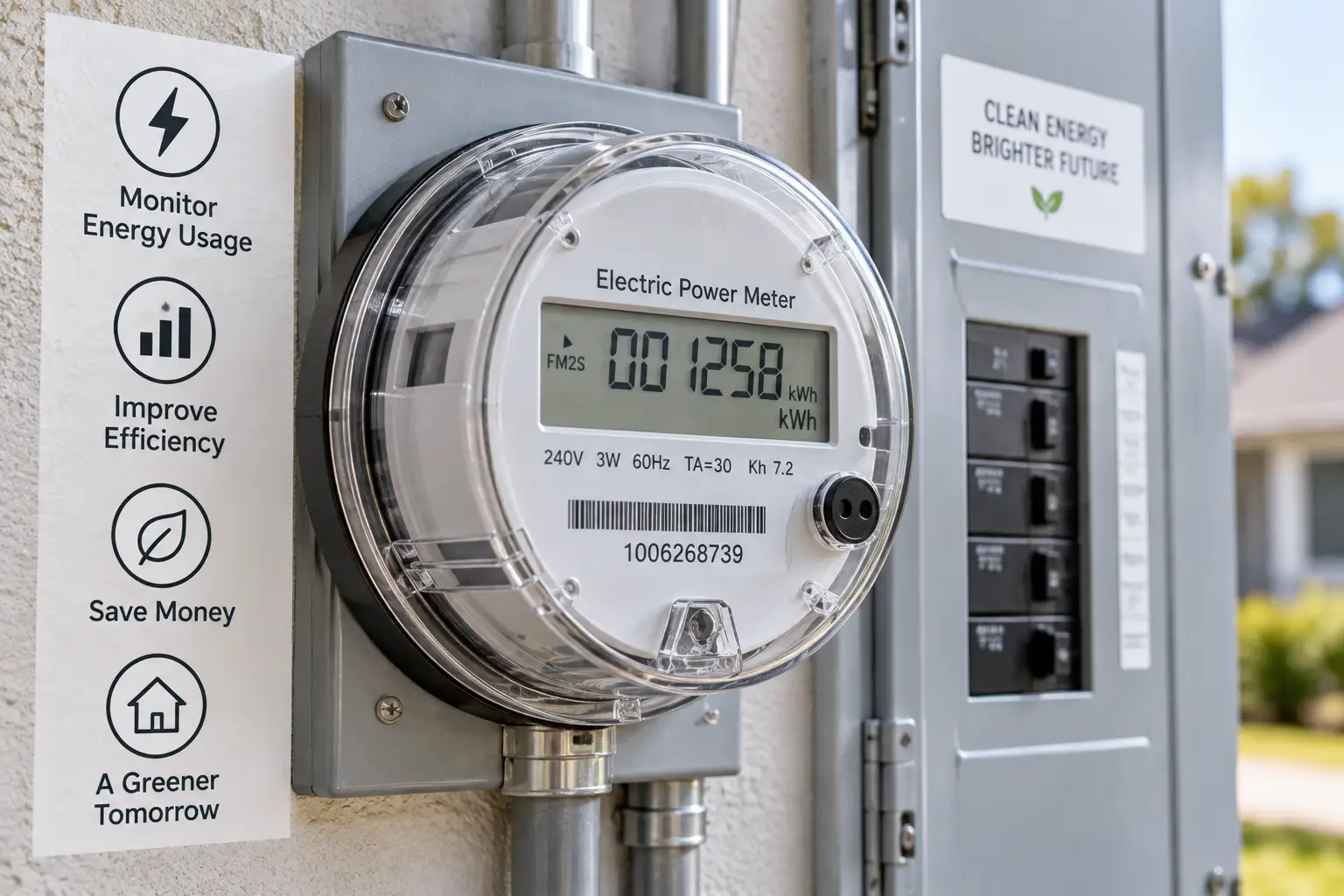
An electric power meter is a device that measures how much electricity — in volts, amps, watts, or kilowatt-hours — a device, circuit, or entire home draws over time, so you can see actual usage and cost instead of estimating. Plug-in versions handle single appliances; panel-installed versions handle your whole house at once. Both types exist to answer the same basic question: what is this actually costing me?
The concept isn’t new — utilities have used electromechanical and digital electric power meters to bill customers for over a century — but consumer-grade versions only became affordable and widespread in the last two decades. Today’s plug-in meters descend directly from that same measurement principle, just scaled down to a single outlet. The core idea, sometimes called “standby power” measurement when applied to idle devices, refers to electricity many appliances consume while switched off or in sleep mode — a phenomenon these meters are especially good at exposing, since it’s invisible without one. If you’re curious about the underlying physics and history, Wikipedia’s overview of standby power is a solid starting point.
How to Choose the Right Electric Power Meter
With seven options covering very different use cases, here’s a practical framework for narrowing it down:
- Define your scope first. If you want to check one or two specific appliances, a basic plug-in meter like the Kill A Watt P4400 or Poniie PN2000 is all you need — don’t overspend on whole-home hardware for a single-appliance question.
- Check the amperage rating against your load. Standard plug-in meters typically cap around 15 amps; if you’re measuring an EV charger, window AC, or other heavy-draw appliance, you need a meter explicitly rated for it, like the Poniie PN2500.
- Decide if you need data over time or just a snapshot. A single reading tells you instantaneous draw; if you want trends across days or weeks, look for models with data memory or WiFi logging.
- Weigh installation tolerance honestly. Whole-home monitors deliver the richest picture but require panel access — DIY-comfortable electricians can often self-install, but most households should budget for a professional.
- Consider whether you want control, not just data. A metering smart plug like the Kasa KP125M lets you both measure and remotely shut off a device, which a passive meter can’t do.
- Factor in solar or EV ownership. If either applies to you, prioritize a whole-home monitor with native solar/net-metering support rather than trying to piece it together with plug-in tools.
- Match your budget to your actual goal. Spending $300 on a whole-home system to answer a $20 question is a common and avoidable mistake — scope the purchase to the problem you’re actually solving.
Getting Started: Your First 30 Days With an Electric Power Meter
Buying the right electric power meter is only half the job — using it well is what actually saves you money. Here’s how to get useful data fast, whichever type you bought.
For plug-in meters, start with your biggest suspected offenders: refrigerators, window AC units, space heaters, and anything with a always-on display or remote-ready standby mode. Leave the meter on each device for at least 24 hours to capture a full daily cycle, since a single instant reading can be misleading — a refrigerator’s compressor cycles on and off, so a snapshot might catch it mid-idle and undercount real usage. Record the kWh reading, not just the instantaneous wattage, since that’s what actually maps to your utility bill.
For whole-home monitors, the first two weeks matter most. Expect the app’s automatic detection (on Sense-style systems) or your own manual circuit labeling (on Emporia-style systems) to be rough at first — go through and correctly label as many circuits and appliances as you can during setup, since that labeling directly improves the accuracy of everything the system reports later. A common mistake in the first 30 days is checking the app once, seeing unfamiliar numbers, and giving up before the system has had time to learn your home’s patterns.
Either way, set a baseline in week one, then revisit weekly for the first month. That’s when the real behavioral change happens — most people who actively track usage naturally start unplugging idle devices and shifting high-draw tasks to cheaper hours, without needing to be told to. For additional no-cost and low-cost strategies to pair with your new data, ENERGY STAR’s home energy-saving tips are a solid companion resource.
✨ Found a power hog already? Compare today’s pricing on the picks above and get started this week. ✨
Real-World Scenarios: Which Meter Fits Your Situation?
Rather than abstract specs, here’s how three common buyer profiles map to specific picks.
The renter on a tight budget wants to figure out if their window AC or space heater is driving up a shared or personal electric bill, without installing anything permanent. The Poniie PN2000 or Kill A Watt P4400 are ideal here — no wiring, no landlord permission needed, and both cost less than a single month’s worth of the waste they’ll help you identify.
The EV owner charging at home needs to know exactly what Level 1 charging is costing per session, especially if their utility has time-of-use rates. The Poniie PN2500 is purpose-built for this, handling the higher amperage safely while giving remote app access so you’re not walking out to the garage every morning to check a screen.
The solar homeowner troubleshooting a high bill despite panels needs circuit-level or device-level visibility that a plug-in meter simply can’t provide. Between the two whole-home options here, the Emporia Vue Gen 2 is the more budget-friendly path to circuit-level clarity, while the Sense Energy Monitor suits someone willing to pay more for device-level detection without wiring a sensor to every breaker.
Plug-In Power Meters vs. Whole House Energy Monitors
This is the single biggest decision point in this whole category, so it’s worth addressing head-on rather than just in a table.
A plug-in power meter is cheap, instant, and perfectly accurate for the one device it’s connected to — but it only ever tells you about that one device at a time. If your house has 40 outlets, you’re not going to rotate a meter through all of them. A whole house energy monitor flips that trade-off: higher upfront cost and real installation effort, but continuous, simultaneous visibility across every circuit or the entire home, without you doing anything after setup.
| Factor | Plug-In Meter | Whole-Home Monitor |
|---|---|---|
| Setup | Seconds, no tools | Hours, often needs an electrician |
| Scope | One device at a time | Entire home simultaneously |
| Typical Price | $20–$150 | $150–$400 |
| Best For | Spot-checking specific appliances | Ongoing, full-house visibility |
Looking at this comparison, the honest advice is: don’t buy a whole-home monitor to solve a single-appliance question, and don’t buy five plug-in meters trying to approximate what a whole-home system does natively. If you’re not sure which camp you’re in, start with a plug-in meter like the Kill A Watt P4400 — it’s cheap enough that “trying it first” isn’t a real financial risk, and what you learn will tell you whether you actually need to go further.
Common Mistakes to Avoid When Buying an Electric Power Meter
Even a good meter gives bad data if you use it wrong. Here are the mistakes that come up most often:
Buying a standard 15-amp plug-in meter for an EV charger or window AC is the most common and most dangerous mistake — these meters simply aren’t rated for that load, and forcing it risks both inaccurate readings and a genuine safety hazard. Taking a single instantaneous reading and assuming it represents typical usage is another frequent error, since cycling appliances like refrigerators and HVAC systems swing wildly between idle and peak draw within minutes. Buyers also commonly underestimate installation effort on whole-home systems, expecting a plug-and-play experience from a device that’s genuinely a panel-level electrical project. Finally, skipping circuit labeling during whole-home monitor setup — and then being confused when the app’s categorization looks wrong — undermines the entire value of the system for weeks longer than necessary.
What to Expect: Everyday Performance
Once you’ve had an electric power meter running for a couple of weeks, the experience settles into a predictable rhythm. Plug-in meters become a quick diagnostic tool you reach for occasionally — someone’s replacing an old appliance, or a bill spiked unexpectedly, and you grab the meter to check. Whole-home monitors, by contrast, become a background habit: a quick glance at the app in the morning, similar to checking the weather, that occasionally surfaces something genuinely useful, like a “device left on” alert or a solar production summary.
Accuracy in daily use is generally good across every product on this list, though it’s worth setting realistic expectations: plug-in meters are essentially “what you see is what you get,” while machine-learning-based whole-home systems like Sense improve gradually as the software learns your home’s specific appliance signatures. Don’t expect perfect device identification in week one from an ML-based system — that’s normal, not a defect.
Electric Power Meters for Renters, EV Owners, and Solar Households
Different living situations call for genuinely different tools, so it’s worth breaking this out by audience rather than assuming one meter fits everyone.
Renters benefit most from portable, non-permanent options — anything that clips into a panel is off the table without landlord approval, which makes plug-in meters like the Kill A Watt P4400 or Poniie PN2000 the practical default. EV owners specifically need amperage headroom that standard meters don’t offer; the Poniie PN2500 exists for exactly this reason, and it’s worth the premium over a standard meter if you’re charging regularly at home. Solar households have the most to gain from a whole-home monitor, since production tracking and net-metering visibility simply aren’t available from any plug-in tool — between the Emporia Vue Gen 2 and Sense Energy Monitor, the choice mostly comes down to budget versus how much you value automatic device detection over manual circuit labeling.
Long-Term Cost and Maintenance
The purchase price is only part of the real cost picture, so it’s worth walking through what ownership looks like a year or two out.
Plug-in meters like the Kill A Watt P4400, Kill A Watt Flex P4456, and Poniie PN2000 have essentially zero ongoing cost — no subscription, no batteries in most models since they draw power from the outlet itself, and no software to maintain. Their total cost of ownership is just the sticker price. Smart plugs like the Kasa KP125M are similarly subscription-free, though they depend on continued WiFi and app support from the manufacturer, which is a soft long-term dependency worth being aware of.
Whole-home monitors carry a different cost profile. Both the Emporia Vue Gen 2 and Sense Energy Monitor currently operate without a required subscription for core features, which is a meaningful point in their favor relative to some competitors in this category that do gate features behind monthly fees. The real long-term cost is upfront: sensor kits and, in many cases, electrician labor for installation. Run the math against what you’d actually save — if a whole-home monitor helps you catch one malfunctioning appliance before it fails expensively, or shifts even a modest chunk of usage to off-peak rates, it can pay for itself within a year or two for a household with real usage volume to analyze.
Features That Actually Matter (and Ones That Don’t)
With seven products spanning very different price points, it’s worth cutting through the spec-sheet noise. Accuracy and amperage rating matter enormously — an inaccurate meter or one rated below your actual load gives you either useless or unsafe data, full stop. Data logging matters if you plan to track trends rather than take one-off readings. Solar and net-metering support matters, but only if you actually have solar; it’s a wasted feature otherwise.
What matters less than marketing suggests: display size and app polish are nice-to-haves, not decision-makers — a slightly harder-to-read LCD on a $22 meter doesn’t change the accuracy of the number it’s showing you. Similarly, voice-assistant integration on a smart plug is convenient but rarely the reason anyone actually buys a metering plug; the energy data itself is almost always the real motivation, with smart-home compatibility as a bonus.
Safety, Regulations, and Standards
Because electric power meters sit directly in your home’s electrical path, safety certifications aren’t optional details — they’re the difference between a reliable tool and a fire risk. Look for UL or ETL listing on any plug-in meter or smart plug, which indicates independent testing against recognized U.S. safety standards; several products in this guide, including the Kasa KP125M and Emporia Vue Gen 2, explicitly carry UL certification. Avoid unbranded, uncertified meters sold without any listing mark, since the Consumer Product Safety Commission has documented millions of faulty electrical accessories with undersized wires, loose connections, or counterfeit certification labels entering the market, particularly in the cheapest tier of extension cords and plug-in devices.
Never exceed a meter’s rated amperage — this is the single most common safety mistake in this category, and it applies directly to the difference between a standard 15-amp plug-in meter and a purpose-built option like the Poniie PN2500 for EV charging. For whole-home monitors, panel work should be treated as a real electrical project: even DIY-marketed kits generally recommend a licensed electrician for the actual panel connection, both for safety and to avoid voiding your home’s electrical warranty or insurance coverage. For broader guidance on avoiding electrical hazards at home, the CPSC’s home electrical safety guide is a useful reference before you start any panel-level project.
Problem → Solution: Fixing Common Electric Power Meter Issues
Problem: The meter shows 0 watts even though the appliance is clearly running. Solution: Check that the meter is fully seated in the outlet and the appliance plug is fully seated in the meter — a loose connection is the most common cause, especially on meters with a snug outlet fit.
Problem: Readings seem inconsistent between checks on the same appliance. Solution: This is often normal cycling behavior (compressors, thermostats) rather than a meter fault; take a 24-hour cumulative kWh reading instead of relying on instantaneous wattage snapshots.
Problem: A whole-home monitor keeps misidentifying which appliance is running. Solution: Spend extra time on manual circuit labeling during setup, and give machine-learning-based systems several weeks of normal household activity before judging accuracy.
Problem: A smart plug’s energy data isn’t showing up in your preferred smart-home app. Solution: Confirm whether the energy monitoring feature requires the manufacturer’s own app (as with the Kasa KP125M) rather than the Matter integration, since not all smart-home standards currently carry energy data through third-party apps.
Problem: You’re not sure if your whole-home panel can fit the required sensors. Solution: Check whether your panel offers direct breaker access or busbar-only access; busbar-only panels typically need flexible current sensors rather than the standard clamp-on kind, so confirm compatibility before ordering.
FAQs
❓ What's the most accurate electric power meter for home use?
❓ Do electric power meters use electricity themselves?
❓ Can an electric power meter measure my whole house?
❓ Is a whole-home energy monitor worth the installation cost?
❓ What amperage rating do I need for an EV charger meter?
Conclusion
Electric power meters solve a problem most households don’t realize they have: you can’t manage what you can’t measure, and your utility bill is far too blunt an instrument to tell you which appliance, circuit, or habit is actually costing you money. The good news is that getting started doesn’t require a big investment — a $20 Kill A Watt P4400 or Poniie PN2000 will answer most single-appliance questions in a single afternoon.
If your situation is bigger than one appliance — solar production you want to track, an EV you’re charging at home, or a bill that stays stubbornly high despite your best guesses — stepping up to a purpose-built option like the Poniie PN2500, or a whole-home system like the Emporia Vue Gen 2 or Sense Energy Monitor, gives you the resolution those questions actually require. None of these seven products are the wrong choice; they’re built for different scopes, and matching the tool to your actual question is what makes the purchase pay off.
Whichever you choose, the real value shows up after the purchase, in the habits it changes. Once you can see exactly what something costs to run, you tend to stop leaving it running for no reason — and that’s where the ongoing savings actually come from.
✨ Ready to stop guessing and start measuring? Check today’s pricing on the electric power meter that fits your situation above. ✨
Recommended for You
- Does Canada Use Same Plugs as US? 7 Shocking Facts Every Traveler Must Know
- Brilliance Smart Socket: 7 Best Outdoor Smart Plugs for 2026
- Bn Link Smart Plug Setup: 7 Best Picks & No-Fail Guide (2026)
Disclaimer: This post contains affiliate links. As an Amazon Associate, I earn from qualifying purchases made through these links, at no additional cost to you.
✨ Found this article helpful? Share it with someone who needs it! 💬🤗
