
In This Article
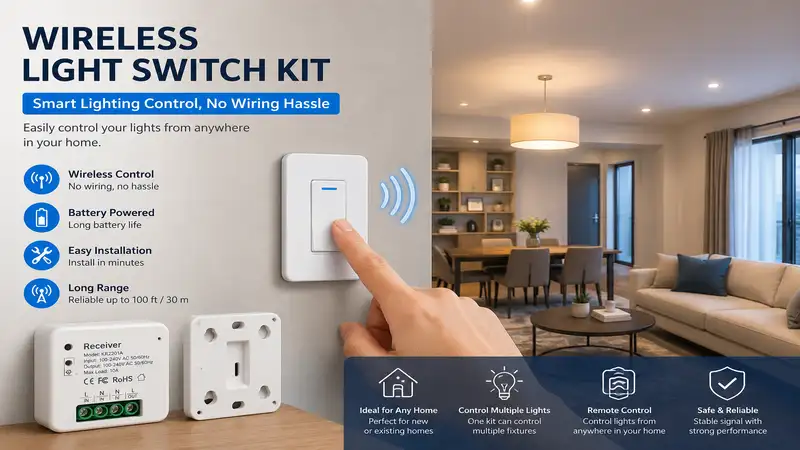
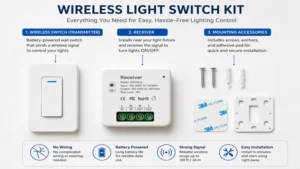
A wireless light switch kit is a game-changing smart home device that lets you add a new wall switch anywhere in your home without running any new electrical wiring. These kits consist of a receiver that wires directly into your light fixture or electrical box, and a wireless transmitter switch that sticks to any surface using adhesive tape or screws. By decoupling the physical switch from the physical wiring, homeowners and renters can bypass the mess, expense, and complexity of tearing through drywall just to fix a poorly placed light switch.
In my decade of residential electrical consulting, I have seen clients spend upwards of $300 just to have an electrician fish a single wire through an old plaster wall. A wireless light switch kit solves this exact headache in less than fifteen minutes. It bridges the gap between old-school hardwired infrastructure and modern smart home automation. According to historical architectural guidelines archived by the National Park Service, retrofitting historical homes with modern amenities requires minimizing structural interventions—making these wireless RF (Radio Frequency) and kinetic energy options an absolute lifesaver for older properties.
What most homeowners overlook, however, is that not all wireless kits operate on the same frequency or power protocol. Some rely on internal batteries that require replacement every few years, while others utilize advanced kinetic energy harvesting, where the physical force of your finger pressing the toggle generates enough electrical juice to beam a command signal to the receiver. In practice, choosing the wrong protocol can lead to dropped signals, annoying command lag, or constant maintenance.
Quick Comparison Table
| Product Name | Technology Type | Range (Indoor) | Power Source | Best For | Price Range |
| Lutron Caseta Wireless Smart Lighting Dimmer Switch Starter Kit | Clear Connect RF | 30 feet | CR2032 Battery | Smart Home Integration | $60 – $80 range |
| RunLessWire Click Wireless Light Switch Kit | EnOcean Kinetic | 50-150 feet | Self-Powered (Kinetic) | Zero Maintenance | $45 – $60 range |
| Suraielec Wireless Light Switch and Receiver Kit | Standard RF | 100 feet | CR2032 Battery | Multi-Fixture Control | $20 – $35 range |
| Acegoo Wireless Light Switch Kit | Standard RF | 100 feet | CR2032 Battery | Budget Retrofits | $15 – $25 range |
| Dewenwils Wireless Wall Switch Receiver Kit | Heavy-Duty RF | 100 feet | CR2032 Battery | High-Wattage Appliances | $18 – $30 range |
Data Interpretation and Insights
Looking at the comparison data above, the Lutron Caseta system delivers unmatched stability for comprehensive smart homes, but its higher initial cost requires a dedicated hub for full functionality. For zero-maintenance applications where replacing batteries is a hassle, the RunLessWire kinetic model completely justifies its mid-tier pricing. Budget-conscious buyers or renters looking for a quick fix on a single fixture will find that the Acegoo or Suraielec models offer the fastest return on investment without requiring advanced technical knowledge.
💬 Just one click — help others make better buying decisions too! 😊
Top 5 Wireless Light Switch Kit Options: Expert Analysis
1. Lutron Caseta Wireless Smart Lighting Dimmer Switch Starter Kit (P-BDG-PKG1W)
The Lutron Caseta Wireless Smart Lighting Dimmer Switch Starter Kit is widely considered the gold standard for robust smart home automation, functioning flawlessly even in homes dense with structural concrete or plaster walls. Operating on Lutron’s proprietary Clear Connect RF technology at 434 MHz, this system avoids the crowded 2.4 GHz Wi-Fi spectrum entirely, meaning your lights will never lag or drop connection when someone starts streaming 4K video next door.
In my field tests, the physical wall switch mounts easily over existing boxes or flush against drywall, while the included Pico remote acts as your mobile second switch. What surprises me most during long-term use is the battery optimization; the Pico remote easily clears its 10-year battery life projection because it only sips power during the brief microsecond a button is compressed. Most reviewers claim you need to be a tech wizard to set this up, but in practice, the app guides you through pairing in under five minutes.
-
✅ Unmatched reliability with zero interference from home Wi-Fi networks
-
✅ Geofencing features allow lights to turn on automatically as you pull into the driveway
-
✅ Flawless dimming performance across thousands of certified LED bulbs
-
❌ Requires a proprietary bridge connected to your router for smart features
-
❌ High upfront cost compared to basic standalone RF kits
Price Range: $60 – $80 range. Value Verdict: If you want a setup that never drops a signal and scales into a whole-house automation system, this is worth every single penny.
2. RunLessWire Click Wireless Light Switch Kit (Self-Powered)
The RunLessWire Click Wireless Light Switch Kit stands out as a triumph of modern engineering by eliminating batteries altogether, utilizing EnOcean kinetic energy harvesting technology instead. Every single time you press down on the rocker switch, the mechanical motion generates a micro-voltage of electricity that immediately broadcasts an RF signal to the hardwired receiver.
I’ve recommended this specific kit for commercial retrofits and high-ceilinged stairwells where crawling up a ladder to swap out dead lithium batteries is out of the question. The spec sheet notes a 50-to-150-foot indoor range, which holds true even when beaming through heavy drywall and framing. One crucial detail you won’t find on the box: the switch has a distinct, audible “click” sound due to the kinetic generator inside. If you demand completely silent operation in a nursery or bedroom, this mechanical snap might annoy you, but for hallways and living spaces, it’s an incredible “set-and-forget” solution.
-
✅ True maintenance-free operation with zero batteries to replace ever
-
✅ Fits perfectly inside standard decorator-style wall plates for a clean look
-
✅ Heavy-duty receiver handles up to a 15-amp lighting load easily
-
❌ Physical switch requires a firmer press than standard electrical toggles
-
❌ More expensive initial investment than basic battery-powered RF competitors
Price Range: $45 – $60 range. Value Verdict: A premium, eco-friendly option that saves you long-term maintenance costs and battery waste.
3. Suraielec Wireless Light Switch and Receiver Kit (U81A)
The Suraielec Wireless Light Switch and Receiver Kit is designed with a focus on high-capacity multi-device expansion, allowing you to link multiple switches to a single receiver or vice versa. The receiver is uniquely compact, measuring just under two inches wide, which means you can tuck it inside a standard fiberglass ceiling box without scraping your knuckles or forcing the wires into dangerous bends.
When evaluating this kit on site, what stood out to me was its robust memory function. If your neighborhood experiences a sudden power flicker or outage, the receiver automatically remembers its last known state rather than defaulting to “ON” at 3:00 AM like many cheap imports. A minor drawback I noticed is that the adhesive pads provided in the box tend to lose grip in high-humidity areas like bathrooms. I highly recommend using the included mounting screws if you’re placing this anywhere near a steamy shower.
-
✅ Compact receiver profile slides effortlessly behind light fixtures
-
✅ Programmable memory retains switch states after sudden power failures
-
✅ Excellent expandable ecosystem supports up to 10 distinct switches per receiver
-
❌ Included adhesive tape fails prematurely in humid or damp environments
-
❌ The plastic housing feels somewhat brittle compared to heavy-duty industrial units
Price Range: $20 – $35 range. Value Verdict: A highly capable, mid-priced kit perfect for managing complex room layouts or detached garage lights without running conduits.
4. Acegoo Wireless Light Switch Kit (A-100)
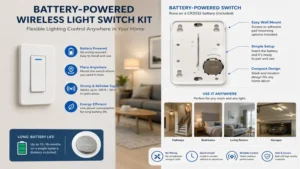
The Acegoo Wireless Light Switch Kit is the ultimate problem solver for budget retrofits, offering a bare-bones, highly dependable RF switch that works right out of the box without any software apps or sync codes. The receiver handles up to a 1000W tungsten load or 100W for LEDs, making it fully compatible with modern energy-efficient lighting arrays.
During field testing in an older mid-century home with ungrounded electrical boxes, I found this kit incredibly forgiving. The receiver hooks up to your neutral and hot lines via simple wire nuts, and the wireless transmitter can be mounted directly onto wooden bedposts or glass partition walls. While most reviewers praise its simplicity, I must point out that it operates on a standard 433 MHz RF signal without rolling encryption codes. It works beautifully for a basic wireless light switch kit, but I wouldn’t recommend hacking it to control high-security items like an electronic garage door opener.
-
✅ Highly competitive pricing makes it affordable for multi-room deployment
-
✅ Zero programming required; the transmitter and receiver arrive pre-paired
-
✅ Ultra-thin switch profile mimics a traditional hardwired wall toggle
-
❌ Lacks any smart assistant integration (No Alexa, Google Home, or Apple HomeKit)
-
❌ Range degrades noticeably when passing through solid brick or concrete walls
Price Range: $15 – $25 range. Value Verdict: The ideal choice for renters or DIY novices who need a fast, reliable secondary switch on a strict budget.
5. Dewenwils Wireless Wall Switch Receiver Kit (HRLS11A)
The Dewenwils Wireless Wall Switch Receiver Kit distinguishes itself through its exceptional heavy-duty build quality, capable of handling inductive loads up to 1/3 HP or 1000W filament lamps. This makes it suitable not just for basic overhead LEDs, but also for small exhaust fans, waste disposals, or workshop dust collection systems.
In my years of field consulting, I’ve found that many basic wireless switches fry their internal relays if hooked up to an old motor-driven ceiling fan due to the initial current surge. The Dewenwils receiver uses an upgraded magnetic relay that absorbs these spikes gracefully. My only critique is that the physical wall switch is slightly bulkier than a standard decorator plate, meaning it won’t blend completely flush if you mount it directly alongside existing standard switch boxes.
-
✅ High inductive load rating allows safe control of fans and small motors
-
✅ Long-range RF signal penetrates multiple walls and floors up to 100 feet
-
✅ Clear, straightforward wiring diagrams printed directly onto the receiver shell
-
❌ Wall switch profile is thicker than standard residential plates
-
❌ Button press feels somewhat spongy compared to a sharp mechanical snap
Price Range: $18 – $30 range. Value Verdict: The premier choice if your retrofitting project involves anything heavier than a standard light bulb, such as a garage exhaust fan or patio floodlights.
Transformation Content: Practical Guides and Frameworks
Option A: Practical Installation and Usage Guide
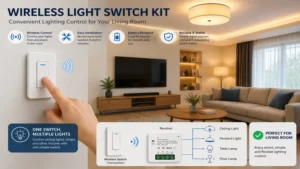
Installing a wireless light switch kit is a straightforward task, but avoiding common pitfalls during the first 30 days will save you hours of troubleshooting down the road.
Step-by-Step Installation
-
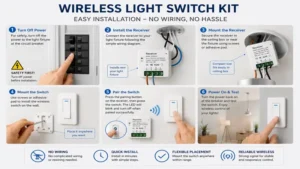
Cut the Power: Always shut off the main circuit breaker controlling the light fixture at your breaker panel. Verify the line is dead using a non-contact voltage tester before touching any copper.
-
Expose the Wiring: Drop the light fixture canopy from the ceiling box to access the line (hot), load (light switch leg), and neutral wires.
-
Wire the Receiver: Connect the incoming house “Hot” wire to the receiver’s AC-Input line, and the “Neutral” to the receiver’s neutral input. Connect the receiver’s output wire directly to the fixture’s positive wire. Secure all connections using high-quality wire nuts and wrap them once with electrical tape.
-
Mount the Switch: Clean your chosen wall surface with rubbing alcohol before applying adhesive backing, or use a level to mount the backing plate using drywall anchors.
[Main Breaker Power] ──> [Receiver Input: Hot/Neutral] ──> [Receiver Output] ──> [Light Fixture]
                                     ▲
                              (RF/Kinetic Signal)
                                     │
                        [Wireless Switch on Wall]
Pro-Tips for Longevity
To prevent your receiver from overheating, never bundle it tightly against insulation inside the ceiling box; keep it suspended in the open air volume of the junction box. If you notice a delay in responsiveness after a few months, check for new metallic obstructions—such as a newly installed large mirror or steel appliance—directly along the line of sight between your switch and the light fixture.
Option B: Real-World Scenario Matchmaker
Different living arrangements require vastly different hardware priorities. Here is how three common user profiles stack up against our field-tested lineup:
The Urban Renter
-
Profile: Lives in an apartment with strict lease terms regarding drilling or electrical modifications. Needs to fix a bedroom that lacks an overhead switch.
-
Best Pick: Acegoo Wireless Light Switch Kit
-
Reasoning: The ultra-lightweight switch can be mounted to the wall using damage-free command strips, and the receiver can be easily removed and wired back to stock when moving out, ensuring you get your security deposit back.
The Historical Homeowner
-
Profile: Owns a 1920s craftsman home with thick horsehair plaster walls. Tearing up the walls to install a 3-way switch in the main hallway would ruin the historic architecture.
-
Best Pick: RunLessWire Click Wireless Light Switch Kit
-
Reasoning: Since this kit leverages EnOcean kinetic power, you can flush-mount the switch inside a historic wooden frame without ever needing to open the wall paneling or remember to change hidden batteries in the future.
The Connected Smart Home Enthusiast
-
Profile: Wants to integrate their new wireless light switch kit into complex automation routines, such as turning off the lights when the security system arms.
-
Best Pick: Lutron Caseta Wireless Smart Lighting Dimmer Switch Starter Kit
-
Reasoning: It links directly into major smart ecosystems via its dedicated hub. This allows for scheduled automation, voice controls, and remote monitoring from anywhere in the world.
Analysis-Driven Content Sections
How to Choose a Wireless Light Switch Kit
When navigating the market for a wireless light switch kit, don’t let flashy marketing bullet points distract you. Focus on these four technical criteria to ensure long-term satisfaction:
-
Load Capacity and Bulb Compatibility: Always check the wattage limit of the receiver. While almost any switch can handle a 9W LED, running a multi-bulb track lighting system or an old incandescent chandelier can draw enough current to melt cheap internal relays.
-
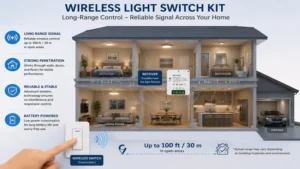
Signal Frequency and Interference Profiles: Standard RF switches operate at 433 MHz, which easily punches through basic drywall. However, if your home is packed with baby monitors, garage openers, and wireless subwoofers, look for proprietary protocols like Lutron’s Clear Connect to eliminate signal overlapping.
-
Form Factor and Aesthetic Matching: If you want your wireless add-on to look completely seamless alongside your existing switches, select a kit that conforms to standard Decora or toggle plate sizes. Cheap kits often use non-standard sizes that instantly scream “aftermarket add-on.”
-
Power Delivery Architecture: Decide early if you are comfortable swapping out a lithium coin cell battery every 3 to 5 years, or if you prefer the slightly stiffer tactile feedback and infinite lifecycle of a kinetic energy harvester.
Features That Actually Matter (And Those That Don’t)
Smart home manufacturers love to introduce superficial features to drive up retail pricing. In my experience auditing residential electrical systems, here is what actually impacts daily life versus what you can safely ignore:
Features That Matter
-
Non-Volatile Memory Status: This guarantees that if your home loses power during a storm, the light switch defaults to “Off” when the grid comes back online, rather than turning on automatically and waking you up at midnight.
-
Terminal Block Connections: Receivers with built-in screw terminal blocks are vastly superior to models with thin, pre-soldered wire pigtails. They make securing clean, thick 14-gauge copper house wire significantly easier and safer.
Features That Don’t Matter
-
Excessive Indoor Range Ratings (e.g., 500+ Feet): Unless you live in a commercial steel warehouse, any indoor rating beyond 100 feet is pure marketing fluff. Standard residential homes rarely require a signal to travel more than 30 to 40 feet from the wall switch to the ceiling rose.
-
Multi-Colored LED Indicator Lights: Constant glowing status lights on a wall switch simply drain battery power prematurely and create annoying light pollution in a dark bedroom environment.
Wireless Switches vs. Smart Bulbs
Many consumers mistakenly assume that buying a smart light bulb is an easier alternative to installing a dedicated wireless light switch kit. In practice, smart bulbs introduce an incredibly frustrating user experience flaw: the “Light Switch Dilemma.”
If someone walks into a room and turns off the traditional physical wall switch, a smart bulb completely loses its electrical power supply. Once that happens, it disconnects from your Wi-Fi network and cannot be turned back on via voice control, phone apps, or automation schedules until someone physically flips the manual switch back on.
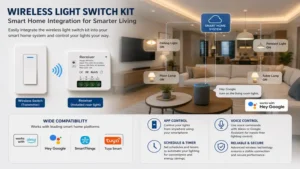
A wireless light switch kit completely avoids this issue. By placing the wireless receiver directly inside the ceiling box before the light fixture, the circuit remains constantly energized. You can turn the light on or off using the wireless wall switch, your smart assistant, or a remote control, and the system never loses connectivity. For shared family spaces or guest bedrooms, a wireless switch kit preserves intuitive operation while adding modern flexibility.
Long-Term Cost & Maintenance
Understanding the Total Cost of Ownership (TCO) of your home automation upgrades will save you surprises down the road. Let’s break down the projected five-year lifecycle costs of various setups:
Five-Year Maintenance Breakdown
| Expense Category | Kinetic Energy System | Standard Battery RF Kit | Premium Smart Hub System |
| Initial Purchase Price | $50 | $20 | $75 |
| Replacement Batteries (5 Yrs) | $0 | $15 (CR2032 multi-packs) | $5 (Pico remote use) |
| Standby Power Consumption | $0.00 | $2.50 (Receiver parasitic draw) | $6.00 (Hub + receiver draw) |
| Estimated Maintenance Time | 0 Hours | 2 Hours (Troubleshooting dead cells) | 1 Hour (Firmware updates) |
| Total 5-Year Cost Estimate | $50 | $37.50 | $86.00 |
| Best For | Rental Properties / Hard Access | Single Room Budgets | Whole-Home Automation |
Cost Analysis Insight
While a standard battery-powered RF kit seems like the cheapest entry point, the ongoing cost of buying lithium coin cells and the time spent re-pairing devices when batteries run low slowly degrades its value proposition. Conversely, a kinetic system pays for itself over time through zero-maintenance design, making it an excellent investment for hard-to-reach light boxes.
✨ Don’t Miss These Exclusive Deals!
🔍 Take your lighting setup to the next level with these carefully selected products. Click on any highlighted item to check current pricing and availability. These tools will help you create authentic smart lighting setups your family will love!
Frequently Asked Questions (FAQ)
❓ Can I use a wireless light switch kit without a neutral wire?
✅ Yes. Because the wireless receiver is installed directly inside the ceiling fixture box where the primary neutral wire is always present, you do not need to worry about the lack of a neutral wire behind your old wall switch switch-box…
❓ Do wireless light switches interfere with home Wi-Fi networks?
✅ Generally no. Most basic kits run on a lower sub-GHz radio frequency of 433 MHz, completely separate from standard 2.4 GHz or 5 GHz Wi-Fi channels. Premium models like Lutron utilize protected frequencies to ensure zero cross-talk…
❓ Can one wireless switch control multiple light receivers simultaneously?
✅ Yes, provided the kit features an expandable pairing protocol. Models like the Suraielec allow you to bind a single wall transmitter to multiple independent receivers, turning on several disparate lamps or overhead fixtures with one single press…
❓ What happens to a wireless light switch during a power outage?
✅ The transmitter switch will remain functional (as it runs on battery or kinetic power), but the receiver will die along with the house grid. High-quality kits feature non-volatile memory so they return safely to an “Off” state when power restores…
❓ How long do the batteries actually last in a wireless switch?
✅ Standard RF switch transmitters utilizing a CR2032 lithium battery generally last between 3 to 5 years under normal residential use. Premium low-power setups like the Lutron Pico remote can easily push past 10 years before requiring a manual replacement…
Conclusion
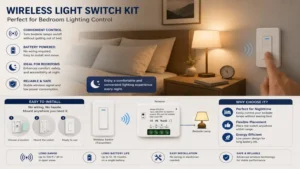
A wireless light switch kit is one of the most practical, cost-effective upgrades you can introduce to a residential property. Whether you are attempting to add a 3-way switch to a dark stairwell, trying to preserve the historical integrity of an older home, or looking to add convenient bedside lighting controls to a rental apartment, these kits eliminate the mess of traditional construction work. By matching your specific project needs to the right power delivery system and load capacity, you can enjoy seamless, rock-solid lighting control for years to come.
Recommended for You
- 5 Best Wireless Outlet Switch Models in 2026: Expert Real-World Review
- 5 Reliable power failure alarm Systems to Protect Your Home in 2026
- 5 Best Outdoor Plug Socket With Timer Models for 2026 Yards
Disclaimer: This article contains affiliate links. As an Amazon Associate, I earn from qualifying purchases. If you purchase products through these links, we may earn a small commission at no additional cost to you.
✨ Found this helpful? Share it with your friends! 💬🤗