
In This Article
Introduction: Why a Network Controlled Power Strip Beats a Midnight Drive
Affiliate disclosure: this article contains Amazon affiliate links. If you buy through them, we may earn a commission at no extra cost to you.
It’s 11:40 p.m., your cable modem has frozen solid, and the only fix is the oldest trick in IT: unplug it, count to ten, plug it back in. Easy — unless that modem lives in your parents’ basement two states away, in a vacation rental, or in a network closet on the far side of a campus. That’s exactly the moment a network controlled power strip earns its keep.
At its simplest, a network controlled power strip lets you switch individual outlets on and off from a phone app, a web browser, a voice assistant, or a script — no hands on the plug required. But the category is surprisingly wide. On one end you’ll find inexpensive Wi-Fi strips built for lamps, chargers, and desk gadgets. On the other sit rack-mounted switched PDUs designed for server rooms, complete with SNMP alerts, user accounts, and staggered power-up sequencing. And in the middle lives a cult favorite among homelab owners and remote-site admins: the stand-alone remote power switch that can ping your router and reboot it automatically when it stops answering.
This guide sorts through all three tiers. We compared spec sheets, manufacturer documentation, and aggregated customer feedback for seven real products available to US shoppers, then translated those specs into plain-English verdicts: who each one is for, what it gets right, and where it quietly falls short. You’ll also find setup advice, a buyer decision framework, a cost-of-ownership breakdown, and the security basics most product listings conveniently skip.
Whether you want to kill phantom power at your desk or stop making 2 a.m. “can you power-cycle the router?” phone calls, there’s a network controlled power strip here that fits. Let’s plug in. 🔌
What Is a Network Controlled Power Strip?
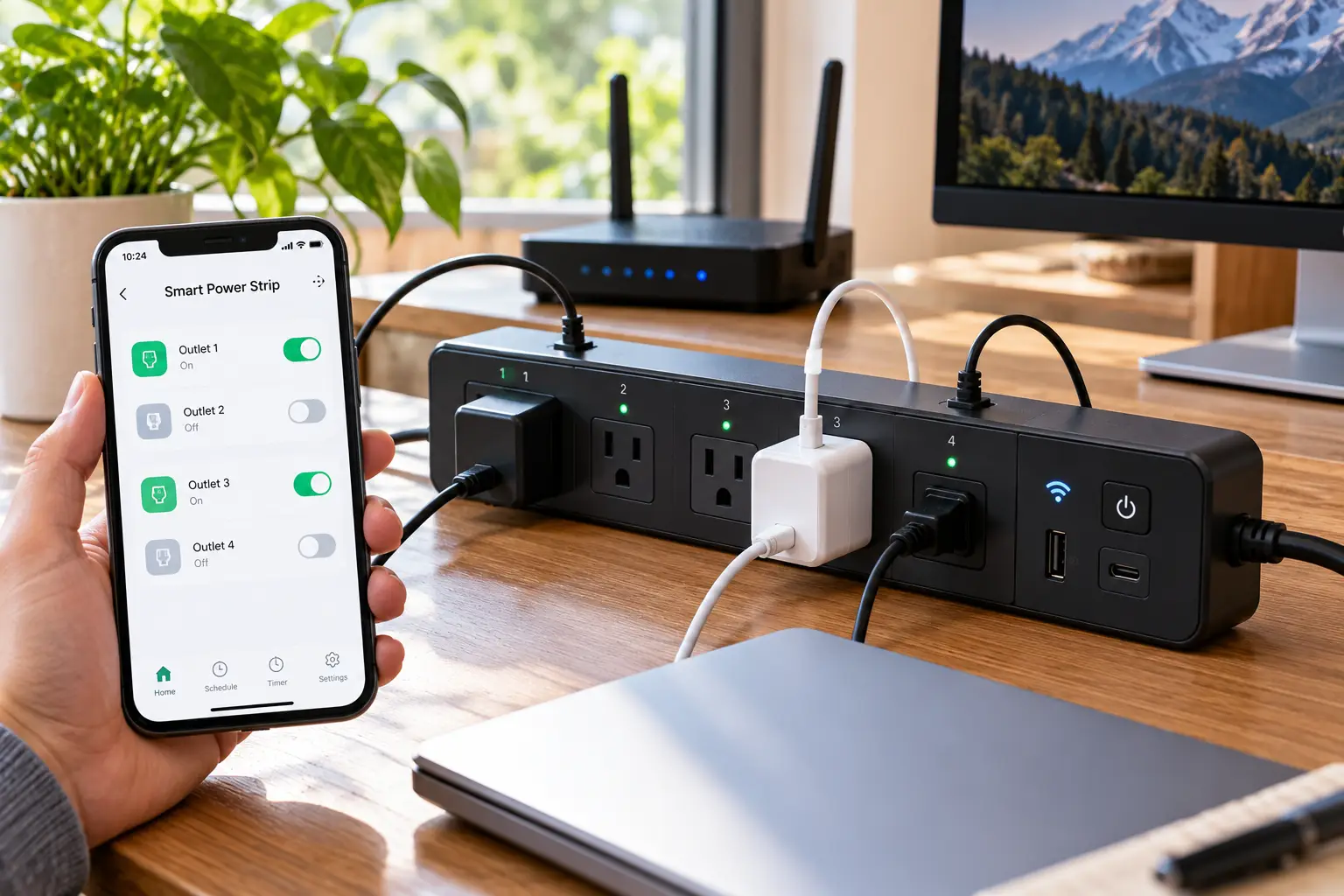
A network controlled power strip is a multi-outlet power strip with a built-in network connection — Wi-Fi, Ethernet, or both — that lets you turn individual outlets on, off, or power-cycle them remotely through an app, browser, voice assistant, or API, often with scheduling, energy monitoring, and surge protection built in.
In the data center world, the same idea goes by a more serious-sounding name: the switched power distribution unit, or PDU. As Wikipedia’s overview of power distribution units explains, a PDU is essentially a heavy-duty multi-outlet strip that feeds power to racks of equipment; the “switched” variety adds outlet-level remote control. Consumer smart strips borrowed that idea, shrank it, and wrapped it in friendlier apps.
Today you’ll run into three distinct flavors:
- 🏠 Consumer Wi-Fi smart strips — app and voice control, schedules, and sometimes per-outlet energy monitoring. They usually lean on the manufacturer’s cloud, at least for remote access.
- 🛠️ Stand-alone remote power switches — a web interface on your own network, no mandatory cloud account, automatic reboot features, and scripting APIs.
- 🗄️ Switched rack PDUs — 19-inch rack mounting, SNMP monitoring, per-user permissions, power sequencing, and email or SMS event alerts.
Here’s the practical takeaway: the further you move from the first flavor toward the third, the less you depend on someone else’s servers and the more control you get — but the price climbs steeply. A $30 strip and a $700 PDU both “turn outlets off over the network,” yet they solve very different problems. Knowing which problem you actually have is the single most important buying decision you’ll make, and it’s the lens we’ll use for every product below.
Quick Comparison: 7 Best Network Controlled Power Strips at a Glance
| Product | Type | Switched outlets | Connection | Approx. price range | Best for |
|---|---|---|---|---|---|
| Kasa KP303 | Wi-Fi smart strip | 3 (+2 always-on USB) | 2.4 GHz Wi-Fi | Under $35 | Kasa KP303: budget desks and nightstands |
| Meross MSS425FHK | Wi-Fi smart strip | 4 (+4 grouped USB) | 2.4 GHz Wi-Fi | $35–$50 | Meross MSS425FHK: Apple Home households |
| Kasa HS300 | Wi-Fi smart strip | 6 (+3 USB) | 2.4 GHz Wi-Fi | $50–$80 | Kasa HS300: per-outlet energy tracking |
| Tapo P316M | Matter smart strip | 6 (+3 always-on USB) | 2.4 GHz Wi-Fi, Matter | $50–$65 | Tapo P316M: mixed-ecosystem smart homes |
| Digital Loggers Web Power Switch Pro | Remote power switch | 8 | Ethernet + Wi-Fi | $170–$240 | Digital Loggers Web Power Switch Pro: auto-rebooting remote routers |
| CyberPower PDU41001 | Switched rack PDU | 8 | Ethernet | $550–$800 | CyberPower PDU41001: small business racks |
| APC AP7900B | Switched rack PDU | 8 | Ethernet | $650 and up | APC AP7900B: enterprise-managed closets |
Looking at the table above, the price gap between rows four and five isn’t a typo — it marks the line between home convenience gear and infrastructure gear. The four Wi-Fi strips cost roughly $10 per controllable outlet, while the Digital Loggers Web Power Switch Pro jumps to around $25 per outlet in exchange for wired Ethernet, cloud-free operation, and automatic reboot logic. The two rack PDUs climb past $80 per outlet, which only makes sense when downtime costs more than the hardware.
Notice, too, that connection type is a bigger differentiator than outlet count. Every consumer strip here relies on 2.4 GHz Wi-Fi, so if your Wi-Fi is the thing that breaks, those strips break with it. That’s precisely why remote-site admins gravitate to wired models. If you’re shopping for a living room or home office, though, the Tapo P316M and Kasa HS300 deliver the most capability per dollar.
💬 One click on a highlighted product helps you check current pricing — and sharing this guide helps other shoppers choose wisely too! 😊
Top 7 Network Controlled Power Strips: Expert Analysis
Each pick below is ranked from most affordable to most advanced. For every model, we translate the spec sheet into real-world meaning, summarize what verifiable customer feedback actually says, and flag where the data is too thin to draw conclusions.
1. Kasa KP303 — cheapest way into smart outlets
The Kasa KP303 proves you don’t need to spend much to put outlets on your phone. It packs three independently controlled outlets and two always-on USB-A ports into a compact 10.2-inch body, backed by ETL-certified surge protection and a 15A / 1,875W total load rating. In practice, you can schedule a desk lamp, a fan, and a monitor separately while your phone keeps charging no matter what the app says. Physical on/off buttons for each outlet are a quiet win: when Wi-Fi hiccups, you’re never locked out of your own lamp.
Honestly, this is a convenience device rather than an infrastructure tool. There’s no energy monitoring, no wired network option, and no Apple Home support — control runs through the Kasa app, Alexa, or Google Assistant. It’s ideal for renters, students, and anyone testing smart power before committing to an ecosystem.
We couldn’t verify a large, recent pool of US reviews specific to the Kasa KP303 beyond retailer star badges, so rather than guess at sentiment, we’ll stick to what the spec sheet reliably supports. Also note that TP-Link has been launching its newer strips under the Tapo name, so confirm stock before you fall in love.
Pros:
- ✅ Lowest entry price in this roundup
- ✅ Per-outlet physical buttons for manual override
- ✅ ETL-certified surge protection included
Cons:
- ❌ No energy monitoring of any kind
- ❌ Only three switchable outlets
Typically under $35 (check the current price) — strong value as a first smart strip, not as a long-term workhorse.
2. Meross MSS425FHK — best fit for Apple Home
If your household runs on iPhones, the Meross MSS425FHK is the rare budget strip that speaks fluent Apple Home. It offers four individually controlled outlets, four USB-A ports that are switched together as one group (up to 4A combined), surge protection, and a generous 6-foot cord. It also works with Alexa, Google Home, and SmartThings, so a mixed-phone family won’t fight over the remote.
What the spec sheet doesn’t spell out is how Apple Home changes daily use. Because the strip appears as native accessories, you can fold each outlet into Siri scenes and automations — “Goodnight” can kill the TV, game console, and soundbar in one shot. Remote control from outside your home, however, requires an Apple home hub such as an Apple TV or HomePod; without one, you’re limited to local control.
Hands-on coverage from Apple-focused outlets has emphasized the HomeKit integration and the long cord. Beyond that, we couldn’t verify enough recent US customer reviews to summarize broader sentiment reliably. The clearest trade-off is spec-driven: grouped USB control means you can’t cut power to one charging phone while leaving a tablet topped up. A single physical button also toggles everything at once, so manual control is all-or-nothing.
Pros:
- ✅ Native Apple Home and Siri support
- ✅ Long 6-foot cord eases furniture placement
- ✅ Four USB ports cover a family’s phones
Cons:
- ❌ USB ports can only switch as a group
- ❌ No per-outlet energy monitoring
Usually between $35 and $50 — the best value for Apple households that don’t need power data.
3. Kasa HS300 — per-outlet energy data for less
The Kasa HS300 turns your power strip into a tiny energy auditor. Its six outlets are individually controllable, and — here’s the headline — each one reports its own power draw in the Kasa app, including voltage and amperage. That means you can finally answer questions like “How much does my gaming PC pull at idle?” without buying a separate plug-in meter.
Add three USB ports, ETL-certified surge protection, a 15A / 1,875W total rating, and Alexa and Google Assistant support, and you have the most practical all-rounder for a home office or media center. Based on comparing the specs, it’s also the safest pick for people who like data but don’t want to babysit a Matter setup.
Aggregated customer sentiment is broadly positive: reviews consistently report that the energy readings track closely with standalone power meters. The recurring complaints are occasional app connectivity hiccups, a bulky 14-inch body, and a short 3-foot cord. Apple Home isn’t supported. One more subtle point from TP-Link’s own support answers: after an outage, outlets return to their previous state, but you can’t control them until Wi-Fi is back.
Pros:
- ✅ Energy monitoring on every single outlet
- ✅ Six outlets plus three USB charging ports
- ✅ Mature, widely used Kasa app ecosystem
Cons:
- ❌ Three-foot cord limits placement options
- ❌ No Apple Home or Matter support
Generally between $50 and $80 — excellent value if per-outlet energy data matters to you.
4. Tapo P316M — Matter-certified, works with everything
The Tapo P316M is essentially the HS300 formula rebuilt for the Matter smart home standard, which means one strip can join Apple Home, Google Home, Alexa, and SmartThings without picking sides. You get six individually controlled outlets, three always-on USB ports (4A combined), per-outlet energy monitoring with day, month, and year charts, and a 37-inch cord.
Two features matter more than they sound. First, local LAN control keeps the Tapo app working inside your home even when your internet connection drops — a real advantage over cloud-only strips. Second, an anti-overcharging option can switch off an outlet once a connected device finishes charging. On paper, that pairing makes the Tapo P316M the most future-proof consumer strip in this roundup.
Retail reviews tend to praise the detailed energy graphs. One recurring caveat surfaces in buyer feedback: when added to Apple Home through Matter, the outlets appear but the energy data doesn’t, so you’ll still open the Tapo app for numbers. Setup has its own quirk, too: Matter pairing mode times out about 15 minutes after power-up, so have your phone ready before plugging in.
Pros:
- ✅ Matter support across every major ecosystem
- ✅ Local control during internet outages
- ✅ Per-outlet energy monitoring with history charts
Cons:
- ❌ Energy data hidden in Apple Home via Matter
- ❌ Wi-Fi only, no wired network option
Typically between $50 and $65 — arguably the best value in the consumer tier for 2026.
5. Digital Loggers Web Power Switch Pro — auto-reboots frozen routers
The Digital Loggers Web Power Switch Pro is the tool you buy after the third midnight drive to reboot a modem. It’s completely stand-alone — no cloud account or subscription — and connects over both wired Ethernet and Wi-Fi. Its standout feature, multi-target AutoPing, watches devices on your network and automatically power-cycles the right outlet when a router or modem stops responding.
For tinkerers, the protocol list reads like a wish list: REST API, HTTPS, SSH, SNMP, MQTT, Lua scripting, and even Alexa. It also offers eight switched outlets, a front-panel LCD, an internal clock for schedules, sequenced power-up to avoid inrush current, MOV surge suppression, and power metering. What most buyers overlook is the security housekeeping: the factory login is the well-known admin / 1234, so change it before the unit touches your network.
We couldn’t verify a large pool of recent US consumer reviews, so here’s what is verifiable instead. Digital Loggers runs a public demo unit you can explore before buying, its REST API has spawned independent open-source client libraries, and IT resellers have carried the model for years. Those are meaningful signals of a mature, scriptable product, even without star-rating data.
Pros:
- ✅ AutoPing reboots frozen gear automatically
- ✅ Works fully without any cloud service
- ✅ Wired Ethernet plus Wi-Fi connectivity
Cons:
- ❌ Web interface feels utilitarian, not app-polished
- ❌ Default credentials must be changed immediately
Usually between $170 and $240 — outstanding value for anyone managing remote networks.
6. CyberPower PDU41001 — rack-ready control at mid-tier pricing
The CyberPower PDU41001 brings genuine data-center tooling to small server racks and network closets. It’s a 1U unit with eight front-facing NEMA 5-15R outlets, a 12-foot cord, a 15A input derated to 12A for continuous load, and a front-panel LCD that shows live status. Mounting is flexible: horizontal in a rack, or vertical on a wall or shelf.
The practical difference from consumer strips is management depth. You can switch outlets individually or in groups from a browser, schedule power-on sequences, disable unused outlets so nobody plugs in a space heater, and receive alerts via email, SMS, or SNMP trap. Monitoring happens at the input level, though, so you’ll see total load rather than per-device consumption.
Verifiable customer review volume is thin — reseller listings show only a handful of ratings, too few to be statistically meaningful. One spec-sheet detail deserves attention: like most rack PDUs, this unit is designed for power distribution, not surge suppression, and lists no per-bank overload protection. Pair it with a UPS or upstream surge protection. A three-year warranty helps offset the investment.
Pros:
- ✅ Email, SMS, and SNMP event notifications
- ✅ Scheduled sequencing and outlet lockout
- ✅ Three-year manufacturer warranty coverage
Cons:
- ❌ No per-outlet energy metering
- ❌ No built-in surge suppression
Often in the $550–$800 range — sensible value when a single truck roll costs more than the hardware.
7. APC AP7900B — the enterprise standard bearer
The APC AP7900B is the switched PDU many IT departments already know by heart. It’s APC’s entry-level switched rack PDU: 1U, eight NEMA 5-15R outlets, 100–120V at 15A (12A continuous), with a roughly 12-foot cord. Each outlet can be turned on, off, or rebooted over the network, and delayed sequencing staggers power-up so a full rack doesn’t trip a breaker.
Its differentiators are administrative. Management runs through Web, SSH, SNMP, and Telnet interfaces, and it plugs into APC’s centralized data center management software. Outlet user accounts let you give a contractor control of one device without handing over the whole rack. A load indicator LED warns when draw crosses thresholds you define. Based on comparing the specs, the APC AP7900B and the CyberPower PDU41001 overlap heavily on core features; the APC premium buys ecosystem consistency and familiarity.
Consumer-style review data is limited, which is normal for enterprise gear sold mainly through IT resellers. What we can verify is its long market presence and broad reseller availability, including a healthy used and refurbished market. That’s useful for budget-minded homelab buyers — just reset it and update its firmware first.
Pros:
- ✅ Per-outlet user permissions for delegated access
- ✅ Integrates with APC centralized management tools
- ✅ User-defined load alarm thresholds
Cons:
- ❌ Highest price in this roundup
- ❌ Telnet should be disabled for security
Typically $650 and up, with wide reseller price swings — best value for teams standardized on APC.
✨ Don’t miss the right fit for your setup!
🔍 Take your power management to the next level with this carefully curated lineup. Click a highlighted product to check current pricing and availability — these picks will help you stop wasted standby power and late-night reboots for good!
Head-to-Head: Specs, Protocols, and Value Compared
| Product | Energy monitoring | Works without internet | Ecosystems / protocols | Surge protection | Review sentiment (aggregated) | Best for |
|---|---|---|---|---|---|---|
| Kasa KP303 | None | Buttons only | Kasa, Alexa, Google | Yes (ETL) | Limited verifiable data | Kasa KP303: first smart strip |
| Meross MSS425FHK | None | Local Apple Home | Apple Home, Alexa, Google, SmartThings | Yes | Limited verifiable data | Meross MSS425FHK: iPhone homes |
| Kasa HS300 | Per outlet | Limited | Kasa, Alexa, Google | Yes (ETL) | Positive; accuracy praised | Kasa HS300: energy auditing |
| Tapo P316M | Per outlet | Yes, local LAN | Matter, Tapo, all major assistants | Yes (ETL) | Positive; Apple Home data caveat | Tapo P316M: future-proofing |
| Digital Loggers Web Power Switch Pro | Yes | Fully stand-alone | REST, SNMP, SSH, MQTT, Lua, Alexa | Yes (MOV) | Limited verifiable data | Digital Loggers Web Power Switch Pro: homelabs |
| CyberPower PDU41001 | Input level | Yes (LAN) | Web, SNMP, CyberPower console | No | Very few ratings | CyberPower PDU41001: SMB racks |
| APC AP7900B | PDU level | Yes (LAN) | Web, SSH, SNMP, APC tools | No | Limited consumer data | APC AP7900B: enterprise IT |
The most telling column here is “works without internet.” Only the Digital Loggers Web Power Switch Pro and the two rack PDUs are designed to operate entirely on your local network, which is exactly what you want for a device whose job is fixing a broken internet connection. Among consumer strips, the Tapo P316M narrows that gap with local LAN control.
The surge column also hides a trap. Buyers often assume pricier means more protective, yet both rack PDUs omit surge suppression by design, because data centers handle it upstream. If you move a PDU into a home office, budget for a UPS too.
Smart Power Strip vs Switched PDU vs Remote Power Switch: Which Category Fits?
Every network controlled power strip falls into one of these three families, and choosing the family first saves you from comparing apples with server racks.
A smart power strip is built around convenience and energy habits. Think scheduled lamps, a TV setup that powers down at bedtime, or chargers that cut out once batteries fill. Its strengths are price, slick apps, and voice-assistant support. Its weakness is dependence on Wi-Fi and, for remote access, the vendor’s cloud. Using one to reboot the router it’s connected through is like asking a stranded swimmer to throw his own life ring.
A remote power switch — the category the Digital Loggers Web Power Switch Pro defines — targets reliability. It lives on wired Ethernet, needs no cloud, and can act on its own: if your modem stops answering pings, it reboots it without waiting for you to notice. It’s ideal for vacation homes, small offices, ham radio stations, and homelabs.
A switched PDU is about accountability and scale. It mounts in a rack, logs events, sends SNMP traps, enforces user permissions, and sequences power to dozens of servers so circuits don’t trip at startup. The CyberPower PDU41001 and APC AP7900B belong here.
| Capability | Traditional power strip | Smart plugs (several) | Network controlled power strip |
|---|---|---|---|
| Remote on/off per outlet | ❌ | ✅ | ✅ |
| One device, one app entry | ✅ | ❌ | ✅ |
| Energy data per device | ❌ | Some models | Some models |
| Automatic reboot on failure | ❌ | ❌ | Remote power switches and PDUs |
| Best for | Basic power distribution | One or two scattered devices | Clusters of gear in one spot |
The table shows why a strip usually beats a handful of smart plugs: when your devices are already clustered behind a desk or TV, one strip means fewer app entries, less Wi-Fi clutter, and tidier cabling. Smart plugs still win for devices scattered around different rooms.
How to Choose a Network Controlled Power Strip
Use these steps in order; each one narrows the field faster than comparing feature lists.
- Define the job. Convenience and energy savings point to a consumer strip; remote reboots point to a remote power switch; rack management points to a switched PDU.
- Decide how much cloud you’ll tolerate. If remote control must work when the internet is down, choose wired, local-first hardware.
- Match your ecosystem. Apple Home users need HomeKit or Matter support; Alexa and Google users have more options. Matter keeps future choices open.
- Count outlets with headroom. Add one or two spare outlets beyond today’s needs — setups grow, and daisy-chaining strips is a safety hazard.
- Check the load rating. Most strips here top out at 15A / 1,875W total, and rack PDUs derate to 12A continuous. Add up wattage before plugging in a laser printer or space heater.
- Decide whether you need energy data. Per-outlet monitoring, like the Kasa HS300 and Tapo P316M offer, pays off if you’re hunting phantom loads.
- Verify safety listings and security. Look for a UL or ETL listing, and favor brands with regular firmware updates and changeable credentials.
The common thread: start with the failure you’re trying to prevent, not the feature list. A gorgeous app is useless if the strip can’t reach the internet when your router crashes.
Real-World Scenarios: Matching the Right Strip to Your Setup
Specs only matter in context, so here are three common profiles with the reasoning behind each recommendation.
🧑💻 The Remote Worker With a Messy Desk
Maya works from home five days a week. Her desk runs a laptop dock, two monitors, a printer, a lamp, and a speaker set — all plugged into a dumb strip that never turns off. Her budget is under $80, and she uses Google Home.
The Kasa HS300 or Tapo P316M fits best. Six switched outlets cover everything, and per-outlet monitoring will reveal which devices draw power overnight. She can schedule the printer and speakers to shut off at 6 p.m. and come back at 8 a.m. If she might switch ecosystems later, the Matter-certified Tapo P316M is the safer bet.
🏡 The Landlord With a Lake House
Dan rents out a cabin three hours away. When the modem freezes, guests lose Wi-Fi and smart locks can lose connectivity, triggering angry messages. He can spend about $200 once to stop driving up for reboots.
The Digital Loggers Web Power Switch Pro is built for exactly this. Wired to the modem and router, it pings multiple targets and power-cycles the right outlet automatically — often before guests notice. A Wi-Fi strip would fail here, since it needs the very network that’s down.
🗄️ The Small Business IT Generalist
Priya manages a 12U rack holding a firewall, switches, a NAS, and a small server. Her boss wants alerts and an audit trail, and the budget allows around $700.
The CyberPower PDU41001 delivers alerts, scheduling, and sequencing at that price, with a three-year warranty. If her company already runs APC UPS units and management software, the APC AP7900B keeps everything in one familiar console.
Getting Started: Setup, the First 30 Days, and Common Mistakes
A network controlled power strip is only as reliable as its first hour of setup. Here’s a practical routine that works across every tier.
Day One Setup Checklist
- ✅ Label every outlet in the app before plugging anything in. “Outlet 3” means nothing at 2 a.m.; “Router” does.
- ✅ Change default passwords immediately on stand-alone switches and PDUs. The Digital Loggers Web Power Switch Pro ships with a widely published default login.
- ✅ Reserve a fixed IP address in your router for wired models, so bookmarks and scripts don’t break after a reboot.
- ✅ Update firmware before relying on the device. Security fixes and bug patches often arrive after the box was packed.
- ✅ Pair Matter devices promptly. The Tapo P316M pairing window closes about 15 minutes after power-up.
Your First 30 Days
Week one, observe. If you have energy monitoring, let it collect a full week before changing anything; one day of data hides weekend and overnight patterns. Week two, automate gently — start with one or two schedules, such as turning off speakers overnight. Week three, test failure scenarios: unplug your internet and confirm which controls still work. Week four, review energy charts and decide which loads deserve a permanent cutoff.
Common First-Month Mistakes
- ❌ Putting the router on a Wi-Fi strip and expecting to reboot it remotely. When the router dies, so does your remote control.
- ❌ Hard-cutting devices that hate sudden power loss, such as desktop PCs mid-update or NAS drives. Shut them down properly first.
- ❌ Forgetting that schedules follow the strip’s clock. After an outage, check that time zone settings and schedules survived.
- ❌ Overloading one strip with heaters, coffee makers, or laser printers. Smart doesn’t mean higher capacity.
Problem → Solution: Fixing the Most Common Headaches
Even good hardware hits snags. Here are five frequent problems and the fixes that usually resolve them.
Problem 1: The strip won’t join Wi-Fi. Every consumer strip in this guide needs a 2.4 GHz network. Mesh routers that merge 2.4 and 5 GHz under one name sometimes confuse setup. Temporarily enable a separate 2.4 GHz network name, pair the strip, then switch back if desired.
Problem 2: The app shows the strip as offline. Check whether your router assigned it a new IP address or whether a firmware update changed security settings. For the Kasa HS300, remember that outlets resume their last state after outages but stay uncontrollable until Wi-Fi reconnects.
Problem 3: Energy data is missing in Apple Home. That’s a platform limitation, not a fault. With the Tapo P316M, outlets work in Apple Home, but energy charts live in the Tapo app.
Problem 4: The modem keeps freezing and nobody’s home. Upgrade to an auto-reboot solution. The Digital Loggers Web Power Switch Pro can ping several targets, so a single unreachable address doesn’t trigger a needless reboot.
Problem 5: The breaker trips when the rack powers up. Inrush current from many power supplies starting at once is the usual culprit. Configure staggered power-on delays in the CyberPower PDU41001 or APC AP7900B so devices start a few seconds apart.
Features That Actually Matter (and Ones That Don’t)
Marketing pages love long feature lists. Here’s how to separate the substance from the sparkle.
Features That Genuinely Matter
- ⚡ Per-outlet control. Obvious, but some cheap strips switch everything together. Every pick here controls AC outlets individually, though the Meross MSS425FHK groups its USB ports.
- 🌐 Local control. This is the most underrated feature. It decides whether your strip works during internet outages and whether it survives a vendor shutting down its cloud service someday.
- 📊 Per-outlet energy monitoring. It turns guesswork into data. Without it, you know your desk wastes power; with it, you know the culprit is the subwoofer.
- 🔁 Automatic reboot logic. For remote sites, this single feature can replace dozens of service calls.
- 🔒 Changeable credentials and active firmware support. A network device that never gets patched becomes a liability.
Features That Matter Less Than You’d Think
- 🔌 Lots of USB ports. Always-on USB-A ports are handy, but most modern devices charge faster from dedicated USB-C chargers.
- 🎙️ Voice control. It’s fun at first, but most people end up relying on schedules and automations rather than barking at a speaker.
- 🎨 Fancy LED indicators. Status lights help with troubleshooting, yet they rarely influence real-world satisfaction.
When two products tie on price, choose the one with better local control and firmware support. Those two traits determine whether your network controlled power strip still works well three years from now.
Long-Term Cost: Is a WiFi Power Strip With Energy Monitoring Worth It?
The sticker price is only half the story. Total cost of ownership includes energy savings, avoided service calls, and replacement cycles.
Start with energy. The Department of Energy’s Energy Saver team notes that smart power strips can cut power to devices sitting in standby mode, which is where much household “vampire” power hides. Suppose a home entertainment center draws about 15 watts in standby for 20 hours a day. That’s roughly 110 kWh a year — around $19 at a rate of about 17 cents per kWh (check your own bill). A strip that eliminates that waste can pay for itself in two to four years.
For remote sites, the math changes dramatically. If a single trip to reboot a modem costs two hours plus fuel, one avoided trip can cover most of a remote power switch’s price.
| Product | Approx. price range | Approx. cost per switched outlet | Main payback source |
|---|---|---|---|
| Kasa KP303 | Under $35 | About $10 | Convenience, light energy savings |
| Meross MSS425FHK | $35–$50 | About $9–$13 | Convenience, scenes |
| Kasa HS300 | $50–$80 | About $8–$13 | Measurable energy savings |
| Tapo P316M | $50–$65 | About $8–$11 | Energy savings, ecosystem flexibility |
| Digital Loggers Web Power Switch Pro | $170–$240 | About $21–$30 | Avoided trips and downtime |
| CyberPower PDU41001 | $550–$800 | About $70–$100 | Uptime, alerts, warranty |
| APC AP7900B | $650 and up | About $80+ | Uptime, centralized management |
The value story splits cleanly in two. Consumer strips pay back through energy and convenience, so per-outlet monitoring is what makes them worth it. Infrastructure models pay back through avoided downtime, which is why their higher per-outlet cost is easier to justify. Maintenance is minimal across the board: keep firmware current, dust vents occasionally, and replace surge-protected strips after a major surge event.
Safety, Security, and Standards for Remote Power Switches
A network controlled power strip handles both electricity and network traffic, so it deserves scrutiny on both fronts.
Electrical Safety
Look for a listing from a Nationally Recognized Testing Laboratory, such as UL or ETL (Intertek). Several picks here, including the Kasa HS300, Kasa KP303, and Tapo P316M, advertise ETL-certified surge protection. In the US, relocatable power taps are typically evaluated under UL 1363, and surge protective devices under UL 1449. Never daisy-chain power strips, and keep high-draw heating appliances on dedicated wall outlets unless their manuals explicitly allow otherwise.
Wireless consumer devices must also comply with FCC Part 15 rules on radio interference, which is why you’ll find FCC statements in their manuals.
Network Security
Any device that can cut power is a juicy target. Change default credentials, disable unused services such as Telnet, apply firmware updates, and consider placing management interfaces on a separate VLAN or guest network.
The federal government is also nudging the market forward. The FCC’s voluntary U.S. Cyber Trust Mark program, described in detail by the Communications of the ACM, lets wireless smart home products earn a security label after testing by accredited labs. Few power strips carry it yet, but it’s worth checking for as certified products arrive. Until then, favor brands with transparent update histories.
FAQ: Network Controlled Power Strip Questions Answered
❓ Can I plug a space heater into a network controlled power strip?
❓ Do smart power strips use electricity themselves?
❓ Which network controlled power strip works with Alexa, Google, and Apple Home?
❓ Can I mount a switched PDU without a server rack?
❓ Is a network controlled power strip worth it for a home office?
Conclusion: Pick the Strip That Matches Your Failure Point
The best network controlled power strip isn’t the one with the longest feature list — it’s the one that keeps working when your specific problem shows up.
If your goal is convenience and smarter energy habits, the consumer tier delivers remarkable value. The Tapo P316M is our top all-around consumer pick for 2026 thanks to Matter, local control, and per-outlet energy data. The Kasa HS300 remains a strong alternative for Alexa and Google homes, while the Meross MSS425FHK suits Apple households and the Kasa KP303 is the budget starter.
If your problem is a modem or router that freezes when nobody’s around, skip Wi-Fi strips entirely. The Digital Loggers Web Power Switch Pro is the clear choice, thanks to wired networking, cloud-free operation, and automatic reboots.
For racks and business closets, the CyberPower PDU41001 offers excellent features for the money, while the APC AP7900B earns its premium inside APC-managed environments.
Whatever you choose, finish setup properly: label outlets, change default passwords, update firmware, and test what happens when the internet goes down. Do that, and your new strip will quietly save power, time, and plenty of late-night frustration.
🚀 Ready to take control of your power?
⚡ Click any highlighted product to check current pricing and availability on Amazon. Whether you’re trimming phantom power or ending remote reboot trips, the right strip is one click away!
Recommended for You
- Receptacle Switch: 7 Smart Combo Picks That Save Space in 2026
- Qatar Electrical Plug Type: 7 Best Adapters That Actually Work (2026)
- Power Outage Sensor: 7 Best Picks That Actually Alert You (2026)
Disclaimer: This post contains affiliate links. As an Amazon Associate, I earn from qualifying purchases made through these links, at no additional cost to you.
✨ Found this article helpful? Share it with someone who needs it! 💬🤗
