
In This Article
Introduction: Why the best matter hub Matters More Than Ever in 2026
You bought a Matter smart plug because the box promised it would “just work” with everything. Then the app asked for a hub, the Thread sensor refused to pair, and suddenly you’re reading forum threads at midnight. Sound familiar? 🏠
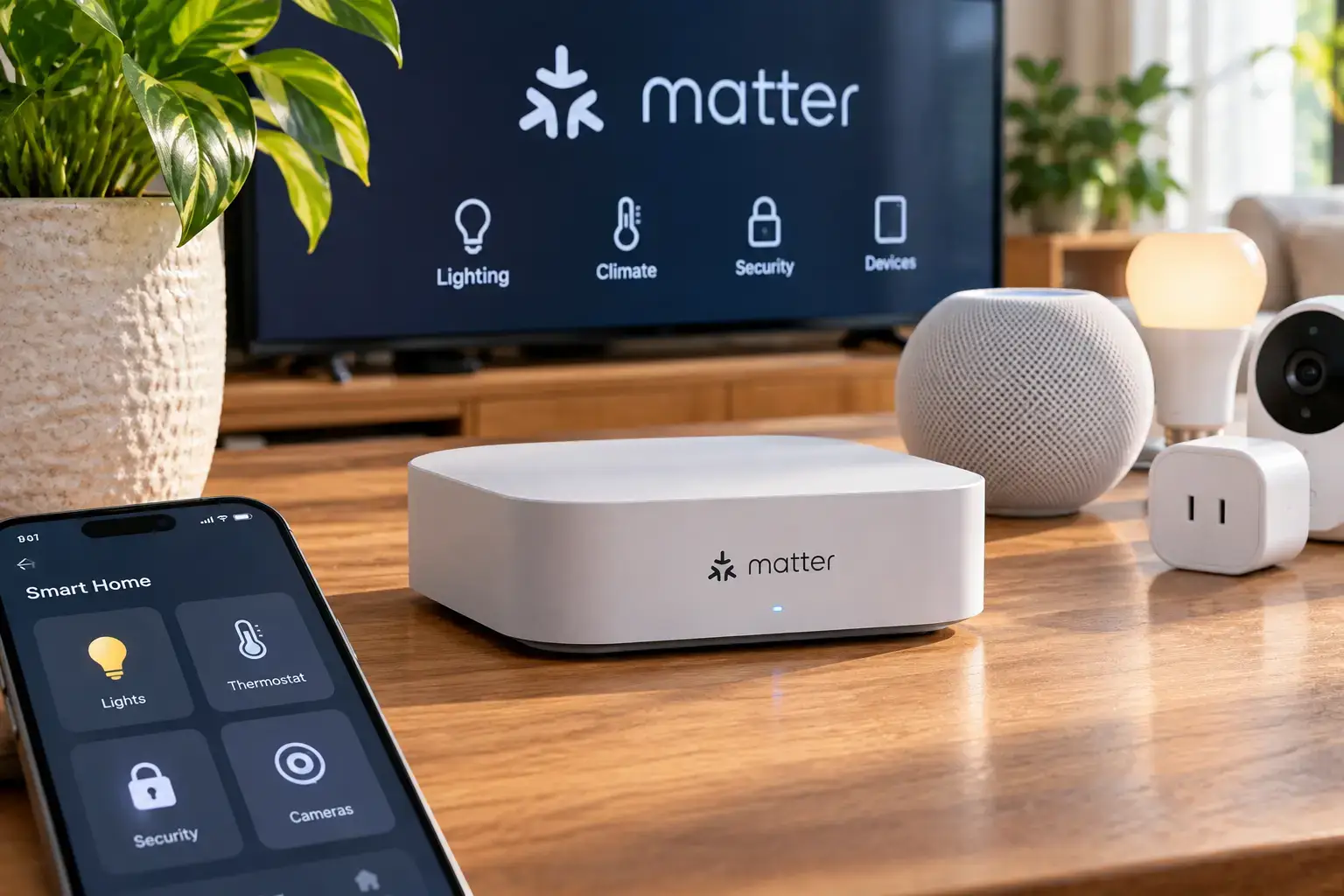
Here’s the good news: choosing the best matter hub is far simpler than the marketing makes it look. Matter is an open, IP-based standard that lets devices from Apple, Google, Amazon, Samsung and hundreds of other brands talk to each other locally. The catch is that every Matter home still needs at least one controller to commission and run devices, and if you buy battery-powered sensors or locks, you’ll also need a Thread border router. Many hubs do both. Some do only one. A few do neither, and simply bridge their own gadgets into Matter.
That difference is exactly where buyers get burned. A hub with no Thread radio will happily pair a Wi-Fi bulb and then completely ignore your new Thread door sensor. A hub with no Zigbee radio can’t rescue the twenty legacy sensors already stuck to your windows.
In this guide, we compare seven real hubs you can order on amazon.com today, from a USB stick that costs about the same as a pizza to a power-user box built for 200-device homes. We worked from manufacturer spec sheets, independent reviews and aggregated owner feedback, not invented test stories. You’ll get a quick comparison table, honest pros and cons, setup advice, real-world buyer scenarios and a clear framework for picking the best matter hub for your ecosystem, budget and patience level. ⚡
What Is a Matter Hub?
A Matter hub is a device that commissions Matter-certified smart home products, stores their credentials, and runs automations, usually locally. The best matter hub also acts as a Thread border router for low-power sensors and a bridge that exposes older Zigbee or infrared devices to Apple Home, Google Home, Alexa or SmartThings.
The Connectivity Standards Alliance, which maintains the standard, splits these jobs into separate roles. In practice, though, most shoppers want one box that handles all three, so that’s the lens we use throughout this guide.
Quick Comparison: The 7 Best Matter Hub Picks at a Glance
| Hub | Matter Controller | Thread Border Router | Zigbee | Price Range | Best for |
|---|---|---|---|---|---|
| Aqara Hub M3 | ✅ | ✅ | ✅ | $130–$160 | Best overall, multi-ecosystem |
| Aqara Hub M100 | ✅ | ✅ | ✅ (Aqara devices) | $25–$35 | Tight budgets, renters |
| Amazon Echo Hub | ✅ | ✅ | ✅ | $150–$180 | Alexa homes wanting a wall panel |
| Apple HomePod mini | ✅ | ✅ | ❌ | Around $99 | Apple Home households |
| Google Nest Hub (2nd Gen) | ✅ | ✅ | ❌ | $80–$100 | Google Home households |
| Hubitat Elevation C-8 Pro | ✅ | ❌ | ✅ (+ Z-Wave) | $180–$200 | Local-only power users |
| SwitchBot Hub 3 | Bridge role | ❌ | ❌ | $100–$130 | SwitchBot and IR gear |
Looking at the table, only three hubs tick every box for a modern Thread-plus-Zigbee home: the Aqara Hub M3, the Aqara Hub M100 and the Amazon Echo Hub, with the Apple HomePod mini and Google Nest Hub (2nd Gen) covering Thread but not Zigbee. The Hubitat Elevation C-8 Pro trades Thread for Z-Wave, which makes it a different tool for a different job. Meanwhile, the SwitchBot Hub 3 is best understood as a bridge for its own ecosystem rather than the brain of a whole Matter home.
💬 One click helps other shoppers make an informed choice too! Tap a highlighted hub to check current pricing and availability. 😊
Top 7 Best Matter Hub Options: Expert Analysis
Each pick below is grounded in published specifications and the recurring themes in owner reviews. Where feedback is thin or mixed, we say so.
1. Aqara Hub M3 — best all-in-one Matter brain
The Aqara Hub M3 earns the top spot because it packs nearly every role a modern smart home needs into one small puck. It combines Wi-Fi, Bluetooth, Zigbee and Thread radios with a 360-degree infrared blaster, and it can work as a Matter controller, a Thread border router and a Matter bridge at the same time. In practice, that means your new Thread sensors, your older Aqara Zigbee gear and even an IR-controlled air conditioner can all appear in Apple Home, Google Home, Alexa or SmartThings.
It also runs automations on the hub itself, so a motion sensor can still switch on a hallway light when your internet drops. Power over Ethernet (PoE) support is a quiet bonus: one cable handles both power and the most stable network link you can give a hub. Based on the spec sheet, this is the pick for multi-ecosystem households and anyone who wants to future-proof without buying three boxes.
Reviews consistently praise its breadth and local automations, while a recurring complaint involves devices dropping offline after migrating from an older Aqara hub, a hiccup that firmware updates have gradually addressed.
Pros:
- ✅ Controller, border router and bridge in one device
- ✅ Local automations keep running during internet outages
- ✅ PoE option enables tidy, reliable placement
Cons:
- ❌ Migration from older Aqara hubs can be rocky
- ❌ No Z-Wave radio for legacy locks and switches
💲 Expect roughly $130 to $160 at the time of writing; strong value if you’d otherwise buy separate Thread and Zigbee hardware.
2. Aqara Hub M100 — cheapest way into Thread and Matter
The Aqara Hub M100 proves that a capable Matter controller doesn’t need to cost much more than lunch for two. It’s a USB-A stick that draws power from a router port, wall charger or even a power bank, and it serves as a Matter controller, Thread border router and Matter bridge. The trade-off is scale: Aqara documents support for up to 20 Zigbee devices plus 20 Thread devices, and the Zigbee side is designed around Aqara’s own accessories.
That ceiling is fine for an apartment or a starter setup, but a busy house will outgrow it. The hinged USB plug is a smart detail, letting you angle the stick away from a router’s metal chassis for better range. Our honest take: buy it to test Matter over Thread cheaply, or as a secondary border router in a far corner of a larger home.
Aggregated owner feedback is more mixed than for Aqara’s bigger hubs; the most common complaint is pairing trouble or the hub not staying online, and reviewers also call the Matter controller setup flow clunky.
Pros:
- ✅ Lowest-cost Thread border router in this lineup
- ✅ USB power allows placement almost anywhere
- ✅ Bridges Aqara sensors into every major ecosystem
Cons:
- ❌ Caps out at 20 Zigbee plus 20 Thread devices
- ❌ Setup can be frustrating for first-timers
💲 Usually around $25 to $35; excellent value as a starter or backup hub.
3. Amazon Echo Hub — best wall-mounted Alexa control panel
The Amazon Echo Hub is the pick for Alexa households that want a dashboard on the wall instead of another phone app. Its 8-inch touchscreen surfaces lights, locks, thermostats and Ring camera feeds in one place, and inside it carries a Zigbee coordinator, a Thread border router and Matter support. That combination means you can pair Zigbee sensors directly instead of buying a separate bridge.
Power is flexible: a USB-C adapter is included, and PoE works with an optional adapter, which is handy for clean in-wall installs. The proximity sensor switches the screen from photo-frame mode back to your controls as you walk up, a small touch that matters for a device you’ll glance at dozens of times a day. Based on the hardware, it suits Ring and Alexa users with a sprawling mix of devices.
Reviews consistently note a sluggish interface and limited customization, and the speakers are widely described as thin, while owners who wanted exactly a control panel tend to be enthusiastic.
Pros:
- ✅ Built-in Zigbee, Thread and Matter radios
- ✅ Dedicated wall panel reduces app juggling
- ✅ PoE-compatible for clean, permanent mounting
Cons:
- ❌ Interface can feel slow compared with phones
- ❌ Weak speakers and no camera for calls
💲 Typically $150 to $180, and it often sees seasonal promotions; good value only if you’ll actually use the screen.
4. Apple HomePod mini — the low-friction Apple Home hub
The Apple HomePod mini is the simplest way to give an Apple Home household a Matter controller and a Thread border router in one. Apple’s own guidance requires a home hub to add Matter accessories to the Home app, and this compact speaker is the most affordable device that fills that role with Thread. Setup is close to effortless: hold an iPhone near it and you’re done in about a minute.
There’s no Zigbee radio, though, so legacy Zigbee sensors still need their own bridge. Placement matters more than people expect: because it’s Wi-Fi only, a central shelf beats a corner bedroom, especially if it’s your only border router. Here’s what to weigh: if you live in iOS, nothing is easier; if your family mixes Android phones, look at a cross-platform hub instead.
Reviews consistently praise its sound for the size and its painless setup. One caution: multiple reports point to a refreshed model expected around late 2026, so check whether a newer version has launched before you buy.
Pros:
- ✅ Effortless setup for iPhone users
- ✅ Doubles as a surprisingly good speaker
- ✅ Thread border router included at no extra cost
Cons:
- ❌ No Zigbee or Z-Wave support
- ❌ Locks you firmly into Apple’s ecosystem
💲 Around $99 at the time of writing; strong value for Apple-first homes.
5. Google Nest Hub (2nd Gen) — best budget hub for Google Home
The Google Nest Hub (2nd Gen) brings a Matter controller and a built-in Thread border router to Google Home homes in a 7-inch display that also handles timers, recipes and photo slideshows. According to Google’s spec sheet, it includes an 802.15.4 Thread radio, a quad-core 1.9 GHz processor, three far-field microphones and a physical mic-off switch.
That hardware means Thread locks and sensors can pair directly through the Google Home app without a separate bridge. Like the Apple HomePod mini, it skips Zigbee, so older Zigbee gear stays on its own hub. Google also lists five years of security updates on its store page, which is worth weighing for a device you may keep a long time. What most buyers overlook: the display makes it a great bedside or kitchen controller, but bright screens and bedrooms don’t always mix.
Owner feedback generally praises its value and simple setup, while some reviews criticize Google Home’s Matter feature set for lagging behind rivals, and Google has been rolling out firmware improvements, including Thread 1.4 work announced in 2026.
Pros:
- ✅ Thread border router built into an affordable display
- ✅ Physical mic switch supports privacy
- ✅ Handy screen for timers, cameras and routines
Cons:
- ❌ No Zigbee radio for legacy sensors
- ❌ Google Home automations feel less advanced
💲 Usually $80 to $100; solid value for Google-first households.
6. Hubitat Elevation C-8 Pro — local-only powerhouse for tinkerers
The Hubitat Elevation C-8 Pro is built for people who want their smart home to run entirely inside the house. It pairs a 2.0 GHz Cortex-A55 processor and 2GB of RAM with Z-Wave 800, Zigbee 3.0 and Bluetooth, and recent firmware brought Matter 1.5 support. Automations run locally, so there’s no cloud round-trip and no subscription.
The important caveat: it doesn’t include a Thread radio, so Matter-over-Thread devices need a separate border router, such as a Apple HomePod mini or Aqara Hub M100, already on your network. Z-Wave 800 Long Range is the real draw here, letting you add locks and switches that most Matter-first hubs simply can’t reach. Based on comparing the specs, this is the hub for large homes with legacy Z-Wave gear and an owner who enjoys building rules.
Reviews consistently praise its speed, reliability and active community, while owners also flag a steep learning curve and a dated interface that can frustrate less technical household members.
Pros:
- ✅ Fully local automations with no subscription
- ✅ Z-Wave 800 LR plus Zigbee in one box
- ✅ Powerful rules engine and community drivers
Cons:
- ❌ No built-in Thread border router
- ❌ Steep learning curve for beginners
💲 Typically $180 to $200 at the time of writing; great value for power users, overkill for casual buyers.
7. SwitchBot Hub 3 — best for SwitchBot gear and IR remotes
The SwitchBot Hub 3 stands out as the only pick here with a built-in display and physical dial, making it more hands-on than invisible infrastructure. It connects SwitchBot’s Bluetooth devices, such as curtain motors and bot buttons, and can expose them, built-in sensors and eligible infrared controls to Matter platforms as a Matter bridge.
That bridge role is genuinely useful: SwitchBot’s documentation lists up to 30 sub-devices over Matter, compared with far fewer on the older Hub 2. However, independent coverage notes that it doesn’t provide a Thread border router, so it can’t run a Matter-over-Thread household on its own. Our honest read: pair it with one of the controllers above rather than treating it as your whole system.
Aggregated review sentiment is positive about the screen, dial and IR flexibility, though some reviewers mention glare on the glossy display and a larger footprint than the previous model.
Pros:
- ✅ Physical dial and screen for quick control
- ✅ Bridges SwitchBot and IR devices into Matter
- ✅ Up to 30 bridged Matter sub-devices
Cons:
- ❌ No Thread border router built in
- ❌ Glossy display can reflect room light
💲 Generally $100 to $130; good value if you already own SwitchBot devices, less so otherwise.
✨ Don’t miss these smart home upgrades!
🔍 Take your smart home to the next level with this carefully curated lineup. Click a highlighted hub to check current pricing and availability, and start enjoying a home that responds instantly, even when the internet doesn’t!
How to Set Up Your Matter Smart Home Hub: Your First 30 Days
A matter smart home hub rewards a little planning up front. Here’s a practical routine that avoids the most common headaches. 🛠️
Day 1: Place it like a router, not a gadget
Put the hub near the center of your home, at shelf height, away from microwaves and thick metal. Thread and Zigbee are low-power 2.4 GHz meshes, so a hub hidden in a basement cabinet starts every connection at a disadvantage. If your hub supports Ethernet or PoE, like the Aqara Hub M3, use the cable; it removes Wi-Fi from the list of things that can go wrong.
Days 1–3: Update before you pair
Install firmware updates before adding devices. Border router and controller fixes often land in firmware, and pairing on outdated software is a classic cause of mysterious failures.
Week 1: Add mains-powered devices first
Plugs, switches and bulbs that stay powered usually act as Thread or Zigbee routers, strengthening the mesh. Add those first, then battery sensors and locks. Pair each new device within a few feet of the hub, then move it to its final spot.
Weeks 2–4: Build local automations and test outages
Create a simple automation, like “motion turns on hallway light,” then unplug your modem for five minutes. If it still fires, your setup is truly local. Finally, write down every Matter pairing code or keep the original boxes; you’ll need those codes if you ever reset a device.
Real-World Scenarios: Which Hub Fits Your Home?
Specs only matter in context, so here are three common buyer profiles and the reasoning behind each match.
🏢 The first-time renter (budget under $50)
Jordan rents a one-bedroom apartment, owns an Android phone and wants a few Thread sensors and smart plugs without drilling holes. The Aqara Hub M100 is the logical fit: it costs little, plugs into a USB port and covers both controller and border router duties. Because Jordan’s setup will stay under about 20 Thread devices, the M100’s ceiling isn’t a problem, and the whole kit moves easily on lease day.
👨👩👧 The mixed-phone family (budget $100–$180)
The Garcias have iPhones, an Android tablet and an Alexa speaker in the kitchen. They need devices to show up in every app, so a cross-platform controller beats a single-ecosystem speaker. The Aqara Hub M3 suits them best because Matter’s multi-admin feature lets the same lights appear in Apple Home and Alexa at once, while its Zigbee radio rescues older sensors.
🧰 The large-home tinkerer (budget $200+)
Sam owns a 3,500-square-foot house full of Z-Wave locks and switches, plus a detached garage. Sam wants zero cloud dependency. The Hubitat Elevation C-8 Pro handles Z-Wave Long Range and complex rules, while a cheap Aqara Hub M100 or an existing Apple HomePod mini adds the Thread border router it lacks. Two boxes, total local control.
Common Matter Hub Problems and How to Fix Them
Even the best matter hub hits snags. Here are the five problems owners report most often, with practical solutions.
- “Thread device won’t pair.” Your controller may lack a Thread radio. Confirm you have a border router, such as the Google Nest Hub (2nd Gen), which Google lists among its hubs that support Matter over both Wi-Fi and Thread. Then pair within a few feet of it.
- “Devices go offline at random.” Weak mesh coverage is the usual culprit. Add a mains-powered Thread or Zigbee plug halfway between the hub and the dropout zone to act as a repeater.
- “Two Thread networks won’t merge.” Different brands sometimes create separate Thread networks. Updating border routers to recent firmware, especially Thread 1.4 versions, helps them share credentials and form one mesh.
- “My Zigbee sensors don’t show up in Apple Home.” Only hubs with a Matter bridge role, like the Aqara Hub M3 or Aqara Hub M100, expose Zigbee devices to other apps. A speaker-style controller can’t.
- “Pairing fails on my phone.” Matter commissioning uses Bluetooth and your 2.4 GHz Wi-Fi. Turn on Bluetooth, disable VPNs temporarily and make sure your phone is on the same network as the hub.
How to Choose the best matter hub for Your Home
Follow these seven steps in order, and the right pick usually becomes obvious.
- Start with your ecosystem. Pick the app your household actually opens. Apple-only homes lean toward the Apple HomePod mini; Google homes toward the Google Nest Hub (2nd Gen).
- Check for a Thread border router. If you plan to buy battery sensors or locks, this is non-negotiable, because Matter over Thread can’t reach your network without one.
- Count your legacy devices. Existing Zigbee gear points to the Aqara Hub M3 or Amazon Echo Hub; Z-Wave locks point to the Hubitat Elevation C-8 Pro.
- Decide how much should run locally. Local automations keep lights and alarms working during outages, which matters more than any spec on the box.
- Respect device limits. A hub capped at 20 Thread devices is fine for apartments but cramped for a large house.
- Think about placement and power. Ethernet or PoE beats Wi-Fi for stability; a screen is only worth paying for if it’ll live somewhere visible.
- Budget for a second border router in big homes. One extra unit in a far wing often fixes more problems than an expensive flagship.
Matter Controller vs. Matter Bridge vs. Matter Thread Border Router
These three terms cause more confusion than any other part of shopping, so let’s untangle them.
Matter controller
The controller commissions devices (that QR-code scan), stores their credentials and runs automations. When people search for the best matter controller, this is the role they mean. Every pick in our list except the SwitchBot Hub 3 acts as one for its ecosystem.
Matter thread border router
A matter thread border router is network infrastructure, not a brain. It connects the low-power Thread mesh to your Wi-Fi or Ethernet network and passes encrypted traffic without interpreting it. That’s why a Home Assistant or Hubitat controller can still talk to Thread devices through an Apple or Google border router.
Matter bridge
A matter bridge goes the other direction: it republishes non-Matter devices, like Zigbee sensors or IR air conditioners, as Matter accessories other apps can see. The Aqara Hub M3 is a strong example.
The practical rule: you need at least one controller, a border router if anything uses Thread, and a bridge only if you’re keeping legacy gear.
Matter Hub vs. Traditional Zigbee and Z-Wave Hubs
Is a Matter-first hub actually better than the proprietary hubs of the last decade? Mostly yes, with a few exceptions.
| Factor | Matter Hub | Traditional Zigbee/Z-Wave Hub | Best for |
|---|---|---|---|
| Cross-brand compatibility | Works across Apple, Google, Alexa, SmartThings | Usually one app or platform | Aqara Hub M3 |
| Multi-admin control | Same device in several apps at once | Rarely supported | Aqara Hub M3 |
| Legacy device support | Needs a bridge role | Native and mature | Hubitat Elevation C-8 Pro |
| Battery-sensor efficiency | Thread mesh, low power | Zigbee/Z-Wave, also low power | Amazon Echo Hub |
| Local control | Built into the standard | Varies by brand | Hubitat Elevation C-8 Pro |
The table shows Matter’s real advantage is freedom: devices aren’t trapped in one brand’s app, and multi-admin lets every family member use the platform they prefer. Traditional Z-Wave still wins for mature lock and switch catalogs, which is why the Hubitat Elevation C-8 Pro remains relevant. For most new buyers, a hub that combines Matter with a Zigbee bridge, like the Aqara Hub M3 or Amazon Echo Hub, offers the best of both worlds.
Long-Term Cost and Value
The sticker price is only part of the story. None of our seven picks requires a subscription for core hub functions, but total cost still varies with how many extra devices each one forces you to buy.
| Hub | Upfront Range | Likely Add-Ons | Value Verdict | Best for |
|---|---|---|---|---|
| Aqara Hub M100 | $25–$35 | Second unit as you grow | Highest value per dollar | Starters |
| Google Nest Hub (2nd Gen) | $80–$100 | Zigbee bridge if needed | Strong for Google homes | Google users |
| Apple HomePod mini | Around $99 | Zigbee bridge if needed | Strong for Apple homes | Apple users |
| Aqara Hub M3 | $130–$160 | Rarely any | Best all-in-one value | Mixed ecosystems |
| Hubitat Elevation C-8 Pro | $180–$200 | Separate Thread border router | Worth it for Z-Wave homes | Power users |
Reading the numbers, the Aqara Hub M3 often ends up cheaper than a “budget” speaker once you add a separate Zigbee bridge. The Hubitat Elevation C-8 Pro costs the most overall, but it can save money if it lets you keep dozens of working Z-Wave devices instead of replacing them. Energy use is modest across the board; small hubs typically draw only a few watts, so electricity barely moves the total.
Safety, Security and Standards to Look For
A hub holds the keys to your locks, cameras and alarms, so security deserves real attention. 🔒
First, buy only Matter-certified products. Certification means the device implements the standard’s required encryption and secure commissioning, rather than just claiming compatibility.
Second, watch for the U.S. Cyber Trust Mark, the FCC’s voluntary cybersecurity label for wireless consumer IoT products. The program is still rolling out, so a hub without the shield isn’t automatically insecure, but the label will become a useful shortcut as more products earn it.
Third, check update commitments. Google, for example, lists five years of security updates for the Google Nest Hub (2nd Gen). Brands that publish support windows make planning easier.
Finally, look for FCC compliance markings and a UL or ETL listing on the power adapter. Use the included adapter, avoid daisy-chained power strips and keep firmware current, since updates frequently close vulnerabilities as well as add features.
FAQ: best matter hub Questions Shoppers Ask Most
❓ Do I need a matter smart home hub if my devices use Wi-Fi?
❓ Can I use two Matter hubs from different brands in one house?
❓ Is the Amazon Echo Hub worth buying over an Echo Show?
❓ Which is the best matter controller for Home Assistant users?
❓ Will my Matter hub still work if the internet goes down?
Conclusion: Picking the best matter hub With Confidence
Choosing the best matter hub comes down to three honest questions: which app does your household live in, will you use Thread devices, and what legacy gear are you bringing along?
For most mixed-ecosystem homes, the Aqara Hub M3 is the safest all-round choice, combining a controller, Thread border router and Zigbee bridge in one box. If money is tight, the Aqara Hub M100 delivers the same core roles at a fraction of the price, as long as you respect its device limits. Apple and Google loyalists will be happiest with the Apple HomePod mini or Google Nest Hub (2nd Gen), while Alexa fans who want a wall dashboard should look at the Amazon Echo Hub. Power users with Z-Wave investments belong with the Hubitat Elevation C-8 Pro, and SwitchBot owners get a fun, tactile bridge in the SwitchBot Hub 3.
Whatever you choose, place it centrally, update firmware before pairing and add mains-powered devices first. Do that, and your smart home will feel less like a science project and more like a house that simply listens. 🏡
✨ Ready to build a smart home that just works?
🛒 Click a highlighted hub to check current pricing and availability on Amazon, and pick the one that matches your ecosystem today. Your future self, and every family member who hates juggling apps, will thank you!
Recommended for You
- LED Light Bulbs for Outside Fixtures: 7 Brilliant Picks for 2026
- Exterior LED Bulbs: 7 Best Picks That Won’t Quit in 2026
- LED Light Bulbs for Exterior Use: 7 Best Weatherproof Picks (2026)
Disclaimer: This post contains affiliate links. As an Amazon Associate, I earn from qualifying purchases made through these links, at no additional cost to you.
✨ Found this article helpful? Share it with someone who needs it! 💬🤗
