
In This Article
Does Kasa Work With Alexa? The Short Answer (and the Fine Print)
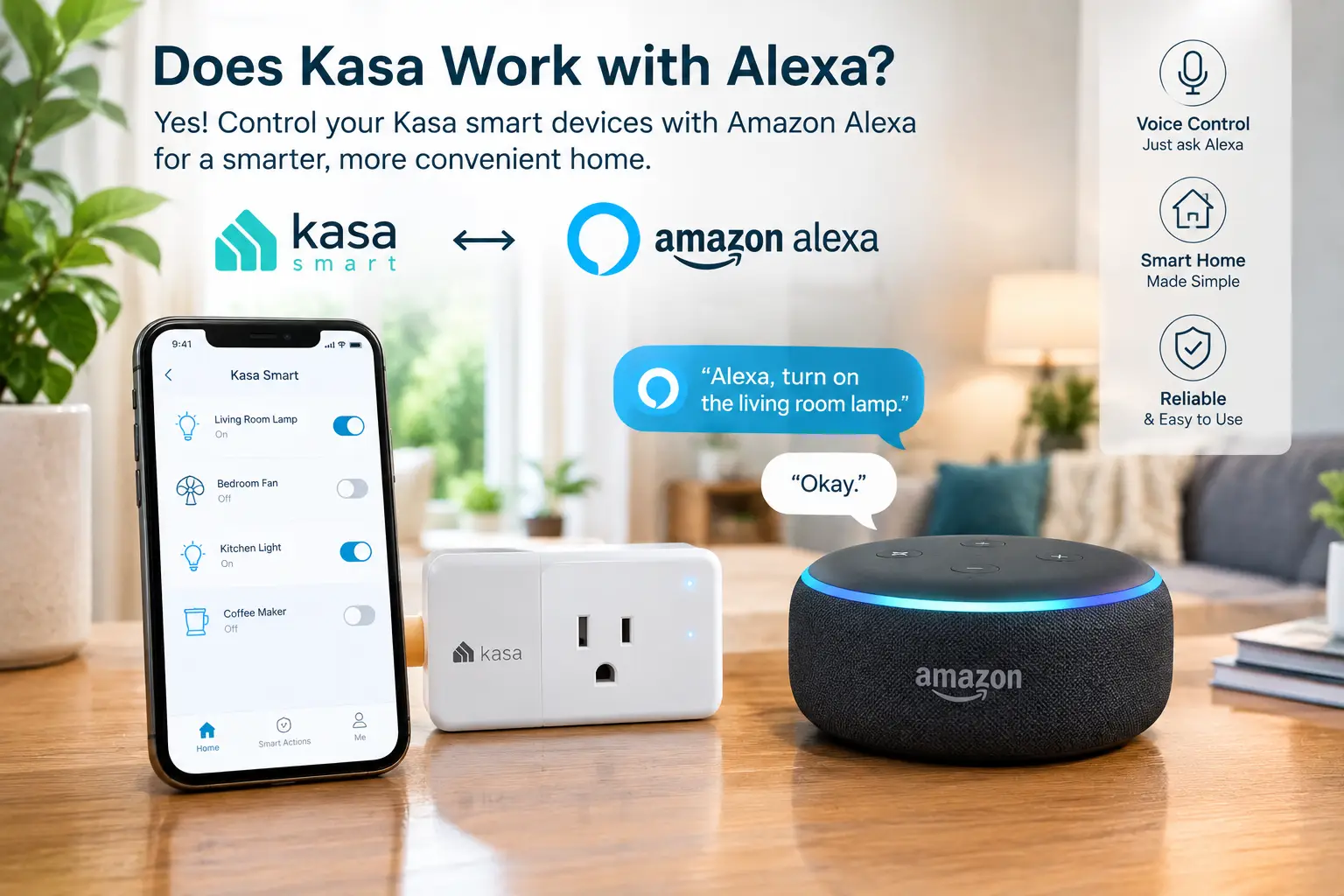
You just unboxed a Kasa smart plug, your Echo Dot is blinking politely on the kitchen counter, and one question stands between you and hands-free coffee: does kasa work with alexa, or did you just buy the wrong gadget? Good news first. Yes, it does — and it has for years. TP-Link’s Kasa line is one of the most Alexa-friendly smart home brands you can buy on Amazon, covering plugs, power strips, wall switches, bulbs, and outdoor outlets.
Now the fine print, because “works with Alexa” isn’t one single thing in 2026. There are actually two ways a Kasa device can talk to Alexa. Most Kasa gear connects through the free Kasa skill, which links your TP-Link account to your Amazon account so Alexa can see everything at once. Newer Kasa devices with Matter certification can skip the skill entirely and pair straight to a compatible Echo. TP-Link’s own guide to connecting Kasa and Tapo devices to Alexa confirms both routes and notes that Matter-enabled models don’t need the skill at all.
Why does that distinction matter to you? Because it affects setup speed, how the device behaves when your internet drops, and which other ecosystems (Google Home, Apple Home, SmartThings) you can add later without starting over.
In this guide, you’ll get the complete answer to does kasa work with alexa: a step-by-step setup walkthrough, a troubleshooting playbook for the most common hiccups, and a carefully reasoned breakdown of the seven Kasa devices that pair best with an Echo. Every recommendation is grounded in published spec sheets and aggregated owner feedback — no fluff, no made-up test stories. Let’s get your home talking. 🗣️⚡
What Does “Works With Alexa” Mean for Kasa Devices?
Kasa Alexa compatibility means a TP-Link Kasa smart device can be controlled by Amazon Alexa through voice commands, the Alexa app, and Alexa Routines. Standard Kasa devices connect via the free Kasa skill and your TP-Link ID; Matter-certified Kasa devices pair directly with a Matter-capable Echo, no skill required.
In practice, that unlocks three layers of control. The first is voice: “Alexa, turn off the living room lamp” works the moment discovery finishes. The second is the Alexa app, where every Kasa device shows up as a tile you can tap, group into rooms, and share with household members. The third — and the one most people underuse — is Routines, which let Alexa trigger Kasa devices based on time, sunrise, a motion sensor, or even a phrase like “Alexa, movie night.”
What Alexa does not do is replace the Kasa app completely. Energy monitoring charts, Away Mode randomization, firmware updates, and some advanced schedules still live inside the Kasa (or Tapo) app. Think of it like this: Alexa is the remote control everyone in the house can use, while the Kasa app is the settings menu you open once in a while. You’ll want both installed, even if you spend 95% of your time just talking to your Echo.
One more nuance worth knowing upfront: every Kasa device here runs on 2.4 GHz Wi-Fi only. That single spec explains a surprising share of setup headaches, which we’ll tackle in the troubleshooting section.
Quick Comparison: Best Kasa Devices for Alexa at a Glance
| Product | Type | Alexa Connection | Energy Monitoring | Approx. Price Range* | Best for |
|---|---|---|---|---|---|
| Kasa Smart Plug Mini EP10 | Indoor plug | Kasa skill | No | Under $30 (4-pack) | Kasa Smart Plug Mini EP10: first-time Alexa users on a budget |
| Kasa Smart Plug Slim EP25 | Indoor plug | Kasa skill | Yes | $35–$50 (4-pack) | Kasa Smart Plug Slim EP25: mixed Alexa + Apple homes |
| Kasa Matter Smart Plug KP125M | Indoor plug | Matter or skill | Yes | $40–$70 (2- to 4-pack) | Kasa Matter Smart Plug KP125M: future-proof, local control |
| Kasa Smart Power Strip HS300 | Power strip | Kasa skill | Yes, per outlet | $40–$70 | Kasa Smart Power Strip HS300: desks and entertainment centers |
| Kasa Outdoor Smart Plug EP40 | Outdoor plug | Kasa skill | No | $20–$35 | Kasa Outdoor Smart Plug EP40: holiday and patio lights |
| Kasa Matter Dimmer Switch KS225 | In-wall dimmer | Matter or skill | No | $25–$35 each | Kasa Matter Dimmer Switch KS225: ceiling lights you dim daily |
| Kasa Smart Bulb KL125 | Color bulb | Kasa skill | No | $30–$45 (4-pack) | Kasa Smart Bulb KL125: renters and mood lighting |
*Prices vary; check the current price on Amazon at the time you shop.
Looking at the table, the pattern is clear: the cheapest path to Alexa control is the Kasa Smart Plug Mini EP10, but spending a few dollars more on the Kasa Smart Plug Slim EP25 or Kasa Matter Smart Plug KP125M buys you energy monitoring — a feature that can actually pay you back. If you’re wiring lights rather than plugging in lamps, the Kasa Matter Dimmer Switch KS225 is the more permanent, more elegant answer.
💬 One click helps other shoppers make an informed choice too! Tap a highlighted product to check today’s price. 😊
Top 7 Kasa Devices That Work With Alexa: Expert Analysis
1. Kasa Smart Plug Mini EP10 — cheapest way to make Alexa useful
If you just want Alexa to switch a lamp, fan, or coffee maker, this is the lowest-friction entry point in the Kasa lineup. TP-Link bills the Kasa Smart Plug Mini EP10 as its smallest plug ever, and that matters more than it sounds: it leaves the second socket of a standard duplex outlet free, so you’re not playing Tetris behind the couch. It handles a 15A maximum load and carries UL certification, which means it’s rated for heavier appliances like space heaters — though, honestly, you should be cautious putting high-draw heat sources on any smart plug (more on that in the safety section).
Based on the spec sheet, this plug is for people who want on/off control, schedules, timers, and voice commands — nothing more. There’s no energy monitoring and no Apple Home support, so it’s a pure Alexa/Google/SmartThings play. Owner feedback across retailers and smart home forums consistently describes Kasa plugs as “set it and forget it” reliable, with fewer reconnection headaches than many bargain brands.
Pros:
- ✅ Compact body keeps the neighboring outlet usable
- ✅ 15A rating covers most household appliances
- ✅ Simple Alexa linking through the Kasa skill
Cons:
- ❌ No energy monitoring for tracking power use
- ❌ No Matter or Apple Home support
Usually under $30 for a four-pack at the time of writing, the Kasa Smart Plug Mini EP10 is the best pure value if Alexa is your only ecosystem.
2. Kasa Smart Plug Slim EP25 — best all-rounder for mixed homes
The Kasa Smart Plug Slim EP25 keeps the same slim 15A footprint but adds two things the EP10 lacks: energy monitoring and Apple Home support. That combination is why it keeps showing up at the top of editorial roundups — Engadget’s smart plug guide names it the best smart plug overall, noting it works with Alexa, Google, Siri, and SmartThings without a hub.
What does energy monitoring mean in practice? You can plug in a dehumidifier, an old mini-fridge, or a gaming PC and see exactly how many kilowatt-hours it draws per day in the Kasa app. Once you see that number, you can build an Alexa Routine that cuts power during hours nobody is home — and verify the savings rather than guessing.
On paper, the Kasa Smart Plug Slim EP25 is the smart pick for households where one person has an iPhone and Siri while another lives on an Echo. Aggregated reviews are broadly positive on reliability and app polish; the most common complaint is simply that it isn’t Matter-certified, so it still relies on the Kasa skill for Alexa.
Pros:
- ✅ Built-in energy monitoring with usage history
- ✅ Works with Alexa, Google, Siri, and SmartThings
- ✅ Slim design fits two per outlet
Cons:
- ❌ No Matter certification for local control
- ❌ Slightly pricier than the EP10 per plug
Typically $35–$50 for a four-pack (check the current price), the Kasa Smart Plug Slim EP25 is the best value for anyone who wants data, not just switching.
3. Kasa Matter Smart Plug KP125M — most future-proof plug
The Kasa Matter Smart Plug KP125M is Kasa’s Matter-certified plug, and it’s the one to buy if you want to skip the skill-linking dance entirely. With a Matter-capable Echo in your home, you scan the code on the plug in the Alexa app and you’re done. It supports a 15A/1,800W load, offers energy monitoring, and — a thoughtful touch — lets you enter your electricity rate, including time-of-use billing, so the app estimates your actual cost.
Here’s what the spec sheet doesn’t spell out: because it’s both a Matter device and a regular Kasa Wi-Fi plug, you keep remote access through the Kasa app even if your Matter controller is offline. Engadget describes it as a hybrid Wi-Fi/Bluetooth/Matter plug that played nicely with every platform they tried. TP-Link also says Matter devices on your local network keep working when the home internet goes down, which is a real advantage over cloud-only control.
Owner sentiment is generally strong, especially among Apple Home users. The trade-off reported most often is a slightly more confusing first setup if you mix Matter pairing with Kasa app pairing.
Pros:
- ✅ Pairs directly with Alexa via Matter, no skill needed
- ✅ Energy monitoring with electricity-rate cost estimates
- ✅ Works across Alexa, Google, Apple, and SmartThings
Cons:
- ❌ Matter pairing requires a compatible Echo device
- ❌ Two setup paths can confuse beginners
Usually $40–$70 depending on pack size, the Kasa Matter Smart Plug KP125M is worth the small premium if you value longevity.
4. Kasa Smart Power Strip HS300 — six smart outlets in one
Most smart plugs control one device. The Kasa Smart Power Strip HS300 controls six — independently — plus three always-on USB ports. Each outlet shows up in Alexa as its own device, so “Alexa, turn off the monitor” and “Alexa, turn on the printer” work separately while your router stays untouched.
Two features set it apart. First, ETL-certified surge protection, which individual smart plugs almost never include. Second, energy monitoring per outlet, which turns your desk or TV stand into a mini power audit: you’ll quickly learn which device is quietly sipping standby power around the clock.
Based on comparing specs, this is the best Kasa option for home offices, gaming setups, and entertainment centers where several devices cluster in one spot. It’s less ideal for scattered lamps around a room, where individual plugs make more sense. Reviews generally praise the individual control and the low-profile body that slides behind furniture; a recurring note is that the strip itself is long (just over 14 inches), so measure your space.
Pros:
- ✅ Six independently controlled Alexa-ready outlets
- ✅ Built-in ETL-certified surge protection
- ✅ Per-outlet energy monitoring in the Kasa app
Cons:
- ❌ Long body needs dedicated floor or desk space
- ❌ No Matter support, so the skill is required
At roughly $40–$70 (prices vary), the Kasa Smart Power Strip HS300 costs less than six separate energy-monitoring plugs.
5. Kasa Outdoor Smart Plug EP40 — best for holiday and patio lights
The Kasa Outdoor Smart Plug EP40 extends Alexa control to your porch, deck, or yard. It carries an IP64 rating against dust and splashing water and has two independently controlled outlets, so string lights and a fountain pump can run on separate schedules. TP-Link claims Wi-Fi reach up to 300 feet in open areas thanks to a built-in amplifier — useful when your router sits deep inside the house.
What this means in practice: pair it with an Alexa Routine set to “sunset” and your holiday lights turn on at dusk every day without anyone touching a timer dial. Reviewers describe the build as sturdy and the setup as quick. Two honest caveats come up in professional and owner feedback: the plug is right-angled (it doesn’t look exactly like some product photos), and TechHive reported a quirk renaming the individual sockets in the app.
This model is for Alexa and Google users. If you’re in Apple Home, look for the HomeKit-specific EP40A variant instead.
Pros:
- ✅ IP64 weather resistance for outdoor use
- ✅ Two outlets with independent Alexa control
- ✅ Long-range Wi-Fi for distant outlets
Cons:
- ❌ No energy monitoring on this model
- ❌ No Apple Home support on the standard EP40
Generally $20–$35 at the time of writing, the Kasa Outdoor Smart Plug EP40 is an easy value pick for seasonal decorators.
6. Kasa Matter Dimmer Switch KS225 — best for overhead lighting
Smart bulbs are great until someone flips the wall switch and Alexa loses them. The Kasa Matter Dimmer Switch KS225 solves that by making the switch itself smart. It dims from 1% to 100%, supports fade on/off, and is Matter-certified, so it can pair directly with a compatible Echo or connect through the Kasa skill.
Here’s what to weigh before buying. It requires a neutral wire, it’s single-pole only (three-way setups need Kasa’s separate kit), and its maximum load is listed at 150W LED or 300W incandescent. In plain terms: perfect for a bedroom ceiling fixture or a dining-room chandelier with dimmable LEDs, not for a long hallway with switches at both ends.
Why choose a switch over bulbs? Because one switch controls every bulb in the fixture, works for guests who’ll never say “Alexa,” and lets you keep using cheap, ordinary dimmable LEDs. Owner feedback tends to praise the clean look and responsiveness; most complaints trace back to homes without neutral wires or bulbs that aren’t truly dimmable, which can cause flicker.
Pros:
- ✅ Matter-certified with direct Alexa pairing
- ✅ Smooth 1–100% dimming with fade effects
- ✅ Works for guests via the physical switch
Cons:
- ❌ Neutral wire required for installation
- ❌ Single-pole only; three-way needs another kit
Typically $25–$35 per switch (check the current price), the Kasa Matter Dimmer Switch KS225 is strong value if your wiring cooperates.
7. Kasa Smart Bulb KL125 — best color bulb for renters
The Kasa Smart Bulb KL125 is the no-tools option: screw it into any standard E26 socket and Alexa can control brightness, white temperature, and color. It’s rated at 800 lumens (a 60W equivalent), offers 16 million colors, and spans 2500K to 6500K, from cozy warm white to crisp daylight. Some retailer spec listings also cite a CRI of 90, which suggests colors under it should look fairly natural.
What does that mean day to day? “Alexa, set the bedroom to warm white at 30%” before bed, then a Routine that brightens to cool white at 7 a.m. It’s ideal for renters who can’t touch wiring and for lamps with lampshades, where a plug alone can’t change color.
Kasa bulbs earn strong editorial praise — BGR named Kasa its best overall smart bulb after comparing dozens. Owner sentiment is more mixed than for Kasa plugs, though: some users report bulbs occasionally dropping off Wi-Fi, and a few find 800 lumens modest for large rooms. Note that the bulb isn’t designed for fixtures on dimmer switches or touch lamps.
Pros:
- ✅ No wiring; installs in seconds
- ✅ Full color plus tunable white light
- ✅ Natural-looking light with a 90 CRI listing
Cons:
- ❌ Not compatible with dimmer-switch fixtures
- ❌ Occasional Wi-Fi dropouts reported by owners
Around $30–$45 for a four-pack at the time of writing, the Kasa Smart Bulb KL125 is a fair price for color lighting without a hub.
✨ Don’t miss these Alexa-ready Kasa picks!
🔍 Take your smart home to the next level with this carefully curated lineup. Click a highlighted product to check current pricing and availability on Amazon — these picks help you build a home that responds the moment you speak. 🏡⚡
Full Feature Comparison of the 7 Kasa Picks
| Product | Max Load / Output | Matter | Apple Home | Weather Rating | Best for |
|---|---|---|---|---|---|
| Kasa Smart Plug Mini EP10 | 15A | No | No | Indoor | Kasa Smart Plug Mini EP10: lamps, fans |
| Kasa Smart Plug Slim EP25 | 15A | No | Yes | Indoor | Kasa Smart Plug Slim EP25: energy tracking |
| Kasa Matter Smart Plug KP125M | 15A / 1,800W | Yes | Yes (via Matter) | Indoor | Kasa Matter Smart Plug KP125M: multi-ecosystem homes |
| Kasa Smart Power Strip HS300 | 6 outlets + 3 USB | No | No | Indoor | Kasa Smart Power Strip HS300: desks, TV stands |
| Kasa Outdoor Smart Plug EP40 | 2 outlets | No | No (EP40A is) | IP64 | Kasa Outdoor Smart Plug EP40: yards, patios |
| Kasa Matter Dimmer Switch KS225 | 150W LED / 300W incandescent | Yes | Yes (via Matter) | Indoor, in-wall | Kasa Matter Dimmer Switch KS225: ceiling fixtures |
| Kasa Smart Bulb KL125 | 800 lumens | No | No | Indoor | Kasa Smart Bulb KL125: color mood lighting |
The two Matter devices — the Kasa Matter Smart Plug KP125M and the Kasa Matter Dimmer Switch KS225 — are the only ones that give you true multi-ecosystem flexibility without extra accounts. Everything else connects to Alexa perfectly well, but through the cloud-based Kasa skill. If you’re 100% committed to Echo, that difference is minor; if your household might drift toward Apple or Google, it’s a real tiebreaker.
How to Connect Kasa to Alexa: Step-by-Step Setup Guide
Here’s how to connect kasa to alexa the right way the first time — the process takes about five minutes per method. 🛠️
Method 1: Through the Kasa skill (works for every Kasa device)
- Set up the device in the Kasa app first. Plug it in, open the Kasa (or Tapo) app, and follow the prompts to join your 2.4 GHz Wi-Fi. Give it a clear, unique name like “Bedroom Lamp” — this is the name Alexa will use.
- Open the Alexa app and go to the Skills section. Search for the Kasa skill and tap Enable.
- Sign in with your TP-Link ID to link the accounts. Alternatively, start from inside the Kasa app under Me → Third-Party Services → Amazon Alexa, which TP-Link documents as an equivalent path.
- Let Alexa discover devices. Say “Alexa, discover my devices,” or wait for the app to do it automatically. Your Kasa devices appear under Devices.
- Assign each device to a room group in the Alexa app. This step is what makes “Alexa, turn off the lights” work for the room you’re standing in.
Method 2: Through Matter (KP125M, KS225, and other Matter models)
- Make sure you own a Matter-capable Echo, which acts as the controller.
- In the Alexa app, choose to add a device, select the device type, and scan the Matter QR code printed on the device or its quick-start card.
- Keep the code somewhere safe — you’ll need it if you ever reset the device or add it to another ecosystem.
First-week tips: set up one device before buying a dozen, confirm firmware is current in the Kasa app, and avoid duplicate names (two devices called “Lamp” will confuse Alexa every time).
Kasa Not Working With Alexa? 5 Problems and Fixes
Even reliable gear hiccups. If you’re seeing Kasa not working with Alexa, one of these five culprits is almost always responsible. 🔧
Problem 1: Alexa says “device is unresponsive.” ✅ Check whether the device is online in the Kasa app first. If it’s offline there, it’s a Wi-Fi problem, not an Alexa problem. Power-cycle the device and your router, then retry.
Problem 2: Setup fails on a mesh or dual-band router. ✅ Every Kasa device here is 2.4 GHz only. If your router merges 2.4 GHz and 5 GHz under one network name, temporarily enable a separate 2.4 GHz network (or disable band steering) during setup.
Problem 3: Alexa can’t find new Kasa devices. ✅ Run “Alexa, discover my devices” again. If that fails, disable and re-enable the Kasa skill, signing in with the exact same TP-Link ID you used in the Kasa app — a mismatched account is a classic gotcha.
Problem 4: Alexa controls the wrong device. ✅ Rename devices with unique, distinct names. “Living Room Lamp” and “Living Room Light” sound nearly identical to a voice assistant; “Couch Lamp” and “Ceiling Light” don’t.
Problem 5: A Matter device appears twice. ✅ That happens when the Kasa Matter Smart Plug KP125M or Kasa Matter Dimmer Switch KS225 is added via both Matter and the Kasa skill. Keep one connection in Alexa and remove the duplicate, so Routines don’t fire twice.
If none of these work, a factory reset (usually a long press on the device button) followed by fresh setup clears most stubborn issues.
Real-World Kasa + Alexa Setups for Three Different Homes
Specs are abstract. Here’s how the lineup maps onto real households, with budgets and reasoning. 🏠
Profile 1: The college student in a studio apartment (budget: under $60)
A four-pack of the Kasa Smart Plug Mini EP10 handles the desk lamp, a fan, a string of fairy lights, and the coffee maker. Add a two-pack of the Kasa Smart Bulb KL125 for the bedside lamp. With an Echo Dot, a single “Alexa, good night” Routine shuts everything down. No drilling, so the security deposit stays safe.
Profile 2: The remote worker with a home office (budget: $100–$150)
The Kasa Smart Power Strip HS300 runs the monitor, speakers, docking station, and printer, with per-outlet energy data showing which device wastes standby power. A Kasa Matter Dimmer Switch KS225 on the office ceiling light enables a “Focus mode” Routine that sets the lights to 80% and switches on the desk setup at 8:30 a.m. on weekdays.
Profile 3: The family homeowner who decorates for every holiday (budget: $150+)
Two Kasa Outdoor Smart Plug EP40 units cover porch and yard lights on sunset schedules. Inside, the Kasa Smart Plug Slim EP25 tracks the energy draw of the basement dehumidifier and the kids’ gaming console, while the Kasa Matter Smart Plug KP125M goes on devices that both the iPhone-using parent and the Echo-loving kids need to control.
The common thread: start with the device you’ll use daily, then expand. Each profile uses Alexa Routines as the glue, which is where the real convenience lives.
Kasa Alexa Skill vs Matter: Which Connection Should You Use?
This is the most important technical choice you’ll make, and it’s where most guides get vague. Here’s the honest comparison.
The Kasa Alexa skill is cloud-to-cloud. When you say a command, Alexa sends it to TP-Link’s servers, which relay it to your device. It works with every Kasa product ever made, setup is familiar, and the Kasa app keeps full control. The downside: if your internet or TP-Link’s cloud goes down, voice control through the skill stops too.
Matter is local-first. According to Amazon’s developer documentation on Matter support, a Matter-capable Echo acts as the administrator that discovers and connects Matter devices to Alexa over your local network, supporting both Matter over Wi-Fi and Matter over Thread. Kasa’s Matter devices use Wi-Fi.
| Factor | Kasa Skill | Matter |
|---|---|---|
| Works with all Kasa devices | Yes | Only Matter-certified models |
| Requires Echo hardware | No (Alexa app is enough) | Yes, a Matter-capable Echo |
| Local control during internet outage | No | Yes, on your LAN |
| Easy to add Apple/Google later | Separate linking per platform | Built in (multi-admin) |
| Best for | Kasa Smart Plug Slim EP25, Kasa Smart Power Strip HS300 | Kasa Matter Smart Plug KP125M, Kasa Matter Dimmer Switch KS225 |
The table makes the trade-off plain: the skill wins on universal compatibility, while Matter wins on resilience and flexibility. For most Alexa-only homes, either works fine — but if you’re buying new today, choosing Matter-certified models keeps more doors open.
How to Choose the Right Kasa Device for Alexa
Use these steps to narrow your shortlist. Each one reflects a decision that’s hard to undo after purchase. ✅
- Decide what you’re controlling. Lamps and appliances need plugs; overhead fixtures need switches or bulbs. Matching the device to the load avoids most regrets.
- Check your wiring before buying switches. The Kasa Matter Dimmer Switch KS225 needs a neutral wire. Many older homes don’t have one in the switch box.
- Decide if energy data matters. If you want to find power hogs, choose the Kasa Smart Plug Slim EP25, Kasa Matter Smart Plug KP125M, or Kasa Smart Power Strip HS300.
- Consider your household’s ecosystems. Anyone on Apple Home or Google? Matter models or the EP25 save friction later.
- Confirm your Wi-Fi band. Make sure you can broadcast a 2.4 GHz network, especially on mesh systems.
- Plan for outdoors separately. Indoor plugs outside are a safety risk; use the IP64-rated Kasa Outdoor Smart Plug EP40.
- Buy multipacks for consistency. Matching devices simplify naming, grouping, and Routines.
Features That Actually Matter (and Ones That Don’t)
Kasa’s marketing lists plenty of features. Some will change your daily life; others you’ll never open twice. 🎯
Features that matter:
- Energy monitoring. It turns guesses into numbers. Once you know your old fridge costs real money every month, you’ll act on it.
- Matter certification. It’s insurance against ecosystem lock-in and adds local control when the internet blips.
- A physical button. Every device here has one, and it matters the day your Wi-Fi is down or a guest wanders in.
- Compact size. A plug that blocks the second outlet becomes an annoyance you’ll notice every single day.
Features that matter less than advertised:
- 16 million colors. Fun for a week; most people settle on two or three white temperatures plus a holiday color. Tunable white is the feature you’ll actually use.
- Away Mode. Randomized on/off patterns are nice, but an Alexa Routine on a schedule achieves the same “someone’s home” effect with more control.
- Long Wi-Fi range claims. Range depends heavily on walls and your router; treat “300 feet” as an open-air best case, not a promise.
The bottom line: pay for energy monitoring and Matter if your budget allows. Skip paying a premium purely for color unless lighting mood is your main goal.
Common Mistakes to Avoid When Buying Kasa for Alexa
Most frustrations with Kasa and Alexa are avoidable at the checkout stage. Here are the ones that show up again and again in owner feedback. ⚠️
Buying smart bulbs for a fixture on a dimmer switch. The Kasa Smart Bulb KL125 isn’t designed for dimmer-controlled fixtures. Either replace the dimmer with a standard switch or skip the bulb and install the Kasa Matter Dimmer Switch KS225 instead.
Mixing smart bulbs and smart switches on the same circuit. If a smart switch cuts power, the smart bulb goes offline and Alexa can’t reach it. Pick one approach per fixture.
Assuming every Kasa device supports Apple Home. The Kasa Smart Plug Mini EP10 and Kasa Outdoor Smart Plug EP40 don’t; their HomeKit or Matter siblings do. Read model numbers carefully — one letter changes compatibility.
Ignoring the three-way switch problem. The KS225 is single-pole only. Hallways and staircases with two switches need a dedicated three-way kit.
Overloading a smart plug. A 15A rating is a ceiling, not a target. High-draw heaters running for hours generate heat at the plug.
Buying a single unit to “try it out” at full price. Multipacks often cost little more and give you room to expand once Alexa Routines click for you.
Avoiding these six mistakes is what separates a smart home that just works from one you constantly troubleshoot.
Everyday Performance: Living With Kasa and Alexa
So what’s it actually like, day to day? Aggregated owner reports and editorial reviews paint a consistent picture.
Voice commands through the Kasa skill generally respond within a second or two — fast enough that you won’t think about it. Matter devices controlled locally can feel a touch snappier because commands don’t round-trip through the cloud. Either way, the experience is far closer to a light switch than to waiting on a slow app.
Routines are where Kasa and Alexa shine together. A morning Routine can switch on the coffee maker plug, raise the bedroom Kasa Smart Bulb KL125 to cool white, and read the weather — all from one alarm dismissal. An evening Routine can dim the Kasa Matter Dimmer Switch KS225 to 20% and turn off the office Kasa Smart Power Strip HS300 outlets. Once set, these run without you thinking about them, which is the whole point.
Reliability is Kasa’s quiet strength. Across forums and retailer reviews, plugs and switches are repeatedly described as stable for years, with bulbs drawing slightly more reports of occasional Wi-Fi dropouts. Firmware updates arrive through the Kasa app and rarely require action beyond tapping “update.”
The one thing to expect: after a power outage or router change, devices may need a minute to reconnect. That’s normal Wi-Fi behavior, not a defect.
Long-Term Cost and Energy Savings
The sticker price is only part of the story. Here’s how the economics shake out over a few years of ownership. 💰
| Product | Upfront Cost (approx.) | Ongoing Costs | Savings Potential | Best for |
|---|---|---|---|---|
| Kasa Smart Plug Mini EP10 | Lowest per plug | None | Schedules cut idle runtime | Kasa Smart Plug Mini EP10: simple automation |
| Kasa Smart Plug Slim EP25 | Low–moderate | None | Highest — data reveals waste | Kasa Smart Plug Slim EP25: finding power hogs |
| Kasa Smart Power Strip HS300 | Moderate | None | High for standby-heavy setups | Kasa Smart Power Strip HS300: electronics clusters |
| Kasa Smart Bulb KL125 | Moderate per bulb | Bulb replacement eventually | LED efficiency plus dimming | Kasa Smart Bulb KL125: lighting upgrades |
The pattern here is simple: devices with energy monitoring have the best chance of paying for themselves, because they show you exactly where electricity is going. There are no subscription fees for core Kasa or Alexa smart home control, so ongoing costs are essentially zero beyond the electricity your devices already use.
Durability matters too. A plug or switch that lasts many years spreads its cost thin, while bulbs eventually need replacement like any LED. For the best long-term value, invest in switches and energy-monitoring plugs first, and add color bulbs where they bring real enjoyment.
Safety, Certifications, and Standards
Smart home gear plugs into your electrical system, so certifications aren’t a box to tick — they’re your protection. 🛡️
UL and ETL listings. The Kasa Smart Plug Mini EP10 and Kasa Matter Dimmer Switch KS225 list UL certification, while the Kasa Smart Power Strip HS300 and Kasa Outdoor Smart Plug EP40 carry ETL certification. Both UL and ETL are Nationally Recognized Testing Laboratory marks in the US, meaning the product was tested against the same safety standards. Avoid no-name plugs without either mark.
FCC compliance. Kasa devices list FCC certification, which covers radio emissions — important for any Wi-Fi device in your home.
Outdoor ratings. IP64 means dust-tight and protected against splashing water from any direction, not submersion. Mount the Kasa Outdoor Smart Plug EP40 facing down, keep covers closed, and use it with outdoor-rated extension cords. TechHive’s review of the EP40 highlights its weatherization as a key strength — but no plug is designed to sit in standing water.
Load safety. Keep high-wattage heat sources like space heaters on direct wall outlets when possible, and never daisy-chain a smart plug into a power strip.
Electrical work. Installing the KS225 means working inside a switch box. Turn off the breaker, confirm power is off with a tester, and hire a licensed electrician if your local code requires it or you’re unsure.
FAQ: Kasa and Alexa
❓ Is the Kasa skill for Alexa free to use?
❓ Do I need an Echo device to control Kasa with Alexa?
❓ Are Kasa smart plugs better than the Amazon Smart Plug?
❓ Can I use Kasa with Alexa and Google Home at the same time?
❓ Will my Kasa devices still work with Alexa if the internet goes down?
Conclusion: Kasa and Alexa Are a Natural Match
So, does kasa work with alexa? Absolutely — and better than ever. Every Kasa device in this guide connects to Alexa, whether through the free Kasa skill or directly via Matter, and the pairing takes just minutes.
The smartest buying strategy depends on where you’re starting. If you want the cheapest path to voice control, the Kasa Smart Plug Mini EP10 is hard to beat. If you care about cutting your electric bill, the Kasa Smart Plug Slim EP25 or Kasa Smart Power Strip HS300 gives you the data to act on. If you’re building for the long haul and want local control plus multi-ecosystem freedom, prioritize Matter models like the Kasa Matter Smart Plug KP125M and Kasa Matter Dimmer Switch KS225. For outdoor and color lighting, the Kasa Outdoor Smart Plug EP40 and Kasa Smart Bulb KL125 round out the lineup.
Whatever you choose, remember the three habits that make a Kasa-Alexa home feel effortless: use a 2.4 GHz network during setup, give every device a unique name, and build Routines rather than relying on single commands. Do that, and your home stops waiting for you to tap a screen — it simply responds.
🚀 Ready to make your home listen?
🔍 Pick the Kasa device that fits your space, click its highlighted name to check current pricing and availability on Amazon, and have Alexa running your lights and appliances by tonight. Your future self — the one not getting up to flip switches — will thank you! 🙌
Recommended for You
- General Electric Outdoor Lighting: 7 Brilliant Picks for 2026
- European Sockets and Switches: 7 Best Options for Modern Homes
- Power Meter Monitor: 7 Best Energy Monitoring Options
Disclaimer: This post contains affiliate links. As an Amazon Associate, I earn from qualifying purchases made through these links, at no additional cost to you.
✨ Found this article helpful? Share it with someone who needs it! 💬🤗
