
In This Article
Why a Power Meter Plug Socket Deserves a Spot in Your Junk Drawer
Your electric bill tells you how much you spent. It never tells you where the money went. That’s the gap a power meter plug socket fills — and for somewhere between the price of a pizza and a nice dinner out, it turns guesswork into hard numbers.
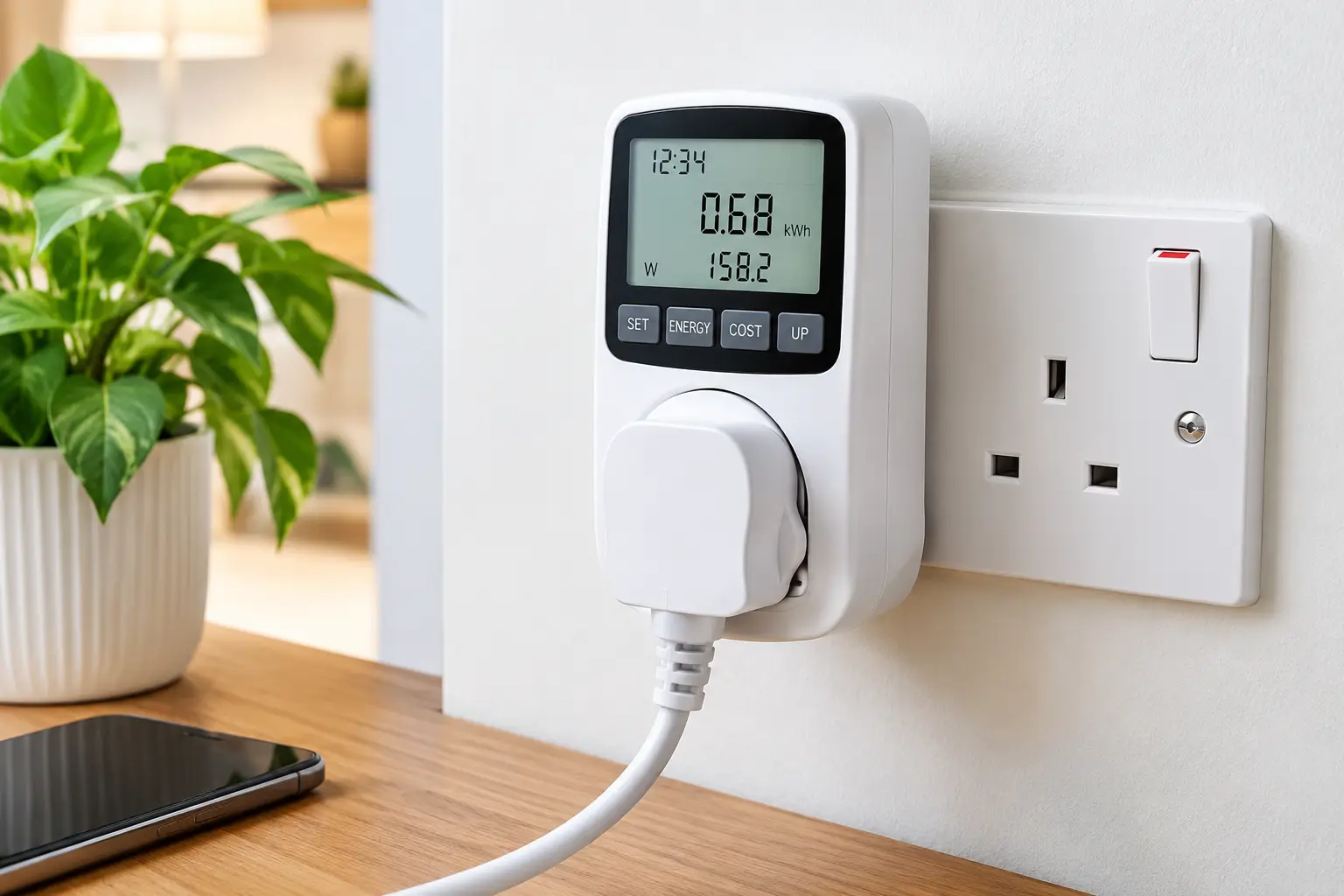
Here’s the idea in one sentence: you plug the meter into the wall, plug an appliance into the meter, and it shows you exactly how many watts that appliance pulls right now and how many kilowatt-hours it has burned through over time. Suddenly the “old fridge in the garage” or the “gaming PC that’s always on” stops being a hunch and becomes a dollar figure.
The U.S. Department of Energy actually recommends this approach. Its guide to estimating appliance and home electronic energy use lists an electricity usage monitor as one of the simplest ways to measure any device that runs on a standard 120-volt outlet — no electrician, no panel work, no subscription.
In 2026, the category has split into two camps. On one side sit classic standalone meters with an LCD screen, like the long-running Kill A Watt family. On the other side sits the energy monitoring smart plug, which sends readings to your phone, logs history automatically, and can even switch the appliance off on a schedule. Both work. They just suit different people.
This guide covers seven real models available on amazon.com, explains what each spec actually means in your kitchen or home office, and walks you through using a plug in power meter to find real savings. No fluff, no fake “I tested it for six months” stories — just honest analysis grounded in spec sheets and aggregated owner feedback.
What Is a Power Meter Plug Socket?
A power meter plug socket is a small device that sits between a wall outlet and an appliance to measure the electricity that appliance uses. It displays real-time watts, volts, amps, and cumulative kilowatt-hours (kWh), and many models calculate running costs. Smart versions send this data to a phone app over Wi-Fi or Thread.
In practice, that means you can answer questions like “What does my dehumidifier really cost per month?” in a day or two, instead of guessing from the nameplate sticker.
Quick Comparison: The 7 Best Power Meter Plug Socket Picks at a Glance
| Product | Type | Max Load | Standout Feature | Price Range | Best For |
|---|---|---|---|---|---|
| Kill A Watt P4400 | Standalone LCD | 15A / 1,875VA | The original, no-frills meter | Around $20–$30 | Kill A Watt P4400: quick one-off checks |
| Kill A Watt EZ P4460 | Standalone LCD | 15A / 1,875VA | Cost forecasting + battery-backed memory | Around $30–$40 | Kill A Watt EZ P4460: most households |
| Kill A Watt Connect P4498 | Standalone, detachable display | 15A / 1,875VA | 35-inch cable to a separate screen | Around $40–$60 | Kill A Watt Connect P4498: outlets behind furniture |
| Poniie PN1500 | Standalone LCD | Listed at 1,500W | 0.20W start detection | Around $15–$25 | Poniie PN1500: hunting standby power |
| Tapo P115 | Wi-Fi smart plug | 15A / 1,800W | Time-of-use rate support | Around $10–$15 per plug | Tapo P115: budget smart tracking |
| Emporia Smart Plug | Wi-Fi smart plug | 10A continuous / 15A peak | Pairs with the Emporia Vue | Around $10–$35 (pack-dependent) | Emporia Smart Plug: Vue owners |
| Eve Energy (Matter) | Thread smart plug | 15A / 1,800W | Local control, no account | Around $35–$45 | Eve Energy (Matter): Apple Home and privacy fans |
Looking at the table above, the split is clear: the three Kill A Watt models and the Poniie PN1500 are “audit tools” you move from appliance to appliance, while the Tapo P115, Emporia Smart Plug, and Eve Energy (Matter) are “live-in” devices that stay put and build a history. If you only want to know what your fridge costs, a standalone meter is cheaper and simpler; if you want to watch a space’s consumption for months and automate it, a smart plug wins. Note the Emporia Smart Plug‘s lower continuous rating — it matters more than the headline 15A suggests.
💬 One click helps other shoppers make an informed choice too! 😊
Top 7 Power Meter Plug Socket Picks for 2026: Expert Analysis
Every pick below is a real product sold for U.S. outlets. Prices are ranges at the time of writing — check the current price on Amazon, since they move constantly.
1. Kill A Watt P4400 — the classic that started it all
The Kill A Watt P4400 is the meter most Americans picture when they hear “kill a watt meter,” and its staying power comes from sheer simplicity. It shows instantaneous watts, volts, amps, frequency, power factor, and VA, plus a running kWh total and elapsed time.
In practice, the power factor and VA readouts are more useful than they sound: they tell you whether a device with a cheap switching power supply is drawing “messy” current, which helps explain why a label’s wattage and the real draw don’t match. The 15A / 1,875VA rating covers virtually every plug-in appliance on a standard NEMA 5-15 outlet.
Based on comparing the specs, the catch is memory. Owners on Amazon’s Q&A pages point out that the Kill A Watt P4400 resets its cumulative totals to zero if it’s unplugged or the power blinks. It also won’t calculate cost for you — you multiply kWh by your rate yourself. That’s fine for a student or a renter doing a weekend audit, less fine for anyone tracking a window AC across a whole summer.
Reviews consistently describe it as reliable and straightforward, while hobbyists on electronics forums note that readings get unreliable at very small standby loads of just a few watts.
Pros:
- ✅ Dead-simple operation with no app or setup
- ✅ Shows power factor and VA, not just watts
- ✅ Decades-long track record and wide availability
Cons:
- ❌ Loses cumulative data after any power interruption
- ❌ No built-in cost calculation
Expect to pay around $20–$30; it’s solid value for occasional checks, but the EZ version below is usually worth the small step up.
2. Kill A Watt EZ P4460 — best all-around standalone meter
The Kill A Watt EZ P4460 fixes the two biggest frustrations of the original, which is why it’s the default recommendation for most homes. You program your electricity rate once, and it keeps a running cost total while forecasting costs per hour, day, week, month, and year.
The other upgrade is battery-backed memory. According to P3 and owner Q&A threads, the Kill A Watt EZ P4460 keeps its cumulative totals through a power cut — you have to hold a reset button to clear them. That sounds minor until a thunderstorm wipes out four days of fridge data on a cheaper meter.
P3 advertises accuracy within 0.2%. Here’s what to weigh: as the Wikipedia entry on standby power notes, some home meters quote a figure like 0.2% without specifying which measurement it applies to, and low-current accuracy on consumer meters is often poor. So trust it for appliances drawing tens or hundreds of watts; be skeptical of sub-5-watt standby readings.
Reviews consistently praise the cost-forecast feature and the large display, with a recurring complaint that tiny loads like phone chargers read as zero or barely register.
Pros:
- ✅ Programs your rate and forecasts yearly cost
- ✅ Keeps totals through power interruptions
- ✅ Large, easy-to-read LCD display
Cons:
- ❌ Weak sensitivity for very small standby loads
- ❌ Bulky body can block a second outlet
At around $30–$40, it’s the best value for anyone doing a serious home energy audit.
3. Kill A Watt Connect P4498 — easy reading behind the couch
The Kill A Watt Connect P4498 solves an annoyingly physical problem: most outlets sit behind furniture, near the floor, where reading a tiny screen means lying on the carpet with a flashlight.
Its plug/socket housing and display housing are separate, joined by a 35-inch cord. The two halves snap together with built-in magnets for normal use, or you pull the display free and set it on a shelf. Specs match the rest of the line — 115VAC operation, 15A max, 1,875VA — and it adds minimum and maximum reading memory plus data retention through power interruptions, per P3’s product page.
On paper, the min/max memory is the sleeper feature. Motors spike at startup; the max reading shows you whether a sump pump or compressor is surging hard enough to trip a breaker when it shares a circuit. The Kill A Watt Connect P4498 is also ETL listed with over-current protection.
Despite the name, P3’s spec sheet doesn’t list an app or wireless link — treat it as a smarter-looking standalone meter. It’s also newer than its siblings, so there’s less long-term owner feedback to lean on; early review coverage mostly highlights the detachable screen.
Pros:
- ✅ Detachable display on a 35-inch cable
- ✅ Stores minimum and maximum readings
- ✅ ETL listed with over-current protection
Cons:
- ❌ Name suggests connectivity it doesn’t offer
- ❌ Shorter review history than older models
It runs around $40–$60 — worth it if your outlets are hard to reach, otherwise the Kill A Watt EZ P4460 covers the same ground for less.
4. Poniie PN1500 — best for sniffing out standby power
The Poniie PN1500 is the pick for “vampire load” hunters, because its sensitivity is built for the small numbers the Kill A Watt line struggles with.
Poniie specifies Class 1.0 accuracy (roughly ±1%), with 0.01W, 0.01A, and 0.1V resolution and start detection as low as 0.20W. In practice, that means it can actually register a cable box or smart speaker idling at a watt or two, rather than flashing zero. It also keeps cumulative kWh and elapsed time through power loss, and its backlit display is readable in a dim utility room.
Here’s what most buyers overlook: Poniie’s listing rates this compact unit at 1,500W, below the 1,800W-plus ceiling of the other meters here. That makes it a precision tool for electronics, not the right choice for a hair dryer or space heater at full blast. Poniie also states it isn’t compatible with solar power inverters.
Customer reviews consistently praise its compact size and accuracy for low-power devices; the most common caveat is that cost calculation is manual, since you do the rate math yourself.
Pros:
- ✅ Registers loads as small as 0.20W
- ✅ Retains data through power interruptions
- ✅ Compact and backlit for tight spaces
Cons:
- ❌ Lower 1,500W rating limits high-draw appliances
- ❌ No automatic cost forecasting
At around $15–$25, it’s the cheapest way to get genuinely useful standby readings.
5. Tapo P115 — best budget energy monitoring smart plug
The Tapo P115 proves smart tracking doesn’t need to cost more than a basic meter, which is why it’s the easiest entry point into automated monitoring.
It’s a compact 15A / 1,800W, ETL-certified Wi-Fi plug that won’t block the neighboring outlet. According to TP-Link, the app refreshes real-time power every five seconds and shows today’s use, the past 30 days, and graphs by day, month, or year. The standout for 2026 is time-of-use billing support: if your utility charges more from 4 to 9 p.m., the Tapo P115 can reflect that in cost estimates, which a basic meter can’t.
Based on comparing the specs, it’s ideal for renters and first-time smart home users who want to track a mini fridge, aquarium, or space in a home office over weeks. It works with Alexa, Google Assistant, and SmartThings, supports up to 32 schedules, and keeps local-network control if your internet drops.
Aggregated reviews are strongly positive about setup and accuracy for everyday appliances. A recurring complaint among multi-plug owners is that the app doesn’t offer a single combined view of consumption across all plugs.
Pros:
- ✅ Time-of-use rate support for realistic costs
- ✅ Slim design leaves the second outlet free
- ✅ Works with Alexa, Google, and SmartThings
Cons:
- ❌ 2.4GHz Wi-Fi only, no 5GHz support
- ❌ No unified dashboard across multiple plugs
Expect around $10–$15 per plug, less in multi-packs — outstanding value.
6. Emporia Smart Plug — best for whole-home energy tracking fans
The Emporia Smart Plug makes the most sense as part of a bigger picture, because it’s designed to slot into Emporia’s home energy platform.
On its own, it’s a 2.4GHz Wi-Fi plug with scheduling, remote control, and per-appliance energy tracking through the Emporia app, plus Alexa and Google support. Pair it with an Emporia Vue panel monitor and appliance-level data nests under your whole-home and circuit data — so you can see that the “kitchen” circuit spike was the coffee maker, not the fridge.
Here’s the spec that matters most: a 10A maximum continuous load, with 15A allowed only as a peak for up to one hour per day. At 120V, 10A is about 1,200W, so a 1,500W space heater or window AC running for hours is out. Emporia also recommends against using its plugs on power-sensitive equipment.
Owner feedback is generally positive about the app’s energy focus, and Emporia’s listing notes the plug earned a PC Magazine Editors’ Choice. Critics mostly flag the load limits and the 2.4GHz-only connection.
Pros:
- ✅ Integrates tightly with the Emporia Vue monitor
- ✅ Energy-focused app with detailed reports
- ✅ Affordable in multi-packs
Cons:
- ❌ Only 10A continuous, not a full 15A
- ❌ Not recommended for power-sensitive equipment
Pricing runs around $10–$35 depending on pack size; strong value if you own or plan to buy a Vue.
7. Eve Energy (Matter) — the privacy-first premium pick
The Eve Energy (Matter) is the high-end choice for people who care where their data goes, because it works entirely without a cloud account.
It’s a 15A / 1,800W U.S. plug that connects over Thread and speaks Matter, so it works with Apple Home, Alexa, Google Home, and SmartThings at the same time. It reports live watts, total kWh, and projected cost. Each plug also acts as a Thread router, strengthening the mesh for other Thread devices in your home — a genuine bonus if you’re building out a Matter setup.
The trade-off is ecosystem. You need a Thread border router (a HomePod mini, recent Apple TV 4K, or a compatible Echo or Nest hub). And the richest energy history lives in Eve’s iPhone app; independent reviews note that Android users and some platforms see more limited energy data. The Eve Energy (Matter) is also rated for indoor use only.
Reviews consistently highlight fast, reliable responses and slick energy graphs, while the most common complaints center on the higher price and the border-router requirement.
Pros:
- ✅ Local control with no account required
- ✅ Works across all major smart home platforms
- ✅ Strengthens your Thread network
Cons:
- ❌ Requires a Thread border router
- ❌ Best energy features favor iPhone users
At around $35–$45, it’s pricey, but fair for Apple Home households that value privacy.
Head-to-Head: Comparing the Top 7 in Detail
| Product | Cost Calculation | Memory After Power Loss | Low-Load Sensitivity | App / History | Best For |
|---|---|---|---|---|---|
| Kill A Watt P4400 | Manual | No | Weak | None | Kill A Watt P4400: one-off checks |
| Kill A Watt EZ P4460 | Built-in forecasts | Yes | Weak | None | Kill A Watt EZ P4460: full home audits |
| Kill A Watt Connect P4498 | Built-in forecasts | Yes | Weak | None (min/max memory) | Kill A Watt Connect P4498: hard-to-reach outlets |
| Poniie PN1500 | Manual | Yes | Strong (0.20W) | None | Poniie PN1500: standby hunting |
| Tapo P115 | In app, time-of-use | Cloud/app log | Good for typical loads | Day/month/year graphs | Tapo P115: budget long-term tracking |
| Emporia Smart Plug | In app | Cloud/app log | Good for typical loads | Integrates with Vue | Emporia Smart Plug: whole-home systems |
| Eve Energy (Matter) | In app | Local log | Good for typical loads | Eve app, up to a year | Eve Energy (Matter): Apple Home and privacy |
The pattern here is that “memory” and “sensitivity” are the two specs that separate a frustrating meter from a useful one. The Kill A Watt EZ P4460 is the safest standalone buy, but if phantom loads are your target, the Poniie PN1500 is the only standalone option here built for sub-watt precision. Among smart plugs, the Tapo P115 delivers most of what the Eve Energy (Matter) does for a fraction of the price — you pay extra for Eve’s privacy and Thread, not better metering.
⚡ Ready to see where your money actually goes?
🔍 Stop guessing which appliance is quietly draining your wallet. Tap a highlighted product above to check current pricing and availability — a single weekend with the right meter can reveal savings that keep paying off all year long!
How to Use a Plug In Power Meter: Your First 30 Days
A plug in power meter only saves money if you use it with a plan. Here’s a simple routine that turns readings into decisions.
Week 1: Start With the Always-On Suspects
Begin with devices that run 24/7: refrigerators, freezers, dehumidifiers, aquariums, and entertainment centers. Plug each into the meter for at least 24 hours — 48 is better for fridges, whose compressors cycle on and off. A 10-minute reading of a fridge is almost meaningless.
Week 2: Measure Standby, Not Just “On”
Turn your TV, soundbar, game console, and desktop PC off the normal way, then read the meter. Each watt of continuous draw adds up to about 9 kWh per year — roughly $1 to $2 depending on your rate. A media center idling at 25W costs real money over a year.
Week 3: Run the Math
If your meter doesn’t calculate cost, use this: kWh measured ÷ hours measured × 8,760 = yearly kWh. Multiply by your rate (check your bill; don’t assume the national average). Rank your results from most to least expensive.
Week 4: Act on the Top Three
Focus on your three biggest offenders. Options include a smart plug schedule, a switched power strip, adjusting settings (disabling “instant-on” modes), or replacing an aging appliance.
Common First-Month Mistakes
- ✅ Reset the meter before each new test — otherwise you’re averaging two appliances.
- ✅ Enter your real rate, including delivery charges, not just the “energy” line.
- ❌ Don’t daisy-chain the meter into a power strip that’s already loaded near 15A.
- ❌ Don’t judge a cycling appliance from a single moment’s reading.
Real-World Scenarios: Matching the Right Meter to Your Life
Specs mean more when they’re attached to a person. Here are three typical buyer profiles and the reasoning behind each match.
The Budget-Minded Renter in a Studio Apartment
Maya pays her own electric bill, has a mini fridge, a window AC, and a gaming laptop, and wants to cut costs without spending more than $40. The Kill A Watt EZ P4460 is the natural fit: she can move it between devices over a month, and the battery-backed memory means a tripped breaker won’t erase a week of AC data. A smart plug would help too, but she doesn’t need to automate anything — she needs answers.
The Suburban Family With a Garage Freezer and a Home Office
The Garcias suspect their 15-year-old garage freezer is expensive but want proof before replacing it, and they’d like the office equipment to shut off overnight. Two Tapo P115 plugs cover it for around the price of one standalone meter: one on the freezer to log a month of real use (freezers vary with summer heat), one on the office power strip with a schedule that cuts standby after 10 p.m. The time-of-use feature matters if their utility charges peak rates.
The Smart Home Enthusiast Who Hates the Cloud
Dev already has an Apple TV 4K and a HomePod mini, uses Home Assistant, and refuses devices that phone home. The Eve Energy (Matter) fits perfectly — Thread and Matter give local control, and each plug strengthens his mesh. For a one-time deep dive into the standby draw of his network rack, he’d add a Poniie PN1500 for its sub-watt sensitivity.
Problem → Solution: Fixing Confusing or Wrong Readings
Even a good power meter plug socket can produce numbers that look wrong. Usually, the meter is fine — the test isn’t.
Problem 1: The meter reads 0W on a phone charger or smart speaker. Solution: Many consumer meters, including the Kill A Watt P4400 and Kill A Watt EZ P4460, are weak at tiny loads. Use a trick documented by energy researchers: plug in a known steady load (like an incandescent bulb), note the watts, add the standby device through a small power strip, and subtract. Or switch to a Poniie PN1500.
Problem 2: Fridge readings jump from 2W to 150W and back. Solution: That’s normal compressor cycling (plus a defrost heater spike on some models). Ignore instantaneous watts; leave the meter in for 48 hours and use the kWh total.
Problem 3: The watts reading is lower than the VA reading. Solution: That’s power factor at work. Devices with motors or switching power supplies draw current that’s out of phase with voltage. Your utility bills residential customers for watts (kWh), so focus on watts.
Problem 4: A smart plug keeps dropping offline. Solution: The Tapo P115 and Emporia Smart Plug need 2.4GHz Wi-Fi. If your router combines bands under one name, temporarily split them during setup, and check signal strength in garages and basements.
Problem 5: The smart plug shuts off under a heavy load. Solution: You’ve likely exceeded its continuous rating — especially on the Emporia Smart Plug, rated 10A continuous. Move high-draw appliances to a standalone meter for testing only, and don’t use plugs for long-term control of heaters.
How to Choose a Power Meter Plug Socket
Choosing the right power meter plug socket comes down to seven questions. Answer them in order and the field narrows fast.
- Decide: audit tool or permanent monitor? If you’ll test appliances one at a time, buy a standalone meter. If you want months of history and automation, choose a smart plug.
- Check the load rating against your appliance. Look for 15A / 1,800W for general use. Anything rated lower, like a 10A continuous plug, rules out heaters and window ACs.
- Confirm memory after power loss. Battery-backed or non-volatile memory protects multi-day tests from a blip in the power.
- Match sensitivity to your goal. Hunting standby loads under 5W? Choose a meter with sub-watt start detection.
- Look for built-in cost calculation. Automatic cost forecasting saves time and mistakes — and time-of-use support matters if your utility uses it.
- Verify the safety listing. Look for UL or ETL certification; smart plugs should also carry FCC compliance.
- Match the ecosystem. Alexa, Google, SmartThings, Apple Home, or Home Assistant — make sure your smart plug speaks your platform.
Electricity Usage Monitor vs. Energy Monitoring Smart Plug
This is the biggest decision in the category, so it deserves a closer look than a table alone can offer.
A standalone electricity usage monitor — think the Kill A Watt family or the Poniie PN1500 — is a measuring instrument. It shows richer electrical data (power factor, VA, frequency, sometimes min/max), works instantly with no Wi-Fi or account, and moves from appliance to appliance in seconds. Its weakness is that it only knows what you tell it, and it only shows data when you walk over and look.
An energy monitoring smart plug is a switch that happens to measure. It logs automatically, graphs trends, sends data to your phone from anywhere, and — the part people underrate — can act on what it finds by switching loads off on a schedule. Its weaknesses are Wi-Fi dependence, app accounts (except Thread/Matter options like the Eve Energy (Matter)), and less electrical detail on screen.
Advantages Over Traditional Ways of Estimating Usage
| Method | What You Learn | Accuracy for One Appliance | Effort | Best For |
|---|---|---|---|---|
| Reading the nameplate/EnergyGuide label | Rated or estimated use | Rough estimate | Low | Pre-purchase comparisons |
| Studying your utility bill | Whole-home total only | None per appliance | Low | Tracking overall trends |
| Standalone meter (e.g., Kill A Watt EZ P4460) | Measured watts, kWh, cost | High for typical loads | Medium | One-time appliance audits |
| Smart plug (e.g., Tapo P115) | Measured use + history + control | High for typical loads | Low after setup | Long-term tracking and automation |
The takeaway is that labels and bills can only estimate, while both meter types actually measure. The Kill A Watt EZ P4460 gives you the most electrical detail per dollar, but the Tapo P115 wins on effort over time because it keeps logging after you stop paying attention. Many households end up owning one of each — a standalone meter for audits and a few smart plugs for the problem children.
Features That Actually Matter (and Ones That Don’t)
Marketing copy on any watt meter plug listing tends to stack up “8 display modes!” and “ultra-precise!” Here’s how to cut through it.
Features That Actually Matter
- ✅ kWh accumulation over time. This is the number your utility bills you for. Instantaneous watts are interesting; kWh is actionable.
- ✅ Memory through power loss. Without it, one flicker wipes out a multi-day fridge test.
- ✅ Low-load start detection. A spec like 0.20W on the Poniie PN1500 means standby devices actually register.
- ✅ Honest load ratings. A continuous rating, not just a peak, tells you what’s truly safe for long use.
- ✅ Time-of-use cost support. On the Tapo P115, this gives realistic costs for households on peak-rate plans.
Features That Don’t Matter as Much as You’d Think
- ❌ Headline accuracy percentages. A figure like “0.2%” rarely says which measurement or load range it applies to. Treat it as marketing unless the manufacturer specifies conditions.
- ❌ Carbon estimates. Nice to see, but they rely on generic grid averages, not your utility’s mix.
- ❌ Endless display modes. Beyond watts, kWh, and cost, most people never cycle through frequency or VA again.
- ❌ Voice control for a meter. Asking Alexa to switch a plug is handy; asking it for power readings rarely is.
What to Expect: Everyday Performance
Translating specs into daily life helps you set realistic expectations before you plug anything in.
Setup time: Standalone meters work the moment you plug them in. Smart plugs typically take five to ten minutes on first setup — download the app, join 2.4GHz Wi-Fi (or pair via Matter), and name the device. The Eve Energy (Matter) is fast to add via its Matter code, provided your Thread border router is already in place.
Reading the data: On a standalone meter, you’ll press a button to cycle through watts, kWh, and time. On the Kill A Watt Connect P4498, the detachable display means you can actually read it without crouching. Smart plugs show a live number updated every few seconds plus history graphs.
What numbers look like: Motors and compressors (fridges, sump pumps, AC units) produce spiky readings. Electronics show steadier but smaller numbers. Heating appliances draw the most — often 1,000W to 1,500W — and push close to what these devices can safely handle.
How long to test: For always-on devices, 24 to 48 hours. For seasonal appliances like a window AC or dehumidifier, a full week in typical weather gives a far better picture.
Physical fit: Bulky standalone meters can block the second outlet in a duplex receptacle. The Tapo P115 and Eve Energy (Matter) are slim enough to leave the neighbor free, while the Kill A Watt P4400 and Kill A Watt EZ P4460 are not.
Long-Term Cost and Maintenance: Does It Pay for Itself?
A power meter plug socket costs money up front. The question is how quickly the information pays that back.
Start with scale. According to the U.S. Energy Information Administration, a typical American home uses a bit over 10,000 kWh of electricity per year. Rates vary enormously by state, so always use the number on your own bill.
The math on standby is simple: each watt running continuously uses about 9 kWh a year. Find and eliminate a 30W phantom load from an entertainment center, and you save roughly 260 kWh annually — enough to cover the cost of any meter on this list within a year at most U.S. rates. The bigger wins usually come from appliances, not standby: discovering that a garage fridge uses far more than a modern model can justify a replacement decision.
Price-to-Value Analysis
| Product | Price Range | Ongoing Cost | Main Value Driver | Best For |
|---|---|---|---|---|
| Poniie PN1500 | Around $15–$25 | None | Finds small phantom loads | Poniie PN1500: cheap precision |
| Kill A Watt EZ P4460 | Around $30–$40 | Occasional backup battery | Whole-home audit in weeks | Kill A Watt EZ P4460: most homes |
| Tapo P115 | Around $10–$15 each | None | Logs + automated shutoff | Tapo P115: ongoing savings |
| Eve Energy (Matter) | Around $35–$45 | None | Privacy + Thread mesh | Eve Energy (Matter): premium setups |
From a pure payback standpoint, the Tapo P115 is hard to beat because it doesn’t just find waste — it can eliminate it automatically with schedules. The Kill A Watt EZ P4460 earns its keep through decisions (replace, unplug, reschedule) rather than automation. Maintenance is minimal across the board: keep firmware updated on smart plugs and check the backup battery on meters that use one.
Safety, Regulations, and Standards
A power meter plug socket carries the full current of whatever you plug into it, so safety details matter.
Outlet type. Every product here uses the standard U.S. NEMA 5-15 plug and receptacle, the three-prong 15-amp outlet found in most rooms. None of them works on 240V dryer or range outlets, and none should be forced into adapters for those.
Certification. Look for UL or ETL listing — both indicate independent testing to recognized safety standards. The Tapo P115 is ETL certified and the Kill A Watt Connect P4498 is ETL listed. Wi-Fi and Thread smart plugs should also show FCC compliance for radio emissions.
Load limits. A 15A outlet can deliver up to about 1,800W, but continuous loads should stay well below that. Space heaters are the classic danger: they pull near the limit for hours, which heats up plug contacts. Some utility lending programs specifically say their meters aren’t suitable for space heaters or HVAC. Use a meter for a short test at most, and never leave a smart plug controlling a heater long term unless the manufacturer explicitly approves it.
Placement. All of these are indoor devices. Don’t use them in wet areas, don’t stack them into overloaded power strips, and don’t cover them with rugs or furniture where heat can’t escape. If a plug ever feels hot or smells like plastic, unplug it immediately.
Common Mistakes to Avoid When Buying a Power Meter Plug Socket
Most disappointment with these devices comes from buying the wrong type, not a bad product. Avoid these pitfalls.
1. Buying a smart plug for a heater or AC without checking the continuous rating. The Emporia Smart Plug‘s 10A continuous limit rules out many space heaters. Read the fine print, not just the “15A” headline.
2. Expecting a basic meter to catch tiny standby loads. If phantom power is your main target, the Kill A Watt P4400 may simply read zero. Choose a meter with sub-watt detection.
3. Ignoring your smart home platform. The Eve Energy (Matter) without a Thread border router is an expensive paperweight. Confirm compatibility first.
4. Assuming “Connect” means app-connected. The Kill A Watt Connect P4498 connects its display by cable, not Wi-Fi.
5. Forgetting outlet clearance. Bulky meters can block the second socket — a real headache behind a TV console with limited outlets.
6. Buying one smart plug when you need an audit. If you want to check 15 appliances once, a single standalone meter is cheaper than 15 plugs.
7. Overlooking free options. Many U.S. public libraries and utilities lend out electricity usage monitors. If you only need a one-time audit, borrowing first can tell you whether it’s worth owning one.
FAQ: Power Meter Plug Socket Questions Answered
❓ Can I borrow a kill a watt meter instead of buying one?
❓ Does an energy monitoring smart plug use electricity itself?
❓ Will a power meter plug socket work on a 240V dryer or EV charger?
❓ Is a watt meter plug accurate enough to decide whether to replace an old fridge?
❓ Should renters buy a plug in power meter or a smart plug first?
Conclusion: Stop Guessing, Start Measuring
A power meter plug socket won’t lower your bill on its own — but it hands you the one thing your utility never will: a price tag for every appliance. Once you can see that the garage freezer costs more per year than a new one would save, or that your entertainment center idles at 30W all night, the right decisions become obvious.
For most households, the Kill A Watt EZ P4460 is the smartest first purchase: cost forecasting, battery-backed memory, and zero setup. If your outlets live behind furniture, the Kill A Watt Connect P4498 is worth the extra for its detachable display. Chasing phantom loads? The Poniie PN1500 reads the small numbers others miss, and the classic Kill A Watt P4400 still handles quick checks on a tight budget.
If you’d rather measure and act, go smart. The Tapo P115 is the best value for long-term tracking and time-of-use costs, the Emporia Smart Plug shines inside the Emporia Vue ecosystem, and the Eve Energy (Matter) is the premium pick for Apple Home users who want local, private control.
Whichever you choose, follow the 30-day plan above, focus on your top three energy hogs, and respect the load limits. The meter pays for itself when you act on what it shows you.
🚀 Take control of your electric bill today!
🔍 Pick the power meter plug socket that fits your home, click a highlighted product to check current pricing and availability, and start your first 48-hour test this weekend. Your future self — and your wallet — will thank you!
Recommended for You
- Power Loss Alarm Guide 2026: 7 Best Picks That Save Your Freezer
- Outlet Energy Meter: 7 Best Picks That Expose Wasted Power (2026)
- Digital Outdoor Timers: 7 Best Weatherproof Picks for 2026
Disclaimer: This post contains affiliate links. As an Amazon Associate, I earn from qualifying purchases made through these links, at no additional cost to you.
✨ Found this article helpful? Share it with someone who needs it! 💬🤗
