
In This Article
Why You Need to Detect Power Failure Before It Costs You
A power outage rarely announces itself politely. Sometimes it’s a storm that knocks out the whole block. Other times it’s a quiet GFCI outlet in the garage that trips at 2 a.m., silently killing the chest freezer while the rest of the house hums along. Either way, the damage happens in the hours you don’t know about — and that’s exactly why learning how to detect power failure is one of the cheapest insurance policies a homeowner, renter, or small-business owner can buy.
What Does It Mean to Detect Power Failure?
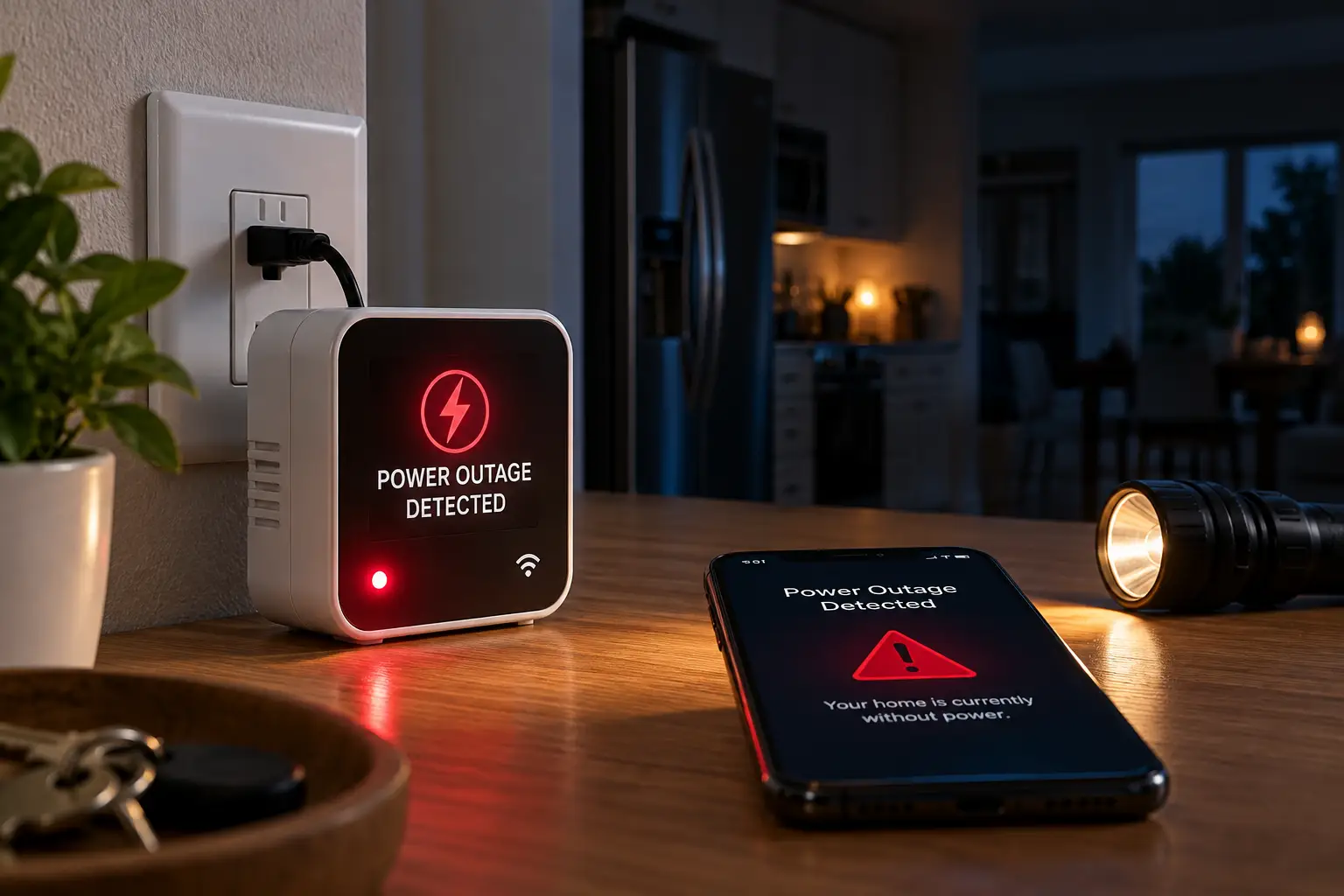
To detect power failure means using a device that continuously monitors an outlet or circuit and, the moment voltage drops out, alerts you with a local siren, a flashing light, or a remote text, email, app push, or phone call. The best detectors run on backup batteries, so they keep working after the electricity doesn’t.
That definition sounds simple, but the details matter enormously. A basic plug-in alarm is great if you’re home and awake. It’s useless if you’re at work while your basement sump pump sits idle during a downpour. Meanwhile, a Wi-Fi alert device can reach you anywhere — unless your router dies with the power. As the overview of power outages on Wikipedia explains, outages range from momentary blips to multi-day blackouts, and each type demands a slightly different detection strategy.
In this guide, we compare seven real products you can find on amazon.com, from under-$25 plug-in sirens to cellular monitors that work when both power and internet go down. Every recommendation is based on published spec sheets, manufacturer documentation, and aggregated customer review themes — not invented tests. By the end, you’ll know exactly which power outage alarm fits your home, your budget, and your tolerance for surprises.
Quick Comparison: The Best Ways to Detect Power Failure at a Glance
| Product | Alert Type | Needs Internet? | Backup Power | Approx. Price Range | Best For |
|---|---|---|---|---|---|
| YoLink Power Fail Alarm | 110 dB siren + app/text/email (with hub) | Hub needs internet for remote alerts | Internal battery | Around $30–$45 (hub extra) | Smart-home users with several sensors |
| Risinglink WiFi Power Outage Alarm | 85 dB alarm + SMS/email | Yes (2.4 GHz Wi-Fi) | Built-in 5-year backup battery | Around $50–$65 | Hub-free text alerts |
| MarCELL PRO | Phone call/text/email | No — uses its own cellular link | 24–48 hours battery | Well over $100 + subscription | Vacation homes, RVs, server rooms |
| Gizmo Engineering PFA-1 | ~102 dB beeping + LED | No | Lithium battery, up to 10 years standby | Roughly $40–$70 | Set-and-forget local alarm |
| Reliance PowerOut! THP207 | Alarm-clock-level beep + LED light | No | Rechargeable NiMH | Under $25 | Bedrooms and night lighting |
| Briidea Power Failure Alarm | Adjustable siren + LED | No | Rechargeable battery | Under $25 | Budget freezer monitoring |
| APC Back-UPS BE600M1 | UPS alarm + PC shutdown software | No (USB to computer) | Lead-acid UPS battery | Around $70–$100 | Computers, routers, home offices |
Looking at the table above, the real dividing line isn’t price — it’s where you’ll be when the lights go out. If you’re usually home, the Gizmo Engineering PFA-1 or Reliance PowerOut! THP207 does the job for very little money. If you need to know remotely, the Risinglink WiFi Power Outage Alarm and YoLink Power Fail Alarm are the sweet spot, while the MarCELL PRO is the only option here that doesn’t depend on your home internet surviving the outage.
Notice also that the APC Back-UPS BE600M1 plays a different role entirely: it doesn’t text you, but it detects the failure, keeps your gear running, and tells your computer to shut down gracefully. Many households end up pairing a UPS with one of the dedicated alarms — a combination we’ll unpack later in the “vs” section.
💬 One click helps other shoppers make an informed choice too! 😊
Top 7 Power Failure Alarms and Detectors: Expert Analysis
1. YoLink Power Fail Alarm — best for smart-home ecosystems
The YoLink Power Fail Alarm (model YS7106) shines when you want one alert device to talk to a whole network of sensors. It pairs a 110 dB sounder and four bright LEDs with YoLink’s LoRa long-range wireless, which is designed to reach far corners like detached garages and basements where Wi-Fi often gives up.
According to YoLink’s own support page, the device runs on USB power from the included adapter, and when power drops it triggers the local alarm plus app push notifications, email, and text alerts through the YoLink Hub. That hub is not optional for remote alerts: without it, you only get the siren and lights. On the plus side, YoLink’s “Control-D2D” pairing lets the alarm trigger other YoLink devices even without an internet connection.
Based on comparing the specs, this is the pick for someone already invested in YoLink water-leak or temperature sensors, since the hub’s cost is spread across devices. YoLink also notes it is not compatible with Alexa, Google Assistant, or IFTTT — a real limitation for mixed ecosystems.
Reviews consistently report easy setup, and a recurring use case is catching tripped GFCI outlets feeding garage refrigerators. The most common complaints are the added hub cost and occasional app connectivity hiccups.
Pros:
- ✅ Loud 110 dB siren with four bright LEDs
- ✅ LoRa range reaches detached garages and outbuildings
- ✅ Free app with no required subscription
Cons:
- ❌ YoLink Hub required for any remote alerts
- ❌ No Alexa, Google, or IFTTT integration
Expect around $30–$45 for the alarm alone (hub kits cost more; check the current price) — excellent value if you’ll add more YoLink sensors later.
2. Risinglink WiFi Power Outage Alarm — best hub-free text alerts
The Risinglink WiFi Power Outage Alarm (2nd Generation) is built for people who want real SMS texts without buying a hub or learning another app. It connects directly to your 2.4 GHz Wi-Fi and, per the manufacturer, recognizes an outage in as little as three seconds.
Its alert list is unusually thorough: power loss, power restoration, low battery, and “device offline” when Wi-Fi drops. You can register two phone numbers and four email addresses, and an 85 dB local alarm sounds even if Wi-Fi is gone. The internal backup battery is rated to last over five years under typical use — practically, that means no annual battery ritual.
Here’s what to weigh: the device needs your router and modem to stay alive for a few seconds after the power drops so the alert can escape. Risinglink says so plainly in its listing. If your router is on a UPS, this becomes a very reliable setup; if not, a whole-house outage may silence it.
Aggregated feedback is mostly positive for garage freezer monitoring. A notable negative review involved a missed alert, which Risinglink traced to a depleted backup battery — a reminder to heed low-battery notices.
Pros:
- ✅ True SMS texts to two phone numbers
- ✅ No hub, subscription, or monthly fees
- ✅ Alerts for restoration, low battery, and offline status
Cons:
- ❌ Depends on Wi-Fi surviving the outage briefly
- ❌ 85 dB alarm quieter than rival sirens
Typically around $50–$65 at the time of writing — strong value for remote alerts without ongoing costs.
3. MarCELL PRO — works even when your internet dies
The MarCELL PRO solves the biggest weakness of every Wi-Fi detector: it carries its own cellular connection. When the grid fails and your router goes dark, it keeps talking over the AT&T or Verizon 4G LTE network.
The manufacturer states it samples conditions every six seconds and sends phone calls, texts, and emails when power fails — and again when power returns. An integrated backup battery keeps it running for roughly 24–48 hours depending on conditions. It also monitors temperature and humidity, and an optional waterproof probe makes it genuinely useful inside a freezer or walk-in cooler. A “heartbeat” alerts you if the unit itself stops communicating.
On paper, this is overkill for a suburban kitchen but ideal for vacation homes, RVs, rental properties, greenhouses, and small-business server closets — anywhere nobody is around and Wi-Fi is unreliable. The catch is ongoing cost: the maker lists subscription plans of roughly $15 per month when paid annually, or about $25 month-to-month.
Customer feedback on MarCELL products centers on reliability during storms and the value of phone-call alerts; complaints typically involve the recurring fee and weak cell signal in rural spots.
Pros:
- ✅ Alerts even during total internet outages
- ✅ Monitors temperature, humidity, and power together
- ✅ Phone call alerts are hard to sleep through
Cons:
- ❌ Monthly or annual subscription required
- ❌ Needs decent AT&T or Verizon signal
Device pricing sits well above $100 before the plan — pricey, but worth it when an unmonitored property is at stake.
4. Gizmo Engineering PFA-1 — ten-year set-and-forget alarm
The Gizmo Engineering PFA-1 is the old-school workhorse: no app, no Wi-Fi, just a very loud alarm that sits quietly for years. Its claim to fame is an ultra-low-power design that lets the included lithium battery last up to 10 years in passive monitoring.
When the monitored 120V outlet loses power, a red LED blinks and a roughly 102–103 dB beeper sounds. A green button silences it, and an optional “snooze” brings the alarm back every 30 minutes until power is restored. The standout feature is plug detection: if the appliance’s three-prong plug gets knocked out of the alarm’s pass-through receptacle, it alarms too — something most competitors can’t do. Internal jumpers let you catch millisecond blips (handy for sensitive electronics) or ignore interruptions shorter than 10 seconds.
Based on comparing the specs, this is the best pick for a basement freezer or aquarium in a home where someone is always within earshot. It’s not a remote solution.
We couldn’t verify a large pool of recent customer reviews for this model, so we won’t summarize sentiment beyond noting that listings emphasize its loudness. Judge it on the documented specs.
Pros:
- ✅ Up to 10-year lithium battery life
- ✅ Detects an unplugged appliance, not just outages
- ✅ Configurable delay and blip-detection modes
Cons:
- ❌ No remote notifications of any kind
- ❌ Jumper configuration feels dated for beginners
Generally in the $40–$70 range (check current pricing) — fair for a decade of maintenance-free coverage.
5. Reliance PowerOut! THP207 — alarm and flashlight in one
The Reliance PowerOut! THP207 does double duty: it warns you when the power fails and immediately lights your way. Made by Reliance Controls, a company better known for generator transfer switches, it plugs into any 120V outlet or power strip.
During an outage, it emits a pulsing alarm that the maker compares to an alarm clock, while ultra-bright LEDs switch on for safety lighting. A three-position switch (armed, light, off) lets you unplug it and use it as a portable flashlight. The manufacturer lists up to six hours of portable light, though some retailer listings quote shorter figures — treat six hours as a best case. A small green LED doubles as a night light and confirms the unit is powered.
What most buyers overlook: Reliance explicitly states it is not intended for medical purposes or for people with hearing difficulties. That makes it a convenience device for bedrooms and hallways, not a safeguard for oxygen concentrators or CPAP machines.
Reviews consistently praise the flashlight function during nighttime outages, while the most frequent complaint is that the alarm isn’t loud enough to wake heavy sleepers.
Pros:
- ✅ Instant emergency lighting when power fails
- ✅ Doubles as a portable rechargeable flashlight
- ✅ Compact enough to share an outlet
Cons:
- ❌ Alarm volume too soft for many sleepers
- ❌ Not rated for medical-equipment monitoring
Usually under $25 — great value as a bedroom or hallway backup light with a built-in warning.
6. Briidea Power Failure Alarm — loudest budget freezer siren
The Briidea Power Failure Alarm is aimed squarely at the budget shopper who wants a loud, plug-in freezer alarm without Wi-Fi setup. Amazon listings describe an adjustable siren (roughly 80–120 dB depending on the variant), LED indicator lights, and a rechargeable battery.
The adjustable volume is the practical win: crank it up for a detached garage, dial it down for a kitchen where a 120 dB blast would be painful. The LED gives you a visual confirmation that the unit is armed — useful because a dead alarm looks exactly like a quiet one.
Here’s the honest caveat: Briidea sells multiple versions, and specifications (especially maximum volume) differ between listings. Confirm the exact variant before buying, and look for a UL or ETL mark on the listing or packaging, since no-name plug-ins vary in build quality.
We could not verify a substantial, consistent body of customer reviews for a single Briidea model, so we won’t characterize overall sentiment. Buy it as an inexpensive local alarm, and lean on the documented features rather than star ratings.
Pros:
- ✅ Adjustable siren volume for different rooms
- ✅ Rechargeable battery, no coin cells to buy
- ✅ No app, account, or Wi-Fi needed
Cons:
- ❌ Specs vary between listing variants
- ❌ Limited verifiable long-term reliability data
Typically under $25 at the time of writing — decent value if you verify the variant and certification first.
7. APC Back-UPS BE600M1 — detects outages and protects your computer
The APC Back-UPS BE600M1 approaches the problem from the equipment side: instead of just telling you the power failed, it keeps your devices running and tells your computer what’s happening. It’s a 600VA/330W standby UPS with seven outlets — five with battery backup plus surge protection, two with surge protection only.
A USB data cable connects to your PC. APC’s PowerChute Personal software on Windows can trigger an automatic graceful shutdown during extended outages, and multiple reviewers note that macOS recognizes the unit natively through its energy settings. Audible alarms signal power changes, and a 1.5A USB port keeps a phone charging during the outage.
Here’s what to weigh: runtime depends heavily on load. A modem, router, and small PC can run for a meaningful stretch, but independent reviews note a gaming tower with a discrete GPU may drain it in under five minutes — enough to save work, not to keep playing.
Aggregated reviews on retailer sites are strongly positive about reliability and compact size, with IT buyers reporting large fleet deployments. Common complaints include the slow USB port and no runtime display.
Pros:
- ✅ Keeps router and modem online during outages
- ✅ Automatic PC shutdown through PowerChute software
- ✅ Also powers Wi-Fi power failure detectors
Cons:
- ❌ Short runtime for power-hungry desktops
- ❌ No remote text alerts on its own
Around $70–$100 (prices may vary) — outstanding value, especially paired with a Wi-Fi alarm.
✨ Don’t miss the right pick for your home!
🔍 Take your power outage preparedness to the next level with this carefully curated lineup. Click a highlighted item to check current pricing and availability. These picks will help you protect your food, your equipment, and your peace of mind — the whole family will enjoy sleeping through storms again!
Side-by-Side Specs of the Top 7
| Product | Local Alarm | Remote Alerts | Hub/Subscription | Extra Monitoring | Best For |
|---|---|---|---|---|---|
| YoLink Power Fail Alarm | 110 dB + LEDs | App, text, email | Hub required | Triggers other YoLink devices | Multi-sensor homes |
| Risinglink WiFi Power Outage Alarm | 85 dB | SMS + email | None | Offline & low-battery alerts | Garage freezers |
| MarCELL PRO | — | Call, text, email | Subscription | Temp, humidity, probe | Remote properties |
| Gizmo Engineering PFA-1 | ~102 dB + LED | None | None | Plug-removal detection | Basements, aquariums |
| Reliance PowerOut! THP207 | Alarm-clock level | None | None | Flashlight/night light | Bedrooms |
| Briidea Power Failure Alarm | Adjustable siren | None | None | LED status | Budget freezer watch |
| APC Back-UPS BE600M1 | UPS beeper | Via PC only | None | Battery backup, surge | Home offices |
The pattern is clear: remote alerts always come with a dependency — a hub for the YoLink Power Fail Alarm, surviving Wi-Fi for the Risinglink WiFi Power Outage Alarm, or a subscription for the MarCELL PRO. The three local-only alarms trade reach for simplicity and zero ongoing cost. If you’re unsure, start by asking whether someone will always be within earshot; that single question eliminates half the list.
How to Set Up a Power Outage Alarm the Right Way
Buying a detector is the easy part. Setting it up so it actually works during the one outage that matters takes about 20 minutes and a bit of forethought.
Step 1: Plug into the same circuit as what you’re protecting
This is the most common oversight. If your freezer is on a GFCI outlet in the garage, the alarm must be on that outlet (or a pass-through, like the Gizmo Engineering PFA-1 offers). An alarm plugged into a different circuit will happily stay silent while the freezer dies.
Step 2: Charge or verify the backup battery
Rechargeable units like the Reliance PowerOut! THP207 and Briidea Power Failure Alarm need several hours of charging before they’re trustworthy. For the Risinglink WiFi Power Outage Alarm, confirm the battery status in its setup — a depleted battery was the root cause of at least one missed-alert complaint.
Step 3: Put your network on backup power
If you use a Wi-Fi or hub-based detector, plug your modem, router, and any hub into a UPS like the APC Back-UPS BE600M1. This single step turns a “maybe” alert into a reliable one.
Step 4: Run a real test
Flip the breaker (or unplug the alarm) and time how long it takes for the siren and the text to arrive. Test with your phone on Do Not Disturb, too — many people discover their alerts are silenced at night.
Step 5: Add a thermometer
Detection tells you when power failed; an appliance thermometer tells you whether food survived. The FDA’s guidance on food safety during power outages recommends keeping freezers at or below 0°F and refrigerators at or below 40°F — numbers you can only verify with a thermometer.
Maintenance schedule
Test monthly, check batteries every six months, and re-run the full breaker test whenever you change routers or Wi-Fi passwords.
Real-World Scenarios: Matching the Right Detector to Your Situation
Specs only make sense when you plug them into real lives. Here are three common profiles and the reasoning behind each match.
Profile 1: The garage-freezer family (budget: under $70)
A family of four keeps a chest freezer full of bulk meat in the garage, on a GFCI outlet that trips every few months. Both parents work outside the home. Here, a local-only siren is almost pointless — nobody’s home to hear it. The Risinglink WiFi Power Outage Alarm is the natural fit: texts reach both parents, and the “restoration” alert tells them whether the outage lasted ten minutes or ten hours. Put the router on a UPS, and they’re covered for both GFCI trips (house power stays on) and neighborhood outages.
Profile 2: The snowbird with a Florida condo (budget: flexible)
A retired couple spends five months away from a second home. The internet there is spotty, and a hurricane-season outage could mean a ruined fridge, mold from failed AC, and a nasty surprise. The MarCELL PRO earns its subscription in this case: cellular alerts, temperature and humidity tracking, and a phone call rather than a missable push notification. The couple can pause or budget the plan around the months they’re away.
Profile 3: The remote worker with a home office (budget: around $150)
A freelance designer loses unsaved work every time a storm flickers the lights. The APC Back-UPS BE600M1 handles the computer, router, and modem, with PowerChute shutting the PC down safely in longer outages. Adding a YoLink Power Fail Alarm or Gizmo Engineering PFA-1 in the basement covers the sump pump. Total spending stays reasonable, and every critical system gets its own layer of protection.
The takeaway? Match the detector to where you’ll be, not just what you’re protecting.
Problem → Solution: Troubleshooting Common Power Failure Detection Issues
Even the best power failure detector can let you down if a few predictable problems go unaddressed. Here’s how to fix the most common ones.
Problem 1: “The power went out, but I never got a text.” Solution: Your router and modem almost certainly lost power before the alert escaped. Plug your network gear into a UPS such as the APC Back-UPS BE600M1, or switch to a cellular device like the MarCELL PRO that doesn’t rely on home internet at all.
Problem 2: “The alarm stayed silent when the GFCI tripped.” Solution: The alarm is on a different circuit. Move it to the exact outlet feeding your appliance. Pass-through designs like the Gizmo Engineering PFA-1 make this foolproof, and its plug-detection feature even catches an accidentally unplugged freezer.
Problem 3: “False alarms every time the lights flicker.” Solution: Configure a delay. The Gizmo Engineering PFA-1 can ignore interruptions shorter than 10 seconds, which filters out harmless blips while still catching real outages.
Problem 4: “I can’t hear the alarm from my bedroom.” Solution: Upgrade volume or add remote signaling. The YoLink Power Fail Alarm can trigger a separate YoLink siren elsewhere in the house, and adjustable models like the Briidea Power Failure Alarm can be turned up for distant rooms. The Reliance PowerOut! THP207 is best kept near where you sleep.
Problem 5: “My detector died without warning.” Solution: Enable every low-battery and offline alert your device offers, and put a recurring monthly test on your calendar. The Risinglink WiFi Power Outage Alarm and MarCELL PRO both report when they lose contact — don’t mute those messages.
How to Choose a Power Failure Detector
If you only read one section before buying, make it this one. Here are the seven criteria that separate a device you’ll trust from one that gathers dust.
- Decide between local and remote alerts. If someone is always home, a siren suffices. If not, you need texts, calls, or app pushes — nothing else really counts.
- Identify your weakest link. Wi-Fi detectors fail when routers lose power. Hub-based systems fail when the hub does. Cellular devices fail only where signal is poor. Choose the dependency you can control.
- Check backup battery life. A power failure detector without a battery is a contradiction. Look for multi-year standby (like the Gizmo Engineering PFA-1) or at least a day of operation during an outage.
- Look for restoration alerts. Knowing when power returned tells you how long food sat warm — essential for applying food-safety rules.
- Match the volume to the room. 85 dB is fine beside you; a detached garage may need 110 dB or a remote siren.
- Consider bonus sensors. Temperature and humidity monitoring (as on the MarCELL PRO) turns a power alarm into a full property monitor.
- Factor in total cost. Add hubs and subscriptions to the sticker price before you compare.
Following these steps in order usually narrows the field to one or two options within minutes.
Power Outage Alarm vs UPS vs Smart Plug: Which Detects Power Failure Better?
A lot of shoppers wonder whether they need a dedicated power outage alarm at all. Couldn’t a smart plug or a UPS do the same job? Sometimes — but each tool detects failure differently.
Dedicated power outage alarms (the Risinglink WiFi Power Outage Alarm, YoLink Power Fail Alarm, Gizmo Engineering PFA-1) are purpose-built: they have backup batteries specifically so they can report the event that cuts their power. That’s the whole point.
Smart plugs usually have no battery. When power fails, they simply go offline, and whether you get a notification depends on the app noticing the silence — often minutes later, and sometimes never. They’re a workaround, not a detector.
UPS units like the APC Back-UPS BE600M1 detect failure instantly (they must, in order to switch to battery), but alerts go to the connected computer, not your phone, unless you invest in pricier network-managed models.
Neighborhood outage apps are another option worth knowing. Whisker Labs added free, hyper-local outage alerts to its Ting app in 2025, available without buying its sensor. That’s useful for grid-wide outages, but it can’t tell you a single GFCI outlet in your garage has tripped.
| Method | Detects Single-Outlet Failure | Works Without Internet | Alerts Your Phone | Best For |
|---|---|---|---|---|
| Dedicated alarm (e.g., Risinglink WiFi Power Outage Alarm) | Yes | Local siren only | Yes | Freezers, sump pumps |
| Cellular monitor (e.g., MarCELL PRO) | Yes | Yes | Yes | Unattended properties |
| UPS (e.g., APC Back-UPS BE600M1) | Yes | Yes | No (PC only) | Computers, networks |
| Smart plug | Unreliably | No | Sometimes | Casual convenience |
| Outage-map app | No | No | Yes | Grid-wide awareness |
Reading this table, only the cellular monitor checks every box, but it’s also the only one with a subscription. For most homes, the practical winner is a combination: a dedicated alarm on the critical outlet plus a UPS keeping the network alive. That pairing covers both a single tripped circuit and a neighborhood blackout for well under $200 combined.
Features That Actually Matter (and Ones That Don’t)
Power outage alarm listings love to stack features. Here’s an honest cut through the marketing.
✅ Features that genuinely matter
- Battery-backed remote alerting. Without it, a “smart” detector is a quiet one when it counts.
- Restoration notifications. They turn guesswork into a timeline you can apply to food-safety rules.
- Offline and low-battery alerts. A silent failure is the worst kind; the Risinglink WiFi Power Outage Alarm and MarCELL PRO both flag it.
- Configurable delays. The ability to ignore brief flickers — as on the Gizmo Engineering PFA-1 — keeps you from tuning out alerts.
- Multiple recipients. Two phone numbers means a neighbor or spouse can respond when you can’t.
❌ Features that matter less than you’d think
- Extreme decibel numbers. Beyond roughly 100 dB, placement matters more than raw volume. A 120 dB siren behind a closed garage door can still go unheard.
- Voice assistant integration. It’s convenient, but voice speakers usually lose power in the same outage, so they rarely help with detection itself.
- Fancy app dashboards. Pretty graphs don’t beat a plain text message that reliably arrives.
- “Multi-siren tone” options. One loud, distinct tone you recognize is better than seven you don’t.
The bottom line: prioritize how a device behaves after the power dies. Everything it does while the power is on is a nice extra.
Long-Term Cost and Maintenance
Sticker price tells only part of the story. Over five years, the true cost of a power failure detector depends on hubs, subscriptions, and battery replacements.
| Product | Upfront (Approx.) | Recurring Costs | 5-Year Outlook | Best For |
|---|---|---|---|---|
| Gizmo Engineering PFA-1 | $40–$70 | Essentially none (10-yr battery) | Lowest total cost | Always-home households |
| Reliance PowerOut! THP207 / Briidea Power Failure Alarm | Under $25 | None; eventual battery fatigue | Very low | Budget local alerts |
| Risinglink WiFi Power Outage Alarm | $50–$65 | None | Low | Remote alerts on a budget |
| YoLink Power Fail Alarm | $30–$45 + hub | None | Low–moderate | Multi-sensor setups |
| APC Back-UPS BE600M1 | $70–$100 | Replacement battery every few years | Moderate | Protecting electronics |
| MarCELL PRO | Well over $100 | Roughly $15–$25/month plan | Highest | High-value remote property |
The spread is striking: over five years, the MarCELL PRO can cost many times what the Gizmo Engineering PFA-1 does. Yet cost only means something against what you’re protecting. A single spoiled chest freezer of meat can easily run a few hundred dollars, and a flooded basement from a stalled sump pump can run into the thousands — so even the priciest option pays for itself if it prevents one serious loss at an unattended property.
For UPS owners, budget for a replacement battery cartridge every few years; lead-acid batteries degrade with heat and age, and a weak battery can mean a UPS that can’t even ride through a short flicker.
Safety, Regulations, and Standards
A power failure detector sits in an outlet 24/7 for years, so safety certifications aren’t a formality.
Look for UL or ETL listing
Plug-in devices sold in the US should carry a mark from a Nationally Recognized Testing Laboratory, such as UL or Intertek’s ETL. This is especially important for inexpensive no-name alarms, where build quality varies widely between listings.
FCC compliance for wireless devices
Wi-Fi, LoRa, and cellular detectors transmit radio signals and should show FCC identification on the label. A missing FCC ID on a wireless gadget is a red flag.
GFCI outlets and why alarms matter there
The National Electrical Code generally requires GFCI protection for garage and many basement receptacles — exactly where freezers and sump pumps live. GFCIs protect people from shock, but they can also trip from moisture or motor surges, so pairing them with a detector is smart rather than redundant. Never replace a GFCI with a standard outlet just to stop nuisance trips.
Medical equipment is a special case
The Reliance PowerOut! THP207 is explicitly not intended for medical use, and consumer alarms generally aren’t substitutes for medical-grade backup. Ready.gov advises talking with your medical provider about a power outage plan for electrically powered medical devices and refrigerated medicines.
Generator safety after detection
Detecting power failure often leads straight to firing up a generator. Keep it outdoors and well away from windows — carbon monoxide is the deadliest outage hazard — and use a properly installed transfer switch rather than backfeeding your panel.
Power Failure Alarms for Seniors, Pet Owners, and Aquarium Keepers
Some households have more at stake during an outage than groceries. Here’s tailored advice for three groups.
👵 Seniors living alone
For older adults, the danger isn’t just spoiled food — it’s navigating a dark house or losing climate control. A combination works well: a Reliance PowerOut! THP207 in the hallway for automatic emergency lighting, plus a Risinglink WiFi Power Outage Alarm configured to text an adult child or neighbor. That second recipient is the real safety feature, since someone outside the home learns about the outage immediately.
🐶 Pet owners
Pets left home alone during summer heat or winter cold are vulnerable when HVAC shuts down. Here, temperature monitoring matters as much as power detection. The MarCELL PRO tracks both and calls you when either goes wrong, making it a strong fit for owners who travel or work long shifts. For a budget approach, a YoLink Power Fail Alarm paired with a YoLink temperature sensor on the same hub covers similar ground.
🐠 Aquarium and reptile keepers
Tropical fish and reptiles depend on heaters, filters, and pumps; a few hours without them can be fatal. Choose a detector that catches short interruptions — the Gizmo Engineering PFA-1 can be set to alarm on millisecond blips — and consider a small UPS like the APC Back-UPS BE600M1 to keep an air pump running while you respond.
In every case, the principle holds: the more vulnerable the life involved, the more you should favor remote alerts and redundancy over a single local siren.
Common Mistakes to Avoid When Buying a Power Failure Detector
Even savvy shoppers make predictable errors. Avoid these and you’ll be ahead of most buyers.
Mistake 1: Assuming Wi-Fi works during outages. It usually doesn’t — unless you’ve put your router on a UPS. This one assumption causes more missed alerts than any hardware defect.
Mistake 2: Ignoring the hub requirement. The YoLink Power Fail Alarm is excellent, but buying it without a hub leaves you with only a local siren. Read the fine print before you check out.
Mistake 3: Forgetting subscription math. The MarCELL PRO is superb, yet a monthly plan quietly turns a one-time purchase into an ongoing expense. Decide whether the property justifies it.
Mistake 4: Buying a quiet alarm for a distant room. An alarm-clock-level beep from the Reliance PowerOut! THP207 won’t reach you from a detached garage.
Mistake 5: Skipping the test. Most people never flip the breaker to verify their setup. Do it on day one and again every month.
Mistake 6: Not knowing what to do after the alert. Detection is only valuable if you act. Learn the food-safety timelines: according to FoodSafety.gov’s power outage chart, a refrigerator keeps food safe for up to about 4 hours, while a full freezer holds a safe temperature for roughly 48 hours (about 24 if half full) — as long as the doors stay closed.
FAQ: Detect Power Failure
❓ What is the best device to detect power failure when I'm away from home?
❓ Can I detect power failure without Wi-Fi?
❓ Is a power outage alarm worth it for a garage freezer?
❓ Do power outage alarms need a subscription?
❓ Can a UPS detect power failure and notify me?
Conclusion: The Smartest Way to Detect Power Failure in 2026
The best way to detect power failure depends less on specs than on one honest question: Where will you be when the lights go out? If someone is nearly always home, a simple local alarm like the Gizmo Engineering PFA-1, Briidea Power Failure Alarm, or Reliance PowerOut! THP207 delivers solid protection for very little money. If you need to know from the office or the road, the Risinglink WiFi Power Outage Alarm and YoLink Power Fail Alarm hit the value sweet spot — provided your network stays alive long enough to send the alert.
For unattended properties, the MarCELL PRO is in a class of its own, carrying its own cellular link and battery through outages that silence everything else. And if computers or routers are part of the picture, the APC Back-UPS BE600M1 is the quiet hero that makes every Wi-Fi detector more reliable.
Whichever path you choose, remember that detection is only step one. Test your setup monthly, keep an appliance thermometer in the fridge and freezer, and know the food-safety timelines before you need them. Ready.gov’s power outage guide is an excellent free resource for building the rest of your plan, from backup power to medication storage.
A small device, installed thoughtfully, can mean the difference between a minor inconvenience and a costly cleanup. Pick the one that fits your life, plug it into the right outlet, and let it stand guard.
🚀 Ready to stop worrying about the next blackout?
⚡ Protect your freezer, sump pump, and home office with a detector that actually fits your routine. Click a highlighted product to check current pricing and availability — and enjoy the peace of mind of knowing the moment anything goes dark!
Recommended for You
- Power Loss Alarm Guide 2026: 7 Best Picks That Save Your Freezer
- Outlet Energy Meter: 7 Best Picks That Expose Wasted Power (2026)
- Digital Outdoor Timers: 7 Best Weatherproof Picks for 2026
Disclaimer: This post contains affiliate links. As an Amazon Associate, I earn from qualifying purchases made through these links, at no additional cost to you.
✨ Found this article helpful? Share it with someone who needs it! 💬🤗
