
In This Article
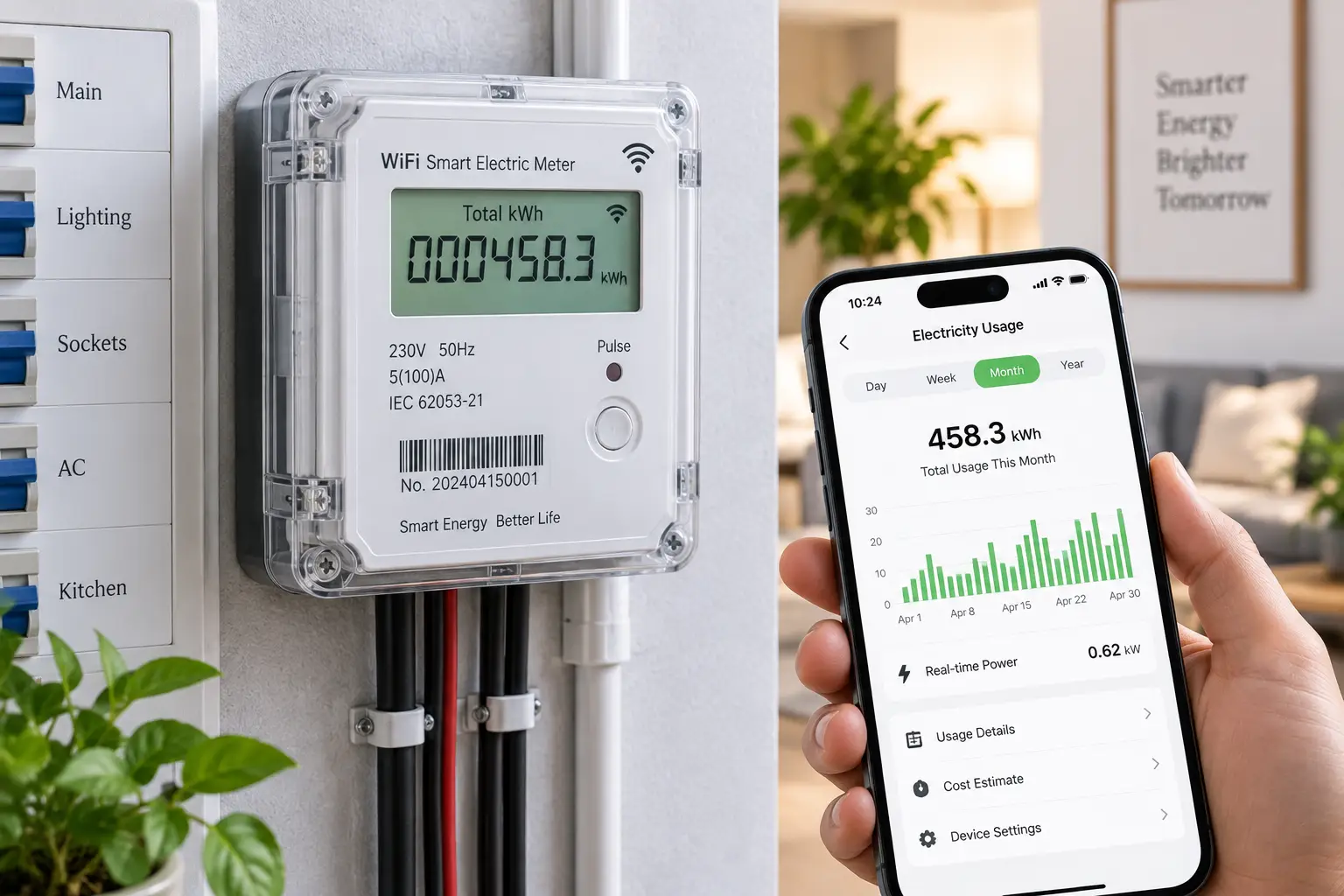
If your electric bill keeps climbing and you have no idea why, a wifi electric meter is probably the fastest way to find out. Instead of waiting for a monthly statement that only tells you the total, a wifi electric meter clips onto your breaker panel (or a single outlet, depending on the model) and streams real-time data straight to an app on your phone. You can watch your dryer spike your usage, catch a refrigerator that’s quietly failing, or figure out exactly how much your home office is costing you every month.
So, what is a wifi electric meter? It’s a device that measures voltage, current, and power at your home’s electrical panel or at an individual outlet, then sends that data over your home wifi network to a cloud dashboard or local app, giving you near real-time visibility into electricity use that a standard utility meter simply doesn’t provide.
This isn’t a rehash of Amazon listings. We researched real spec sheets, aggregated customer feedback, and manufacturer documentation across seven genuinely different products — from $20 smart plugs to $400 whole-home systems — so you can figure out which wifi electric meter actually fits your panel, your budget, and your patience for DIY installation. As background, the broader category of digital, communicating meters is sometimes called a smart meter — a device that records electricity consumption, voltage, current, and power factor and relays that data to both the consumer and the utility, and the consumer-facing products in this guide work on the same basic principle, just installed inside your home rather than by the utility.
Wifi Electric Meter: Quick Comparison
Before we dig into the full write-ups, here’s a fast snapshot of how these seven wifi electric meter options stack up on price, installation difficulty, and who each one is really built for.
| Product | Best For | Install Type | Price Range |
|---|---|---|---|
| Emporia Vue 2 | Best overall value | Panel, pro recommended | $100–$200 |
| Sense Home Energy Monitor | Smartest appliance detection | Panel, pro required | $250–$300 |
| Square D Wiser Energy (WISEREMZ) | Circuit-level control | Panel, pro required | $300–$400 |
| Eyedro Home Energy Monitor | No subscription fees | Panel, DIY-friendly | Under $150 |
| Shelly EM | DIY / Home Assistant users | Panel, DIY with care | Under $70 |
| TP-Link Kasa KP125M | Budget single-appliance pick | Plug-in, no tools | Under $20 |
| Emporia Vue 2 Flex Sensors | Tight or busbar panels | Panel, pro recommended | $150–$200 |
Looking at the table, the Emporia Vue 2 is the clear starting point for most households because it covers the whole panel plus 16 individual circuits without a subscription fee. If budget is the only concern, the TP-Link Kasa KP125M gets you real wattage data for a single appliance for less than the cost of a dinner out, while the Square D Wiser Energy system justifies its higher price with built-in load control hardware that the cheaper options don’t offer. Homeowners with unusual electrical panels — think busbars instead of exposed breaker wires — should skip straight to the Emporia Vue 2 Flex Sensors rather than fighting a clamp-style sensor that won’t fit.
💬 Bookmark this comparison — you’ll want to scroll back to it once you’ve read the full breakdowns below.
Top 7 Wifi Electric Meters: Expert Analysis
We selected these seven based on real specs, verifiable manufacturer data, and aggregated customer sentiment — not marketing copy. Each one targets a different budget, panel type, or use case, so read through the “best for” note in each header before you decide.
1. Emporia Vue 2 — best overall value for whole-home monitoring
The Vue 2 earns the top spot because it does the most for the least money, and that value shows up the moment you open the box. The base kit ships with two 200A clamp sensors for your mains, and you can add up to sixteen 50A sensors to break out individual circuits like your HVAC, water heater, dryer, and range. In practice, that means you’re not just watching a single “total home” number tick up and down — you can see precisely which appliance just kicked on and how many dollars per hour it’s costing you.
Based on comparing the specs against pricier competitors, the standout feature is that Emporia charges no monthly subscription for cloud access, unlike some rivals that gate historical data behind a paid tier. It also connects over 2.4GHz wifi and has been independently verified to work with the open-source ESPHome platform for Home Assistant users, which is unusual for a mainstream consumer product. Reviews consistently report that installation is genuinely a DIY job for anyone comfortable working near a breaker panel, though Emporia itself recommends a licensed electrician for the physical wiring.
Pros:
- ✅ No monthly subscription fee for full cloud access
- ✅ Monitors up to 16 individual circuits plus the mains
- ✅ Home Assistant/ESPHome compatible for smart home tinkerers
Cons:
- ❌ Granular 1-second data only shows while the app is open
- ❌ Panels with busbars instead of exposed wire need the flex sensor variant
At around $100 to $200 depending on how many circuit sensors you choose, the Vue 2 delivers the best dollars-per-circuit ratio of anything on this list.
2. Sense Home Energy Monitor — best appliance-recognition intelligence
Where the Vue 2 wins on value, the Sense monitor wins on sophistication. It uses machine learning that analyzes electrical signatures a million times per second to automatically identify individual appliances — your refrigerator’s compressor cycle, your well pump, your flat iron — without you manually labeling every circuit. That’s a meaningfully different approach from clamp-per-circuit systems, since it works even in panels where running sixteen individual sensors isn’t practical.
What most buyers overlook with this model is that the “learning” period genuinely takes time; aggregated customer feedback and independent energy-monitor reviews consistently note that device recognition improves gradually over the first few weeks and occasionally mislabels less common appliances. The upside is that once trained, Sense delivers a cleaner “what’s actually running right now” view than most competitors, and it now supports time-of-use utility rate plans, which matters if your utility charges more during peak hours. It also carries ETL/Intertek certification for safe in-panel operation.
Pros:
- ✅ Machine-learning appliance detection with no manual sensor per circuit
- ✅ Supports time-of-use utility rate plans
- ✅ ETL/Intertek certified for in-panel installation
Cons:
- ❌ Device recognition takes weeks to fully train and can mislabel appliances
- ❌ Professional installation is effectively required, adding to total cost
Expect to pay between $250 and $300, making Sense a mid-to-premium pick for buyers who want intelligence over manual circuit-by-circuit setup.
3. Square D Wiser Energy Home Power Monitor (WISEREMZ) — best for circuit-level control
If you want more than visibility — if you actually want to act on what you see — the Wiser Energy system from Schneider Electric’s Square D brand is the one built for it. It runs on the same Sense-based detection engine under a Square D-branded app, but adds an option most competitors skip entirely: modular Wiser Control Relays that let you monitor and remotely control individual circuits, not just watch them.
Here’s what to weigh: this is a made-in-USA product designed for installation in a 120VAC split-phase residential panel with a monitoring hub plus two main current transformers, and it connects over wifi or ethernet for redundancy. The spec sheet doesn’t say this outright, but the practical benefit is disaster resilience — pairing the monitor with control relays means you can shed non-essential circuits during a grid outage if you’re also running battery backup or a generator. It also plays nicely with an unusually wide device ecosystem, including Alexa, Google Home, Philips Hue, Wemo Insight, and Kasa smart plugs.
Pros:
- ✅ Optional circuit-level load control, not just monitoring
- ✅ Manufactured in the USA with cETLus and FCC certification
- ✅ Wifi and ethernet connectivity for network redundancy
Cons:
- ❌ Highest price point among whole-home options on this list
- ❌ Requires open panel space and professional electrical installation
At roughly $300 to $400 for the base monitoring kit, this is an investment pick best suited to buyers who already plan to add solar, battery backup, or a generator.
4. Eyedro Home Energy Monitor — best no-subscription, no-fee option
Eyedro has quietly built a reputation among landlords and budget-focused homeowners for one simple reason: the MyEyedro cloud platform has never charged a subscription fee, and that hasn’t changed with the current EYEDRO-HOME model. The device tracks kilowatt-hours, voltage, amperage, true power, and power factor, and — unusually for this category — gives you the choice of connecting over wifi or hardwired ethernet, which matters if your panel sits in a basement corner with weak wifi signal.
What the spec sheet doesn’t say, but real-world reviews reveal, is that Eyedro’s split-core sensors clip around existing wires without any rewiring, which keeps installation closer to a 25-minute job than a half-day electrician visit for many homeowners. Reviews consistently report that the web dashboard, while less visually polished than Sense or Emporia’s apps, does the fundamentals well: daily, weekly, and monthly usage reports that you can directly compare against your actual utility bill. It’s also explicitly built with landlord use cases in mind, letting you share live usage data with a tenant in a metered unit.
Pros:
- ✅ Zero subscription fees, ever, on the MyEyedro platform
- ✅ Choice of wifi or wired ethernet connectivity
- ✅ Split-core clamp sensors install without cutting any wires
Cons:
- ❌ App and dashboard interface feel dated next to newer competitors
- ❌ Fewer third-party smart home integrations than Emporia or Sense
Currently priced under $150, it’s one of the strongest value picks if long-term cost, not app polish, is your priority.
5. Shelly EM — best for DIY and Home Assistant enthusiasts
The Shelly EM is the pick for people who already have Home Assistant, ESPHome, or a local automation server running and specifically don’t want another cloud-dependent gadget. It measures up to two independent circuits at up to 120A each, and it can be controlled and read locally through the Shelly app, MQTT, CoAP, or a REST API — no mandatory cloud round-trip required, which appeals to privacy-conscious buyers.
Based on comparing the specs against subscription-based competitors, the standout is 365 days of built-in energy history stored on the device itself, so even a wifi outage doesn’t cost you your data. What most buyers overlook is that this is fundamentally a hobbyist-friendly product: Shelly ships it without the polished onboarding wizard you’d get from Emporia or Sense, and you’ll want to be comfortable working around exposed panel wiring or hire an electrician for a clean install. It’s also compatible with Amazon Alexa and Google Assistant for basic voice queries about current usage.
Pros:
- ✅ Works locally via MQTT/API without depending on the cloud
- ✅ 365 days of energy history stored on-device
- ✅ Compact, DIN-rail-friendly form factor for panel installs
Cons:
- ❌ Monitors only two circuits per unit, fewer than Emporia’s sixteen
- ❌ Setup assumes comfort with local network tools like MQTT
At well under $70 for the base unit with clamps, it’s the most affordable panel-level option here, provided you’re comfortable with the DIY learning curve.
6. TP-Link Kasa KP125M — best budget pick for a single appliance
Not everyone needs — or can install — a full panel monitor, and that’s exactly the gap the Kasa KP125M fills. It’s a wifi smart plug with built-in energy monitoring: plug it into any standard outlet, plug your appliance into it, and the Kasa app shows you that device’s real-time and historical power consumption. No electrician, no breaker panel, no clamps.
The practical interpretation here matters: a 15A, 1,800-watt rating means it comfortably handles space heaters, window AC units, and most kitchen appliances, while Matter certification means it plays well with Apple Home, Google Home, Amazon Alexa, and Samsung SmartThings without being locked into a single ecosystem. What most buyers overlook is that this isn’t a whole-home wifi electric meter substitute — it only sees what’s plugged into it — but for renters who can’t install panel-level sensors, or homeowners who just want to know what their old chest freezer is really costing them, it’s a genuinely useful entry point. Reviews consistently highlight the compact, slim design that doesn’t block the neighboring outlet.
Pros:
- ✅ No electrician or panel access required — just plug it in
- ✅ Matter-certified for broad smart home compatibility
- ✅ Handles up to 1,800 watts / 15 amps per outlet
Cons:
- ❌ Only tracks the single device plugged into it, not the whole home
- ❌ Scaling up to many circuits means buying many individual plugs
A single unit typically runs under $20, with multi-packs scaling up from there — making this the lowest-commitment way to try energy monitoring before investing in a whole-home system.
7. Emporia Vue 2 with Flexible Current Sensors — best for busbar and tight panels
Not every electrical panel has exposed circuit wires that a standard rigid clamp can wrap around — some newer or combination panels route power through busbars instead, which is exactly the scenario this variant solves. Emporia pairs the same Vue 2 hardware and no-subscription app with flexible Rogowski coil sensors instead of rigid clamps, so an electrician can route the sensor around tighter or irregularly shaped conductors that would otherwise make installation impossible.
The practical meaning here is straightforward: if you’ve already tried to install a standard Emporia Vue 2 or a competing clamp-based meter and found the sensors simply don’t fit your panel, this variant is the fix rather than a downgrade or a different product line. Emporia explicitly recommends professional installation for the Rogowski cable, more so than for the standard clamp version, since flexible sensors are slightly more finicky to seat correctly. Once installed, you get identical functionality to the base Vue 2 — up to sixteen additional 50A circuit sensors, real-time app data, and solar/net-metering support.
Pros:
- ✅ Fits busbar and combination panels standard clamps can’t reach
- ✅ Same no-subscription Emporia app and 16-circuit expansion
- ✅ Supports solar and net-metering monitoring
Cons:
- ❌ Professional installation is strongly recommended, adding to setup cost
- ❌ Slightly pricier than the standard clamp-sensor Vue 2 bundle
Priced in the $150 to $200 range, this is a targeted fix rather than a general recommendation — check your panel type before choosing between this and the standard Vue 2.
Full Product Comparison Table
| Product | Circuits Monitored | Connectivity | Subscription | Best For |
|---|---|---|---|---|
| Emporia Vue 2 | Mains + up to 16 | Wifi (2.4GHz) | None | Whole-home value |
| Sense Home Energy Monitor | Mains, ML-detected devices | Wifi | None (app included) | Smart appliance ID |
| Square D Wiser Energy | Mains + relay-controlled circuits | Wifi/Ethernet | None (app included) | Load control |
| Eyedro Home Energy Monitor | Mains (2 ports) | Wifi or Ethernet | None, ever | Long-term cost |
| Shelly EM | 2 circuits | Wifi (local API) | None | DIY/Home Assistant |
| TP-Link Kasa KP125M | 1 plugged-in device | Wifi (Matter) | None | Single-appliance budget |
| Emporia Vue 2 Flex Sensors | Mains + up to 16 | Wifi (2.4GHz) | None | Busbar panels |
Scanning this table, none of these seven wifi electric meter options charge a recurring subscription fee, which is a meaningful point of differentiation from some smart-thermostat and security categories where the app is free but advanced features sit behind a paywall. The Sense Home Energy Monitor and Square D Wiser Energy both stand out for intelligence over raw circuit count, while Emporia Vue 2 and its flex-sensor sibling win on the sheer number of circuits you can break out for the price. If your goal is simply “is my dryer or AC the reason my bill jumped,” even the single-circuit TP-Link Kasa KP125M can answer that question for a fraction of the cost of a panel-level system.
✨ Ready to stop guessing what’s driving your electric bill?
🔍 Compare the picks above against your panel type and budget, then click through to check current availability and pricing on amazon.com. Getting even basic wifi electric meter data can help you catch a failing appliance before it becomes an expensive repair.
How to Install and Set Up Your Wifi Electric Meter
Getting a wifi electric meter running well in the first 30 days comes down to preparation, not luck. Start by opening your breaker panel cover (with the panel de-energized if you’re comfortable doing so, or leave that step to an electrician) and taking a photo of the layout — this makes labeling circuits in the app dramatically easier later. Note whether your panel has exposed wires you can clamp around or busbars that require a flexible sensor, since that decision alone determines which product on this list will actually fit.
Next, confirm your 2.4GHz wifi signal reaches the panel location before you install anything; most wifi electric meter models, including the Emporia Vue 2 and Shelly EM, specifically require 2.4GHz rather than 5GHz networks, and a weak signal at the panel is the single most common setup complaint in aggregated reviews. If your panel is in a basement or garage far from your router, consider a mesh wifi extender or, where supported, an ethernet-connected model like the Eyedro Home Energy Monitor.
Once power is connected and the device is online, resist the urge to skip circuit labeling — an unlabeled “Circuit 7” six months from now tells you nothing useful. Spend the first week turning appliances on and off individually while watching the app to confirm each circuit is correctly identified. Finally, set a maintenance reminder to check your sensor clamps are still seated correctly every six months, particularly after any panel work by an electrician, since a loose clamp will quietly return inaccurate readings without any obvious error message.
Real-World Scenarios: Which Wifi Electric Meter Fits Your Life
Not every household needs the same setup, so here are three common situations matched to a sensible pick from this list.
The budget-conscious renter. If you’re renting an apartment and can’t touch the breaker panel, a plug-in option is your only realistic path. The TP-Link Kasa KP125M lets you monitor your space heater, window AC unit, or an old refrigerator for well under $20, with zero landlord permission required and zero risk to your security deposit.
The homeowner planning solar or battery backup. If you’re already budgeting for solar panels or a home battery system in the next year or two, it makes sense to invest in a system that can grow with you. The Square D Wiser Energy system’s optional Wiser Control Relays let you add circuit-level load shedding later, so the monitoring hardware you buy today doesn’t become obsolete when you add a battery.
The DIY smart-home tinkerer. If you already run Home Assistant and want your energy data flowing into the same dashboard as your thermostat and lights, the Shelly EM integrates locally without forcing you through a proprietary cloud app, and its 365-day on-device history means your automation setup keeps working even during an internet outage.
How to Choose a Wifi Electric Meter
Picking the right wifi electric meter comes down to matching the hardware to your panel, your goals, and your comfort with installation. Work through these criteria in order:
- Check your panel type first. Exposed circuit wires accept standard clamp sensors; busbar or combination panels need flexible sensors like Emporia’s Rogowski coil kit.
- Decide whole-home versus single-appliance. If you just want to know what one device costs to run, a smart plug is cheaper and faster than a panel install.
- Confirm your wifi reaches the panel. A weak 2.4GHz signal at the breaker box is the most common cause of setup frustration across every brand in this guide.
- Weigh subscription costs, or the lack of them. All seven products here skip recurring fees, but some competitors in this category do charge for advanced history — read the fine print before buying elsewhere.
- Match circuit count to your curiosity. A landlord tracking one rental unit needs less granularity than a homeowner trying to pinpoint which of twelve circuits is driving up the bill.
- Factor in installation cost, not just sticker price. A $300 monitor that needs a $150 electrician visit costs more than a $200 monitor rated for confident DIY installation.
- Consider your smart home ecosystem. If you already use Alexa, Google Home, or Home Assistant, prioritize a wifi electric meter with confirmed integration rather than assuming compatibility.
Wifi Electric Meter vs Traditional Utility Meter
Your utility already has a meter on the side of your house, so why add another one? The honest answer is that the two devices solve different problems. A utility meter exists to bill you accurately for total consumption, typically reported once a month or, with a modern advanced metering infrastructure setup, some utilities now read meters near real-time with two-way communication back to the grid for billing and grid-monitoring purposes. A wifi electric meter installed inside your home exists to show you the breakdown behind that number — which circuit, which appliance, which hour of the day — something your utility has no reason to provide.
| Feature | Traditional Utility Meter | Wifi Electric Meter |
|---|---|---|
| Reporting frequency | Monthly (or near real-time if AMI-equipped) | Real-time, seconds to minutes |
| Circuit-level detail | None | Yes, varies by model |
| Cost | Included in service | $20–$400 one-time hardware cost |
| Data ownership | Utility-controlled | Homeowner-controlled app/dashboard |
| Actionable alerts | Rare | Common (spikes, phantom loads) |
The practical takeaway from this comparison is that a wifi electric meter and your utility’s meter are complementary, not competing, tools. Your utility bill tells you what you owe; a home system like the Emporia Vue 2 or Sense Home Energy Monitor tells you why, which is the only way to actually change the number on next month’s bill rather than just watching it happen.
Common Mistakes to Avoid When Buying a Wifi Electric Meter
The most common mistake buyers make is purchasing a rigid clamp-sensor model without first checking whether their panel has exposed wires or busbars — a five-minute panel inspection avoids returning a product that physically won’t install. A close second is underestimating installation cost: several products on this list, including Sense and Square D Wiser Energy, effectively require a licensed electrician, and skipping that line item when comparing prices leads to sticker shock later.
Another frequent error is assuming more circuits automatically means a better purchase. A landlord monitoring one rental unit gains little from sixteen circuit sensors and would be better served by the simpler Eyedro Home Energy Monitor. Buyers also sometimes ignore wifi signal strength at the panel location, then blame the device itself when the real problem is a router two floors away. Finally, don’t assume every wifi electric meter charges a subscription just because some competing smart-home categories do — as this guide shows, none of these seven do.
Long-Term Cost and Maintenance
The sticker price of a wifi electric meter is only part of the total cost of ownership. Professional installation, where recommended, typically adds $100 to $300 depending on your panel’s condition and your electrician’s local rates — a cost that applies most directly to Sense and Square D Wiser Energy, and less so to DIY-friendly options like the Shelly EM or the plug-in TP-Link Kasa KP125M.
On the maintenance side, these devices are largely “install and forget.” Clamp sensors don’t wear out under normal use, though it’s worth re-seating them after any electrical panel work. Firmware updates typically arrive automatically over wifi and add features rather than requiring a purchase. The real return on investment comes from behavior change: aggregated user reports across this category consistently mention catching a failing appliance — a refrigerator compressor cycling too often, a well pump running constantly — that would have gone unnoticed on a monthly utility bill until it either failed outright or drove up costs for months. For most households, a mid-range option like the Emporia Vue 2 pays for itself within a year simply by making phantom loads and inefficient appliances visible enough to act on, a dynamic the U.S. Department of Energy also highlights as one of the more overlooked paths to lowering a home electricity bill.
Safety, Regulations, and Standards for Wifi Electric Meters
Because these devices install inside or near your electrical panel, safety certification isn’t optional. Look for UL, ETL, or cETLus listing on any wifi electric meter before purchase — every product covered in this guide carries at least one of these certifications, confirming it has been tested against recognized U.S. safety standards for equipment operating inside a live panel. FCC certification, also present across this lineup, confirms the wifi radio itself won’t interfere with other household electronics.
None of that replaces basic electrical safety awareness, though. If you’re not fully confident working near an open panel, hire a licensed electrician — the cost is modest compared to the risk, and it’s the same advice the CPSC gives more broadly: check that outlets and switches aren’t unusually warm to the touch, and have a qualified electrician inspect any wiring condition that seems off. If you’re renting, always check your lease and, where applicable, local electrical code before any panel-level installation, since a landlord or a municipal inspector may have requirements a DIY guide can’t anticipate for your specific building.
FAQs
❓ Does a wifi electric meter work without internet access?
❓ Can I install a wifi electric meter myself?
❓ How accurate is a wifi electric meter compared to my utility bill?
❓ Will a wifi electric meter work with solar panels?
❓ Does a wifi electric meter require a monthly subscription?
Conclusion
A wifi electric meter turns a mystery number on your monthly bill into a searchable, real-time picture of exactly where your electricity is going. Whether you land on the budget-friendly TP-Link Kasa KP125M for a single appliance, the well-rounded Emporia Vue 2 for whole-home coverage without a subscription, or the control-focused Square D Wiser Energy system for a home that’s already planning solar or battery backup, the right pick depends far more on your panel type and installation comfort than on chasing the highest circuit count. Start by checking your panel for busbars versus exposed wire, confirm your wifi signal reaches the install location, and match the rest of your decision to the criteria and scenarios covered above. Whichever model you choose, the payoff is the same: fewer surprises on your electric bill and a much clearer answer the next time you wonder what’s actually running in your house right now.
✨ Found the wifi electric meter that fits your home?
🔍 Take a closer look at your top pick above and check current availability and pricing on amazon.com before deciding. A little real-time visibility into your electricity use today can mean a noticeably lower bill in the months ahead!
Recommended for You
- What Type of Electrical Plug Is Used in Ireland? 7 Best Adapters for Travelers
- Wemo Wifi Smart Plug Shutdown: 7 Best Replacements for 2026
- Wemo Outdoor Smart Plug: 7 Best Picks & Alternatives (2026)
Disclaimer: This post contains affiliate links. As an Amazon Associate, I earn from qualifying purchases made through these links, at no additional cost to you.
✨ Found this article helpful? Share it with someone who needs it! 💬🤗
