
In This Article
Why Your Light Switch LED Light Choice Actually Matters
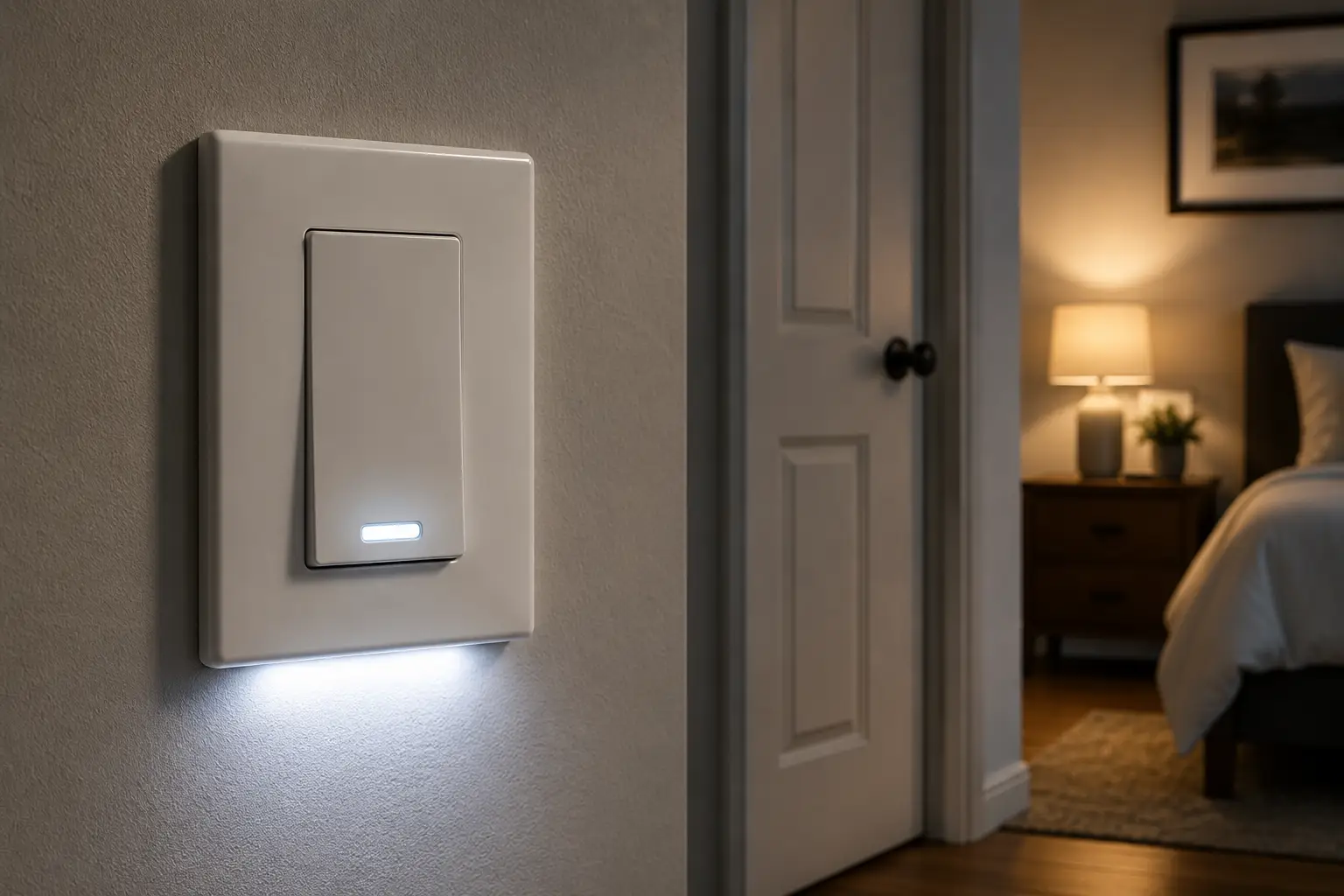
A light switch led light combination sounds simple until the bulbs start flickering, buzzing, or refusing to dim past 40 percent. What is a light switch led light setup? In short, it’s the pairing of a wall switch (standard, illuminated, or dimming) with LED bulbs or fixtures, chosen specifically so the switch’s internal circuitry matches how LEDs actually draw and regulate power. Get the pairing wrong and you’ll see the exact symptoms above; get it right and your lighting turns on instantly, dims smoothly, and lasts for years.
Here’s the part most homeowners don’t realize until they’ve already bought the wrong switch: LEDs don’t behave like the incandescent bulbs that traditional switches were designed around. Old-school toggle and rocker switches were built for resistive loads that draw power in a simple, predictable way. LEDs use internal drivers that convert AC power into the low-voltage DC current the diodes actually need, and that conversion process is exactly why a bargain-bin switch can cause buzzing, flicker, or a dimmer that only “works” between 70 and 100 percent brightness. According to Wikipedia’s overview of light switch mechanisms, switches have evolved considerably from simple mechanical toggles to today’s electronic and smart variants specifically to handle these more complex loads.
This guide walks through seven real, currently available light switch led light options — from a $10 illuminated rocker to a full smart-home dimmer kit — along with the buying criteria, common mistakes, and setup tips that actually matter. Every recommendation here is grounded in real specs and aggregated customer feedback, not guesswork, so you can walk into (or click through) your next hardware purchase with confidence.
Quick Comparison: Top Light Switch LED Light Picks at a Glance
| Product | Type | Price Range | Best For |
|---|---|---|---|
| ENERLITES Illuminated Decorator Switch | Basic illuminated switch | Around $10-$15 | Budget buyers, hallways, basements |
| Leviton Decora Illuminated Rocker Switch | Pilot-light switch | Around $12-$18 | Renters, reliable everyday use |
| TOPGREENER Smart Wi-Fi Light Switch | Smart Wi-Fi switch | Around $25-$35 | First-time smart home buyers |
| TP-Link Kasa Smart Dimmer Switch | Smart Wi-Fi dimmer | Around $20-$35 | Voice-control households |
| Legrand radiant Rocker Switch with Locator Light | Designer illuminated switch | Around $15-$22 | Style-conscious remodels |
| Lutron Diva LED+ Dimmer | Dedicated LED dimmer | Around $20-$28 | Flicker-free dimming on a budget |
| Lutron Caseta Smart Dimmer Switch | Premium smart dimmer system | Around $60-$100 (starter kit) | Whole-home smart lighting |
Looking at the table above, there’s a clear split between switches built purely to illuminate or dim (the ENERLITES Illuminated Decorator Switch, Leviton Decora Illuminated Rocker Switch, Legrand radiant Rocker Switch with Locator Light, and Lutron Diva LED+ Dimmer) and switches built to also connect to your phone or a voice assistant (the TOPGREENER Smart Wi-Fi Light Switch, TP-Link Kasa Smart Dimmer Switch, and Lutron Caseta Smart Dimmer Switch). If dimming performance with LEDs is your top priority, the dedicated LED dimmers edge out the general-purpose smart switches on flicker-free range. Budget-conscious buyers should note that the basic illuminated options cost a fraction of the smart picks but skip app control and remote scheduling entirely.
💬 One click helps other shoppers make an informed choice too! 😊
Top 7 Light Switch LED Light Options: Expert Picks and Analysis
1. ENERLITES Illuminated Decorator Switch — glows so you never fumble in the dark
The ENERLITES Illuminated Decorator Switch is built around a simple idea: a tiny neon or LED locator light glows continuously inside the paddle so you can find the switch in a dark room, even when the light is off. It’s rated for 15A at 120-277V, UL listed, and available with push-in and side wiring plus a grounding screw, which makes it a straightforward swap for most existing single-pole switches. In practice, that continuous glow means less stubbed toes in the hallway and less fumbling along a wall at 2 a.m. — a small feature that ends up mattering every single day.
Based on comparing the specs against other budget illuminated switches, the ENERLITES Illuminated Decorator Switch stands out for its residential-grade UL certification at a genuinely low price point, which isn’t a given in this category. It’s best suited to renters, basement stairwells, laundry rooms, and anyone who wants the locator-light benefit without touching a smart home app. Reviews consistently report that installation is fast for anyone comfortable with basic wiring, though a few buyers note the indicator glow is faint in very bright rooms — a minor tradeoff for a switch this affordable.
Pros:
- ✅ UL-listed 15A/120-277V rating for broad compatibility
- ✅ Locator light glows continuously, even when off
- ✅ Push-in and side wiring for flexible installation
Cons:
- ❌ No dimming function built in
- ❌ Locator glow can be hard to see in daylight
Price runs around $10-$15 for a single switch, often less per unit in multi-packs, making it one of the best value picks if all you need is illumination, not smart features or dimming.
2. Leviton Decora Illuminated Rocker Switch — the reliable pilot-light classic
The Leviton Decora Illuminated Rocker Switch takes a different illumination approach: a pilot light that glows when the switch is in the “off” position, telling you at a glance that a connected fixture (often in another room, like an attic fan or garage light) is currently off. Rated 20A at 120V with a quiet AC rocker mechanism, it’s a Decora Plus-series switch, meaning it fits the same wall plates and trim as Leviton’s broader decorator lineup. That pilot-light behavior is genuinely useful for switches tied to fixtures you can’t see directly, like an exterior light or a crawlspace fixture.
What most buyers overlook with this model is that “illuminated off” and “illuminated on” are different features aimed at different problems — this Leviton model tells you a load is off, while other illuminated switches (like the ENERLITES pick above) simply help you locate the switch itself. For LED loads specifically, the Leviton Decora Illuminated Rocker Switch performs well because it isn’t attempting to dim or modulate power, so there’s no compatibility gray area to worry about. Reviews consistently report decades of reliable use from this switch family, reflecting Leviton’s long track record in the switch market, with occasional complaints about the rocker feeling slightly stiff fresh out of the box.
Pros:
- ✅ 20A/120V rating handles higher-draw circuits
- ✅ Pilot light confirms at a glance when a fixture is off
- ✅ Backed by Leviton’s long-standing reliability record
Cons:
- ❌ No smart or app-based control
- ❌ Rocker action can feel stiff initially
Expect to pay around $12-$18 per switch, which is a fair value-for-money proposition given the brand’s reputation and the switch’s straightforward, no-nonsense design.
3. TOPGREENER Smart Wi-Fi Light Switch — smart control without a hub
The TOPGREENER Smart Wi-Fi Light Switch connects directly to your home Wi-Fi network, so you get app control, scheduling, and voice commands through Alexa or Google Assistant without buying a separate smart-home hub. It requires a neutral wire (standard in most homes built after the late 1980s) and supports single-pole or 3-way configurations. In practice, that hub-free design is the single biggest reason to consider this switch over pricier smart ecosystem alternatives — you get most of the convenience without the extra device.
Here’s what to weigh: because the TOPGREENER Smart Wi-Fi Light Switch connects straight to Wi-Fi rather than a dedicated smart-home radio protocol like Zigbee or Z-Wave, its responsiveness depends heavily on your router’s coverage in that room. For a household just getting into smart lighting, that’s a reasonable tradeoff for the lower cost of entry. Reviews consistently report solid results for on/off control, though this particular model doesn’t dim — buyers wanting brightness control need the dimmer variant TOPGREENER also sells.
Pros:
- ✅ No hub required — connects straight to home Wi-Fi
- ✅ Works with Alexa and Google Assistant
- ✅ Supports both single-pole and 3-way wiring
Cons:
- ❌ Requires a neutral wire at the switch box
- ❌ On/off only — no built-in dimming on this model
At around $25-$35, this is a reasonable entry point into smart lighting control, and it delivers solid value for anyone who wants voice and app control without committing to a larger smart-home platform.
4. TP-Link Kasa Smart Dimmer Switch — dimming plus voice control in one
The TP-Link Kasa Smart Dimmer Switch pairs Wi-Fi smart features with actual dimming, which is the meaningful upgrade over the on/off-only smart switch above. It’s UL certified, requires a neutral wire, and is engineered specifically to handle dimmable LED bulbs — a detail that matters because plenty of budget dimmers on the market were designed with incandescent bulbs in mind and struggle with LED loads. Paired with dimmable LED bulbs, the Kasa app lets you set schedules, create scenes, and adjust brightness remotely from anywhere with an internet connection.
Based on comparing the specs against other Wi-Fi dimmers, the TP-Link Kasa Smart Dimmer Switch earns its spot because TP-Link has published a compatibility list and firmware updates addressing early flicker complaints — a sign the company is actively maintaining LED compatibility rather than treating it as an afterthought. It’s a strong fit for households that already use other Kasa or TP-Link smart devices, since everything lives in one app. Reviews consistently report smooth dimming with major LED bulb brands, though a handful of buyers report the need to double-check their specific bulb against TP-Link’s compatibility list before purchase, since a few off-brand LEDs still flicker at low brightness.
Pros:
- ✅ True dimming, not just on/off smart control
- ✅ UL certified with Alexa and Google Home support
- ✅ Published LED compatibility list from the manufacturer
Cons:
- ❌ Needs a neutral wire, ruling out some older homes
- ❌ A minority of off-brand LED bulbs still flicker at low settings
Pricing typically runs around $20-$35 per switch, occasionally lower when bought in multi-packs, making it a strong value pick for anyone wanting real dimming with smart features attached.
5. Legrand radiant Rocker Switch with Locator Light — the designer choice for visible upgrades
The Legrand radiant Rocker Switch with Locator Light is aimed squarely at buyers doing a visible remodel — a kitchen, a primary bedroom, an entryway — where the switch plate itself is part of the room’s look. It’s a 15A single-pole decorator-style rocker with a built-in locator light so the switch glows softly when off, similar in concept to the ENERLITES pick but wrapped in Legrand’s more refined rocker design and broader color-matching options across its radiant collection.
What most buyers overlook with this model is that “designer” doesn’t mean “fragile” here — the radiant line uses the same commercial-grade internals Legrand puts in its higher-volume switches, just finished to match higher-end trim kits, screwless wall plates, and color palettes that basic hardware-store switches don’t offer. It’s the right pick for anyone who wants a light switch led light setup that blends into a considered interior rather than looking like it was grabbed off a bottom shelf. Reviews consistently report praise for the rocker’s smooth, quiet action and the wide range of matching accessories, with occasional notes that the coordinating wall plates are sold separately and add to the total project cost.
Pros:
- ✅ Locator light glow for finding the switch in the dark
- ✅ Broad color and finish options for matching trim
- ✅ Commercial-grade internals in a decorator-style body
Cons:
- ❌ No dimming or smart features on this base model
- ❌ Matching wall plates and accessories cost extra
Expect a price in the $15-$22 range, with the coordinating plates and multi-gang accessories adding to the overall project budget — a reasonable value trade for buyers prioritizing appearance alongside function.
6. Lutron Diva LED+ Dimmer — flicker-free dimming built specifically for LEDs
The Lutron Diva LED+ Dimmer is a dedicated dimmer engineered from the ground up for dimmable LED and CFL bulbs (150W LED/CFL or up to 600W incandescent), single-pole or 3-way, and — notably — it doesn’t require a neutral wire, which makes it retrofit-friendly in older homes where TP-Link and TOPGREENER’s smart models can’t be installed without rewiring. Lutron built its reputation on dimming technology specifically, and it shows: this switch is designed to eliminate the low-end flicker and “pop-on” behavior that generic dimmers produce with LED bulbs.
Here’s what the spec sheet doesn’t say outright, but reviews reveal: the real differentiator with the Lutron Diva LED+ Dimmer is the breadth of its tested compatibility list. Lutron maintains and publishes compatibility results across hundreds of specific LED bulb models, which takes the guesswork out of pairing a dimmer with the bulbs you already own — something none of the budget dimmers in this roundup can match. It’s the strongest pick for anyone who wants flicker-free dimming without stepping into smart-home territory at all. Reviews consistently report smooth, silent dimming from full brightness down to a genuine low glow, with occasional feedback that very old or non-dimmable LED bulbs still won’t dim properly, which is a bulb limitation rather than a switch flaw.
Pros:
- ✅ No neutral wire required, easing retrofit installs
- ✅ Published compatibility list covering hundreds of LED bulbs
- ✅ Smooth, flicker-free dimming down to low brightness
Cons:
- ❌ No app or voice control on this non-smart model
- ❌ Won’t properly dim non-dimmable LED bulbs (a bulb, not switch, issue)
Priced around $20-$28 per switch, it’s a strong value pick for anyone who wants best-in-class LED dimming performance without paying for smart-home connectivity they may not use.
7. Lutron Caseta Smart Dimmer Switch — the whole-home smart lighting standard
The Lutron Caseta Smart Dimmer Switch is the premium pick in this lineup, typically purchased as a starter kit that includes the Lutron Smart Bridge hub, one dimmer switch, and a wireless remote. Like the Diva LED+, it dims up to 150W of LED or CFL load without requiring a neutral wire, but it adds app control, voice integration with Alexa, Google Assistant, and Apple HomeKit, geofencing, and scheduling — all running through Lutron’s dedicated radio protocol rather than your home Wi-Fi, which reviewers and smart-home publications consistently point to as more reliable than Wi-Fi-only switches.
Based on comparing the specs against every other product in this roundup, the Lutron Caseta Smart Dimmer Switch justifies its higher price with a combination most competitors don’t offer together: no-neutral-wire installation, a dedicated low-latency radio protocol instead of relying on home Wi-Fi congestion, and a hub that can scale to dozens of switches, shades, and accessories as a smart-home system grows. It’s the clear pick for households planning to build out whole-home smart lighting rather than automating a single room. Reviews consistently report high satisfaction with app reliability and firmware support, with the main complaint being the added cost of the hub for anyone who only wants to control one switch.
Pros:
- ✅ No neutral wire required, unlike most Wi-Fi smart switches
- ✅ Dedicated radio protocol instead of relying on home Wi-Fi
- ✅ Works with Alexa, Google Assistant, and Apple HomeKit
Cons:
- ❌ Requires a separate hub, raising the starter cost
- ❌ Overkill if you only need to control a single switch
The starter kit typically runs around $60-$100, while additional add-on dimmers (once you own the hub) cost less individually — strong long-term value for anyone building a true whole-home lighting system.
✨ Don’t miss these exclusive deals!
🔍 Take your light switch led light upgrade to the next level with this carefully curated lineup. Click a highlighted pick above to check current pricing and availability. These options will help you get flicker-free, reliable lighting the whole family will appreciate! 💡
Your First 30 Days: Installing and Setting Up a New LED Light Switch
Getting a new light switch led light pairing right starts before you ever touch a screwdriver. First, always cut power at the breaker — not just the switch — and confirm it’s off with a non-contact voltage tester; this is the single most important safety step in any switch swap. Second, photograph the existing wiring before disconnecting anything, since matching wire positions (line, load, ground, and traveler wires on 3-way setups) is the most common point of confusion for first-timers.
Once the new switch is in, the first 30 days are when compatibility issues tend to surface. If you’re installing a dimmer, test it with the exact LED bulbs you plan to use long-term rather than a random bulb from a drawer — dimmer-to-LED compatibility varies significantly by bulb model, and manufacturers like Lutron and TP-Link publish compatibility lists precisely because of this variability. Run the dimmer through its full range, top to bottom, at least once to check for flicker, buzzing, or a dead zone near the bottom of the dial. For smart switches, complete the app pairing and firmware update immediately; delaying this step is a common mistake, since early firmware often includes fixes for exactly the LED flicker issues buyers report.
A simple 30-day maintenance habit: wipe down the paddle or rocker monthly (a dry microfiber cloth is enough — never spray cleaner directly onto a switch), and re-check smart switch firmware every few months, since manufacturers roll out compatibility updates as new LED bulb models hit the market. If you notice a mistake within the first month — wrong wire position, a switch that doesn’t fit the wall box depth, or a neutral wire you didn’t realize you needed — most retailers and manufacturers allow returns within that window, so don’t wait to address it.
Real-World Scenarios: Which LED Light Switch Fits Your Home
Consider three common households shopping for a light switch led light upgrade. A renter in a one-bedroom apartment, on a tight budget and not allowed to run new wiring, is best served by the ENERLITES Illuminated Decorator Switch or Leviton Decora Illuminated Rocker Switch — both install onto existing wiring with no neutral required, cost under $20, and solve the immediate problem (finding the switch in the dark) without any ongoing subscription or app dependency.
A young family in a starter home, using LED bulbs throughout and wanting basic voice control for bedtime routines, fits well with the TP-Link Kasa Smart Dimmer Switch. It requires a neutral wire (common in homes built in the last few decades), delivers genuine dimming for a softer bedtime routine, and connects to Alexa or Google Assistant without needing a dedicated hub — a reasonable middle ground of cost and capability for a household not ready to commit to a full smart-home platform.
A homeowner planning a multi-room smart lighting rollout — kitchen, living room, primary suite, and exterior lighting — is better matched to the Lutron Caseta Smart Dimmer Switch. The upfront hub cost pays off as more switches are added, the dedicated radio protocol avoids the Wi-Fi congestion that can plague larger smart homes, and no-neutral-wire installation means it can go into rooms where older wiring would otherwise block a smart upgrade entirely.
Fixing Common LED Light Switch Problems: Flicker, Buzz, and Compatibility
Flickering is the complaint most buyers search for, and it almost always traces back to one of three causes: an incompatible dimmer, a non-dimmable LED bulb installed on a dimmer circuit, or too little load on the circuit for the dimmer’s minimum wattage threshold. The fix is usually straightforward — confirm the bulb is explicitly labeled “dimmable,” check the switch manufacturer’s compatibility list (Lutron and TP-Link both publish detailed ones), and if flicker persists, add a small compatible LED bulb to the circuit to meet the dimmer’s minimum load.
Buzzing or humming from the switch or the bulb itself is a related but distinct issue, usually caused by the dimmer’s internal circuitry interacting poorly with a specific bulb’s driver at certain brightness levels. Switching to a dimmer explicitly designed for LEDs — like the Lutron Diva LED+ Dimmer — resolves this in the large majority of cases, since these dimmers use different waveform-shaping technology than older trailing-edge or leading-edge dimmers built for incandescent loads.
A dimmer that won’t go below a certain brightness, sometimes called a “dead zone,” typically means the dimmer’s minimum-load threshold hasn’t been met by your specific bulb wattage. Adding a small compatible bulb to the circuit, or switching to a dimmer explicitly rated for low-wattage LED loads, generally solves it. Finally, a smart switch that repeatedly drops its Wi-Fi connection is almost always a router-placement issue rather than a switch defect — moving the router, adding a mesh extender, or switching to a hub-based system like the Lutron Caseta Smart Dimmer Switch (which uses its own radio protocol instead of home Wi-Fi) sidesteps the problem entirely.
How to Choose the Right Light Switch for LED Lights
Picking the right light switch led light pairing comes down to seven practical criteria, in roughly this order of importance:
- Confirm your wiring first. Check whether your switch box has a neutral wire before shopping for any smart switch — most smart Wi-Fi models require one, while options like the Lutron Diva LED+ and Lutron Caseta do not.
- Decide if you need dimming. If you just want on/off control, a basic illuminated switch is cheaper and simpler; if you want mood lighting or energy savings from dimming, invest in a dimmer explicitly rated for LEDs.
- Check the bulb compatibility list. Cross-reference your specific LED bulb model against the switch manufacturer’s published compatibility list before buying, especially for dimmers.
- Match the amperage and wattage rating to your load. A switch rated for 15A/120-277V comfortably covers most residential LED lighting circuits, but always confirm total wattage across all connected fixtures.
- Decide how “smart” you actually need it to be. A hub-free Wi-Fi switch is simpler and cheaper; a hub-based system scales better across many rooms but costs more upfront.
- Look for UL or ETL listing. This third-party safety certification, required for sale in most US markets, confirms the switch has passed independent electrical safety testing.
- Factor in style and finish. If the switch will be visible in a remodeled or high-traffic room, decorator-style options like the Legrand radiant line offer more finish and color choices than basic hardware-store switches.
According to the US Department of Energy’s consumer guide to energy-efficient lighting, pairing LED bulbs with the right dimming or control hardware is one of the most overlooked ways households leave energy savings on the table, since incompatible switches often push people to abandon dimming altogether rather than troubleshoot the mismatch.
Common Mistakes to Avoid When Buying an LED Light Switch
The single most common mistake is buying a generic incandescent-era dimmer and assuming it’ll work fine with new LED bulbs. It often technically functions, but with visible flicker, a limited dimming range, or an audible buzz — all symptoms of a dimmer built for a different kind of electrical load than what LEDs actually draw.
A second common mistake is skipping the neutral-wire check before buying a smart switch, leading to a return trip to the store (or a returned online order) once the buyer opens the wall plate and finds only two wires plus ground. A third mistake is ignoring the manufacturer’s published wattage minimums and maximums — overloading a dimmer rated for 150W with several fixtures that add up to more than that risks nuisance shutoffs or premature switch failure. Finally, many buyers skip checking for UL or ETL listing entirely, especially with ultra-cheap imported switches sold through third-party marketplace listings, which can mean the switch was never independently safety-tested for the US electrical market.
LED Light Switch vs. Traditional Toggle Switch
| Factor | LED-Compatible / Illuminated Switch | Traditional Toggle Switch |
|---|---|---|
| Dimming with LED bulbs | Smooth, flicker-free (when paired correctly) | Often flickers or buzzes with LEDs |
| Finding switch in the dark | Built-in locator or pilot light | No illumination, harder to locate |
| Smart/app control | Available on many models | Not available |
| Typical price | Around $10-$100 depending on features | Around $2-$8 |
| Best for | Modern LED lighting, dimming, smart homes | Basic on/off with older bulb types |
The table above makes the core tradeoff clear: traditional toggle switches are cheaper upfront but weren’t engineered with LED driver circuitry in mind, which is exactly why flicker and buzzing complaints spike whenever a household switches from incandescent to LED bulbs without also updating the switch. Illuminated and LED-rated switches cost more, but that premium buys real, everyday conveniences — a locator glow, smooth dimming, or app control — that a $3 toggle switch simply can’t deliver. For most households making the LED switch today, the extra few dollars per switch is a reasonable tradeoff for avoiding flicker complaints down the road.
Smart Light Switches for LED Lights: Which Household Fits Best
For beginners just testing whether smart lighting is worth the investment, a hub-free option like the TOPGREENER Smart Wi-Fi Light Switch or TP-Link Kasa Smart Dimmer Switch offers a low-commitment entry point — no hub purchase, straightforward app setup, and compatibility with voice assistants most households already own. For larger families juggling multiple bedrooms and shared spaces, scheduling features (porch lights at dusk, kids’ room dimming at bedtime) tend to matter more than raw brightness control, making either Wi-Fi dimmer a solid fit.
For tech-forward households planning a broader smart-home buildout, or anyone who’s found Wi-Fi smart switches unreliable in rooms far from the router, the Lutron Caseta Smart Dimmer Switch and its dedicated radio protocol scale more gracefully as more devices join the system. For seniors or anyone who simply wants reliable illumination without an app to manage, the non-smart illuminated picks — the ENERLITES Illuminated Decorator Switch, Leviton Decora Illuminated Rocker Switch, or Lutron Diva LED+ Dimmer — deliver the core LED-compatibility benefits without adding a learning curve.
Long-Term Cost and Maintenance of LED-Compatible Switches
| Switch Type | Upfront Cost | Ongoing Cost | Typical Lifespan |
|---|---|---|---|
| Basic illuminated switch | Around $10-$18 | None | 15-20+ years |
| Wi-Fi smart switch (no hub) | Around $20-$35 | None (uses existing Wi-Fi) | 10-15 years |
| Hub-based smart dimmer | Around $60-$100 (starter kit) | None (hub is one-time cost) | 10-15+ years |
Interpreting the numbers above, the real long-term cost driver isn’t the switch itself — none of these options carry a subscription fee — it’s how much of the smart-home ecosystem you build out over time. A single hub-based starter kit looks expensive next to a $12 illuminated switch, but each additional dimmer added to that same hub later costs less than buying another standalone smart switch would, since the shared hub cost is already sunk.
Maintenance across all of these switch types is minimal: a dry cloth wipe every month or two, an occasional firmware update for smart models, and periodically re-checking the manufacturer’s LED compatibility list if you replace bulbs with a different brand. Non-smart illuminated switches, being almost entirely mechanical aside from the small locator bulb, tend to have the longest realistic lifespan with essentially zero maintenance burden.
Safety, Regulations, and Standards for Light Switches
Every switch recommended in this guide carries UL listing (or the ETL equivalent), meaning it has passed independent third-party testing for electrical safety before being sold in the US market — a baseline you should never skip, regardless of price. The Consumer Product Safety Commission’s guide to home wiring hazards outlines several of the most common residential electrical risks, including outdated wiring, overloaded circuits, and improperly installed switches, and is worth a skim before any DIY electrical project.
If you’re not fully comfortable identifying line, load, ground, and traveler wires, or if your home’s wiring predates modern grounding standards, hiring a licensed electrician for the swap is the safer call — a service call typically costs far less than the potential cost of a wiring mistake. Beyond UL listing, look for compliance with relevant FCC rules on any Wi-Fi or radio-based smart switch (all the smart picks above meet this requirement), and always follow local electrical code, since some municipalities have additional requirements around AFCI (arc-fault circuit interrupter) protection for switches installed on certain circuits.
Features That Actually Matter (and Ones That Don’t)
Cutting through the marketing copy, three features consistently make a real difference in daily use: a published LED compatibility list (so you know your exact bulbs will work before you buy), no-neutral-wire installation (which determines whether you can even use the switch in an older home without an electrician), and a genuine flicker-free dimming range down to low brightness. Every product in this guide was chosen specifically because it delivers on at least one of these three fronts.
On the other hand, a few frequently advertised features matter far less than their marketing suggests. Extra-wide compatibility with obscure smart-home platforms rarely matters if you’re already committed to Alexa, Google Assistant, or Apple HomeKit, since all the switches above already support the major three. Similarly, higher wattage ratings than your household will ever use (some switches advertise support for loads well beyond what a typical LED lighting circuit draws) are a non-issue for most homes — LED bulbs use a fraction of the wattage incandescent bulbs did, so even a modest 150W-rated dimmer covers most rooms comfortably. Focus your budget on compatibility and dimming quality first, and treat everything else as a nice-to-have.
FAQ: Light Switch LED Light Questions Answered
❓ What's the best light switch for LED lights?
❓ Do LED lights need a special switch?
❓ Can I use a regular dimmer switch with LED lights?
❓ Why do LED lights flicker with certain switches?
❓ Do smart light switches work with LED bulbs?
Conclusion
Choosing the right light switch led light setup isn’t about finding the single “best” switch overall — it’s about matching the switch’s wiring requirements, dimming capability, and smart features to your specific home and habits. Renters and budget-focused buyers get real, everyday value from simple illuminated switches like the ENERLITES Illuminated Decorator Switch or Leviton Decora Illuminated Rocker Switch. Anyone wanting genuine dimming without smart-home complexity should look closely at the Lutron Diva LED+ Dimmer, while households building toward a connected home will get the most long-term value from the TP-Link Kasa Smart Dimmer Switch or the Lutron Caseta Smart Dimmer Switch.
Whichever direction you go, the core lesson from this guide holds: check for a neutral wire before buying a smart switch, confirm LED compatibility before buying any dimmer, and don’t skip UL or ETL listing regardless of price. Get those three details right, and flicker, buzzing, and compatibility headaches become a problem you simply never have to deal with.
Recommended for You
- Israel Power Outlets: 7 Best Adapters & Converters (2026)
- Smart Plug Guide 2026: 7 Best Picks to Save Energy Now
- Denmark Electrical Plug Type: 7 Best Adapters to Pack for 2026
Disclaimer: This post contains affiliate links. As an Amazon Associate, I earn from qualifying purchases made through these links, at no additional cost to you.
✨ Found this article helpful? Share it with someone who needs it! 💬🤗
