
In This Article
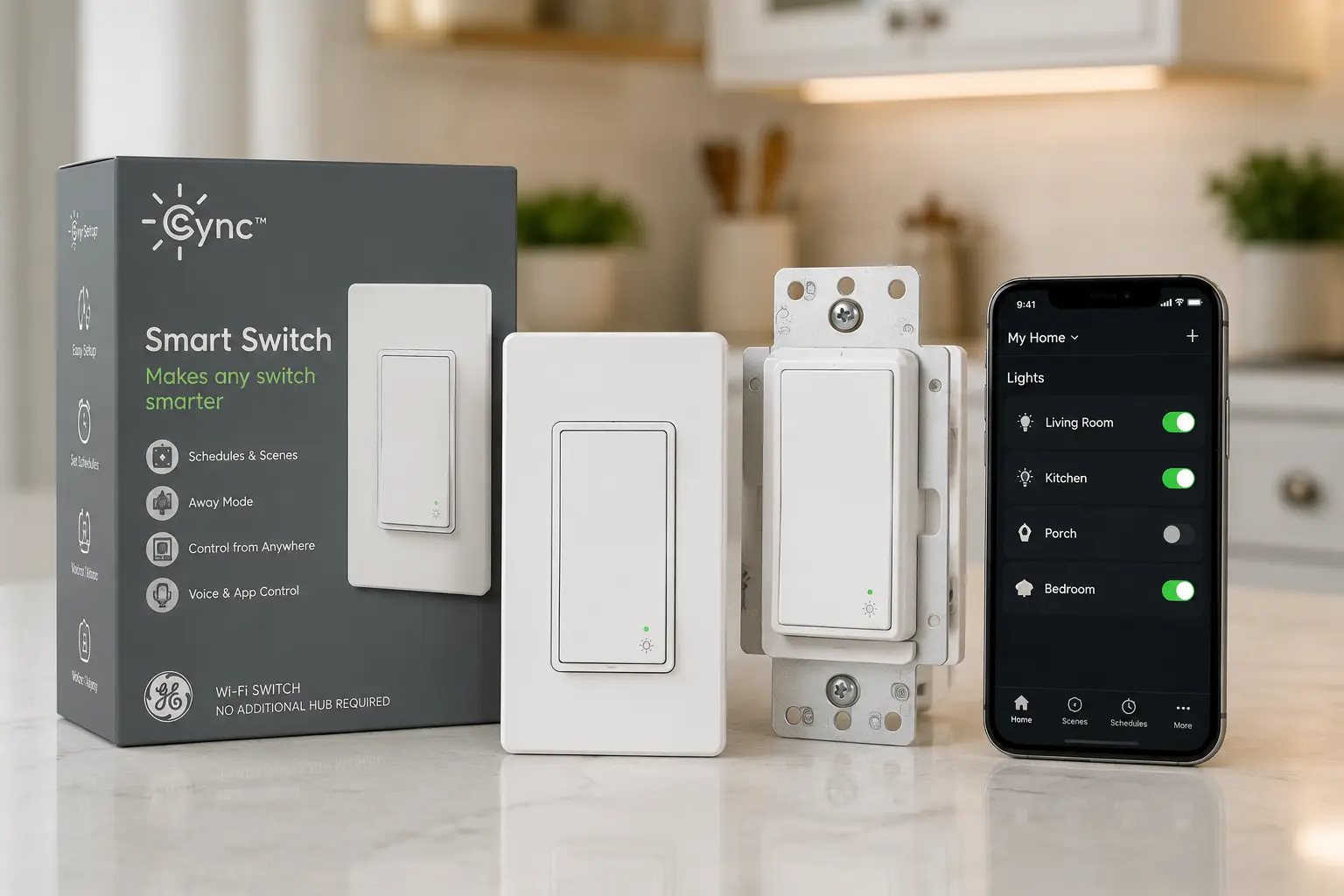
Cync switches are the in-wall smart switches made by GE Lighting (a Savant company), designed to replace a standard wall switch with app, voice, and scene control over Wi-Fi and Bluetooth — including versions that install with no neutral wire. If you’ve ever wished your hallway light turned on by itself, or wanted to dim the living room from bed instead of walking back downstairs, this is the category built for exactly that itch. 💡
What makes Cync switches stand out from the sea of smart-home gadgets is how unglamorous the installation problem they solve actually is. Millions of US homes, especially anything built before the late 1980s, were wired without a neutral conductor at the switch box — which historically locked homeowners out of most smart switches entirely. Cync built its lineup specifically around that gap, offering both neutral and no-neutral versions of nearly every switch style, alongside a battery-powered, wire-free option for renters who can’t touch the wiring at all.
This guide breaks down seven real Cync switches available on Amazon right now, spanning basic on/off paddles to a Matter-compatible keypad dimmer, with honest analysis of who each one actually fits — not just a list of specs copied from a box.
Quick Comparison: Cync Switches at a Glance
| # | Product | Style | Wiring | Dimming | Price Range | Best For |
|---|---|---|---|---|---|---|
| 1 | Cync Smart Switch, Paddle Style | Paddle | No neutral required | No | Around $20–$25 | Everyday rooms |
| 2 | Cync Smart Switch, On/Off Button Style | Button | No neutral required | No | Under $20 | Tightest budgets |
| 3 | Cync Smart Switch, Toggle Style | Toggle | No neutral required | No | Around $20–$25 | Older/vintage decor |
| 4 | Cync Smart Dimmer Switch | Paddle | No neutral required | Yes | Around $25–$30 | Bedrooms, living rooms |
| 5 | Cync Smart Dimmer + Motion Sensor Switch | Paddle | No neutral required | Yes | Around $30–$40 | Closets, hallways, laundry |
| 6 | Cync Wire-Free Dimmer + White Tones Control | Battery remote/switch | No wiring at all | Yes | Around $25–$35 | Renters, rentals, quick installs |
| 7 | Cync Keypad Dimmer Smart Switch | Keypad | Neutral + traveler | Yes | Around $45–$60 | Multi-scene, power users |
Looking at the table, the split that matters most isn’t style — it’s wiring. Five of the seven Cync switches here work without a neutral wire, which is the single biggest reason this lineup fits older US housing stock better than many competitors. The Cync Keypad Dimmer Smart Switch is the outlier, trading wiring flexibility for the most scene-control power of the bunch, while the Cync Wire-Free Dimmer + White Tones Control sidesteps wiring questions entirely by running on batteries.
💬 Bookmark this table — it’s the fastest way to compare Cync switches before you commit to a wiring type.
The 7 Best Cync Switches, Reviewed
1. Cync Smart Switch, Paddle Style (No Neutral Wire Required) — the easiest everyday upgrade
The Cync Paddle Switch is the closest thing to a “default” pick in the whole lineup, and that’s exactly the point — it’s a drop-in replacement for the paddle-style switch already on most bedroom, kitchen, and living room walls. It connects over both Bluetooth and 2.4GHz Wi-Fi, which matters more than it sounds: Bluetooth lets you pair and control it locally even if your router hiccups, while Wi-Fi is what enables remote access and Alexa/Google Home routines when you’re away from home.
Because it skips the neutral-wire requirement, it works in the vast majority of older three-wire switch boxes, where a true 4-wire neutral run was never installed. That single design choice is why reviewers consistently call the no-neutral Cync Paddle Switch the practical entry point for anyone unsure what’s actually behind their wall plate. On paper, this is a straightforward on/off switch — but the real value is that it doesn’t force an electrician visit just to find out your wiring won’t support it.
Aggregated customer feedback on Best Buy and Amazon consistently highlights fast pairing through the Cync app and reliable Alexa/Google Home response, with the most common complaint being occasional Wi-Fi dropouts on congested 2.4GHz networks — a known pain point across nearly every smart switch brand, not unique to Cync.
Pros:
- ✅ Fits most homes with no neutral wire present
- ✅ Dual Bluetooth + Wi-Fi keeps local control working during outages
- ✅ Simple paddle style matches existing wall plates
Cons:
- ❌ No dimming — on/off only
- ❌ Occasional Wi-Fi reconnect issues on crowded networks
Priced around $20–$25 at the time of writing, it’s a fair value for a first smart switch, though budget shoppers who don’t need Wi-Fi remote access might get more for their money from option #2 below.
2. Cync Smart Switch, On/Off Button Style (No Neutral Wire Required) — the cheapest way into the Cync ecosystem
The Cync Button Switch trims the price down further by keeping the same core Bluetooth/Wi-Fi smarts in a rocker-button form factor instead of a full paddle. If your goal is simply to get one or two rooms onto voice control without spending much, this is the model most price-comparison guides point to first.
It carries the same no-neutral-wire installation profile as the paddle version, which means the buying decision mostly comes down to aesthetics: button-style switches read as slightly more “traditional” in homes that already use rocker switches elsewhere, so it blends in rather than standing out. Functionally, expect identical app control, Alexa/Google Home compatibility, and scheduling as the paddle model — this is a styling variant, not a stripped-down one.
Reviews trend positive on setup speed, with several buyers specifically noting the low price made it an easy way to test whether they liked the Cync ecosystem before buying more. The recurring criticism is that the button’s tactile feel is less satisfying than a paddle for households used to a full-size switch.
Pros:
- ✅ Lowest price point in the entire lineup
- ✅ Same no-neutral wiring flexibility as the paddle model
- ✅ Good low-risk way to trial the Cync app
Cons:
- ❌ Smaller button feels less premium than a paddle
- ❌ On/off only, no dimming support
At under $20 most of the year, it’s the switch to buy if you’re testing the waters rather than committing to a whole-home rollout.
3. Cync Smart Switch, Toggle Style (No Neutral Wire Required) — built for homes that never switched to paddles
Plenty of houses — especially anything from the 1990s or earlier — still use classic toggle switches throughout, and swapping in a modern paddle style can look jarringly out of place next to the rest of the room. The Cync Toggle Switch solves that mismatch directly: same smart guts, same no-neutral install path, but a flip-toggle form factor that keeps sightlines consistent in a period home.
This is a good example of where “just another Cync switch” undersells the design thinking — matching switch styles across a room is a small detail, but it’s the kind of thing that actually affects whether a smart-home upgrade feels intentional or slapped-on. Functionally, it’s on par with the paddle and button models: Bluetooth plus 2.4GHz Wi-Fi, Alexa and Google Home support, and Cync app scheduling.
Reviewers who specifically sought out a toggle-style smart switch tend to be renovation-conscious buyers matching existing hardware, and sentiment among that group is largely about relief that a smart toggle option exists at all, since most competing brands skip this style entirely.
Pros:
- ✅ Matches toggle-style switches already in older homes
- ✅ No neutral wire required for install
- ✅ Full Alexa/Google Home and app support
Cons:
- ❌ Toggle-only aesthetic won’t suit modern paddle-style decor
- ❌ No dimming capability
Expect to pay in the $20–$25 range — essentially the same as the paddle version, so this comes down entirely to matching your existing switch style.
4. Cync Smart Dimmer Switch (No Neutral Wire Required) — smooth dimming without an electrician
Once dimming enters the picture, the calculus changes: not every “smart dimmer” on the market can dim reliably without a neutral wire, because the switch needs a way to draw standby power when the load is off. The Cync Dimmer Switch is engineered specifically to solve that with LED-compatible dimming even in a 3-wire, no-neutral box, which is the main reason it shows up so often in no-neutral buying guides.
In practice, that means smooth, flicker-free dimming with compatible LED bulbs (dimmable LEDs specifically — pairing it with non-dimmable bulbs will cause buzzing or flicker no matter how good the switch is). What most buyers overlook here is bulb compatibility, not switch quality; the switch is doing its job correctly even when a cheap non-dimmable bulb makes it look otherwise.
Aggregated reviews are strongest on dimming smoothness compared to older “C by GE” dimmers, with the most common complaint being a minimum brightness floor that some LED bulbs can’t dim below without flickering — a bulb-pairing issue more than a switch defect.
Pros:
- ✅ True dimming without requiring a neutral wire
- ✅ Works well with quality dimmable LED bulbs
- ✅ Same app/voice ecosystem as the rest of the lineup
Cons:
- ❌ Can flicker with cheap or non-dimmable bulbs
- ❌ Slightly pricier than the non-dimming paddle model
At roughly $25–$30, it’s a strong value step-up from the basic paddle switch for any room where mood lighting actually matters — bedrooms, dining rooms, living rooms.
5. Cync Smart Dimmer + Motion Sensor Switch (No Neutral Wire Required) — hands-free lighting where you need it most
The Cync Motion Sensor Switch bolts a built-in occupancy sensor onto the dimmer, so the light turns on automatically when you walk in and (based on a timer you set) off again after the room’s empty. This is the switch that turns “smart lighting” from a novelty into something genuinely useful in day-to-day life — closets, laundry rooms, hallways, and garages are the classic use cases, since nobody wants to fumble for a switch with an armful of laundry.
Here’s what the spec sheet doesn’t emphasize enough: the ambient-light detection means it can be set to only trigger when the room is actually dim, so it won’t flip lights on during the day. That’s a meaningfully different (and smarter) behavior than the cheap standalone motion sensors sold at hardware stores, which trigger regardless of ambient brightness.
Customer feedback consistently flags the motion sensitivity and detection range as the deciding factor in satisfaction — buyers in small rooms report it working exactly as expected, while a subset in larger or oddly shaped rooms note occasional missed detections at the edges of the sensor’s range.
Pros:
- ✅ Fully automatic on/off based on real occupancy
- ✅ Ambient-light detection avoids daytime triggering
- ✅ No neutral wire needed for installation
Cons:
- ❌ Detection range can miss activity at room edges
- ❌ Costs noticeably more than a standard dimmer
In the $30–$40 range, this is the one Cync switch that pays for itself in convenience almost immediately in a mudroom, closet, or laundry area.
6. Cync Wire-Free Dimmer + White Tones Control Smart Switch — zero wiring, zero excuses
Not everyone can (or wants to) touch their home’s wiring — renters especially. The Cync Wire-Free Dimmer is a battery-powered, Bluetooth-connected controller that sticks to a wall or sits on a surface with no electrical wiring involved at all; it pairs directly with compatible Cync bulbs and fixtures rather than switching line voltage itself.
That distinction matters for how you should think about it: this isn’t a replacement for your existing wall switch, it’s a wireless remote dimmer that adds smart control to Cync-compatible bulbs without any installation risk. The “White Tones Control” half of the name refers to its ability to shift color temperature (warmer to cooler white light) in addition to dimming — a feature none of the hardwired switches above include.
Reviewers who are renters or apartment dwellers rate this the highest of any Cync product specifically because it’s fully reversible — pull it off the wall when you move, and there’s no patch job or landlord conversation required. The recurring critique is that, being battery-powered, it eventually needs a battery swap, and it only controls compatible Cync bulbs rather than an entire circuit.
Pros:
- ✅ Completely wire-free — ideal for renters
- ✅ Adjustable white color temperature, not just brightness
- ✅ Reusable and removable without any wall damage
Cons:
- ❌ Only controls compatible Cync bulbs, not a whole circuit
- ❌ Requires periodic battery replacement
Typically priced around $25–$35, it’s less a “switch” in the traditional sense and more a smart remote — but for renters, it’s often the only real option on this list.
7. Cync Keypad Dimmer Smart Switch (Neutral + Traveler Wire, Matter Compatible) — the power-user’s control panel
At the top of the lineup sits the Cync Keypad Dimmer, a multi-button keypad that replaces a standard dimmer with programmable scene buttons — think “Movie Night,” “Bright,” “Reading,” and “Off” as physical presses instead of digging through an app. Unlike the rest of this list, it requires both a neutral wire and a traveler wire, which typically means it’s best suited to 3-way circuits in newer construction or already-renovated homes.
It’s also the first switch in this roundup that’s Matter compatible, meaning it can join a Matter-based smart home fabric alongside devices from other brands — not just Alexa and Google Home through Cync’s own cloud, but local, standards-based control as more of the ecosystem adopts the Matter smart home standard. That’s a meaningful upgrade for anyone trying to future-proof a smart-lighting setup rather than lock into one company’s app forever.
Independent reviewers who tested the keypad found it genuinely more convenient than a traditional dimmer once scenes were configured, but noted the setup process and button customization take real effort to get right — echoing a broader theme in aggregated owner feedback that this switch rewards patience during setup with a payoff in daily convenience afterward.
Pros:
- ✅ Physical scene buttons beat digging through an app
- ✅ Matter compatible for cross-platform smart home control
- ✅ Feels premium next to standard dimmer switches
Cons:
- ❌ Requires a neutral wire and traveler wire to install
- ❌ Setup and scene programming take real time investment
Expect to pay roughly $45–$60, making it the priciest switch here — but for a primary living space with a real 3-way circuit, it’s the one genuinely built for power users rather than a basic swap-in.
Full Feature Comparison: All 7 Cync Switches
| Product | Wiring | Dimming | Motion Sensor | Matter | Best For |
|---|---|---|---|---|---|
| Cync Smart Switch, Paddle Style | No neutral | No | No | No | Everyday on/off rooms |
| Cync Smart Switch, On/Off Button Style | No neutral | No | No | No | Tightest budget |
| Cync Smart Switch, Toggle Style | No neutral | No | No | No | Matching older decor |
| Cync Dimmer Switch | No neutral | Yes | No | No | Mood lighting rooms |
| Cync Dimmer + Motion Sensor Switch | No neutral | Yes | Yes | No | Closets, hallways |
| Cync Wire-Free Dimmer | None (battery) | Yes | No | No | Renters |
| Cync Keypad Dimmer | Neutral + traveler | Yes | No | Yes | Scene control, power users |
Read across this table and the pattern is clear: only the Cync Keypad Dimmer demands full wiring and, in exchange, is the only model with Matter support and physical scene buttons. Everyone stuck without a neutral wire — which, again, is most pre-1990s US housing — still gets dimming and motion-sensing options through the no-neutral Cync Dimmer and Cync Dimmer + Motion Sensor Switch. If cross-platform compatibility with non-Cync smart home gear is a priority, the keypad is currently the only Matter-ready option on this list.
Cync Switches vs. Traditional Wall Switches
| Feature | Traditional Switch | Cync Switches | Why It Matters |
|---|---|---|---|
| Remote/app control | No | Yes | Turn lights off after you’ve left the house |
| Voice control (Alexa/Google) | No | Yes | Hands-free control while cooking, carrying items |
| Scheduling & automation | No | Yes | Lights on a sunrise/sunset schedule automatically |
| Energy insight | No | Limited, via app usage patterns | Easier to spot lights left on |
| Upfront cost | $2–$5 | $20–$60 | Traditional switches remain cheaper per unit |
| Installation complexity | Low | Low to moderate (wiring-dependent) | No-neutral models keep this close to a standard swap |
The upfront cost gap is real and worth being honest about — a traditional switch costs a few dollars, while even the cheapest Cync switches run several times that. What the table doesn’t fully capture is the compounding value of automation: a switch on a sunset schedule or paired with a motion sensor changes behavior you’d otherwise have to remember every single day, which is where the extra cost starts paying for itself in convenience rather than in electricity savings alone.
✨ Ready to stop flipping switches manually? Compare current pricing on the models above and start with just one room.
How to Install and Set Up Cync Switches (Step-by-Step)
Installing any of the no-neutral Cync switches follows roughly the same process as swapping a standard switch, but a few details separate a clean install from a frustrating one.
First, always cut power at the breaker — not just the wall switch — before removing the faceplate; a smart switch has active electronics behind it, and working on a “live” box is a real shock hazard. Second, take a photo of your existing wiring before disconnecting anything; even when the new switch’s wiring diagram looks straightforward, having a reference to your original setup saves real headaches if something doesn’t match. Third, check your box depth: some Cync models are noticeably deeper than a standard switch due to the internal radio and, on motion-sensor models, the sensor housing — a shallow old-work box can make the faceplate sit slightly proud of the wall.
Once wired and the breaker is back on, download the Cync app, create an account, and add the device via Bluetooth first (even on Wi-Fi models) — this local pairing step is what lets the switch join your Wi-Fi network in the next screen. Assign the switch to a room, then set up any Alexa or Google Home linking through their respective apps rather than Cync’s, since voice-platform pairing happens on the assistant’s side.
The most common first-30-days mistake isn’t wiring — it’s skipping the firmware update prompt that appears after initial setup. Reviewers who report connectivity flakiness disproportionately turn out to be running outdated firmware, so let that update complete before walking away.
Real-World Scenarios: Which Cync Switch Fits Your Home
Matching a switch to a lifestyle is more useful than matching it to a spec sheet, so here’s how three common households actually land on a pick.
A renter in a 600-square-foot apartment who isn’t allowed to touch wiring is the clearest case for the Cync Wire-Free Dimmer — no permission needed from a landlord, no patch-up on move-out, and full dimming plus white-tone control on compatible bulbs in the meantime.
A family in a 1970s three-bedroom home with old wiring and no neutral at most switch boxes is the textbook use case for the no-neutral lineup: Cync Paddle Switch in the kids’ rooms for basic on/off, a Cync Dimmer Switch in the living room and dining room, and a Cync Dimmer + Motion Sensor Switch in the laundry room and hallway bathroom, where hands are usually full.
A tech-focused household that’s already invested in a broader Matter-based smart home, with a newer build that has neutral and traveler wires available, gets the most out of the Cync Keypad Dimmer in the main living space — physical scene buttons for movie nights, plus Matter compatibility that keeps it from becoming an isolated, single-app island as the rest of the smart home grows.
Common Cync Switch Problems and How to Fix Them
Even a well-designed product runs into friction, and being upfront about it is part of an honest buying guide.
Problem: The switch won’t connect to Wi-Fi. This is almost always a 2.4GHz-vs-5GHz issue — Cync switches only join 2.4GHz networks, and many modern routers broadcast a combined SSID that can default a device to 5GHz. Solution: temporarily split your router’s bands or create a dedicated 2.4GHz network name during setup.
Problem: Dimming flickers or won’t go low enough. In the overwhelming majority of cases, this traces back to the bulb, not the switch — non-dimmable LEDs or cheap dimmable LEDs with poor driver circuits are the usual culprits. Solution: pair Cync dimmers only with quality dimmable LED bulbs from a reputable brand.
Problem: Motion sensor triggers too often or not enough. Solution: adjust sensitivity and ambient-light threshold in the Cync app rather than assuming the hardware is faulty — most reported “false trigger” issues resolve after tuning these settings.
Problem: Alexa or Google Home can’t find the switch. Solution: confirm the switch is added and online in the Cync app first, then explicitly “discover devices” or re-link the Cync skill/service in the Alexa or Google Home app, since the two platforms don’t always auto-sync.
How to Choose the Right Cync Switch
- Check your wiring first. Turn off the breaker, remove your existing switch, and see whether a bare or white-wrapped neutral wire is bundled in the box — this single check eliminates most of the guesswork.
- Decide if you need dimming. Basic on/off rooms (closets, garages) don’t benefit from a dimmer; living spaces almost always do.
- Consider motion sensing for high-traffic, hands-full rooms. Laundry rooms, mudrooms, and closets see the biggest quality-of-life jump.
- Weigh Matter compatibility if you’re building a multi-brand smart home. Only the keypad dimmer offers it today among these seven.
- Match your existing switch style (paddle, toggle, or button) if visual consistency across the room matters to you.
- Set a per-room budget, since prices scale meaningfully from basic on/off models to the keypad dimmer.
- Confirm bulb compatibility before buying a dimmer — check that your bulbs are explicitly labeled dimmable.
Common Mistakes to Avoid When Buying Cync Switches
The single most expensive mistake is buying a neutral-required switch before checking your wiring — it’s a returnable item, but it’s also an avoidable delay when a no-neutral model would’ve worked from day one. A close second is assuming every “smart bulb” is dimmer-compatible; pairing a Cync dimmer with a non-dimmable bulb produces exactly the flickering complaints that show up in negative reviews, even though the switch itself is functioning correctly.
Buyers also frequently underestimate box depth on retrofit installs, especially with the motion-sensor model, leading to a switch that won’t sit flush. Finally, skipping the Cync app’s firmware update prompt during setup is a small step that disproportionately explains later connectivity complaints — it takes two minutes and prevents a wide swath of “my smart switch keeps disconnecting” frustration down the line.
Cync Switches vs. Other Smart Switch Brands
Compared to Kasa’s neutral-required lineup, Cync’s broader no-neutral selection is the clearer advantage for older US homes — Kasa’s most popular switches still assume a neutral wire is present, which simply rules them out in a lot of pre-1990s construction. Lutron Caséta, by contrast, is widely regarded as the gold standard for no-neutral dimming reliability and requires its own hub for full functionality, which adds cost and setup complexity that Cync’s hub-free Bluetooth/Wi-Fi approach avoids for most users.
Wyze’s smart switches undercut Cync on price but offer a narrower style lineup (no toggle option, no keypad) and less mature motion-sensor integration. On the keypad dimmer specifically, an in-depth review from PCWorld echoed this pattern, praising the scene-button convenience while flagging a steeper setup curve than a basic dimmer swap. Where Cync pulls ahead of all three is style variety within a single ecosystem — paddle, button, toggle, dimmer, motion-sensor, wire-free, and keypad, all controllable from one app — which matters if you’re outfitting an entire home rather than a single room.
What to Expect: Everyday Performance
On paper, every smart switch promises instant response and rock-solid reliability. In practice, expect the Cync app to respond in roughly half a second to a couple of seconds depending on your Wi-Fi congestion, with Bluetooth-only actions (like a physical toggle) feeling essentially instantaneous since they don’t round-trip through the internet.
Voice commands through Alexa or Google Home add a small additional delay, typically one to two seconds, since the command has to pass from the assistant’s cloud service to Cync’s servers and back. Scheduling and automation (lights on at sunset, off at a set bedtime) run independently of your phone once configured, so those keep working even if your phone is off or you’re traveling.
Long-Term Cost and Maintenance
There’s effectively no ongoing subscription cost with Cync switches — the app and core scheduling features are free, which distinguishes the lineup from ecosystems that gate automation behind a paid tier. The real long-term cost is electricity for the switch’s own standby draw (negligible, typically under a dollar a year per switch) and, for the wire-free dimmer, periodic battery replacement.
| Cost Factor | Basic On/Off Models | Dimmer Models | Keypad Dimmer |
|---|---|---|---|
| Upfront price | Under $25 | $25–$40 | $45–$60 |
| Subscription | None | None | None |
| Ongoing cost | Negligible standby power | Negligible standby power | Negligible standby power |
| Typical lifespan | 5–10+ years | 5–10+ years | 5–10+ years |
Viewed over a five-year window, the price gap between the cheapest and priciest Cync switches amortizes down to a few dollars a year — which reframes the buying decision around features and wiring compatibility rather than sticker price alone, since none of these carry recurring fees.
Safety, Regulations, and Standards
Any switch installation is, at its core, electrical work, and it’s worth taking seriously even when the manufacturer designs for DIY installation. Look for UL or ETL listing on the packaging before buying any smart switch — it’s the baseline signal that a third-party lab has tested the device against US electrical safety standards, and Cync’s switches carry this certification.
Beyond product certification, the U.S. Consumer Product Safety Commission has long emphasized that home electrical work should always start with the breaker off, not just the switch off, and that any uncertainty about wiring (aluminum wiring, an ungrounded box, or an unusual number of wires) is a legitimate reason to call a licensed electrician rather than guessing. This applies directly to Cync installs: the no-neutral models are genuinely simpler than a typical smart switch, but “simpler” doesn’t mean “risk-free,” and anyone uncomfortable working inside a switch box should treat that instinct as correct rather than pushing through it.
Frequently Asked Questions
❓ What is the difference between Cync switches with and without a neutral wire?
❓ Do Cync switches work with Alexa and Google Home?
❓ Are Cync switches compatible with Matter?
❓ Can I install Cync switches myself, or do I need an electrician?
❓ How much do Cync switches typically cost?
Conclusion
Cync switches solve a genuinely practical problem: bringing smart lighting control to homes that were never wired for it, without forcing a full rewiring project. For most households, the no-neutral Cync Paddle Switch or Cync Dimmer Switch is the sensible starting point — inexpensive, straightforward to install, and immediately useful. Renters get a real option in the Cync Wire-Free Dimmer, hands-full rooms benefit enormously from the Cync Dimmer + Motion Sensor Switch, and anyone building a serious multi-brand smart home should look hardest at the Matter-compatible Cync Keypad Dimmer.
Whichever model fits your wiring and your budget, the biggest jump in satisfaction — based on the patterns in aggregated reviews across this whole lineup — comes from matching the switch to the room’s actual use, not from chasing the most feature-packed option available.
🔍 Start with one room, see the difference, then expand your setup with the Cync switch that matches your home’s wiring and your everyday routine.
Recommended for You
- AC Power Meter: 7 Proven Picks to Cut Your Bill in 2026
- 7 Best Programmable Outdoor LED Lights in 2026 (Buyer’s Guide)
- 7 Best Programmable Color Changing Outdoor Lights of 2026 (Ranked)
Disclaimer: This post contains affiliate links. As an Amazon Associate, I earn from qualifying purchases made through these links, at no additional cost to you.
✨ Found this article helpful? Share it with someone who needs it! 💬
