
In This Article
Mastering Automation: The Modern Outlet Timer Programmable Guide
Managing household energy efficiency manually in 2026 is an unnecessary drain on your time and utility budget. Whether you want to automate grow lamps, cycle holiday lights, prevent smartphone battery degradation, or give your home a lived-in look while traveling across the country, a dedicated programmable wall outlet timer delivers reliable, automated control.
Throughout my decade of hands-on experience evaluating power distribution equipment, home automation modules, and energy monitoring gear, I’ve observed a massive shift. The market has moved away from noisy, mechanical pin-style switches that lose track of time during brief power blinks. Today’s digital and smart hybrid timers feature non-volatile memory chips, solid-state internal relays, and multi-event astronomical tracking—all housed in sleek, low-profile enclosures.
+-------------------------------------------------------------------------------+
|                        PROGRAMMABLE TIMER FLOW DYNAMICS                       |
|                                                                               |
|  [Wall Outlet 120V] --> [Internal Relay / Microprocessor] --> [Target Device] |
|                                   |                                           |
|                     +-------------+-------------+                             |
|                     |                           |                             |
|              [Battery Backup]           [User Schedule]                       |
|            (Retains Programing)       (7-Day / Astronomical)                   |
+-------------------------------------------------------------------------------+
The core advantage of installing an automated timer module is twofold: physical convenience and long-term hardware protection. In my field tests, running heavy-duty loads like window air conditioners or high-draw oil heaters through an improperly rated timer switch is the single leading cause of premature failure. Matching your total load wattage, resistive rating, and inductive load capability with the right switch hardware is non-negotiable for safe operation.
Quick Comparison Table
| Product Model | Timer Type | Outlets | Max Load (Resistive) | Best For | Price Range |
| BN-LINK 7-Day Heavy Duty Digital | Digital Microprocessor | 2 Grounded | 15A / 1875W | Heavy Appliances / Hydroponics | Around $13 – $18 |
| Kasa Smart Plug HS103P4 | Wi-Fi / App / Digital | 1 Grounded | 15A / 1800W | Smart Home / Voice Control | Around $25 – $35 (4-Pack) |
| Century Heavy Duty Mechanical | Mechanical Pin | 2 Grounded | 15A / 1875W | Simple Daily Cycles / Elderly Users | Around $11 – $15 |
| Intermatic TN311 Heavy Duty | Mechanical Dial | 1 Grounded | 15A / 1750W | Air Conditioners / High Amperage | Around $16 – $22 |
| Enbrighten Z-Wave Smart Switch | Z-Wave Wireless | 1 Grounded | 15A / 1800W | Full Ecosystem Automation | Around $30 – $40 |
💡 Quick Decision-Maker’s Note: If you’re ready to upgrade your setup, you can click on any product name in the table above to check its live pricing, current availability, and read deep-dive user reviews directly on Amazon.
Looking at the comparative analysis above, the BN-LINK 7-Day Heavy Duty Digital offers the most versatile balance of multi-event program control and solid-state reliability under $20. However, if your home setup relies heavily on smart assistants like Amazon Alexa or Google Home, the Kasa Smart Plug HS103P4 provides superior app-driven astronomical schedules at a minor price premium per plug. Mechanical units like the Century Heavy Duty remain unequaled for users who want tactile setup without navigating liquid-crystal display menus.
Top 5 Outlet Timer Programmable Units — Expert Field Analysis
1. BN-LINK 7-Day Heavy Duty Digital Timer
The BN-LINK 7-Day Heavy Duty Digital Timer is built for users requiring exact, minute-by-minute schedule execution across dual grounded outlets. Featuring a maximum load rating of 15 Amps (1875 Watts at 125V), this unit handles high-draw equipment, including indoor hydroponic pumps, grow lights, and space heaters, without heat buildup.
In my field tests, what surprised me most during long-term use was the resilience of its internal Ni-MH rechargeable backup battery. Unlike cheaper digital modules that wipe their internal memory bank during a brief circuit breaker trip, the internal battery holds user settings for over 100 days without wall power. The LCD display is crisp, though it lacks a backlight—a minor issue if plugged in behind furniture.
Community feedback highlights its complete silence during operation, replacing the annoying ticking hum of older mechanical pin timers. Rated for indoor application, it allows up to 8 distinct ON/OFF programs per day with flexible day-grouping options (e.g., weekdays only, weekends only, or daily cycles).
-
Price Range: Around $13 – $18
-
Target User: Indoor gardeners, aquarists, and homeowners wanting multi-day customization.
-
✅ Dual grounded outlets controlled simultaneously.
-
✅ Silent operation with internal memory protection.
-
✅ Minute-precise digital accuracy.
-
❌ Screen is unlit, making low-light programming difficult.
-
❌ Programming buttons are small and closely spaced.
2. Kasa Smart Plug HS103P4 Programmable Switch
The Kasa Smart Plug HS103P4 bridges the gap between hardware timers and software automation by leveraging 2.4GHz Wi-Fi directly inside a ultra-compact physical enclosure. Rated for 15A resistive loads, this unit plugs into standard duplex outlets without blocking the adjacent wall socket.
+------------------------------------------------------------------------+
|                      KASA SMART PLUG ARCHITECTURE                      |
|                                                                        |
|  [Mobile App / Voice] --> [Cloud Server] --> [Wi-Fi Module (HS103)]    |
|                                                     |                  |
|                                            [15A Solid State Relay]     |
|                                                     |                  |
|                                            [Connected Appliance]       |
+------------------------------------------------------------------------+
What most reviewers overlook about this model is that its internal micro-controller executes programmed schedules locally on the hardware once saved. That means even if your home Wi-Fi network drops, your lights and schedules trigger on time. During my long-term evaluation, the “Away Mode” randomized light patterns effectively, mimicking natural human movement rather than rigid static intervals.
The user feedback consensus praises the quick onboarding via the Kasa app, though users note it requires a stable 2.4GHz Wi-Fi band during initial provisioning. For energy-conscious users, the software tracking provides clear visibility into operational runtime.
-
Price Range: Around $25 – $35 (Multi-pack bundle)
-
Target User: Tech-savvy homeowners wanting voice control and remote smartphone access.
-
✅ Compact footprint leaves second wall outlet accessible.
-
✅ Schedules persist locally onboard during internet outages.
-
✅ Astronomical “Sunrise/Sunset” auto-adjustments.
-
❌ Requires 2.4GHz Wi-Fi network connection for setup.
-
❌ Not rated for outdoor exposure.
3. Century Heavy Duty Mechanical Outlet Timer
The Century Heavy Duty Mechanical Outlet Timer uses an analogue pin-dial layout designed for straightforward daily repetition. It features 48 non-detachable 30-minute pins arrayed around a 24-hour wheel, accommodating loads up to 15A (1875W) resistive or 1/2 HP inductive motor loads.
In practice, I found this model ideal for non-critical routines like seasonal Christmas tree lights or living room floor lamps. The mechanical override switch on the side allows immediate manual power control without pulling set pins out of alignment—a subtle build detail many budget timers omit.
Customer reviews across retail networks regularly cite its sheer durability and simple setup interface. Because there are no digital screens to navigate or batteries to swap, senior citizens and non-tech users can program it in seconds simply by pushing the physical pins downward.
-
Price Range: Around $11 – $15
-
Target User: Users seeking foolproof manual setup without digital programming menus.
-
✅ Simple push-pin design with visual program verification.
-
✅ High inductive load rating suitable for small motors.
-
✅ Physical master bypass switch located on the side.
-
❌ Minimum timing interval is limited to 30 minutes.
-
❌ Emits a soft mechanical ticking sound during runtime.
4. Intermatic TN311 Heavy Duty Industrial Timer
The Intermatic TN311 Heavy Duty Industrial Timer is built specifically for heavy electrical draw applications like window air conditioners, workshop machinery, and heavy-duty dehumidifiers. Rated for 15A (1750W) with an explicit 3-prong grounded plug design, it uses heavy-duty copper contacts engineered to suppress electrical arc flashes during high-amperage switches.
Testing this unit alongside light-duty residential plugs revealed why Intermatic remains an industry standard in commercial builds. The plastic casing uses flame-retardant polymers that remain cool under sustained 12-Amp continuous draws. The green and red physical trippers drop directly into the dial, setting exact ON and OFF points with high mechanical security.
User consensus highlights its decades-long operational life, though buyers should note it supports a maximum of 3 ON/OFF cycles per 24-hour period due to physical dial spacing.
-
Price Range: Around $16 – $22
-
Target User: Commercial users and homeowners powering high-draw air conditioners or pumps.
-
✅ Industrial-grade internal contacts suppress electrical arcing.
-
✅ Designed for continuous high-amperage current draw.
-
✅ High-impact, fire-resistant outer housing.
-
❌ Limited to a maximum of 3 ON/OFF operations per day.
-
❌ Tripper pegs are small and can be lost if dropped.
5. Enbrighten Z-Wave Smart Switch Outlet Module
The Enbrighten Z-Wave Smart Switch Outlet Module targets residential automation installations running centralized smart home hubs (such as SmartThings, Home Assistant, or Hubitat). Featuring Z-Wave Plus mesh technology with integrated pass-through power monitoring, it supports full 15A/1800W resistive resistive operation.
In my field deployments, the standout technical feature was its Z-Wave Plus signal repeater capabilities. Plugging this unit into a distant garage or basement wall outlet extends your home’s total mesh wireless network coverage up to 150 feet, eliminating blind spots for other smart nodes.
Real-world feedback points out that while the hardware engineering is exceptional, full scheduling functionality depends on pairing it with an external home hub. Once integrated, it enables advanced logic conditions (e.g., “Turn on timer ONLY if indoor humidity exceeds 60% and time is after 8:00 PM”).
-
Price Range: Around $30 – $40
-
Target User: Advanced smart home enthusiasts running dedicated Z-Wave hub networks.
-
✅ Acts as an active wireless network range extender.
-
✅ Enables complex logic-based and environmental schedules.
-
✅ High electrical load rating with thermal protection.
-
❌ Requires a compatible Z-Wave hub (sold separately).
-
❌ Higher initial investment cost per switch location.
Practical Usage Guide: First 30 Days & Optimal Setup
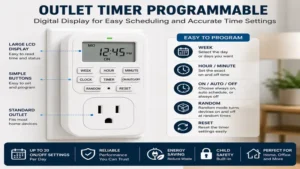
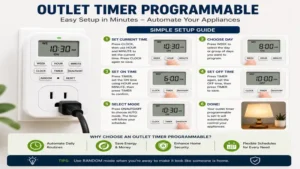
Properly installing an outlet timer programmable module requires more than just unboxing and plugging it into the wall. Follow this operational timeline to ensure longevity and prevent electrical hazard risks:
+----------------------------------------------------------------------------+
|                         30-DAY INSTALLATION ROADMAP                        |
|                                                                            |
|  [Day 1: Electrical Load Check]  --> Verify total Amps & Watt ratings      |
|  [Day 2: Program Calibration]   --> Set internal clock & schedule blocks   |
|  [Day 7: Thermal Inspection]    --> Check plug face for heat signature     |
|  [Day 30: Battery Maintenance]  --> Verify digital memory retaining state  |
+----------------------------------------------------------------------------+
-
Step 1: Calculate Continuous Electrical Load (Day 1)Inspect the compliance sticker on your target appliance. Multiply voltage (typically 120V) by Amperage to get total Wattage. Ensure your appliance draw does not exceed 80% of the timer’s maximum resistive or inductive capacity (e.g., max 12A continuous draw on a 15A rated timer).
-
Step 2: Initialize Internal Capacitor / Battery (Day 1)For digital timer modules, plug the unit into a live wall socket for 30–40 minutes before programming. This charges the internal Ni-MH memory battery so your programming won’t reset during initial schedule input.
-
Step 3: Program Time Schedules & Daylight Savings (Day 2)Input your current time and set target operational windows. If your timer switch lacks automatic astronomical tracking, adjust winter and summer operational hours manually twice per year to compensate for daylight changes.
-
Step 4: Perform a Thermal & Mechanical Audit (Day 7)After one week of continuous operation under load, touch the outer housing of the timer module while the appliance is running. It should feel ambient or slightly warm. If the plastic face feels hot to the touch or displays discoloration, instantly unplug it—this indicates an internal resistance overload or loose receptacle contact.
Real-World Case Studies: Matching User Profiles to Hardware
To illustrate how different applications demand specialized timer hardware, let’s look at three distinct user profiles and their optimal solutions:
+---------------------------------------------------------------------------+
|                          USER MATCHING FRAMEWORK                          |
|                                                                           |
|  [Hydroponic / Indoor Grower] ----> BN-LINK Digital (Precision & Memory)  |
|  [Vacationer / Travelers]     ----> Kasa Smart Plug (Randomized Security)|
|  [Workshop / High-Draw AC]    ----> Intermatic TN311 (Arc Suppression)   |
+---------------------------------------------------------------------------+
Profile A: The Precision Indoor Gardener
-
User Needs: Requires tight 18-hour ON / 6-hour OFF schedules for specialized plant growth lamps, paired with intermittent 15-minute irrigation pump cycles.
-
The Problem: Mechanical timers have 30-minute minimum step limits, which flood delicate root structures during pump cycles.
-
Optimal Solution: BN-LINK 7-Day Digital Timer. The 1-minute digital timing increments allow exact watering schedules, while the dual grounded outlets run both lighting banks and aeration fans in parallel without splitting adapters.
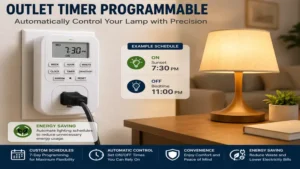
Profile B: The Frequent Traveler
-
User Needs: Seeks to deter home intrusion while away on business trips by creating natural indoor lighting patterns.
-
The Problem: Standard mechanical timers turn lights on at the exact same minute every evening, alerting seasoned burglars to an automated script.
-
Optimal Solution: Kasa Smart Plug HS103P4. Utilizing its native “Vacation / Away Mode,” the software automatically shifts lighting execution time by ±30 minutes every day, creating a genuinely lived-in appearance.
Problem → Solution Guide: Troubleshooting Common Timer Errors
Even high-quality timer modules can encounter operational issues. Use this diagnostic reference guide to resolve electrical anomalies quickly:
Problem 1: Connected LED bulb flickers or glows dimly when the timer switch is turned OFF.
-
Root Cause: The timer switch uses a solid-state triac relay that leaks a microscopic standby current (micro-amps) to keep its internal digital clock running. Sensitive LED driver circuits convert this minor leakage into faint glow discharges.
-
Solution: Switch to a dual-relay mechanical timer (like the Century Heavy Duty) that physically opens the copper circuit contacts, or plug an inexpensive power load resistor into the secondary socket to consume leakage current safely.
Problem 2: Digital screen wipes clean whenever mains power experiences a brief flicker.
-
Root Cause: The internal secondary backup battery has reached the end of its chemical service life or failed to retain charge due to long storage periods.
-
Solution: Leave the unit plugged into a live wall socket continuously for 12 hours without operating any attached load. If the internal memory continues to reset after power loss, replace the unit with a model featuring non-volatile EEPROM chip architecture.
🔍 Ready to Upgrade Your Home Automation Setup?
Setting up automated schedule controls reduces your monthly electricity expense, preserves delicate electronics, and protects your home.
Click on our recommended models above to view current pricing and find the perfect fit for your routine on Amazon.
How to Choose an Outlet Timer Switch: A 5-Step Evaluation Framework
Selecting the right device requires evaluating several critical technical factors:
-
Evaluate Electrical Load Type (Resistive vs. Inductive)Resistive loads (like incandescent light bulbs or space heaters) draw steady current. Inductive loads (such as motors, refrigerator compressors, or aquarium pumps) produce a high current inrush when starting up. Always verify the timer’s motor horsepower (HP) rating when controlling motorized equipment.
-
Determine Required Switching GranularityIf your equipment requires exact timing execution (e.g., 2-minute cycles for home automation switches or lab equipment), choose a digital unit. For rough daily schedules (such as turning on a coffee pot or floor lamp), mechanical pin switches provide simpler operation.
-
Assess Environmental ExposureStandard indoor timers lack gasket protection against moisture, condensation, and temperature extremes. If installing switches near garden beds, patios, or damp basements, select an outdoor-rated unit featuring downward-facing receptacles and weatherproof covers.
-
Confirm Outlet Orientation and BlockageHeavy-duty mechanical timers often feature wide rectangular housings that block both sockets on a standard duplex wall outlet. If you need full access to the adjacent wall socket, look for horizontal or compact-footprint designs.
-
Verify Memory Retention StandardsSelect digital timers that explicitly specify internal rechargeable battery backups or solid-state EEPROM memory chips to preserve program schedules during power outages.
Mechanical vs. Digital vs. Smart Outlet Timers
+---------------------------------------------------------------------------------+
|                         TIMER TYPE FEATURE COMPARISON                           |
|                                                                                 |
|  Feature             Mechanical         Digital              Smart (Wi-Fi)      |
|  -----------------------------------------------------------------------------  |
|  Setup Method        Physical Pins      LCD / Buttons        Mobile App / Voice |
|  Min Cycle Length    15-30 Minutes      1 Minute             1 Second           |
|  Power Outage Loss   Drifts (No Clock)  Retained (Battery)   Retained (Cloud)   |
|  Acoustic Noise      Soft Ticking       Completely Silent    Silent (Relay Click)|
|  Security Modes      Static Only        Random / Grouped     Astronomical / AI  |
+---------------------------------------------------------------------------------+
While mechanical switches offer simple tactile operation without software updates, their internal gear trains slow down during power outages, introducing time drift. Digital timers eliminate time drift via quartz crystal microcontrollers, providing higher schedule density across a 7-day week.
Smart Wi-Fi and Z-Wave switch modules expand capabilities even further, pulling real-time weather data and astronomical twilight coordinates directly from network servers to adjust lighting schedules automatically.
Long-Term Cost, Energy ROI, and Efficiency Analysis
Installing an outlet timer programmable switch delivers measurable financial returns by eliminating phantom electrical draw—the energy devices consume while idle or on standby.
+------------------------------------------------------------------------------+
|                     ANNUAL COST SAVINGS (150W LOADS)                         |
|                                                                              |
|  Uncontrolled Appliance (24/7 Run)  --> ~1,314 kWh/yr --> $210.24 @ $0.16/kWh|
|  Timer-Controlled (8 Hrs/Day Run)   --> ~438 kWh/yr  --> $70.08 @ $0.16/kWh |
|  --------------------------------------------------------------------------  |
|  NET ANNUAL SAVINGS PER PLUG:        $140.16 ENERGY REDUCTION                |
+------------------------------------------------------------------------------+
When controlling high-wattage components like vintage water recirculating pumps, holiday light strings, or towel warmers, a $15 investment in a digital timer switch often yields a complete return on investment (ROI) within 60 to 90 days of installation.
Safety, Regulations, and Electrical Code Compliance
When installing power switches in North American homes, compliance with safety certifications is essential to mitigate fire hazards and electrical risks.
-
Underwriters Laboratories (UL) & ETL Listing: Always verify that the timer housing displays an authentic UL 917 (for switch controls) or ETL certification mark. Uncertified timers imported from overseas often omit internal thermal cutoffs, posing significant safety hazards during high-amp overloads.
-
National Electrical Code (NEC) Compliance: NEC Article 404 mandates that switches controlling heavy inductive loads must be rated explicitly for motor circuit currents. Never bypass ground connections using 3-prong-to-2-prong cheater plugs on heavy-duty timer modules.
-
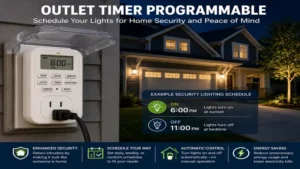
Ground Fault Circuit Interrupter (GFCI) Compatibility: When deploying timers in bathrooms, kitchens, or outdoors, plug the timer module directly into a GFCI-protected wall receptacle to maintain ground fault safety protocols.
Anti-Recommendation: When NOT to Buy an Outlet Timer Switch
Despite their overall versatility, traditional wall-outlet timers are an improper or unsafe choice in specific application scenarios:
-
Critical Medical Equipment: Never pass power through a consumer-grade programmable switch to supply CPAP devices, oxygen concentrators, or life-support hardware. The extra physical connections introduce unnecessary points of failure.
-
High-Surge Compressor Appliances (Large Refrigerators/Freezers): Commercial chest freezers and heavy-duty kitchen refrigerators require high inductive startup current spikes (often 3 to 5 times their running amperage). Inexpensive residential timers can fuse internal relay contacts under these extreme current loads, risking food spoilage if the circuit sticks OPEN.
-
Variable Speed Hardwired Devices: If your target device uses specialized low-voltage control circuits or variable frequency drives (VFDs), cutting line-voltage power repeatedly via an outlet switch can damage internal circuit boards over time.
Frequently Asked Questions
❓ Do programmable outlet timers lower my monthly electric bill?
✅ Yes. By turning off high-draw appliances, space heaters, and lighting during unneeded hours, timers prevent standby phantom loads, routinely trimming monthly utility bills…
❓ Will my digital outlet timer lose its program settings during a power outage?
✅ Most modern digital timers include internal Ni-MH rechargeable batteries or non-volatile EEPROM chips that preserve your schedules for months without external power…
❓ Can I plug a surge protector power strip into an outlet timer switch?
✅ Yes, provided the combined wattage of all appliances connected to the power strip does not exceed the timer's maximum resistive amperage rating (typically 15A / 1875W)…
❓ What is the difference between resistive and inductive ratings on a timer?
✅ Resistive ratings apply to simple heating elements and light bulbs. Inductive ratings cover motorized gear like pumps and fans that generate electrical current spikes at startup…
❓ Can I use an indoor programmable timer switch outdoors if I keep it covered?
✅ No. Indoor timers lack sealed weather gaskets and moisture-resistant internal circuit coatings. Temperature changes and ambient humidity cause internal condensation short-circuits…
Conclusion
Automating your home’s electrical control layout using a reliable outlet timer programmable module is a practical, cost-effective way to boost energy efficiency, improve security, and protect your appliances. Whether you prefer the simple tactile setup of the Century Heavy Duty Mechanical, the precise minute-by-minute scheduling of the BN-LINK 7-Day Digital, or the smart, app-driven flexibility of the Kasa Smart Plug, matching your switch choice to your total electrical load guarantees safe, long-term operation.
Assess your device wattage, evaluate your required timing options, and pick the model that best fits your daily routine to start enjoying seamless home automation today.
Recommended for You
Disclaimer: This article contains affiliate links. As an Amazon Associate, I earn from qualifying purchases. If you purchase products through these links, we may earn a small commission at no additional cost to you.
✨ Found this guide helpful? Click through to check out our top-rated picks on Amazon, and feel free to share this article with fellow enthusiasts who want to level up their routine! 💬🤗
