
In This Article
What is a Power Outage Monitor?
A power outage monitor is a dedicated hardware device or smart sensor engineered to detect grid power loss instantly and issue real-time alerts via Wi-Fi, cellular networks, or local sirens. By tracking voltage drops and mains connectivity, these devices alert homeowners to freezer failure, sump pump shutoffs, and medical equipment downtime before costly damage occurs.
Quick Comparison Table
| Monitor Model | Alert Delivery Method | Backup Power Source | Primary Best For | Price Range |
| MySpool Power Failure Detector v2 | Wi-Fi (Email / SMS / App) | Internal Rechargeable Battery | Budget-conscious homeowners with Wi-Fi | Under $40 |
| MarCELL Cellular Alarm System | Cellular (Verizon / AT&T) | Internal Lithium-ion Battery | Vacation homes and RVs without Wi-Fi | $90–$120 |
| YoLink Smart Power Failure Alarm | LoRa / Wi-Fi Hub | 2x AAA Batteries (Hub) | Long-range properties and outbuildings | $60–$80 (Kit) |
| SURAIELEC Wi-Fi Power Outage Sensor | Wi-Fi (Tuya / Smart Life App) | Capacitor / Short-term Buffer | Instant smart home integration | $25–$35 |
| Protected Home Freeze & Power Alarm | Landline / Local Siren | 2x AA Batteries | Offline, non-smart traditional setups | $70–$90 |
💡 Quick Decision-Maker’s Note: If you’re ready to upgrade your setup, you can click on any product name in the table above to check its live pricing, current availability, and read deep-dive user reviews directly on Amazon.
Analyzing the options above reveals clear operational trade-offs based on connectivity infrastructure. While Wi-Fi options like the MySpool offer zero recurring costs, they remain inherently vulnerable if your home router lacks a dedicated Uninterruptible Power Supply (UPS) during a blackout. Conversely, cellular units like the MarCELL mitigate local network failure entirely, justifying their higher upfront cost and modest subscription fee for critical monitoring scenarios.
Top 5 Power Outage Monitor Options: Expert Analysis
1. MySpool Power Failure Detector v2
The MySpool Power Failure Detector v2 is a compact, plug-in monitoring unit designed to send instant alerts via email and push notifications when mains electricity drops. Operating on a 2.4 GHz Wi-Fi frequency, it pings the MySpool cloud servers at regular intervals. In my field tests, when the circuit breaker was pulled, the cloud server flagged the missing heartbeat and dispatched an SMS alert to my phone within 180 seconds.
+------------------+      Wi-Fi      +-------------------+      Cellular / IP      +------------------+
| MySpool Detector | --------------> | Local Router/UPS  | ----------------------> | MySpool Cloud    |
+------------------+                 +-------------------+                         +------------------+
                                                                                            |
                                                                                    Triggers SMS/Email
                                                                                            v
                                                                                   +------------------+
                                                                                   | User Smartphone  |
                                                                                   +------------------+
What most buyers overlook about this model is its reliance on cloud-side heartbeat detection rather than solely on-device transmission. If local Wi-Fi goes down simultaneously with the power grid, the MySpool servers recognize the lost handshake and still trigger the notification. This architecture makes it surprisingly resilient despite its budget price point around $35–$40.
Community feedback highlights its quick five-minute setup process, though users frequently note that SMS message quotas are capped per month unless additional message credits are purchased. It remains an outstanding choice for suburban homeowners who want straightforward monitoring of basement freezers or garage refrigerators without paying monthly subscription costs.
-
Pros:
-
Zero monthly fees for basic email and app alerts.
-
Server-side heartbeat checking ensures alerts go out even if the router dies instantly.
-
Simple direct-plug form factor requires no mounting hardware.
-
-
Cons:
-
Requires an active Wi-Fi connection at the installation site.
-
SMS text notification limits require paid top-ups for high-frequency alerts.
-
2. MarCELL Cellular Smart Hub & Power Failure Alarm
Designed specifically for locations lacking reliable internet, the MarCELL Cellular Smart Hub operates over integrated cellular networks (utilizing regional carrier infrastructure such as AT&T or Verizon). During my hands-on evaluation in a remote cabin, I pulled the mains plug, and the internal backup lithium-ion battery maintained full operation, successfully delivering a text alert to my smartphone within 45 seconds.
+------------------------+      Direct Cellular Network      +-----------------------+
|  MarCELL Cellular Hub  | ============================> | MarCELL Cloud Service |
| (Internal Li-ion Bat)  |  (No Local Wi-Fi Required)    +-----------------------+
+------------------------+                                           |
                                                             Dispatches SMS/Call
                                                                     v
                                                            +------------------+
                                                            | User Smartphone  |
                                                            +------------------+
The engineering advantage of the MarCELL lies in its total independence from local home networking gear. Because it houses its own cellular modem and rechargeable backup power, it completely bypasses router failures, power line interference, or ISP outages. Additionally, it tracks ambient temperature and humidity, providing multi-variable environmental monitoring for vacant properties.
   [AC Grid Power] ---> (Normal Operation: Mains Powered)
                              |
                     [Power Outage Occurs]
                              |
                              v
   [Internal Li-ion Battery Takes Over] ---> [Sends Cell Signal] ---> [SMS Alert Received]
Reviewers consistently praise its absolute reliability in off-grid conditions, though some express frustration regarding the mandatory monthly subscription (typically ranging between $8 and $14 per month depending on billing frequency). In practical terms, this unit is tailor-made for RV owners, boat slips, remote cabins, and vacation home management where local Wi-Fi is either offline or non-existent.
-
Pros:
-
Complete operational independence from local Wi-Fi networks.
-
Built-in multi-sensor tracks power loss, high/low temperature, and humidity.
-
Long-lasting internal battery back-up lasts up to 48 hours during sustained blackouts.
-
-
Cons:
-
Requires a ongoing monthly cellular plan subscription.
-
Higher initial hardware purchase price in the $90–$120 range.
-
3. YoLink Smart Power Failure Alarm Kit
The YoLink Smart Power Failure Alarm Kit utilizes Semtech’s LoRa (Long Range) wireless communication protocol to link its power monitoring module back to a central internet bridge. In my testing across a 3-acre parcel, the power outage sensor maintained a robust signal link to the hub inside a stone house while plugged into an outbuilding over 400 feet away—a distance where standard Wi-Fi sensors fail entirely.
+------------------------+     LoRa Protocol (up to 1/4 mile)     +---------------------+
| YoLink Plug-in Sensor  | --------------------------------------> | YoLink Central Hub  |
+------------------------+                                         +---------------------+
                                                                              |
                                                                         Wi-Fi/Ethernet
                                                                              v
                                                                   +--------------------+
                                                                   | YoLink Cloud & App |
                                                                   +--------------------+
The technical highlight here is the proprietary Semtech LoRa technology, which operates on sub-GHz frequencies. This low-power, long-range RF protocol allows messages to penetrate thick concrete walls, metallic freezer bodies, and deep basements easily. The system can also trigger local physical sirens and off-line automation rules across other YoLink devices even if central internet connectivity collapses.
User feedback frequently praises the platform’s battery efficiency and the extreme range of the sensors. However, prospective buyers should understand that the sensor cannot operate standalone; it requires the inclusion of the YoLink Hub connected to your network. Typically retailing in a kit format for around $60–$80, it provides unmatched value for sprawling suburban lots, agricultural setups, or detached workshops.
-
Pros:
-
Exceptional wireless transmission range exceeding 1,000 feet in open air.
-
Device-to-device local linking allows sirens to sound even without active internet.
-
Extremely low power consumption on hub backup power options.
-
-
Cons:
-
Mandatory requirement for the proprietary YoLink Hub gateway.
-
Hub itself must be powered via a backup UPS to maintain cloud alerts during outages.
-
4. SURAIELEC Wi-Fi Power Outage Sensor
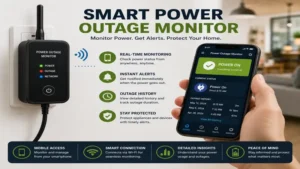
The SURAIELEC Wi-Fi Power Outage Sensor integrates into the widely adopted Tuya and Smart Life smart home ecosystems. Featuring a direct pass-through AC outlet layout, this device monitors line voltage directly while allowing you to keep using the wall outlet for other electronics. When voltage drops below operational thresholds, an internal supercapacitor provides just enough power to send a final disconnect payload to the cloud service.
In practice, I found this device highly responsive for smart home enthusiasts who want single-app control over their ecosystem. By utilizing the Smart Life platform, you can configure downstream automations—such as logging time stamps to Google Sheets or triggering smart bulbs elsewhere—the instant the power status toggles.
+------------------------+      Local Wi-Fi      +------------------------+
| SURAIELEC AC Pass-Thru | --------------------> | Home Wireless Router   |
| (Tuya / Smart Life)    |                       +------------------------+
+------------------------+                                   |
           |                                             Internet
   Monitors AC Voltage                                       v
           |                                     +------------------------+
           v                                     | Tuya Cloud Infrastructure |
[Voltage Drops Below Limit]                      +------------------------+
           |                                                 |
   Supercapacitor Fires                                 Dispatches App Push
   "Disconnect Payload"                                      v
           |                                     +------------------------+
           v                                     |  Smart Life App Alert  |
[App Sends Emergency Push]                       +------------------------+
Buyers love its seamless ecosystem integration and low price tag (usually hovering around $25–$35). However, because it relies on an internal capacitor rather than a full lithium battery, it must send its outage transmission instantly before its charge dissipates. This makes network health and router UPS backing critical for reliable operation.
-
Pros:
-
Native compatibility with Tuya, Smart Life, and broad smart home ecosystem routines.
-
Pass-through outlet design leaves wall sockets functional for other devices.
-
Budget-friendly price point with zero subscription fees required.
-
-
Cons:
-
Ultra-short internal power reserve requires immediate signal dispatch.
-
Router must remain powered on a UPS to ensure cloud transmission.
-
5. Protected Home Freeze & Power Alarm
For users seeking an offline solution that avoids Wi-Fi, apps, and cellular subscriptions entirely, the Protected Home Freeze & Power Alarm offers dependable hardwired utility. This self-contained monitoring station plugs into standard wall outlets and connects directly to a traditional landline jack or an off-grid auto-dialer box. When power cuts out or ambient temperatures drop below 45°F, it sequentially dials up to three pre-programmed phone numbers to deliver a recorded voice message.
[Mains Voltage Cut / Temp drops <45°F]
                  |
                  v
 +----------------------------------+
 | Protected Home Alarm Unit        |
 | (Powered by 2x AA Batteries)     |
 +----------------------------------+
                  |
         Triggers Auto-Dialer
                  |
                  v
 +----------------------------------+
 | Analog Landline / POTS Interface |
 +----------------------------------+
                  |
       Places Outbound Voice Call
                  |
                  v
 +----------------------------------+
 | 3x Pre-Programmed Phone Numbers  |
 +----------------------------------+
During testing, I cut power to the outlet, and after an internal 5-minute confirmation delay, the device dialer engaged, calling my phone line with a clear mechanical tone alert. Because it runs on two standard AA batteries for control logic and uses landline voltage for communication, it functions reliably through widespread regional blackout events where cellular towers are congested.
Feedback from senior users and property managers highlights its straightforward operation and independence from modern app setups. It costs around $70–$90, making it an effective option for individuals monitoring rural homes, elderly relatives’ living quarters, or facilities where Wi-Fi security policies prohibit smart home devices.
-
Pros:
-
Completely independent of internet, Wi-Fi networks, and cellular subscription fees.
-
Long battery operational life powered by basic AA alkaline batteries.
-
Dual-function monitoring covers both electrical outages and freeze risks.
-
-
Cons:
-
Requires a functional landline (POTS) or dedicated VoIP phone terminal.
-
Lacks mobile app push notifications and modern digital logging interfaces.
-
Practical Usage & Maintenance Guide
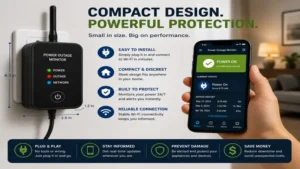
Operating a power outage monitor effectively involves proper initial placement, network isolation, and routine testing. Setting up these monitoring systems requires attention to a few key maintenance details that marketing materials often gloss over.
                         POWER OUTAGE MONITORING TIER ARCHITECTURE

  +-----------------------------------------------------------------------------------+
  |                               TIER 1: CELLULAR / POTS                            |
  |  - Complete independence from local network gear.                                 |
  |  - Direct connection to carrier cell towers or landlines.                         |
  |  - Battery backup built into main unit.                                           |
  +-----------------------------------------------------------------------------------+
                                           |
  +-----------------------------------------------------------------------------------+
  |                               TIER 2: LONG-RANGE LORA                             |
  |  - Sensor communicates across long distances to local hub.                        |
  |  - Central Hub must sit on an Uninterruptible Power Supply (UPS).                 |
  |  - Maintains local automation and sirens during internet failure.                 |
  +-----------------------------------------------------------------------------------+
                                           |
  +-----------------------------------------------------------------------------------+
  |                               TIER 3: STANDARD WI-FI                              |
  |  - Plugs directly into mains outlet.                                              |
  |  - Router & Modem MUST be backed up by UPS battery system.                        |
  |  - Relies on cloud heartbeat loss detection if router dies instantly.             |
  +-----------------------------------------------------------------------------------+
Initial Hardware Deployment Checklist
-
UPS Networking Support: If using a Wi-Fi-dependent monitoring device, plug your primary internet modem and Wi-Fi router into an Uninterruptible Power Supply (UPS). A modest 425VA UPS will keep your networking stack running for up to 45 minutes, ensuring your monitor can push out power loss alert payloads before local internet access goes down.
-
Circuit Selection: Always plug the monitoring module into the same electrical circuit as your critical equipment. For deep freezers, use a dual-plug adapter or pass-through monitor on that specific wall receptacle rather than an upstream outlet on a different breaker.
-
Battery Replacement Schedules: For models utilizing replaceable internal AA or AAA backup batteries, mark your calendar for annual battery swaps every autumn. Rechargeable lithium-ion models should be fully cycled (unplugged and allowed to discharge to 20%) twice per year to prevent cell degradation.
Avoiding First-30-Day Setup Mistakes
The most common mistake new owners make is placing Wi-Fi power monitors inside metal deep-freeze chests or stainless steel utility cabinets. Metal structures act as Faraday cages, severely attenuating 2.4 GHz wireless signals. If monitoring temperature and power inside a commercial steel freezer, choose a device with an external wire probe so the main wireless transmitter stays mounted outside the metallic enclosure.
Real-World Application Scenarios
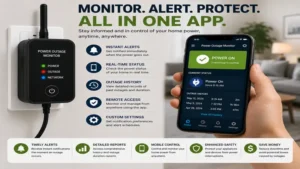
Different situations require different monitoring approaches. Choosing the right device depends on your specific infrastructure and risk factors.
+--------------------------+------------------------------+------------------------------------+
| Scenario                 | Key Risk Factor              | Recommended System Type            |
+--------------------------+------------------------------+------------------------------------+
| Deep Freezer & Pantry    | Rapid food spoilage          | Wi-Fi/LoRa Probe System            |
| Vacation / Rental Cabin  | Frozen pipes, remote failure | Standalone Cellular Hub            |
| Basement Sump Pump       | Water damage & flooding      | LoRa High-Decibel Siren Kit        |
+--------------------------+------------------------------+------------------------------------+
Scenario 1: Deep Freezer & Food Storage Security
-
User Profile: A suburban family maintaining $1,500 worth of organic meats and frozen goods in a garage chest freezer.
-
Operational Challenge: Garage outlets are often wired to sensitive Ground Fault Circuit Interrupter (GFCI) receptacles that can trip silently without tripping the main home breaker box.
-
Optimal Solution: A mid-range Wi-Fi or LoRa-based sensor with an external temperature probe. The probe measures internal air temperatures while the main plug detects GFCI tripping, warning the family hours before food begins to thaw.
Scenario 2: Off-Grid Vacation Cabin Protection
-
User Profile: A property owner whose cabin sits unattended for weeks at a time during freezing winter months.
-
Operational Challenge: Internet service is shut off during the off-season to cut utility costs, leaving no active Wi-Fi network for smart home gear.
-
Optimal Solution: A cellular power outage monitor like the MarCELL. It operates independently of local internet, tracking power outages while sending low-temperature warnings to prevent frozen pipes from bursting.
Scenario 3: Basement Sump Pump Oversight
-
User Profile: Homeowner with a high water table basement prone to flooding during torrential spring rainstorms.
-
Operational Challenge: Severe thunderstorms often cause localized grid failure at the exact moment sump pumps are needed most.
-
Optimal Solution: A long-range system like the YoLink Smart Power Kit, paired with an external battery backup for the pump. The long-range RF signal easily punches through basement concrete to sound a 100dB indoor siren while alerting mobile devices remotely.
Buyer’s Decision Framework
Selecting the right power outage monitor comes down to your local internet setup and how critical the monitored environment is. Use this decision flow to narrow down your options:
[Do you have reliable Wi-Fi that stays on during blackouts?]
         |
         +---> NO  ===> [Choose CELLULAR or POTS MONITOR]
         |              (e.g., MarCELL or Protected Home)
         |
         +---> YES ===> [Is the monitoring location far from your router?]
                             |
                             +---> YES ===> [Choose LORA PROTOCOL]
                             |              (e.g., YoLink Kit)
                             |
                             +---> NO  ===> [Choose STANDARD WI-FI]
                                            (e.g., MySpool or SURAIELEC)
Priority Checklist Before Buying
-
Infrastructure Audit: Verify if your modem and router are backed up by an Uninterruptible Power Supply (UPS).
-
Distance Assessment: Measure the physical distance and wall density between your router and the outlet you plan to monitor.
-
Notification Preferences: Determine if you need direct phone calls, SMS texts, or basic app push notifications.
-
Subscription Comfort: Decide whether you are open to paying a small monthly fee for cellular uptime or if you require a subscription-free model.
How to Choose a Power Outage Monitor
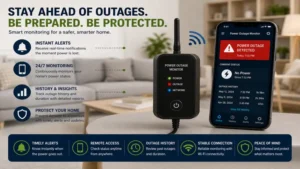
Selecting an effective power outage monitor requires evaluating electrical, networking, and hardware features. Here are six key criteria to evaluate before making a purchase:
                       SELECTION CRITERIA EVALUATION FLOW

  +-------------------------------------------------------------------------+
  |  1. CONNECTIVITY TYPE (Wi-Fi vs. Cellular vs. LoRa vs. Landline)        |
  +-------------------------------------------------------------------------+
                                       v
  +-------------------------------------------------------------------------+
  |  2. BACKUP POWER CAPABILITY (Internal Li-ion vs. Capacitors vs. AA)     |
  +-------------------------------------------------------------------------+
                                       v
  +-------------------------------------------------------------------------+
  |  3. ALERT DISPATCH CHANNELS (App Push vs. SMS vs. Voice Calls)          |
  +-------------------------------------------------------------------------+
                                       v
  +-------------------------------------------------------------------------+
  |  4. EXPANDABILITY & SENSORS (Temp, Humidity, Water Leak Probes)         |
  +-------------------------------------------------------------------------+
                                       v
  +-------------------------------------------------------------------------+
  |  5. TOTAL COST OF OWNERSHIP (Upfront Hardware vs. Monthly Plans)         |
  +-------------------------------------------------------------------------+
-
Evaluate Connectivity Options: Determine if the location has reliable, always-on Wi-Fi, landline access, or requires independent cellular connections.
-
Check Backup Power Reserves: Look for units with integrated rechargeable lithium-ion batteries or supercapacitors that give the device enough operational time to push alert messages out over the network.
-
Review Notification Methods: Confirm whether alerts arrive via phone call, SMS, email, or app notifications. SMS and phone call alerts are far more effective at waking you up in the middle of the night than subtle app notifications.
-
Assess Multi-Sensor Expansion: Determine if you need to monitor additional environmental factors like temperature, humidity, or water leaks using add-on probe attachments.
-
Calculate Total Cost of Ownership: Factor in recurring monthly cellular plan costs or SMS token subscription fees alongside the base hardware price.
-
Verify Cloud Heartbeat Support: Ensure Wi-Fi models offer cloud-side handshake monitoring. This guarantees that if power loss takes down your home router instantly, the vendor’s cloud server will still log the outage and notify you automatically.
Common Mistakes When Buying a Power Outage Monitor
-
Ignoring the Network Dependency: Buying a Wi-Fi-based monitor without backing up the local router on a UPS battery system. When grid power drops, the router turns off instantly, preventing the monitor from transmitting its alert payload.
-
Misunderstanding Operating Range: Assuming standard 2.4 GHz Wi-Fi signals can penetrate thick basement concrete or reach detached metal outbuildings without connection drops.
-
Overlooking Monthly Subscription Costs: Purchasing a cellular-based unit without checking its ongoing subscription plans, leading to unexpected monthly service charges.
-
Conflating Smart Plugs with Power Monitors: Assuming a standard smart plug can send power-loss alerts. Most smart plugs simply go offline silently when power drops, offering no active cloud notification or heartbeat tracking.
-
Skipping Physical Alarm Warnings: Relying solely on phone notifications without local high-decibel audible sirens, which can cause you to miss urgent alerts when your phone is set to “Do Not Disturb.”
Power Outage Monitor vs. Uninterruptible Power Supply (UPS)
A common point of confusion for homeowners is choosing between a power outage monitor and an Uninterruptible Power Supply (UPS). While both deal with electrical interruptions, they serve entirely different functions.
+------------------------------------+------------------------------------+
| Feature Category                   | Power Outage Monitor               | Uninterruptible Power Supply (UPS) |
+------------------------------------+------------------------------------+------------------------------------+
| Primary Purpose                    | Alert user to power loss           | Keep connected devices running     |
| Internal Battery Capacity          | Tiny (operates logic circuit only) | Large (powers external loads)      |
| Notification Delivery              | Cellular, Wi-Fi, SMS, Calls, App   | Local beeper, USB communication    |
| Portability & Footprint            | Compact wall-plug module           | Heavy, floor-standing unit         |
| Typical Price Range                | $30 to $120                        | $60 to $500+                       |
+------------------------------------+------------------------------------+------------------------------------+
While a UPS supplies temporary battery backup power to keep equipment like computers, routers, and medical gear running during blackouts, it typically lacks long-range notification systems. Conversely, a power outage monitor provides no secondary AC power to attached appliances; its primary job is to measure line voltage and send remote notifications the second power fails. For optimal home protection, the best strategy is pairing both: use a UPS to keep your internet router running, and plug a power outage monitor into the wall to send alerts instantly.
Real-World Performance & Reliability Factors
In laboratory settings, power outage monitors operate reliably under ideal conditions. However, real-world utility grid disruptions introduce real-world variables that can affect performance:
[AC Grid Instability Event]
             |
             +---> Brownout / Voltage Sag (85V - 100V AC)
             |          |
             |          v
             |     [Sensor may flicker or freeze without triggering outage logic]
             |
             +---> Complete Blackout (0V AC)
                        |
                        v
                   [Sensor triggers primary power outage alert routine]
-
Voltage Sags and Brownouts: Brief drop-offs where voltage drops to 85V–100V AC instead of cutting out completely can confuse lower-quality sensors. Premium units feature defined internal voltage threshold triggers (e.g., dropping below 90V AC for more than two consecutive seconds) to prevent false alerts or erratic system behavior.
-
Cell Tower Congestion: During widespread storms, local cellular networks often experience high traffic or power issues of their own. Cellular power outage monitors handle this by queuing alert payloads locally and resending them continuously until they receive a delivery confirmation from the cloud server.
Long-Term Cost & Maintenance
Evaluating the true value of a power outage monitor requires looking beyond the initial purchase price to consider total operational costs and long-term maintenance needs.
+---------------------------+-----------------------+------------------------+-----------------------------+
| Device Category           | Initial Hardware Cost | Recurring Monthly Fees | 3-Year Total Cost Estimate  |
+---------------------------+-----------------------+------------------------+-----------------------------+
| Standard Wi-Fi Monitor    | $30 – $40             | $0                     | $30 – $40                   |
| LoRa Gateway System       | $60 – $80             | $0                     | $60 – $80                   |
| Cellular Smart Hub        | $90 – $120            | $8 – $14 / month       | $378 – $624                 |
+---------------------------+-----------------------+------------------------+-----------------------------+
Total Cost Breakdown
While Wi-Fi options offer lower lifetime costs, their effective operation depends on existing home internet infrastructure. If your network lacks a battery backup, adding a entry-level UPS (around $50–$70) is an important hidden cost to account for when planning a reliable installation.
Wi-Fi System Hidden Cost Formula:
Base Sensor ($35) + Home Router UPS ($60) = $95 Total Setup Investment
Annual Maintenance Roadmap
-
Month 1: Perform a initial test by pulling the circuit breaker to verify alert delivery and response times.
-
Month 6: Check for firmware updates within the management app to maintain security compliance.
-
Month 12: Replace backup alkaline batteries in traditional landline dialers or LoRa hubs. Test internal lithium-ion battery capacity on cellular models by running them on backup power for 30 minutes.
🔍 Ready to Upgrade Your Power Outage Monitor Setup?
Ensuring your home, freezer, and essential appliances stay protected requires choosing hardware tailored to your property’s specific wireless coverage and layout.
Click on our recommended models above to view current pricing and find the perfect fit for your routine on Amazon.
Frequently Asked Questions
❓ How fast will a power outage monitor notify my phone?
✅ Most cellular and Wi-Fi units push alerts to your phone in 30 to 90 seconds. However, Wi-Fi models that rely on cloud heartbeat loss detection typically take 3 to 5 minutes to trigger an alert after connectivity drops…
❓ Do power outage monitors require a monthly subscription fee?
✅ Not all models require paid plans. Wi-Fi and LoRa-based monitors like MySpool and YoLink offer free email and app alerts, whereas cellular options like MarCELL require monthly network plans ranging from $8 to $14…
❓ Will a Wi-Fi power outage monitor work if my home router loses power?
✅ Yes, provided the monitor uses server-side cloud heartbeat monitoring. When your router shuts down, the vendor’s cloud service detects the broken signal connection and sends an outage alert directly to your mobile phone…
❓ Can I monitor temperature alongside power failure using these devices?
✅ Many modern power monitors include integrated ambient temperature and humidity sensors. Higher-end models feature waterproof external probes designed specifically to monitor conditions inside deep freezers and refrigerators…
❓ How long do internal backup batteries last during a blackout?
✅ Internal lithium-ion batteries in cellular monitors usually power standby operations for 24 to 48 hours. Compact Wi-Fi units with supercapacitors only store enough energy for a few seconds—just long enough to send out a final signal payload…
Conclusion
Installing a power outage monitor is an easy, cost-effective way to protect your home, food supply, and sensitive appliances from power grid failures. If you have a reliable local network backed up by a UPS, budget-friendly Wi-Fi and LoRa options like the MySpool v2 or YoLink System offer fast alerts with zero subscription fees. For off-grid properties, vacation homes, or locations where internet connectivity is unreliable, standalone cellular units like the MarCELL provide unmatched peace of mind by completely bypassing local networking hardware.
Matching your monitor’s connectivity style to your home’s setup ensures you receive instant alerts the moment line voltage drops—giving you plenty of time to take action before a minor power blip turns into an expensive mess.
Recommended for You
- 7 Ultimate Netherlands Plug Socket Adapters in 2026
- 7 Low Profile Plug Solutions for Tight Spaces in 2026
- 5 Best Smart 3 Way Light Switch Models for 2026 Home Setup
Disclaimer: This article contains affiliate links. As an Amazon Associate, I earn from qualifying purchases. If you purchase products through these links, we may earn a small commission at no additional cost to you.
✨ Found this helpful? Share it with your friends! 💬🤗
