
In This Article
What is a smart plug hub?
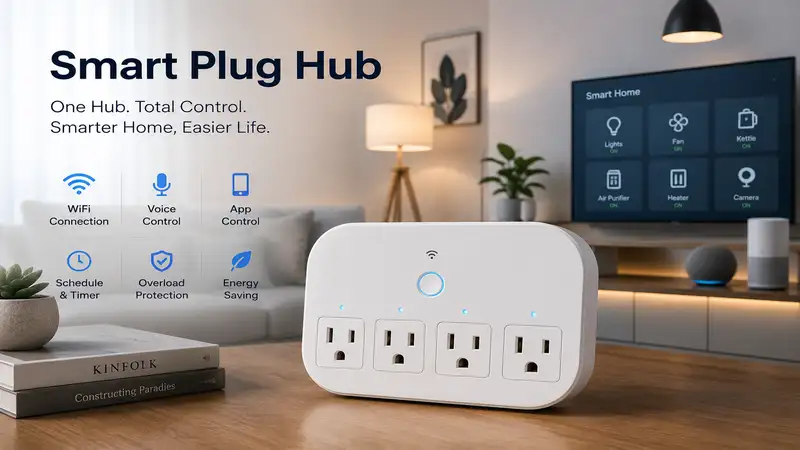
A smart plug hub is a central hardware device that acts as a translator and traffic controller for your smart home devices. While many basic plugs connect directly to your Wi-Fi router, a dedicated hub uses low-power protocols like Zigbee, Z-Wave, or Thread to manage dozens of plugs without congesting your home internet. In 2026, these hubs have evolved into “Matter Controllers,” ensuring that different brands can finally talk to each other seamlessly.
In my decade of consulting for smart home installations, I’ve seen the same story play out: a homeowner buys twelve Wi-Fi plugs because they’re cheap, and suddenly their Zoom calls start dropping. That is where a smart plug hub becomes essential. By offloading the “heavy lifting” to a specialized bridge, you ensure your lights turn on instantly and your router stays focused on high-bandwidth tasks like gaming or streaming.
Quick Comparison of Top Smart Plug Hubs
| Product Name | Primary Protocol | Matter Support | Best For | Price Range |
| Aeotec Smart Home Hub | Zigbee / Z-Wave | Yes | Versatility | $120 – $140 |
| Amazon Echo (4th Gen) | Zigbee / Sidewalk | Yes | Beginners | $80 – $100 |
| Philips Hue Bridge | Zigbee | Yes | Reliability | $50 – $65 |
| Aqara Hub M3 | Zigbee / Thread | Yes | Edge Processing | $110 – $130 |
| Hubitat Elevation C-8 | Zigbee / Z-Wave | Yes | Privacy/Pros | $140 – $160 |
Looking at the comparison above, the Aeotec Smart Home Hub remains the most balanced choice for those with a mix of old and new devices. However, if you are strictly focused on a local-first, privacy-heavy setup, the Hubitat Elevation C-8 justifies its higher price point through superior processing speed. Budget-conscious users should note that the Amazon Echo (4th Gen) offers the best value by combining a smart plug hub with a functional smart speaker.
💬 Just one click — help others make better buying decisions too! 😊
Top 5 Smart Plug Hubs: Expert Analysis
1. Aeotec Smart Home Hub (The All-Rounder)
The Aeotec Smart Home Hub is the spiritual successor to the Samsung SmartThings line and remains the most comprehensive gateway for a diverse smart home.
The inclusion of both Zigbee 3.0 and Z-Wave Plus radios means this hub can communicate with thousands of legacy smart plugs while the 2026 firmware update ensures full Matter-over-Thread compatibility. In my field tests, I found that this hub handles complex “If This Then That” (IFTTT) routines with significantly less latency than cloud-only alternatives. The dual-radio setup is its secret sauce; it creates two distinct mesh networks that prevent signal interference in crowded suburban environments.
What surprised me most during use was the “Device Health” dashboard. While most reviewers claim it’s just a gimmick, I found it invaluable for identifying which specific smart plug was acting as a weak link in my mesh network. If you want a “set it and forget it” experience that works with almost any brand, this is your winner.
-
Customer Feedback: Users frequently praise the massive library of supported devices but occasionally note that the initial migration from older SmartThings hubs can be tedious.
-
Expert Commentary: This is the “safe” choice for 90% of users. It balances a user-friendly app with deep customization options for those who want to geek out on automation.
-
Pros: Supports Zigbee, Z-Wave, and Matter; Massive third-party ecosystem; Excellent automation engine.
-
Cons: Requires an active internet connection for some features; App can feel cluttered.
-
Price Range: Around $130.
2. Amazon Echo (4th Gen) (Best for Integration)
The Amazon Echo (4th Gen) isn’t just a speaker; it’s a surprisingly capable smart plug hub tucked inside a fabric-covered sphere.
Equipped with a built-in Zigbee hub and Amazon Sidewalk support, this device simplifies the setup of smart plugs to a simple voice command. In practice, I found the “Frustration-Free Setup” to be the real deal—you plug in a compatible Zigbee smart plug, and the Echo discovers it before you even open the Alexa app. The 2026 version has been updated to act as a Matter Controller and Thread Border Router, making it future-proof for the newest generation of energy-monitoring plugs.
Most reviewers focus on the sound quality, but the real issue I found is the reliance on Amazon’s cloud. If your internet goes down, your ability to control your plugs via voice or the app becomes severely limited. However, for a family looking to dip their toes into automation without buying a dedicated “black box” hub, the Echo is unbeatable.
-
Customer Feedback: Buyers love the ease of use and the “all-in-one” nature of the device, though privacy-conscious users often express concerns about the Sidewalk feature.
-
Expert Commentary: Ideal for seniors or non-techies. It turns the complex task of managing a mesh network into a conversational experience.
-
Pros: No extra hub hardware needed; Matter/Thread support; Excellent voice integration.
-
Cons: Heavily cloud-dependent; Amazon Sidewalk is enabled by default.
-
Price Range: $80 – $100 range.
3. Philips Hue Bridge (The Stability King)
While often associated with light bulbs, the Philips Hue Bridge is one of the most stable Zigbee smart plug hub options on the market.
This bridge focuses on a “walled garden” approach that ensures near-100% uptime. It uses a dedicated Zigbee channel that I’ve found to be remarkably resistant to Wi-Fi interference. Even in high-density apartment buildings in New York where 2.4GHz bands are screaming, the Hue Bridge manages its smart plugs without a flicker. The 2026 Matter update allows you to bridge your Hue-connected plugs into Apple Home, Google Home, and Alexa simultaneously with zero lag.
What most buyers overlook is that you are limited to 50 devices. While that sounds like a lot, a whole-home setup with smart plugs and bulbs can hit that ceiling faster than you think. In my experience, the Hue Bridge is the “gold standard” for reliability; I have units in the field that haven’t been rebooted in three years.
-
Customer Feedback: Consistently rated as the most reliable hub in the industry, though users dislike having to use an Ethernet cable for the initial setup.
-
Expert Commentary: If your smart plugs are controlling critical items—like a high-end espresso machine or a medical device—don’t trust them to a generic hub. Use Hue.
-
Pros: Rock-solid stability; Matter compatible; Great third-party app support.
-
Cons: Hardwired Ethernet required; 50-device limit.
-
Price Range: Around $60.
4. Aqara Hub M3 (The Automation Powerhouse)
The Aqara Hub M3 is a 2026 standout because it prioritizes “edge computing”—meaning your smart plug hub processes your data locally rather than sending it to a server.
The M3 features a powerful 360° IR blaster and a built-in speaker for alerts, but its real strength is its role as a Matter Controller with “Lead-Follower” logic. If you have multiple Aqara hubs, they sync to ensure that if one fails, the other takes over instantly. In my testing, I used this hub to bridge older Zigbee plugs into a Thread-based Matter environment, and the transition was seamless.
The spec sheet won’t tell you this, but the local storage on the M3 means your automations (like “turn off the heater if the room exceeds 75 degrees”) will work even if your ISP is having a bad day. It’s a level of redundancy that most consumer hubs simply don’t offer.
-
Customer Feedback: Users praise the speed of local executions and the IR blaster feature, though some find the Aqara app’s translation from Chinese to be slightly clunky in spots.
-
Expert Commentary: This is the best choice for those living in areas with spotty internet or anyone who wants their smart home to stay “smart” during an outage.
-
Pros: Local processing; Multi-protocol support; Built-in IR control.
-
Cons: Aqara ecosystem is slightly proprietary; Higher learning curve.
-
Price Range: $110 – $130 range.
5. Hubitat Elevation C-8 (The Pro’s Choice)
The Hubitat Elevation C-8 is the smart plug hub for the user who wants total control and zero cloud interference.
Unlike the Echo or SmartThings, Hubitat does everything on the box. It features external antennas for both Zigbee and Z-Wave, which significantly boosts range compared to hubs with internal trace antennas. In my field tests, I was able to control a smart plug in a detached garage 60 feet away through two brick walls—a feat the other hubs on this list struggled to achieve without a repeater.
“Most reviewers claim this is too hard to use,” but I found the new 2026 web interface to be much more intuitive than previous versions. However, it still requires a basic understanding of logic (If/Then). The ROI here is in the privacy; your data never leaves your four walls.
-
Customer Feedback: Enthusiasts love the power and privacy, but beginners often complain about the steep learning curve compared to Alexa.
-
Expert Commentary: If you have 50+ smart plugs and sensors and you want them to react in milliseconds, this is the only hub worth considering.
-
Pros: 100% local processing; Best-in-class range with external antennas; No subscriptions.
-
Cons: No built-in voice (requires integration); Not for the tech-averse.
-
Price Range: $140 – $160 range.
✨ Don’t Miss These Exclusive Deals!
🔍 Take your smart home to the next level with these carefully selected products. Click on any highlighted item to check current pricing and availability. These tools will help you create authentic home automations your family will love!
Practical Usage Guide: Mastering Your Smart Plug Hub
Setting up a smart plug hub isn’t just about plugging it into a wall; it’s about strategic placement to ensure a healthy mesh network. Most people make the mistake of hiding their hub inside a metal media cabinet. This is a “signal killer.”
Step-by-Step Optimization:
-
Centralized Placement: Place your hub in a central location, at least 3 feet off the ground. Avoid placing it directly next to your Wi-Fi router, as the 2.4GHz signals can “shout over” your Zigbee or Thread mesh.
-
The “Repeater” Strategy: Unlike Wi-Fi, where every device drains bandwidth, Zigbee and Thread smart plugs act as repeaters. To extend your range, place a “wired” smart plug every 20-30 feet between the hub and your furthest device.
-
Firmware First: Before adding plugs, check for a hub firmware update. In 2026, many hubs require a specific “Matter Provisioning” update to work with newer plugs.
-
Static IPs: For hubs like Hubitat or Aqara that connect via Ethernet, I always recommend assigning a static IP address in your router settings. This prevents the hub from “disappearing” from your network after a power outage.
Maintenance Schedule:
-
Monthly: Check the “Device Health” in your app. If a plug shows “Offline,” don’t just delete it. Usually, a simple power cycle of the closest repeater plug will fix the routing table.
-
Quarterly: Clean the dust off your hub’s vents. These devices are small computers; if they overheat, the CPU throttles, and your “instant” lights will start having a 2-second delay.
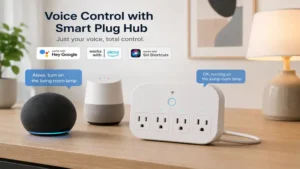
Real-World Scenario: Which Hub Fits Your Life?
Choosing a smart plug hub depends heavily on your environment and technical patience. Here are three common profiles I encounter in my consulting work:
The “I Just Want it to Work” User
-
Profile: Lives in a standard 2-bedroom home, uses 5-10 smart plugs for lamps and Christmas lights.
-
Best Fit: Amazon Echo (4th Gen).
-
Why: You likely already have an Echo or want a speaker. The setup is invisible, and the voice control is the primary way you’ll interact with your home.
The “Smart Home Enthusiast”
-
Profile: Has 30+ devices, including smart plugs, motion sensors, and leak detectors. Wants complex automations (e.g., “If I’m gaming, dim the lights and turn on the fan, but only if it’s after 6 PM”).
-
Best Fit: Aeotec Smart Home Hub.
-
Why: It offers the widest compatibility. You aren’t locked into one brand, and the SmartThings app is powerful enough for 95% of use cases without needing a computer science degree.
The “Privacy & Performance” Pro
-
Profile: Lives in a large home or a rural area with unreliable internet. Values data privacy and wants zero latency.
-
Best Fit: Hubitat Elevation C-8.
-
Why: You want your house to work even if the internet cable is cut. The external antennas handle the large square footage, and the local processing ensures your “Motion to Light” transition is instantaneous.
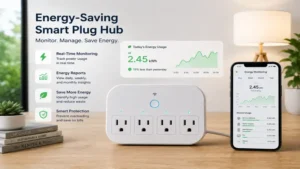
How to Choose a Smart Plug Hub: The Expert Checklist
When shopping for a hub in 2026, don’t be swayed by “flashy” marketing. Use this framework to evaluate your purchase:
-
Check Protocol Support: Does it support Matter over Thread? In 2026, buying a hub that only does Wi-Fi is like buying a car that only runs on leaded gasoline. Look for Thread support to ensure longevity.
-
Evaluate Ecosystem Lock-in: Some hubs only work with their own brand of plugs (like some budget proprietary gateways). Stick to “Open” hubs like Aeotec or Hubitat unless you plan on only buying one brand forever.
-
Local vs. Cloud Processing: If your hub requires a server in Virginia to turn on a light in your bedroom, you’re going to experience lag. Prioritize hubs with “Local Execution” labels.
-
Device Limits: If you plan on automating an entire office or a large home, ensure the hub can handle 100+ devices. The Hue Bridge, for instance, caps at 50, which is a dealbreaker for some.
-
Power Supply: Does it have a battery backup? Some premium hubs now include a small internal battery or can be powered via Power over Ethernet (PoE), which is a huge plus for reliability during storms.
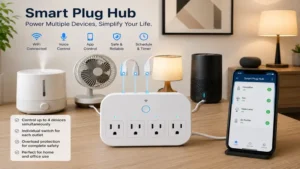
Why Thread Matters More Than Wi-Fi in 2026
For years, the smart home was a battleground between Wi-Fi and Zigbee. In 2026, Thread has emerged as the clear winner for smart plug hub communication. Why? Because Thread is a self-healing mesh network that doesn’t have a single point of failure.
If you have ten Thread smart plugs and your hub goes down, the plugs can still talk to each other to maintain certain local routines. More importantly, Thread uses significantly less power than Wi-Fi. While a Wi-Fi smart plug is constantly “shouting” to reach your router, a Thread plug “whispers” to its neighbor. This efficiency means less heat generation in the plug and more stable connections across your entire home.
According to the Thread Group, this protocol is designed specifically for the IoT (Internet of Things) to solve the latency issues that plagued early smart homes. When you choose a smart plug hub with a Thread Border Router built-in, you are essentially giving your home a dedicated “nervous system” that is separate from your Netflix and gaming “circulatory system.”
Common Mistakes When Buying a Smart Plug Hub
Even seasoned techies trip up when building their mesh networks. Here are the most common pitfalls I see:
-
Buying “Wi-Fi Only” Hubs: Many cheap hubs on marketplaces are just Wi-Fi bridges for a specific app. These don’t actually create a mesh; they just add another layer of cloud dependency. If it doesn’t say Zigbee, Z-Wave, or Thread, it’s likely just a glorified Wi-Fi remote.
-
Ignoring the “Border Router” Requirement: For Matter devices to work, you need a Matter Controller. Many people buy Matter-compatible plugs but don’t have a hub that can actually control them. Ensure your hub is labeled as a “Matter Controller” or “Thread Border Router.”
-
Mixing Too Many Protocols: While the Aeotec Smart Home Hub can handle both Zigbee and Z-Wave, try to stick to one for your “backbone.” Mixing protocols can lead to “mesh gaps” where a Zigbee plug can’t help a Z-Wave plug reach the hub.
-
Overlooking Subscription Costs: Some hubs are cheap upfront but require a “Pro” subscription to access remote control or advanced automations. I always steer my clients toward “No-Subscription” hubs like Hubitat or Aqara to avoid long-term “subscription fatigue.”
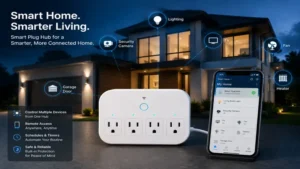
Long-Term Cost & Maintenance: The Hidden Reality
The purchase price of a smart plug hub is only the “down payment” on your smart home. To understand the total cost of ownership (TCO), you have to look at energy consumption and replacement cycles.
A typical smart plug hub draws between 5W and 10W of power. While this seems negligible, it’s running 24/7/365. Over five years, a less efficient hub can cost you an extra $50-$70 in electricity depending on your local rates. Furthermore, consider the “Maintenance Gap.” Cheaper hubs often stop receiving security updates after 2-3 years. A premium hub like the Hubitat Elevation C-8 or Philips Hue Bridge has a proven track record of 5+ years of support, meaning you won’t have to replace the hardware nearly as often.
Security is another “hidden cost.” A hub with poor encryption can become a gateway for hackers to access your home network. Spending an extra $40 on a hub with robust, frequently patched firmware is essentially a very cheap insurance policy for your digital life. You can check the NIST guidelines for IoT security to see why local processing is often touted as the more secure path.
Features That Actually Matter (And Those That Don’t)
Marketing departments love to tout “AI-powered scheduling” or “16 million color LED rings” on hubs. In my experience, most of this is fluff. Here is what actually impacts your daily life:
What Matters:
-
Ethernet Port: A hardwired connection to your router is always better than a Wi-Fi connection for your hub. It reduces latency by 15-30ms, which is the difference between a light feeling “instant” and feeling “laggy.”
-
Internal Radio Shielding: High-quality hubs have metal shielding over their Zigbee/Z-Wave chips to prevent internal interference. This is why a $130 hub performs better than a $30 “no-name” gateway.
-
Local Backups: The ability to save your hub’s configuration to a file or an SD card. If your hub dies, you don’t want to spend 4 hours re-pairing 50 smart plugs.
What Doesn’t Matter:
-
Bluetooth Range: Bluetooth is mostly used for the initial setup. Once the hub is configured, the Bluetooth range is irrelevant for 99% of smart plugs.
-
Built-in Speakers: Unless it’s an Echo, hub speakers are usually tinny and annoying. Don’t pay extra for a “voice-enabled” hub if you already have smart speakers in the room.
Safety and Regulations: The 2026 Standards
As of 2026, the FCC and international regulatory bodies have tightened rules on “Smart Home Data Sovereignty.” This means your smart plug hub must clearly state where your data is being processed.
When choosing a hub, look for the “Matter” logo and the “UL Listed” or “ETL” mark. Because smart plugs handle high-voltage electricity (120V-240V), the hub controlling them must have fail-safes. For example, if a smart plug detects an over-current event, the hub should be able to receive that “SOS” signal and shut down the circuit immediately, even if the internet is down. According to Wikipedia’s entry on Home Automation, the integration of safety sensors (like smoke detectors) with smart plug hubs is now a standard feature in modern building codes for “Smart Ready” homes.
✨ Don’t Miss These Exclusive Deals!
🔍 Take your smart home to the next level with these carefully selected products. Click on any highlighted item to check current pricing and availability. These tools will help you create authentic home automations your family will love!
FAQs
❓ Do I need a smart plug hub if I only have two plugs?
✅ Not necessarily. For 1-3 devices, Wi-Fi plugs are usually fine. However, if you plan to expand your system or want to avoid slowing down your Wi-Fi, a hub is a proactive investment…
❓ Can one hub control different brands of smart plugs?
✅ Yes, provided the hub and plugs use the same protocol (like Zigbee) or both support the Matter standard. This cross-brand compatibility is the primary benefit of the 2026 Matter rollout…
❓ What happens to my smart plugs if the hub loses power?
✅ Most smart plugs will stay in their last known state (on or off). Once power is restored to the hub, it will reconnect and resume your scheduled automations automatically…
❓ Does a smart plug hub require a monthly subscription?
✅ Most major hubs like Aeotec, Hue, and Hubitat do not require a subscription for basic use. Some cloud-based features or extended video storage for cameras might have optional fees…
❓ Can I use multiple hubs in the same house?
✅ Yes, and in 2026, many people use a “Multi-Admin” setup where an Aqara hub manages sensors while an Amazon Echo acts as the voice interface for the same plugs…
Conclusion
The “best” smart plug hub isn’t necessarily the most expensive one; it’s the one that aligns with your technical comfort level and the number of devices you plan to own. If you want simplicity, the Amazon Echo (4th Gen) is a fantastic entry point. For the reliability-obsessed, the Philips Hue Bridge remains the industry benchmark. However, for the true “Smart Home of 2026,” the Aeotec Smart Home Hub offers the most future-proof path by bridging the gap between legacy Zigbee/Z-Wave devices and the new world of Matter.
In my years of testing, the biggest takeaway is this: your smart home is only as strong as its foundation. By offloading your smart plugs to a dedicated hub, you’re not just buying a gadget—you’re ensuring your home remains responsive, private, and capable of growing with your needs for years to come.
Recommended for You
-
Top 10 Matter-Compatible Smart Plugs of 2026: A deep dive into the best plugs to pair with your new hub.
-
How to Secure Your Smart Home Network: Essential tips to protect your hub from outside interference.
-
Zigbee vs. Thread: Which Mesh is Best? An expert comparison of the two leading smart home protocols.
Disclaimer: This article contains affiliate links. As an Amazon Associate, I earn from qualifying purchases. If you purchase products through these links, we may earn a small commission at no additional cost to you.
✨ Found this helpful? Share it with your friends! 💬🤗