
In This Article
Introduction: Why a Low Voltage Smart Switch Is Trickier Than It Looks
Here’s a scenario that plays out in a lot of garages, RVs, and backyards: someone buys a regular smart switch, opens the box, and realizes it’s built for 120V house wiring. Their LED strip runs on 12V. Their landscape lights hang off a transformer. Their camper has no AC outlet in sight. Suddenly that “smart” purchase is a very expensive paperweight.
That’s exactly why a low voltage smart switch exists—and why choosing the right one takes a bit more thought than grabbing the first Wi-Fi switch on the shelf. “Low voltage” can mean three very different things in the real world: a smart relay that runs on 12V or 24V DC, a dry-contact module that triggers a gate or garage opener, or a 120V wall dimmer designed to control low-voltage lighting fed by a transformer. Each one solves a different problem, and buying the wrong type is the most common (and most avoidable) mistake.
In this guide, we compare seven real products available to US shoppers in 2026, from budget Zigbee and Wi-Fi relays to brand-name wall dimmers built for MLV and ELV lighting. We won’t pretend we bench-tested every unit in a lab. Instead, we dug through manufacturer spec sheets, installation manuals, and aggregated owner feedback to explain what each spec actually means once the wires are connected.
You’ll also find step-by-step setup tips, real-world scenarios (RVs, boats, garage doors, under-cabinet lighting), a troubleshooting guide, and a plain-English look at the electrical code basics. By the end, you’ll know exactly which low voltage smart switch matches your project—and which ones to skip.
What Is a Low Voltage Smart Switch?
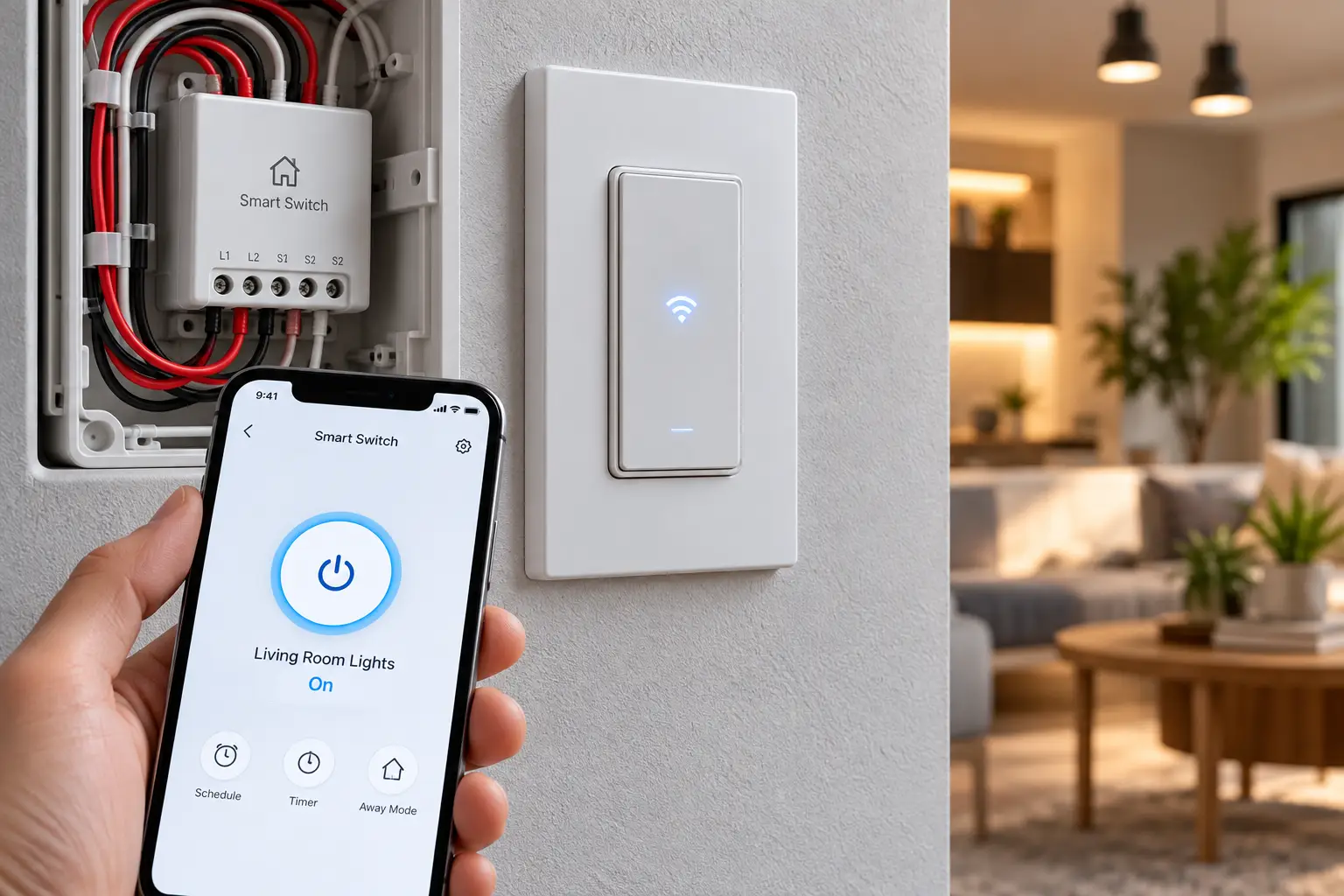
A low voltage smart switch is a connected switch or relay that lets you control low-voltage loads—typically 5V to 48V DC or 12V to 24V AC—through an app, voice assistant, or automation hub. The term also covers 120V smart dimmers rated for low-voltage lighting transformers (ELV/MLV), which is where most buying confusion starts.
In practice, the category splits into three families:
- DC-powered smart relays that live inside a 12V or 24V system (RVs, boats, solar setups, LED strips).
- Dry-contact relays that simply close a circuit, like pressing a button—ideal for garage doors, gates, and boilers.
- Smart dimmers for low-voltage lighting that sit in a standard 120V wall box but are engineered to drive transformers smoothly.
If you want the textbook view of where “low” ends and “dangerous” begins, the overview of extra-low voltage on Wikipedia is a helpful starting point. In US electrical code, however, “low voltage” is a slippery term—we’ll unpack that in the safety section below.
Quick Comparison: Low Voltage Smart Switch Picks at a Glance
| Product | Type | Power / Rating | Protocol | Price Range | Best for |
|---|---|---|---|---|---|
| Shelly 1 Gen3 | Dry-contact relay | 12V DC, 24–48V DC, or 110–240V AC | Wi-Fi + Bluetooth | Around $15–$25 | Shelly 1 Gen3: all-round DIY automation |
| Zooz ZEN17 Universal Relay | 2-channel relay | 12–24V AC/DC or USB-C | Z-Wave | Around $40–$55 | Zooz ZEN17: garage doors and gates |
| MHCOZY 1-Channel Zigbee Relay | Dry-contact relay | 5V/12V/24V DC (per listing) | Zigbee 3.0 | Around $15–$25 | MHCOZY Zigbee Relay: Zigbee hubs on a budget |
| MHCOZY 1-Channel Wi-Fi Relay | Dry-contact relay | 5–32V DC | Wi-Fi (Tuya) | Around $12–$20 | MHCOZY Wi-Fi Relay: boats and simple 12V jobs |
| Shelly Uni | Signal-level I/O module | 12–36V DC / 12–24V AC | Wi-Fi | Around $15–$25 | Shelly Uni: RV sensors and signal switching |
| Lutron Caséta ELV+ PD-5NE | Wall dimmer | 120V; 500W ELV / 400VA MLV | Clear Connect RF | Around $70–$95 | Lutron Caséta ELV+: ELV lighting |
| Leviton Decora Smart D26HD | Wall dimmer | 120V; 600VA MLV | Wi-Fi (Matter-ready) | Around $45–$65 | Leviton D26HD: MLV lighting, no hub |
Looking at the table, the split is obvious: the first five products switch low-voltage circuits directly, while the Lutron Caséta ELV+ and Leviton Decora Smart D26HD are 120V dimmers built to feed low-voltage lighting transformers. If you need raw flexibility for the least money, the Shelly 1 Gen3 is hard to beat, while the Zooz ZEN17 earns its higher price with two heavy-duty relays. Price ranges are approximate at the time of writing, so check the current price before you buy.
💬 One click helps other shoppers make an informed choice too! 😊
Top 7 Low Voltage Smart Switch Options: Expert Analysis
1. Shelly 1 Gen3 — the most flexible all-rounder
The Shelly 1 Gen3 earns the top spot because it adapts to almost any power source you throw at it. According to Shelly’s documentation, it can be powered by 12V DC, 24–48V DC, or 110–240V AC, and its potential-free (dry) contact switches up to 16A at 240V AC or 10A at 30V DC.
What that means in practice: you can power it from your RV’s 12V bus and use the relay to switch a completely different circuit—even a mains contactor—because the contact is electrically isolated. It also runs locally without a cloud account, works with Alexa, Google Home, SmartThings, and Home Assistant, and doubles as a Bluetooth gateway and Wi-Fi range extender.
Based on comparing the specs, this is the pick for tinkerers and Home Assistant users who want scripting, MQTT, and webhooks without a hub. Beginners can still use the Shelly Smart Control app, but the wiring diagram assumes you know your terminals. Owner feedback on Shelly relays consistently praises local control and responsiveness, while a recurring complaint is that the tiny screw terminals are fiddly with thicker wire.
Pros:
- ✅ Accepts 12V DC, 24–48V DC, or AC power
- ✅ Fully local control with no hub required
- ✅ Isolated dry contact switches separate circuits safely
Cons:
- ❌ Small terminals are awkward with heavy-gauge wire
- ❌ DC switching tops out at 10A
Usually found around $15–$25, the Shelly 1 Gen3 delivers exceptional value for anyone comfortable reading a wiring diagram.
2. Zooz ZEN17 Universal Relay — two heavy-duty relays in one box
The Zooz ZEN17 Universal Relay shines when you need muscle and redundancy. Zooz rates its two independent relays at up to 20A on the normally open (NO) side and 10A on normally closed (NC), and the unit is powered by 12–24V AC/DC or USB-C.
Here’s why that matters: 20A of headroom means you can drive DC motors, pumps, and gate actuators without the relay running near its limit, which tends to extend contact life. Each relay also has a matching input that accepts a dry contact or a 12–24V signal—so you can wire in a door sensor or leak detector and build automations without extra hardware. The unit is ETL-certified, which is reassuring for a device that will sit in a garage for years.
The catch is that this is a Z-Wave device, so you’ll need a Z-Wave controller such as Home Assistant with a Z-Wave stick, Hubitat, or a compatible hub. If you already run Z-Wave, it’s arguably the most capable low voltage smart switch in this lineup. Reviews and community threads consistently highlight it as a go-to solution for controlling two garage doors with one device, while some users note the configuration parameters take time to learn.
Pros:
- ✅ Two independent relays with up to 20A NO
- ✅ Built-in inputs for sensors and wall switches
- ✅ ETL-certified for safety compliance
Cons:
- ❌ Requires a Z-Wave hub or controller
- ❌ Power adapter is not included
At roughly $40–$55, the Zooz ZEN17 costs more than single relays but effectively replaces two of them.
3. MHCOZY 1-Channel Zigbee Relay — budget Zigbee for dry-contact jobs
The MHCOZY 1-Channel Zigbee Relay is the budget route into Zigbee-based low voltage control. The product listings describe it as a 5V/12V/24V low-voltage, clean-contact controller using the Zigbee 3.0 protocol, with a 10A relay and a default “inching” (momentary) function.
That inching mode is the key feature: tap the app and the relay closes for about one second, then releases—exactly what a garage door opener or gate controller expects from a wall button. Because Zigbee is a low-power mesh network, it won’t crowd your Wi-Fi the way a dozen Wi-Fi relays can.
On paper, this suits Zigbee households already running a Tuya hub, Zigbee2MQTT, or a SmartThings setup. One community member reported pairing it with Mozilla WebThings to safely switch a 12V device, and others confirm it works with Zigbee2MQTT. However, at least one SmartThings user reported finding little documentation for the single-channel version and no obvious mode button, so expect some trial and error when switching between latching and momentary operation.
Pros:
- ✅ Momentary mode is ideal for garage door openers
- ✅ Zigbee mesh keeps Wi-Fi traffic down
- ✅ Very low cost per channel
Cons:
- ❌ Thin documentation for mode settings
- ❌ Needs a compatible Zigbee hub or gateway
Typically in the $15–$25 range, the MHCOZY Zigbee Relay is a smart buy if you already own a Zigbee coordinator.
4. MHCOZY 1-Channel Wi-Fi Relay — the simplest 12V upgrade
The MHCOZY 1-Channel Wi-Fi Relay (manufacturer part TYWRARF) is the no-hub sibling of the Zigbee model, and its standout trait is a wide 5–32V DC input range. That covers 5V USB power, 12V automotive and marine systems, and 24V solar banks with one device.
Its dry-contact output switches the load without feeding any voltage into it, and it supports both inching and self-locking (toggle) modes. In plain terms: you can use it as a momentary “button presser” for a gate or as a regular on/off switch for a 12V fan. It runs through the Tuya Smart Life app and works with Alexa and Google Home.
This is the pick for beginners who want a 12V smart switch without learning a hub ecosystem. Aggregated retail data we found shows roughly 4.4 out of 5 stars across several hundred ratings, and one owner described wiring it to a boat’s 12V system to remotely run a bilge blower. Keep in mind it relies on 2.4GHz Wi-Fi and the Tuya cloud by default, so offshore or off-grid use requires a local network—and Micro USB power feels dated in 2026.
Pros:
- ✅ Wide 5–32V DC input covers most systems
- ✅ Inching and toggle modes in one device
- ✅ No hub required for app or voice control
Cons:
- ❌ Depends on Tuya cloud by default
- ❌ Micro USB connector feels outdated
Usually around $12–$20, the MHCOZY Wi-Fi Relay is the cheapest frustration-free entry point on this list.
5. Shelly Uni — tiny brain for campers and sensors
The Shelly Uni isn’t a power switch in the traditional sense—it’s a miniature I/O controller, and that distinction matters. Shelly lists a power input of 12–36V DC or 12–24V AC, two digital inputs (2.2–36V DC), an analog input that reads 0–30V DC, and support for up to three DS18B20 temperature sensors.
Here’s what most buyers overlook: its two potential-free outputs are rated at only 100mA each. That’s plenty to trigger a relay coil, a gate controller input, or a boiler’s thermostat terminals—but it will not run an LED strip or a fan directly. Think of it as the brain that tells bigger relays what to do.
Based on the spec sheet, the Shelly Uni is ideal for RV and van owners who want to monitor battery voltage, tank levels, and temperatures while triggering a few low-current signals. At about 20 × 33 × 13mm, it fits nearly anywhere. Owner feedback generally praises its versatility for camper automation, while the most common frustration comes from people who expected it to switch real loads. Note that Shelly lists no overload protection and no UL-listed option.
Pros:
- ✅ Reads voltage and temperature sensors natively
- ✅ Extremely compact for tight RV cabinets
- ✅ Wide 12–36V DC power range
Cons:
- ❌ Outputs limited to 100mA each
- ❌ No overload protection or UL-listed version
At roughly $15–$25, the Shelly Uni is outstanding value—if you use it as a controller, not a power switch.
6. Lutron Caséta ELV+ PD-5NE — the smoothest dimming for ELV lighting
The Lutron Caséta ELV+ PD-5NE solves a different problem: dimming low-voltage lighting fed by electronic transformers. Lutron rates it for 250W of dimmable LED, 500W of incandescent/halogen or ELV, or 400VA of magnetic low-voltage (MLV), with a 10W minimum load and a required neutral wire.
The clever part is phase selection. Out of the box, it runs in reverse phase—the method electronic (ELV) transformers prefer—but a button sequence switches it to forward phase for MLV loads and certain LEDs. Why should you care? A mismatched phase is the main cause of buzzing, flicker, and transformers that run hot.
This is the pick for homeowners with recessed low-voltage cans, under-cabinet halogen, or track lighting who want reliability above all. Caséta uses Lutron’s Clear Connect RF rather than Wi-Fi, and owners consistently rank Caséta among the most dependable smart lighting systems. The trade-offs: voice and app integration requires the Lutron Smart Hub, and existing hardwired 3-way switches won’t work—you’ll need Pico remotes for multi-location control.
Pros:
- ✅ Selectable forward or reverse phase dimming
- ✅ Handles ELV, MLV, LED, and halogen loads
- ✅ Clear Connect RF stays off your Wi-Fi
Cons:
- ❌ Smart features require the Lutron Smart Hub
- ❌ Hardwired 3-way setups need Pico remotes instead
Generally around $70–$95 (hub sold separately), the Lutron Caséta ELV+ is premium-priced but justified for ELV lighting.
7. Leviton Decora Smart D26HD — hub-free Wi-Fi dimming for MLV
The Leviton Decora Smart D26HD is the easiest route to smart control of magnetic low-voltage lighting without buying a hub. Leviton rates it for 300W of dimmable LED/CFL, 600W of incandescent, and 600VA of MLV at 120V, with a neutral wire required.
That 600VA MLV rating is notably higher than the Caséta’s 400VA, which means more headroom for a larger magnetic transformer. It connects directly to 2.4GHz Wi-Fi, works with Alexa, Google Assistant, Apple Home, and SmartThings, and Matter support can be enabled through a firmware update. Leviton’s “Off Means Off” feature also keeps low-wattage LEDs from glowing when switched off.
One crucial detail: Leviton confirms the D26HD is a forward-phase dimmer, which suits MLV but not most electronic (ELV) transformers. For ELV, Leviton offers the D2ELV, a reverse-phase model, as the variant to look for. Owner reviews tend to praise the hub-free setup, and one buyer noted they needed to adjust the dimmer’s settings to stop LED flicker—a reminder to use the bulb-type options in the app.
Pros:
- ✅ High 600VA MLV rating for larger transformers
- ✅ No hub required; Matter-ready via firmware
- ✅ “Off Means Off” prevents LED ghost glow
Cons:
- ❌ Forward phase only, so not for most ELV loads
- ❌ Wi-Fi only works on 2.4GHz networks
Usually around $45–$65, the Leviton D26HD offers strong value for MLV lighting setups.
Side-by-Side: Key Specs That Separate the Top 7
| Product | Max Switching / Load | Inputs | Hub Needed? | Rating Sentiment | Best for |
|---|---|---|---|---|---|
| Shelly 1 Gen3 | 10A @ 30V DC; 16A @ 240V AC | 1 switch input | No | Strong praise for local control | Shelly 1 Gen3: Home Assistant users |
| Zooz ZEN17 | 20A NO / 10A NC per relay | 2 (dry or 12–24V) | Yes (Z-Wave) | Popular for garage doors | Zooz ZEN17: two-door garages |
| MHCOZY Zigbee Relay | 10A relay | None | Yes (Zigbee) | Works well; docs are thin | MHCOZY Zigbee Relay: Zigbee2MQTT setups |
| MHCOZY Wi-Fi Relay | 32V max switching (DC) | None | No | ~4.4/5 on one retail listing | MHCOZY Wi-Fi Relay: beginners |
| Shelly Uni | 100mA per output | 2 digital + 1 analog | No | Loved by camper owners | Shelly Uni: RV monitoring |
| Lutron Caséta ELV+ | 500W ELV / 400VA MLV | Wall buttons + Pico | Yes (Smart Hub) | Top-tier reliability reputation | Lutron Caséta ELV+: ELV cans |
| Leviton D26HD | 600VA MLV / 300W LED | Wall rocker | No | Praised hub-free setup | Leviton D26HD: MLV track lights |
The biggest takeaway here is current capacity: the Zooz ZEN17 leaves every other relay behind for motors and pumps, while the Shelly Uni should never be asked to power a load directly. For lighting, the decision between Lutron Caséta ELV+ and Leviton D26HD comes down to transformer type more than brand loyalty. And if you hate hubs, the Shelly 1 Gen3, MHCOZY Wi-Fi Relay, and Leviton D26HD all work straight out of the box.
✨ Don’t miss these smart picks for your low-voltage projects!
🔍 Take your home automation to the next level with this carefully curated lineup. Click a highlighted product to check current pricing and availability. These picks will help you get reliable, hands-free control of the lights and gadgets your whole family uses every day!
Getting Started: Installing Your First Low Voltage Smart Switch
A low voltage smart switch is one of the friendlier DIY projects in smart home tech—as long as you follow a sensible order. Here’s a practical first-30-days playbook.
Step 1: Map your circuit before buying anything
Write down three numbers: the supply voltage (12V DC? 24V AC?), the load’s current draw in amps, and whether the load needs power from the switch or just a contact closure. A garage door opener needs a dry contact; an LED strip needs switched power.
Step 2: Power down and verify
Disconnect the battery or transformer and confirm it’s dead with a multimeter. Even 12V systems can deliver enough current to melt insulation in a short circuit.
Step 3: Wire power first, then the load
For relays like the Shelly 1 Gen3 or MHCOZY Wi-Fi Relay, connect the device’s supply terminals first, then run your load through the relay contacts. If the load uses the same 12V supply, you’ll jumper the supply positive to the relay’s common terminal.
Step 4: Pair close to your hub or router
Z-Wave and Zigbee devices like the Zooz ZEN17 pair far more reliably within a few feet of the controller. Once paired, move them to their final location.
Step 5: Configure before you automate
Set momentary versus latching mode, power-on behavior (on, off, or restore previous state), and any auto-off timers. For gates and garage doors, always choose momentary mode.
Common first-month mistakes: skipping a fuse on DC circuits, exceeding the relay’s DC rating (DC arcs are harder on contacts than AC), and mounting Wi-Fi modules inside metal enclosures that kill the signal. For a deeper look at how dry-contact relays behave versus “wet” outputs, this Zigbee dry contact relay breakdown from SmartHomeScene offers a clear visual explanation.
Real-World Scenarios: Which Switch Fits Which Life?
Specs only matter in context, so let’s match products to three common buyer profiles.
Scenario 1: The weekend RV owner
Budget: under $60. Use: monitor the house battery, switch a 12V vent fan, and get a temperature alert while away. Frequency: daily during trips.
Best match: a Shelly Uni for monitoring battery voltage and cabin temperature, paired with an MHCOZY Wi-Fi Relay to actually switch the fan. The Shelly Uni handles the brains (sensors, low-current signals), while the MHCOZY Wi-Fi Relay handles the muscle. Both run happily on a 12V bus, and you stay well under budget. If you want local-only control on the road, run a small travel router so the devices stay connected without cellular data.
Scenario 2: The two-car garage homeowner
Budget: around $50–$70. Use: open and close two garage doors remotely and see their status. Frequency: several times a day.
Best match: the Zooz ZEN17. One device handles both doors, and its built-in inputs read wired door sensors so you always know whether a door is open. If you don’t have a Z-Wave hub, two Shelly 1 Gen3 units are a hub-free alternative, though you’ll need separate sensors for door status.
Scenario 3: The kitchen remodeler with halogen pucks
Budget: around $100–$200. Use: dim under-cabinet low-voltage lights fed by an electronic transformer. Frequency: every evening.
Best match: the Lutron Caséta ELV+ in reverse-phase mode, plus the Lutron Smart Hub if you want voice control. If your transformer turns out to be magnetic (heavy, often humming), the Leviton D26HD is the more cost-effective choice—no hub needed.
Problem → Solution: Fixing Common Low Voltage Smart Switch Issues
Even well-chosen hardware can misbehave. Here are the issues owners report most often—and how to fix them.
Problem 1: Lights buzz or flicker on a dimmer. Solution: This is almost always a phase mismatch. ELV transformers want reverse phase; MLV transformers want forward phase. On the Lutron Caséta ELV+, change the phase setting; on the Leviton D26HD, adjust the bulb-type and minimum-level settings. If your transformer is electronic, the D26HD may simply be the wrong device.
Problem 2: The relay keeps dropping off Wi-Fi. Solution: Check for metal enclosures, RV walls, or vehicle bodies blocking signal. Move the module, add a repeater, or—if you’re on Shelly—use another Shelly device as a range extender, which the Shelly 1 Gen3 supports.
Problem 3: The garage door opens and immediately closes. Solution: The relay is in latching mode, so the opener sees a “press” on and another on release. Switch the MHCOZY Zigbee Relay, MHCOZY Wi-Fi Relay, or Zooz ZEN17 to momentary/inching mode with a pulse of about one second.
Problem 4: Relay contacts stick or burn out. Solution: You’re likely switching a motor or inductive load near the relay’s limit. Upgrade to a higher-rated device like the Zooz ZEN17, or use your smart relay to drive a heavy-duty automotive relay. Shelly’s documentation also shows RC snubber wiring for inductive loads.
Problem 5: The device won’t power on after wiring. Solution: Confirm polarity and that you used the correct supply terminal—on the Shelly 1 Gen3, 12V DC goes to the dedicated 12V terminal, not the 24–48V terminal.
How to Choose a Low Voltage Smart Switch
Choosing the right low voltage smart switch comes down to seven decisions, made in this order:
- Identify the job: power, signal, or dimming. A relay switches power, an I/O module like the Shelly Uni switches signals, and a dimmer controls transformer lighting. Mixing these up is the root of most returns.
- Match the supply voltage. Confirm the device runs on your system—12V DC, 24V AC, or 120V. The MHCOZY Wi-Fi Relay‘s 5–32V DC range is forgiving; the Zooz ZEN17‘s 12–24V range is narrower.
- Check the DC current rating, not just AC. Relays are often rated much lower for DC because DC arcs longer. A device rated 16A AC may handle only 10A DC.
- Pick a protocol you already own. Z-Wave, Zigbee, and Wi-Fi don’t talk to each other natively. Buying into a new ecosystem adds a hub to the cost.
- Decide on dry contact versus powered output. Garage doors, boilers, and gates need dry contacts; LED strips need switched power.
- For lighting, identify the transformer type. ELV needs reverse-phase dimming; MLV needs forward phase. Leviton’s own explanation of forward- vs. reverse-phase Decora Smart dimmers is a useful reference.
- Look for safety listings where it counts. For anything inside your home’s walls, a UL or ETL listing matters—the Zooz ZEN17 is ETL-certified, while some budget modules don’t advertise a US listing.
12V Smart Switch Options for RVs, Boats, and Solar Setups
If your world runs on batteries, a 12V smart switch is the most practical form of the category—and it comes with its own quirks.
First, vehicles and boats are electrically noisy. Engines, inverters, and charging systems create voltage spikes, so a wide input tolerance is valuable. The MHCOZY Wi-Fi Relay‘s 5–32V DC range gives breathing room above a charging 12V system’s 14+ volts, and the Shelly Uni tolerates up to 36V DC.
Second, connectivity is rarely guaranteed. A 12V smart switch that depends on a cloud service is useless in a remote campsite without internet. Shelly devices run locally on your network, which is why the Shelly 1 Gen3 and Shelly Uni are popular with van builders who carry a small travel router.
Third, current draw adds up. Each module’s standby consumption seems tiny—Shelly lists under 1.2W for the Shelly 1 Gen3—but a half-dozen modules running 24/7 off a house battery is a real (if modest) drain over a week of boondocking. Plan your device count accordingly.
Finally, fusing is non-negotiable. Every 12V circuit you automate should have an appropriately sized inline fuse between the battery and the relay. Smart switches add convenience, not protection. For solar setups, also confirm whether your system is 12V, 24V, or 48V before buying; a 48V battery bank rules out the MHCOZY Wi-Fi Relay and the Zooz ZEN17, but the Shelly 1 Gen3 can run on 24–48V DC.
Smart Switch for Low Voltage Lighting: ELV vs. MLV Explained
Choosing a smart switch for low voltage lighting has less to do with Wi-Fi and more to do with what’s hiding in your ceiling: the transformer.
Magnetic low-voltage (MLV) transformers are the older style—heavy, copper-wound, and often audible with a faint hum. They prefer forward-phase (leading-edge) dimming. The Leviton D26HD, with its 600VA MLV rating, is built for exactly this.
Electronic low-voltage (ELV) transformers are lighter and quieter but pickier. They typically require reverse-phase (trailing-edge) dimming, which is why the Lutron Caséta ELV+ ships in reverse-phase mode by default.
Why does it matter so much? Run an ELV transformer on a forward-phase dimmer and you may get buzzing, flicker, a limited dimming range, or a transformer that runs hot. The dimmer might work fine for weeks before trouble appears, which leads many homeowners to blame the bulbs.
Here’s a quick way to tell them apart: check the transformer label for “electronic” or “magnetic,” and note that dimmers rate MLV loads in VA (volt-amperes) rather than watts because magnetic transformers draw reactive power. If the label is missing, a lightweight, compact transformer is usually electronic; a heavy, chunky one is usually magnetic. When in doubt, the phase-selectable Lutron Caséta ELV+ is the safest bet because it can be set either way.
One more note: always size the dimmer by the transformer’s VA rating, not the sum of bulb wattages—transformer losses add load.
Low Voltage Smart Relay vs. Traditional Switches and Timers
Is a low voltage smart relay really better than a $5 toggle switch or a mechanical timer? For many jobs, yes—but not all.
| Feature | Low voltage smart relay | Traditional toggle switch | Mechanical / digital timer | Best for |
|---|---|---|---|---|
| Remote control | ✅ App and voice | ❌ None | ❌ None | Smart relay: off-site control |
| Scheduling | ✅ Sunrise/sunset, scenes | ❌ None | ✅ Fixed schedules | Timer: one simple routine |
| Status feedback | ✅ Real-time state | ❌ Visual only | ❌ Visual only | Smart relay: garage doors |
| Sensor-triggered automation | ✅ Yes (e.g., Zooz ZEN17 inputs) | ❌ No | ❌ No | Smart relay: leak and door alerts |
| Cost | Around $12–$55 | Under $10 | Around $10–$30 | Toggle: dead-simple loads |
| Failure point | Network/app dependence | Almost none | Mechanical wear | Toggle: critical safety loads |
The table shows the trade-off clearly: a low voltage smart relay wins on control, automation, and status feedback, while a toggle switch wins on simplicity and failure-proof operation. For critical loads like a bilge pump, the smartest setup is often both—keep a manual override switch wired in parallel with your MHCOZY Wi-Fi Relay or Shelly 1 Gen3 so you never depend on a network to stay safe.
Features That Actually Matter (and Ones That Don’t)
Marketing pages love to stack up icons. Here’s what genuinely affects your daily experience with a low voltage smart switch.
Features that matter:
- Local control. If the internet drops, can you still switch your lights? The Shelly 1 Gen3 and Shelly Uni work locally; Tuya-based modules like the MHCOZY Wi-Fi Relay lean on the cloud by default.
- Momentary (inching) mode. Essential for garage doors and gates. Without it, you’re building workarounds.
- Power-on behavior. After a power outage, should the relay restore its last state or stay off? For pumps and heaters, “off” is safer.
- Inputs. Built-in sensor inputs, like those on the Zooz ZEN17, eliminate a second device for door status.
- Phase selection (for dimmers). The single most important dimmer feature for low-voltage lighting.
Features that matter less than you think:
- Energy monitoring on tiny DC loads. Nice to have, but a 12V fan’s consumption rarely justifies a pricier model.
- Long app feature lists. Scenes and schedules are standard everywhere now; integration with your existing platform matters more.
- “Works with 100+ systems” claims. You’ll use one ecosystem. Make sure it’s yours.
Long-Term Cost and Maintenance
The sticker price of a low voltage smart switch is only part of the story. Total cost of ownership includes hubs, power supplies, and replacement risk.
| Product | Approx. Device Cost | Extra Required | Est. Total Entry Cost | Best for |
|---|---|---|---|---|
| Shelly 1 Gen3 | $15–$25 | None | $15–$25 | Shelly 1 Gen3: lowest total cost |
| Zooz ZEN17 | $40–$55 | Z-Wave hub + 12–24V supply | $100+ if starting fresh | Zooz ZEN17: existing Z-Wave homes |
| MHCOZY Zigbee Relay | $15–$25 | Zigbee hub/coordinator | $40–$70 if starting fresh | MHCOZY Zigbee Relay: existing Zigbee homes |
| MHCOZY Wi-Fi Relay | $12–$20 | None | $12–$20 | MHCOZY Wi-Fi Relay: one-off projects |
| Lutron Caséta ELV+ | $70–$95 | Smart Hub for app/voice | $150+ for first switch | Lutron Caséta ELV+: multi-room lighting |
The math reveals an important pattern: hub-based devices look affordable individually but carry a steep “first device” cost. If you’re automating one gate, the Shelly 1 Gen3 or MHCOZY Wi-Fi Relay is far cheaper. If you’re planning ten devices, the hub cost spreads out—and the reliability of Z-Wave or Lutron’s Clear Connect starts paying dividends.
Maintenance is minimal but not zero. Update firmware a few times a year (Shelly and Leviton push regular updates), check DC terminal screws annually since vibration in RVs and boats can loosen them, and replace relays that start “chattering.” Mechanical relay contacts wear faster when switching inductive DC loads, so budget for occasional replacements on heavily used motor circuits.
Safety, Regulations, and Standards
“Low voltage” sounds harmless, but US electrical code treats it carefully. Under the National Electrical Code (NEC), the phrase itself isn’t a formal safety category. What matters is circuit classification—Class 1, Class 2, or Class 3.
Class 2 circuits are the ones most people mean when they say “low voltage.” As this EC&M explainer on NEC circuit classifications describes, Class 2 sources are limited to roughly 30V and 100VA, which is what makes them safe from both shock and fire perspectives. Thermostats, doorbells, and much low-voltage lighting fall into this group.
Here’s the catch: a circuit is not automatically Class 2 just because it runs at 12V or 24V. The power source has to be listed and marked as Class 2. A large RV battery or a big 24V supply can deliver enough current to start a fire, even at a low voltage.
What this means for your project:
- Never mix low-voltage and 120V wiring in the same box unless they’re separated by a listed barrier. This applies directly to wall dimmers like the Lutron Caséta ELV+ and Leviton D26HD, which are 120V devices.
- Look for UL or ETL listings on anything installed in walls. The Zooz ZEN17 is ETL-certified; for Shelly, check for the specific US-listed version.
- Use FCC-compliant devices. Legitimate wireless products sold in the US must carry FCC authorization.
- Check local rules. Some jurisdictions require a licensed electrician for any work in a 120V wall box. When in doubt, hire one for the dimmer installs.
Common Mistakes to Avoid When Buying a Low Voltage Smart Switch
Most low voltage smart switch returns trace back to a handful of predictable errors.
Mistake 1: Buying a 120V smart switch for a 12V circuit. Standard smart switches need line voltage to power their own electronics. They simply won’t work on a 12V bus.
Mistake 2: Using a signal-level output to power a load. The Shelly Uni‘s 100mA outputs are excellent for triggering—and will fail immediately if wired to an LED strip.
Mistake 3: Ignoring the DC rating. A relay rated 16A at 240V AC may handle only 10A at 30V DC. Always compare against the DC figure.
Mistake 4: Choosing a dimmer without checking the transformer type. Putting an ELV transformer on the forward-phase Leviton D26HD is a recipe for buzzing.
Mistake 5: Forgetting the hub. The Zooz ZEN17, MHCOZY Zigbee Relay, and Lutron Caséta ELV+ all need a hub or controller for full smart features. Factor that into your budget.
Mistake 6: Skipping the neutral-wire check. Both the Lutron Caséta ELV+ and Leviton D26HD require a neutral wire. Older homes often lack one in switch boxes—check before you buy.
FAQ: Low Voltage Smart Switch Questions Answered
❓ Can I use a regular smart switch on a 12V system?
❓ Do I need a hub for a low voltage smart switch?
❓ What's the best low voltage smart switch for a garage door?
❓ Will a smart dimmer work with my landscape lighting transformer?
❓ Is a low voltage smart switch safe to install myself?
Conclusion: Picking the Right Low Voltage Smart Switch in 2026
The right low voltage smart switch depends far less on brand and far more on the job. Start by asking whether you’re switching power, sending a signal, or dimming transformer lighting—that single question eliminates most wrong choices.
For flexible DIY automation, the Shelly 1 Gen3 is the standout: multi-voltage power, local control, and a price that makes experimentation painless. If you run Z-Wave and need heavy-duty switching for garage doors or motors, the Zooz ZEN17 is worth every extra dollar. Budget-minded Zigbee users will find the MHCOZY Zigbee Relay capable, while beginners who just want a 12V device to work with Alexa should look at the MHCOZY Wi-Fi Relay. RV and van owners will love the Shelly Uni as a monitoring brain—just don’t ask it to carry a load.
For lighting, let your transformer decide. ELV fixtures belong on the phase-selectable Lutron Caséta ELV+, while MLV setups get excellent, hub-free control from the Leviton D26HD.
Whatever you choose, fuse your DC circuits, respect the DC current ratings, and keep a manual override on anything safety-critical. Do that, and a low voltage smart switch becomes one of the most satisfying upgrades in your home, garage, or rig.
🚀 Ready to make your low-voltage gear genuinely smart?
⚡ Click any highlighted product above to check current pricing and availability on Amazon. Pick the one that matches your voltage and your ecosystem, and enjoy hands-free control from wherever you are!
Recommended for You
- Does Kasa Work With Alexa? 7 Best Picks + Easy Setup Guide (2026)
- Dual Smart Light Switch: 7 Best Picks That Actually Work in 2026
- ge dimmer switch Guide 2026: 7 Best Picks Honestly Compared
Disclaimer: This post contains affiliate links. As an Amazon Associate, I earn from qualifying purchases made through these links, at no additional cost to you.
✨ Found this article helpful? Share it with someone who needs it! 💬🤗
