
In This Article
Why a ge dimmer switch Still Deserves a Spot on Your 2026 Upgrade List
Here’s a slightly unglamorous truth: the light switch is the most-touched piece of tech in your home, and most of us ignore it until a bulb starts buzzing or the bedroom feels like an operating room at 11 p.m. A ge dimmer switch fixes that for roughly the cost of a takeout lunch, or, if you go smart, for about the price of a decent dinner out. 💡
There’s a twist most shoppers miss, though. The GE name on these switches is licensed. The traditional wired dimmers and the Enbrighten Z-Wave and Zigbee smart dimmers are made by Jasco, while the CYNC smart dimmers come from GE Lighting, now a Savant company. That split matters, because the GE logo on the box can mean a knob that costs less than a pizza or a Matter-certified Wi-Fi dimmer that controls lamps across the room.
What Is a ge dimmer switch?
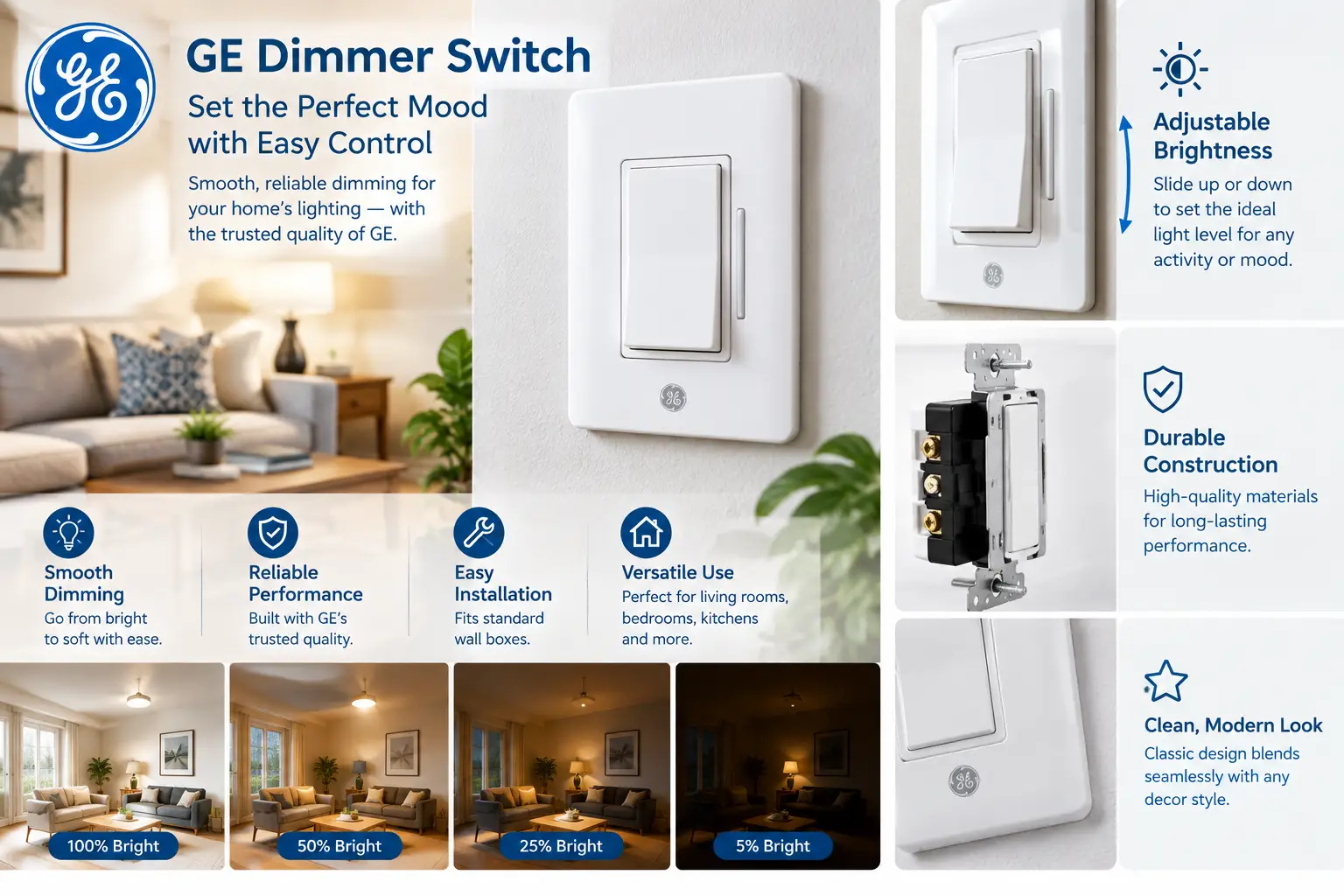
A ge dimmer switch is a GE-branded wall control that lowers or raises the brightness of hardwired lights by trimming the electrical power reaching the bulb. Models range from simple rotary and slide dimmers made by Jasco to smart Wi-Fi, Z-Wave, and Zigbee dimmers you control by app or voice.
Most household dimmers use phase-cut control, which chops part of each AC wave to reduce power; the Wikipedia overview of how dimmers work is a solid primer if you’re curious. That one design choice is why LED compatibility, minimum loads, and neutral wires keep coming up throughout this guide.
For this 2026 roundup, we compared manufacturer spec sheets, retailer listings, expert reviews, and aggregated customer feedback for seven GE dimmers you can find on amazon.com. No invented test labs here, just honest analysis of what each switch does, who it suits, and where it falls short. ✅
ge dimmer switch Quick Comparison: 7 Picks at a Glance
Before the deep dives, here’s the cheat sheet. Wiring is listed first on purpose: it rules out more options than price does.
| Model | Control style | Wiring needs | Smart features | Price range | Best for |
|---|---|---|---|---|---|
| GE 18021 Rotary Dimmer | Push-on/off knob | Single-pole, no neutral | None | Around $10–$15 | GE 18021 Rotary Dimmer: one-switch rooms on a tight budget |
| GE 18020 3-Way Rotary Dimmer | Push-on/off knob | 3-way circuit, no neutral | None | Under $20 | GE 18020 3-Way Rotary Dimmer: stairs and hallways |
| GE 18023 Slide Dimmer | Rocker + preset slider | Single-pole or 3-way | None | $15–$25 range | GE 18023 Slide Dimmer: modern look, zero apps |
| GE CYNC No-Neutral Dimmer | Smart button dimmer | No neutral; ground + 15W minimum | Wi-Fi + Bluetooth, Alexa, Google | $20–$40 range | GE CYNC No-Neutral Dimmer: pre-1980s homes |
| GE CYNC Paddle Dimmer | Smart paddle + slider | Neutral (+ traveler for multi-way) | Matter over Wi-Fi | $25–$35 range | GE CYNC Paddle Dimmer: smart 3-way and 4-way circuits |
| GE CYNC Keypad Dimmer | Smart keypad with scene buttons | Neutral (+ traveler for multi-way) | Wi-Fi + Bluetooth, scenes | $35–$50 range | GE CYNC Keypad Dimmer: scene lovers in CYNC homes |
| GE Enbrighten Z-Wave Dimmer 46203 | Smart paddle | Neutral; Z-Wave hub required | Z-Wave Plus mesh | $30–$45 range | GE Enbrighten Z-Wave Dimmer 46203: hub-based automation |
Looking at the table, the dividing line isn’t price, it’s your wall box. If you have no neutral wire, your smart choice narrows to the GE CYNC No-Neutral Dimmer, while anyone with a neutral and a 3-way stairwell gets the most for their money from the GE CYNC Paddle Dimmer. And if you just want softer light without an app, the GE 18021 Rotary Dimmer does the job for the price of a few coffees.
💬 One click helps other shoppers make an informed choice too! 😊
Top 7 GE Dimmer Switches: Expert Analysis for 2026
The seven picks below run from basic knobs to hub-based smart dimmers. Each gets the same treatment: what the specs mean in practice, who it suits, what real buyers report, and whether it’s worth the money.
1. GE 18021 Rotary Dimmer — cheapest way to tame one light
If all you want is softer light over the dining table, this push-on/off knob is the simplest GE answer on the market.
Jasco rates the GE 18021 Rotary Dimmer for up to 150 watts of dimmable LED or CFL and up to 600 watts of incandescent on a 120VAC single-pole circuit, with UL listing and a one-year warranty. In real terms, 150 watts of LED is a lot of light, roughly fifteen 9-watt bulbs, so a chandelier or a run of recessed cans fits comfortably. The push-to-toggle design also means your chosen brightness stays put when you click the light off.
Based on the specs, this is the pick for renters, older homes, and anyone who wants a dimmer rather than a gadget: no neutral, no app, no Wi-Fi password. The trade-off is style. A round knob looks traditional, so if your walls are full of flat Decora-style rockers, the GE 18023 Slide Dimmer below will blend in better.
We couldn’t verify a large pool of reviews tied specifically to the single-pole 18021. Feedback on its near-identical 3-way sibling is broadly positive about smooth, simple operation, which is a reasonable signal, though not a guarantee.
Pros:
- ✅ Very low cost for a name-brand, UL-listed dimmer
- ✅ No neutral wire, hub, or app required
- ✅ White and light-almond knobs included in the box
Cons:
- ❌ Single-pole only, so no two-switch circuits
- ❌ Traditional knob look clashes with modern rockers
Usually around $10 to $15 (check the current price), the GE 18021 Rotary Dimmer is hard to beat on value for one-switch rooms.
2. GE 18020 3-Way Rotary Dimmer — budget fix for two-switch rooms
This is the same friendly knob, built for lights controlled from two locations, like stairways, long halls, and open-plan living rooms.
The GE 18020 3-Way Rotary Dimmer uses a push-on/off rotating knob, works with dimmable LED, CFL, and incandescent bulbs, ships with two knob colors, and is UL listed. Here’s what 3-way means in practice: you swap one of your two switches for this dimmer and keep a standard 3-way switch at the other end. Dimming happens only at the knob; the far switch simply toggles the light on and off.
That makes it the cheapest route to dimmable stair lighting in an older house, without anything smart in the mix. It’s not the right pick if you want to adjust brightness from both ends; for that, jump to the GE CYNC Paddle Dimmer.
Customer reviews generally praise smooth operation and an easy swap for a worn-out dimmer. Two complaints recur: some buyers say a standard faceplate won’t sit perfectly flush over the knob, and others note it won’t dim all the way down to near-darkness like some older dimmers.
Pros:
- ✅ Affordable dimming on an existing 3-way circuit
- ✅ Familiar push-to-toggle knob anyone can use
- ✅ Handles dimmable LED, CFL, and incandescent bulbs
Cons:
- ❌ Brightness adjusts from one location only
- ❌ Some buyers report faceplate fit and low-end range issues
Typically under $20, the GE 18020 3-Way Rotary Dimmer is a strong value if your circuit is already wired for two switches.
3. GE 18023 Slide Dimmer — modern rocker look, no app required
This is the pick for people who like the clean rocker style common in newer US homes but don’t want anything connected to Wi-Fi.
Jasco describes the GE 18023 Slide Dimmer as a rocker with an independent slide dimmer for single-pole or 3-way installs, with removable tabs for multi-gang boxes, dimmable LED, CFL, and incandescent compatibility, UL listing, and a one-year replacement policy. The independent slider is the quiet hero: you set brightness once, and the rocker turns the light on and off at that preset level. The removable tabs let it sit beside other switches in a 2- or 3-gang box, though breaking tabs off typically lowers the maximum wattage, so check the insert sheet.
Our take: it’s the best non-smart GE option for kitchens and living rooms where several people use the switch and nobody wants to relearn anything. Note that the wall plate isn’t included, so budget a few dollars for a Decora-style plate.
We couldn’t verify a substantial set of customer reviews tied to this exact model number, so treat this as a spec-based recommendation rather than a crowd-tested one.
Pros:
- ✅ Preset slider remembers your favorite brightness
- ✅ Works in single-pole or 3-way setups
- ✅ Removable tabs simplify multi-gang installs
Cons:
- ❌ Wall plate sold separately
- ❌ Exact LED wattage isn’t listed on Jasco’s product page
In the $15 to $25 range, the GE 18023 Slide Dimmer is fair value for a modern look without monthly-app headaches.
4. GE CYNC No-Neutral Dimmer — smart dimming for pre-1980s wiring
If your switch box only holds line, load, and ground wires, this is one of the few name-brand smart dimmers that will work at all.
The GE CYNC No-Neutral Dimmer (model CSWDMBLBWF1NN) connects over Bluetooth and 2.4GHz Wi-Fi and talks to Alexa and Google Home without a hub. GE lists three requirements: a ground wire, a 15-watt minimum load, and 2.4GHz Wi-Fi. That minimum matters more than it sounds. One 8-watt LED bulb may not draw enough power to keep the switch’s radio alive, which shows up as flicker; GE includes a small bulb adapter for the fixture to help with exactly that. It can also pair wirelessly with other CYNC switches for multi-location control, even across different circuits.
Based on the specs, it’s ideal for owners of 1950s to 1970s homes who want schedules and voice control. If you do have a neutral, the GE CYNC Paddle Dimmer is the better-rounded choice.
Aggregated retailer reviews are mixed. Buyers like the easy install and dimming, but recurring complaints mention app reliability, occasional resets, and an indicator light too bright to sleep near.
Pros:
- ✅ Works without a neutral wire
- ✅ Alexa and Google control with no hub
- ✅ Wireless multi-switch control across circuits
Cons:
- ❌ App and connectivity complaints appear often
- ❌ Bright indicator light can’t be dimmed or switched off
Pricing swings widely, roughly $20 to $40 at the time of writing, so the GE CYNC No-Neutral Dimmer is good value mainly for homes that truly lack a neutral.
5. GE CYNC Paddle Dimmer — one switch smartens a whole 3-way circuit
This is the most well-rounded GE smart dimmer of 2026, and the one that solves the stairwell problem without buying a second smart switch.
The GE CYNC Paddle Dimmer supports Matter over 2.4GHz Wi-Fi, so it works with Alexa, Apple Home, Google Home, and SmartThings. GE designed it for single-pole, 3-way, or 4-way circuits, and one unit makes the entire multi-way circuit smart, with no companion switches at the other ends. It needs a neutral wire, plus the traveler for multi-way setups. A mechanical slider sets brightness, and a column of seven small LEDs shows the level at a glance. It can also control other CYNC bulbs and fixtures that aren’t wired to it, which is handy for linking lamps to the wall.
In its January 2026 hands-on, TechHive’s review of the CYNC Paddle Dimmer found dimming with LED bulbs smooth and praised the hub-free, companion-free multi-way setup. The reviewer’s caveats: a bulky body with five pigtail wires that crowd small boxes, and a 3-way premium you pay even on a single-pole circuit.
Customer review volume for this newer model is still modest, so that expert evaluation is the clearest independent data point we found.
Pros:
- ✅ Matter support covers Apple Home users too
- ✅ Smart 3-way and 4-way with no companion switches
- ✅ Clean paddle design with a visual brightness meter
Cons:
- ❌ Large housing is a tight fit in crowded boxes
- ❌ Requires a neutral wire
In the $25 to $35 range, the GE CYNC Paddle Dimmer is excellent value for multi-way circuits and merely fair for simple single-switch rooms.
6. GE CYNC Keypad Dimmer — scene buttons right on the wall
If you already own several CYNC bulbs, this keypad turns your wall into a scene controller instead of a plain on/off button.
The GE CYNC Keypad Dimmer uses Bluetooth and 2.4GHz Wi-Fi, needs a neutral (plus a traveler for multi-way), and, like its paddle sibling, can make a 3-way or 4-way circuit smart on its own. The difference is the buttons. You can save scenes, say a bright morning preset and a dim evening one, or group the overhead light with table lamps running CYNC bulbs, then trigger them with one press. Practically, that means guests and kids get one-touch scenes without opening an app.
Here’s what to weigh: the extra buttons only pay off inside a multi-device CYNC home. TechHive, which reviewed the keypad in late 2025, made essentially the same point, noting it makes the most sense for people with plenty of other CYNC gear. With a single fixture, the GE CYNC Paddle Dimmer does the same core job for less.
We couldn’t verify a large body of Amazon reviews tied to this specific model, so this assessment leans on specs and that expert coverage.
Pros:
- ✅ Physical scene and group buttons at the wall
- ✅ Smart multi-way control from one switch
- ✅ Schedules and voice control through the CYNC app
Cons:
- ❌ Busier look than a simple paddle
- ❌ Costs more than the paddle for similar dimming
GE lists it in the $40s, and it usually lands in the $35 to $50 range, so the GE CYNC Keypad Dimmer is worth it mainly if you own CYNC bulbs.
7. GE Enbrighten Z-Wave Dimmer 46203 — hub-based reliability for automation fans
This is the dimmer for people who already run a smart home hub and want lighting that doesn’t depend on Wi-Fi or a cloud app.
The GE Enbrighten Z-Wave Dimmer 46203 is a Z-Wave Plus in-wall dimmer with two Jasco upgrades. QuickFit trims the housing depth by up to 20 percent versus earlier models and drops the heat tabs, which matters in older, shallow boxes. SimpleWire auto-detects line and load, so mixing up those two wires won’t stop the install. It also repeats the Z-Wave signal, with a listed range of up to 150 feet, which strengthens your whole mesh. It requires a Z-Wave hub such as SmartThings, Ring Alarm, or HomeSeer, plus a neutral, and multi-way setups use Jasco add-on switches. A Zigbee sibling, the Enbrighten 43080, can pair directly with certain Echo devices that have a built-in Zigbee hub, though its availability varies.
Aggregated reviews describe it as dependable for app and voice control through a hub. Recurring notes: guests may find it less intuitive, adding the neutral pigtail can call for a bigger wire nut, and earlier-generation owners mentioned a tiny blue LED instead of a backlit paddle.
Pros:
- ✅ Local Z-Wave mesh, not dependent on Wi-Fi
- ✅ Shallow QuickFit body suits cramped boxes
- ✅ Auto line/load sensing reduces wiring mistakes
Cons:
- ❌ Useless without a compatible Z-Wave hub
- ❌ Multi-way setups need separate add-on switches
Typically between $30 and $45, the GE Enbrighten Z-Wave Dimmer 46203 is great value for hub owners and the wrong buy for everyone else.
Top 7 GE Dimmers Compared Side by Side
| Model | Neutral needed? | Multi-way method | Protocol | Review sentiment | Price range | Best for |
|---|---|---|---|---|---|---|
| GE 18021 Rotary Dimmer | No | Not supported | None | Limited model-specific data | $10–$15 | GE 18021 Rotary Dimmer: single lights, small budgets |
| GE 18020 3-Way Rotary Dimmer | No | Standard 3-way switch at other end | None | Mostly positive; faceplate gripes | Under $20 | GE 18020 3-Way Rotary Dimmer: budget stairwells |
| GE 18023 Slide Dimmer | No | Standard 3-way switch at other end | None | Limited model-specific data | $15–$25 | GE 18023 Slide Dimmer: shared family rooms |
| GE CYNC No-Neutral Dimmer | No | Wireless pairing with CYNC switches | Wi-Fi + Bluetooth | Mixed; app reliability concerns | $20–$40 | GE CYNC No-Neutral Dimmer: older homes |
| GE CYNC Paddle Dimmer | Yes | One switch, existing traveler | Matter over Wi-Fi | Positive expert review | $25–$35 | GE CYNC Paddle Dimmer: smart 3-way circuits |
| GE CYNC Keypad Dimmer | Yes | One switch, existing traveler | Wi-Fi + Bluetooth | Expert coverage; limited user data | $35–$50 | GE CYNC Keypad Dimmer: CYNC scene setups |
| GE Enbrighten Z-Wave Dimmer 46203 | Yes | Jasco add-on switches | Z-Wave Plus | Generally dependable | $30–$45 | GE Enbrighten Z-Wave Dimmer 46203: hub-based homes |
The multi-way column tells the real story. The GE CYNC Paddle Dimmer and GE CYNC Keypad Dimmer are the only picks that make a whole 3-way circuit smart with a single purchase, while the GE Enbrighten Z-Wave Dimmer 46203 needs add-on switches. On the budget side, the GE 18020 3-Way Rotary Dimmer is the only sub-$20 route to dimming a two-switch staircase.
✨ Don’t miss these exclusive picks!
🔍 Take your lighting to the next level with this carefully curated lineup. Click a highlighted model to check current pricing and availability. These picks will help you get cozy, flicker-free evenings the whole family will enjoy!
How to Install a ge dimmer switch and Nail the First 30 Days
Most GE dimmers are a 20- to 30-minute DIY job for anyone comfortable with basic wiring. If you’re not, an electrician’s visit is cheap insurance. Here’s the sequence that avoids the classic mistakes. 🔧
Before you open the wall
- Kill the right breaker. Then confirm the power is off with a non-contact voltage tester. Labels on old panels lie more often than you’d think.
- Photograph the existing wiring. A phone photo of which wire went where saves you on 3-way circuits, where the common terminal is easy to mix up.
- Check for a neutral. Look for a bundle of white wires tied together at the back of the box. No bundle means a non-smart dimmer or the GE CYNC No-Neutral Dimmer.
- Measure box depth. Smart dimmers are deep. Shallow or crowded boxes favor the slimmer GE Enbrighten Z-Wave Dimmer 46203.
During installation
- ✅ Use the wire nuts that fit your wire count; grab a larger nut if you’re adding a neutral pigtail to an existing bundle.
- ✅ Fold wires accordion-style so the switch sits flush without stress on the connections.
- ✅ Leave multi-gang tabs intact unless you need the room, since removing them usually lowers the rated load.
The first 30 days
On smart models, update firmware in the app on day one, because early fixes often target dimming curves and connectivity. Then set the low-end trim, if your model offers one, so bulbs don’t flicker at the bottom of the range. Finally, live with it for a week before setting schedules. You’ll quickly learn which brightness levels you actually use, and your automations will be better for it.
Problem → Solution: Fixing Flicker, Buzz, and Ghosting
Nearly every dimmer complaint traces back to the pairing between the bulb and the switch, not a defective product. Here are the five issues buyers mention most, with fixes. ⚡
1. Flicker at low brightness. The LED driver can’t handle the dimmer’s lowest output. Raise the low-end trim, or swap to a bulb brand the manufacturer lists as compatible.
2. Buzzing or humming. This usually comes from the bulb’s driver reacting to the phase-cut waveform. Try a different dimmable bulb brand before blaming the switch; customer reports for GE’s motion dimmers, for example, trace audible buzz to specific bulbs at dim settings.
3. Lights glow faintly when off. Common with no-neutral smart dimmers on tiny LED loads. With the GE CYNC No-Neutral Dimmer, install the included bulb adapter or add bulbs until you clear the 15-watt minimum.
4. Lights won’t dim all the way down. Some basic dimmers, including a few buyer reports on the GE 18020 3-Way Rotary Dimmer, stop short of near-darkness. Pick a bulb with a wide dimming range.
5. Mismatched bulbs behave differently. Mixing brands on one circuit causes uneven dimming. Keep one brand and model per fixture.
The ENERGY STAR guide to dimmable LED lighting backs the same approach: buy bulbs labeled dimmable, check the bulb maker’s recommended dimmers, and be ready to try a different bulb if your first pick misbehaves.
Real-World Scenarios: Which GE Dimmer Fits Your Home?
Specs get easier to judge when you picture a real house. Here are three common US buyer profiles, matched to the best pick. 🏡
Profile 1: The renter with a harsh dining light
Budget: under $20. One fixture, one switch, landlord permission secured, and zero interest in another app. The GE 18021 Rotary Dimmer is the call. It installs in minutes, needs no neutral, and handles a multi-bulb LED chandelier within its 150-watt LED rating. When the lease ends, you can swap the original switch back in.
Profile 2: The 1960s ranch owner who wants voice control
Budget: $30 to $40 per switch. The house has line, load, and ground, but no neutral in most boxes, and the goal is evening scenes via Alexa. The GE CYNC No-Neutral Dimmer is one of the few name-brand options that fit. Pair it with a quality dimmable LED and meet the 15-watt minimum to avoid flicker.
Profile 3: The family with a busy two-story stairwell
Budget: around $30. Lights are switched from the top and bottom of the stairs, used dozens of times a day, and the family uses Apple Home. The GE CYNC Paddle Dimmer wins here: Matter support covers the iPhones, and one switch makes the whole 3-way circuit smart, so you don’t buy a second smart switch for the other end.
How to Choose a ge dimmer switch in 7 Steps
Work through these in order. Each step eliminates options, so by step 7 you’re usually down to one or two models. ✅
- Check your wiring first. A neutral wire opens up every smart option; no neutral limits you to basic dimmers or the GE CYNC No-Neutral Dimmer.
- Count the switches controlling the light. One switch means single-pole. Two means 3-way, and three or more means 4-way, which rules out the GE 18021 Rotary Dimmer.
- Add up your bulb wattage. Total the actual LED watts, not the incandescent-equivalent numbers on the box, and stay comfortably under the dimmer’s LED rating.
- Confirm bulb compatibility. The U.S. Department of Energy’s report on dimming LEDs with phase-cut dimmers explains that most dimming trouble comes from bulb-dimmer mismatch, not faulty LEDs.
- Pick your ecosystem. Apple Home users should favor Matter, Alexa and Google homes have wider choice, and hub owners should look at Z-Wave.
- Decide who uses the switch. Busy households and guests do better with simple paddles or knobs than with keypads.
- Set a per-switch budget. Multiply by every room you plan to upgrade; costs climb fast across a whole house.
GE Smart Dimmer Switch vs Standard Dimmer: Which Makes Sense?
The honest answer depends on whether you’ll use schedules, voice, or scenes. If you won’t, a GE smart dimmer switch is paying for features that sit idle.
| Feature | Standard on/off switch | Basic GE dimmer | GE smart dimmer |
|---|---|---|---|
| Brightness control | No | Yes, at the wall | Yes, wall + app + voice |
| Schedules and away mode | No | No | Yes |
| Neutral wire needed | No | No | Usually yes (except no-neutral models) |
| Setup complexity | Lowest | Low | Moderate (app, Wi-Fi or hub) |
| Typical price | A few dollars | $10–$25 | $20–$50 |
| Best for | Closets, utility rooms | GE 18023 Slide Dimmer: living spaces | GE CYNC Paddle Dimmer: connected homes |
The jump from a standard switch to a basic dimmer delivers the biggest comfort gain per dollar. The jump to smart mostly buys convenience: vacation lighting, bedtime routines, and turning off forgotten lights from your phone. For many homes, the sweet spot is a smart dimmer in two or three high-traffic rooms and basic dimmers everywhere else.
GE 3-Way Dimmer Switch Setups, Explained
Three-way circuits confuse more DIYers than anything else in this category, mostly because GE’s options handle them three different ways. 🔀
Option 1: Dimmer at one end, plain switch at the other
The GE 18020 3-Way Rotary Dimmer and GE 18023 Slide Dimmer replace one of your two 3-way switches. You dim from that spot only; the other end just toggles power. It’s cheap, simple, and fine for stairs where you rarely adjust brightness from the bottom.
Option 2: One smart switch runs the whole circuit
The GE CYNC Paddle Dimmer and GE CYNC Keypad Dimmer use the existing traveler wire, so a single unit makes the entire circuit smart. You keep your other switch, and the app or voice handles dimming from anywhere.
Option 3: Master plus add-on switches
The GE Enbrighten Z-Wave Dimmer 46203 acts as the master, while Jasco add-on switches at the other locations send commands to it. You’ll need one add-on per extra location, which raises the total cost but gives every location full dimming control.
For a GE 3-way dimmer switch on a budget, Option 1 wins. For the best experience per dollar, Option 2 is the one to beat.
GE Dimmer Switch for LED Lights: Features That Actually Matter (and Ones That Don’t)
Marketing copy loves long feature lists. Here’s what genuinely changes your daily experience with a GE dimmer switch for LED lights, and what you can ignore. 💡
Features that matter
- ✅ LED wattage rating. It’s the real capacity number. A 150-watt LED rating is plenty for most rooms; incandescent ratings are irrelevant if you’ve switched to LEDs.
- ✅ Low-end trim or minimum-brightness adjustment. This is what stops flicker at the bottom of the range.
- ✅ Preset brightness. Sliders that remember your level make everyday use smoother than tap-to-ramp designs.
- ✅ Multi-way method. As covered above, this decides how many switches you buy.
- ✅ Housing depth. A slim body like Jasco’s QuickFit design can make or break an install in an older box.
Features that matter less than you’d think
- ❌ Energy-monitoring claims. Interesting data, rarely actionable for a single lighting circuit.
- ❌ Dozens of app scene slots. Most households use two or three scenes, tops.
- ❌ Fancy indicator lights. Nice in a hallway, but buyers of the GE CYNC No-Neutral Dimmer report the non-adjustable glow can be a bedroom nuisance.
Common Mistakes to Avoid When Buying a ge dimmer switch
Most returns in this category come from avoidable mismatches. Watch for these five. ⚠️
- Buying smart before checking for a neutral. It’s the number-one reason a GE CYNC dimmer switch ends up back in its box. Open the wall first.
- Using incandescent-equivalent wattage. A 60-watt-equivalent LED draws about 8 to 10 watts. Counting it as 60 makes you overbuy; counting tiny loads can leave you under a smart dimmer’s minimum.
- Ignoring box fill. Smart dimmers with pigtails, like the GE CYNC Paddle Dimmer, need room. A crowded 2-gang box may need a deeper box or an electrician.
- Choosing a hub-based dimmer without a hub. A GE Z-Wave dimmer such as the GE Enbrighten Z-Wave Dimmer 46203 does nothing smart until it joins a Z-Wave network.
- Mixing bulb brands on one circuit. Different LED drivers react differently to the same dimmer, so one fixture can flicker while another behaves.
Safety, Regulations, and Standards
A dimmer lives inside your wall for a decade or more, so the boring safety details deserve attention. 🔒
- UL listing: Every non-smart GE model in this guide is UL listed by Jasco. Look for UL or ETL marks on any dimmer you buy, especially off-brand alternatives.
- FCC compliance: Smart dimmers contain radios, and Jasco’s Z-Wave documentation notes compliance with FCC rules. Reputable smart switches carry an FCC ID on the device or packaging.
- Lights only: Standard light dimmers are not designed for ceiling-fan motors or for switched receptacles feeding plug-in loads. Fans need a fan-rated speed control.
- Grounding and box fill: The National Electrical Code, adopted with local amendments, governs grounding and how many conductors a box can hold. The GE CYNC No-Neutral Dimmer explicitly requires a ground wire.
- Local rules: Some cities and states require permits or a licensed electrician for any wiring change. Check with your local building department before you start.
- Multi-gang derating: Breaking off side tabs to fit dimmers side by side lowers their rated capacity. Follow the derating table in the instructions.
When in doubt, hiring a licensed electrician for a one-hour visit is cheap compared with fixing a scorched box.
Long-Term Cost and Maintenance
Dimmers are not a money machine, and anyone promising big energy savings from dimming LEDs is overselling. Here’s an honest look at total cost of ownership. 💵
Energy savings, run honestly
Take an illustrative fixture with six 9-watt LEDs (54 watts) used four hours a day. That’s about 79 kWh a year, or roughly $13 at around 17 cents per kWh, and rates vary by state. If you run it at half brightness and power draw roughly halves, you save maybe $6 to $7 a year. Note that LED efficacy also drops somewhat when dimmed, so real savings may be slightly lower. The bigger wins are comfort, ambiance, and potentially longer bulb life.
| Option | Upfront cost per switch | Ongoing costs | Long-term value | Best for |
|---|---|---|---|---|
| GE 18021 Rotary Dimmer | $10–$15 | None | Excellent: simple, durable | GE 18021 Rotary Dimmer: single rooms |
| GE CYNC Paddle Dimmer | $25–$35 | Firmware updates, Wi-Fi | Very good for multi-way | GE CYNC Paddle Dimmer: whole 3-way circuits |
| GE Enbrighten Z-Wave Dimmer 46203 | $30–$45 (+ add-ons, hub) | Hub upkeep | Good if hub already owned | GE Enbrighten Z-Wave Dimmer 46203: automation fans |
The table shows why the cheapest dimmer often wins on lifetime value: no app, no firmware, nothing to break when a cloud service changes. Smart models earn their premium only when you use schedules daily, and the Z-Wave route only makes financial sense if you already own the hub.
Maintenance checklist
- ✅ Install firmware updates on smart models a few times a year.
- ✅ Wipe faceplates with a dry or barely damp cloth, never spray cleaner directly.
- ✅ If a dimmer feels hot to the touch, beyond slightly warm, cut power and check the load and wiring.
FAQ: Quick Answers Before You Buy
❓ Is a GE CYNC dimmer switch compatible with Apple HomeKit?
❓ Can I put a ge dimmer switch on a ceiling fan?
❓ How many LED bulbs can one ge dimmer switch handle?
❓ Do GE smart dimmers still work if the Wi-Fi goes down?
❓ Are GE dimmer switch multi-packs on Amazon worth buying?
Conclusion: The Right ge dimmer switch Is the One That Fits Your Walls
If there’s one lesson in this guide, it’s that wiring decides before budget does. Check for a neutral, count your switches, and total your real LED watts, and the right GE dimmer usually picks itself.
For most people, the GE CYNC Paddle Dimmer is the best overall smart choice in 2026. Matter support, hub-free setup, and one-switch control of a whole 3-way circuit make it the strongest value in GE’s lineup. Homes without a neutral should look at the GE CYNC No-Neutral Dimmer, with eyes open about the mixed app feedback. If you already run a Z-Wave hub, the GE Enbrighten Z-Wave Dimmer 46203 gives you local, Wi-Fi-independent control.
And if you simply want better light without another app, don’t overthink it. The GE 18021 Rotary Dimmer, GE 18020 3-Way Rotary Dimmer, and GE 18023 Slide Dimmer cost little, install fast, and keep working for years. Fans of one-touch scenes with plenty of CYNC bulbs will get the most from the GE CYNC Keypad Dimmer.
Whichever you choose, pair it with quality dimmable LEDs from one brand, respect the ratings, and call an electrician if the wall box surprises you. Your evenings, and your eyes, will thank you. 🌙
🚀 Ready to upgrade your lighting? Click a highlighted model above to check current pricing and availability, and find the perfect dimmer for every room tonight!
Recommended for You
- General Electric Outdoor Lighting: 7 Brilliant Picks for 2026
- European Sockets and Switches: 7 Best Options for Modern Homes
- Power Meter Monitor: 7 Best Energy Monitoring Options
Disclaimer: This post contains affiliate links. As an Amazon Associate, I earn from qualifying purchases made through these links, at no additional cost to you.
✨ Found this article helpful? Share it with someone who needs it! 💬🤗
