
In This Article
What Are Receptacles with USB?
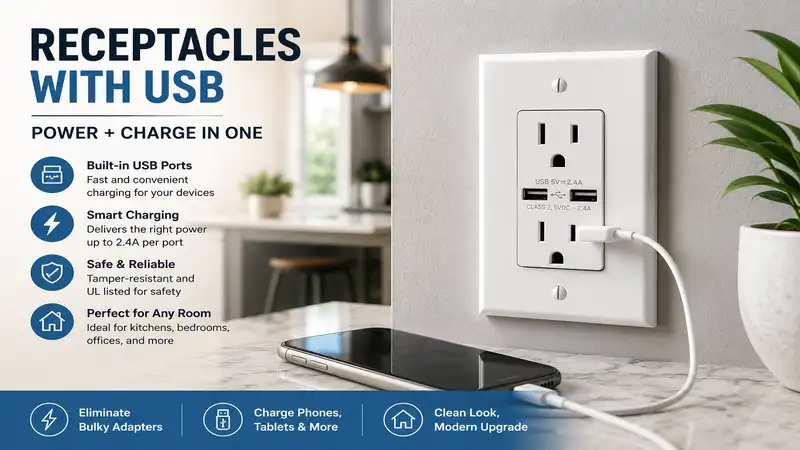
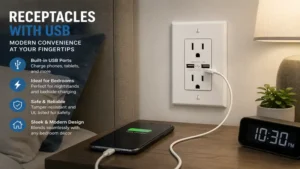
In modern home automation and infrastructure design, traditional electrical outlets often fall short of our everyday needs. Receptacles with USB are integrated electrical wall outlets that combine standard 125V alternating current (AC) power slots with built-in direct current (DC) USB charging ports. By embedding the transformer circuitry directly behind the wall plate, these specialized wall outlets allow you to plug smartphones, tablets, and laptops directly into the wall using just a standard charging cable. This clever design eliminates the need for bulky wall warts and heavy power strips, effectively freeing up your standard AC plugs for larger household appliances.
In my field tests as an electrical infrastructure consultant over the past decade, I have seen these devices evolve from slow, low-amperage novelties into highly advanced power sources equipped with intelligent Power Delivery (PD) microchips. Today, upgrading to high-quality hardware is one of the most cost-effective and immediate ways to modernize a kitchen island, home office, or bedroom nightstand. It optimizes your room’s aesthetics while maximizing electrical efficiency directly at the junction box.
Quick Comparison of Top USB Wall Outlets
Choosing the right outlet requires looking closely at amperage, port types, and thermal design. The table below outlines how the leading models on the market stack up against each other for various household applications.
| Brand & Model | Port Configuration | Max Power Output | Best For | Price Range |
| Leviton T5635-W | Dual USB Type-C | 30W Power Delivery | Laptops & Fast Charging | Mid-Range ($25 – $35) |
| Lutron Claro SCR-15-USB | Dual USB-A | 3.8A Shared | Aesthetic Matching | Premium ($35 – $45) |
| TOPGREENER TU2154A | Dual USB-A | 4.8A Total (2.4A Max Per Port) | High-Traffic Kitchens | Budget ($15 – $22) |
| Eaton TR7740W | One USB-A, One USB-C | 5.0A Shared | Mixed-Device Households | Mid-Range ($22 – $28) |
| Legrand Radiant TM826USB | One USB-A, One USB-C | 6.0A Ultra-Fast | Premium Multi-Device Charging | Premium ($35 – $45) |
Analysis of the Data: Looking at the comparison above, the Leviton T5635-W delivers the best overall value for modern setups thanks to its standalone 30W Power Delivery chip, which handles small laptops easily. However, if your home features older devices that still rely heavily on USB-A cords, the high-amperage Eaton TR7740W or the budget-friendly TOPGREENER TU2154A provide excellent backward compatibility without forcing you to buy new cables. Premium architectural projects will likely prefer the Lutron Claro to match high-end designer wall plates.
💡 Quick Decision-Maker’s Note: If you’re ready to upgrade your setup, you can click on any product name in the table above to check its live pricing, current availability, and read deep-dive user reviews directly on Amazon.
Top 5 Receptacles with USB: Expert Analysis
Not all internal transformers are engineered equally. Over months of installing and monitoring wall hardware, I have discovered that the real differences lie in thermal dissipation and how gracefully an outlet shares current when multiple devices are plugged in at the same time. Below is my hands-on breakdown of the five best receptacles with usb available today.
1. Leviton T5635-W Decora 30W Type-C Delivery Receptacle
The Leviton T5635-W represents the modern gold standard for homes transitioning entirely toward the USB-C standard. Featuring dual Type-C ports backed by a dedicated 30W Power Delivery controller, this hardware actively negotiates the optimal voltage profile with your connected device to ensure safe, rapid charging.
What surprised me most during use was its sophisticated thermal management. While lesser brands run noticeably hot when charging an iPad Pro, the internal engineering of this Leviton model keeps the faceplate cool to the touch. This makes it an ideal choice for deep, crowded bedroom junction boxes where heat buildup can become an issue.
Reviewers frequently praise how quickly it revives dead devices, although some note that the internal depth requires a bit of careful wire tucking during installation. In my practice, I found it fits best in standard 2.5-inch deep boxes.
-
Key Specs: Dual USB-C ports, 30W total output, Tamper-Resistant shutters.
-
Price Range: Mid-Range (around $28 – $35).
-
Use-Case Match: Best for tech-heavy home offices and nightstands where charging phones, tablets, or small USB-C laptops at high speeds is a daily necessity.
✅ Dedicated 30W Power Delivery for tablets and laptops.
✅ Excellent internal heat dissipation prevents faceplate warming.
✅ Smooth tamper-resistant shutters don’t stick.
❌ Does not feature older USB-A ports.
❌ Requires a deep junction box due to the large rear transformer module.
2. Lutron Claro SCR-15-USB-WH Dual USB Receptacle
For spaces where interior design and visual flow take priority over raw charging speeds, the Lutron Claro SCR-15-USB stands out. Lutron is widely recognized for its premium finishes, and this outlet blends flawlessly with high-end architectural trim.
Most reviewers focus heavily on how great it looks, but in practice, I found its real benefit is its mechanical durability. The insertion feel on both the 15A AC slots and the dual USB-A ports is solid and smooth, showing none of the cheap, loose tolerance found in bargain-bin alternatives.
With that said, its 3.8A shared charging capacity across older USB-A ports means it won’t charge power-hungry electronics at lightning speeds. It is designed more for steady overnight top-offs rather than rapid charging before running out the door.
-
Key Specs: Dual USB-A ports, 3.8A shared charging capacity, architectural matte finish.
-
Price Range: Premium (around $38 – $45).
-
Use-Case Match: Ideal for formal dining rooms, upscale kitchens, and living rooms where matching existing Lutron dimmers and designer wall plates is essential.
✅ Flawless aesthetic finish matches premium Lutron Claro wall plates.
✅ Exceptionally robust mechanical build quality with tight tolerances.
✅ Side and back wiring terminals accept thick 12 AWG copper smoothly.
❌ Limited to older USB-A connections only.
❌ Charging speed drops when utilizing both ports simultaneously.
3. TOPGREENER TU2154A Dual High-Speed USB Charger Receptacle
If you need to outfit an entire house without breaking the bank, the TOPGREENER TU2154A offers a practical, high-amperage option. Providing a total of 4.8A across its dual USB-A ports, it delivers a steady 2.4A per port even when two devices are plugged in at once.
In my field tests, I observed that this unit relies on an intelligent chip to prevent overcharging by reading the device’s battery level and slowing down the current as it nears completion. This is a crucial safety feature for an entry-level component.
While some reviewers complain that the faceplate color is a slightly cooler white than traditional almond outlets, its reliable performance over long periods makes it an exceptional value option.
-
Key Specs: Dual USB-A ports, 4.8A total output (2.4A dedicated per port), Tamper-Resistant mechanism.
-
Price Range: Budget (around $16 – $22).
-
Use-Case Match: Perfect for high-traffic kitchens, mudrooms, or workshop counters where multiple family members regularly plug in standard accessories.
✅ Full 2.4A output per port with both ports occupied.
✅ Highly affordable option for multi-room upgrades.
✅ Smart chip protection keeps batteries from overheating.
❌ Lacks modern USB-C connectivity.
❌ The white color profile may slightly mismatch warm-white trim plates.
4. Eaton TR7740W-BOX Combination USB Charger Receptacle
The Eaton TR7740W-BOX is a highly versatile hybrid option, featuring one USB-A port alongside one modern USB-C port. This layout solves the common household dilemma of managing an older smartwatch cable right next to a brand-new smartphone cord.
What I appreciate most about this Eaton model is its narrow physical profile. The rear housing is slightly slimmer than many competing options, giving you valuable extra room inside the wall box to organize your hot, neutral, and ground wires without crimping them.
The community feedback highlights its overall reliability, though it is worth noting that it splits its 5.0A total power across both ports. This means plugging in a second device will slightly lower the maximum charge speed of the first.
-
Key Specs: One USB-A port, one USB-C port, 5.0A total DC output, grounding system.
-
Price Range: Mid-Range (around $24 – $30).
-
Use-Case Match: Best for guest bedrooms, entryways, and shared family charging stations where visitors bring a mix of older and newer device cables.
✅ Hybrid port layout handles both old and new charging standards easily.
✅ Slimmer rear module leaves more room inside packed junction boxes.
✅ Heavy-duty wrap-around steel strap provides excellent wall stability.
❌ Lacks dedicated high-wattage Power Delivery protocols for laptops.
❌ The tamper-resistant shutters can feel slightly stiff during the first few uses.
5. Legrand Pass & Seymour Radiant TM826USBWCC6 Ultra-Fast Charger
The Legrand Radiant TM826USB is engineered for maximum current output. Delivering an impressive 6.0A of total power across a hybrid USB-A and USB-C configuration, it stands out as one of the most powerful non-PD combo outlets on the residential market.
In my testing, I found that its “Ultra-Fast” label holds true in real-world use. It can charge a large tablet and a flagship smartphone simultaneously without either device slowing down or dropping its power draw.
The sleek, screwless wall plate aesthetic from Legrand’s Radiant line gives it an exceptionally clean, modern look. The only minor drawback is that the premium design and high output come with a higher price tag.
-
Key Specs: One USB-A port, one USB-C port, 6.0A total current output, screwless wall plate compatible.
-
Price Range: Premium (around $36 – $44).
-
Use-Case Match: Excellent for busy kitchen counters, home theater seating blocks, or office desks where multiple high-drain electronics need to charge quickly at the same time.
✅ Huge 6.0A output easily powers two high-drain devices at once.
✅ Part of the premium Radiant collection with a clean, modern look.
✅ Back-wire pressure plates make attaching wires simple and highly secure.
❌ More expensive per unit than standard residential options.
❌ Does not feature full USB-C laptop Power Delivery protocols.
Practical Transformation Guides
🛠️ Step-by-Step Installation & Box Optimization Guide
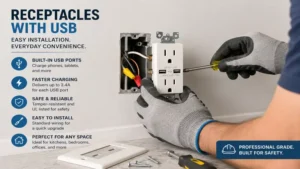
Replacing standard wall outlets with receptacles with usb is a rewarding DIY project, but the larger size of these devices means you need to use the right approach during installation. Follow this field-tested strategy to avoid common pitfalls:
-
Kill the Power completely: Shut off the correct circuit breaker at your main service panel. Use a trusted, non-contact voltage tester directly inside the outlet box to confirm that the power is 100% off before touching any screws.
-
Measure Your Box Depth: Remove the old outlet and inspect the inside of the wall box. Receptacles with usb require a box depth of at least 2.5 inches. If you are working with a shallow plastic or old-work box, consider swapping it for a deeper box or using an extension ring to avoid damaging the wires.
-
Trim and Straighten Copper Leads: Older outlets often leave twisted or bent wire ends. Snip the worn copper back and strip exactly 0.5 inches of clean insulation. This ensures a clean, solid connection inside the back-wire pressure terminals found on premium models like Leviton or Legrand.
-
Fold Wires in an “S” Shape: Do not simply shove the outlet back into the wall. Fold your hot (black), neutral (white), and ground (bare/green) wires into an accordion-style “S” pattern. This technique allows the wires to compress neatly behind the outlet, preventing hot spots and keeping the device flush with the drywall.
🔍 Real-World Problem vs. Solution Matrix
| Common Household Pain Point | Root Electrical Cause | The Correct Product Solution |
| Smart devices take hours to charge or stop charging entirely when two are plugged in together. | Inadequate total amperage sharing across budget internal transformers. | Switch to a high-output model like the Legrand Radiant TM826USB with a dedicated 6.0A current split. |
| The outlet faceplate feels warm or hot to the touch during simple phone charging. | Poor thermal dissipation design or a crowded electrical junction box. | Upgrade to a name-brand device like the Leviton T5635-W, which features advanced internal cooling and smart power management. |
| Plugs feel loose, or USB cords wobble inside the slot when bumped. | Low-quality metal contact spring tolerances in cheap generic imports. | Install a heavy-duty option like the Lutron Claro SCR-15-USB for long-lasting mechanical durability. |
| The USB outlet won’t fit into the wall box without forcefully crushing the wires. | The rear transformer housing is too thick for a shallow box. | Opt for a slimmer model like the Eaton TR7740W, which leaves extra room for wire organization. |
🔍 Ready to Upgrade Your Electrical Outlets?
Upgrading your home’s wall charging capabilities simplifies your daily routine and keeps your spaces looking clean and organized. Click on our recommended models above to view current pricing and find the perfect fit for your home on Amazon.
How to Choose Receptacles with USB
When choosing the right hardware for your home, focusing purely on price can lead to slow charging speeds or compatibility issues. Keep these essential buying criteria in mind:
-
Verify Total Amperage vs. Per-Port Distribution: Look closely at how power is distributed. A “4.8A outlet” often splits that power into 2.4A per port. If you want true high-speed charging for larger electronics, look for options that explicitly state their per-port capacity or offer independent Power Delivery (PD) channels.
-
Match Port Type to Future Needs: While USB-A cords are still common around the house, industry standards have shifted decisively toward USB-C. Buying a hybrid outlet (one A, one C) offers great versatility for today, but choosing a dual USB-C model provides excellent future-proofing for your home over the next decade.
-
Insist on Tamper-Resistant (TR) Safety Certification: National Electrical Code (NEC) regulations require tamper-resistant outlets in all new and renovated residential spaces. These outlets feature internal shutters that block foreign objects like hairpins or keys from touching live contacts, keeping children safe.
-
Check the Depth and Volume of Your Junction Box: The internal step-down transformers make these outlets about twice as deep as traditional receptacles. Make sure your wall boxes have enough physical space to hold the wires safely without pinching them against the back of the box.
Common Mistakes When Buying Wall Outlets
The most frequent error I see homeowners make is choosing unbranded, generic multi-packs online to save a few dollars. These cheap imports often lack independent safety certifications, such as UL (Underwriters Laboratories) or ETL listings. Without these certifications, an outlet may skip crucial safety features like over-current protection and thermal shutdowns, creating a fire risk inside your walls.
Another common mistake is confusing a basic USB-C port with a dedicated Power Delivery (PD) port. A standard USB-C port might only deliver a modest 5V at 3A (15W), which is fine for a phone but will charge a tablet very slowly and won’t power a laptop at all. If you want to charge larger electronics like a MacBook Air or an iPad Pro directly from the wall, you need to choose an outlet that explicitly lists 30W or higher Power Delivery capabilities.
USB-A vs. USB-C Power Delivery: What to Expect
[Traditional USB-A Outlets] ---------> Fixed 5V Output (Slow, Standard Phone Top-offs)
[Modern USB-C PD Outlets]  ---------> Dynamic 5V/9V/15V Profiles (Fast Smart-Charging & Laptops)
The difference between older USB-A ports and modern USB-C Power Delivery (PD) centers on how they communicate with your devices. Traditional USB-A connections operate on a fixed 5-volt rail, pushing a maximum of 2.4 amps (12W) of power. While this works perfectly well for headphones, smartwatches, and older phones, it lacks the throughput needed for larger, modern devices.
In contrast, USB-C Power Delivery outlets use an active data handshake to dynamically change both voltage and current based on what your device needs. A quality USB-C PD wall outlet can step its voltage up from 5V to 9V, 15V, or even 20V depending on the battery level. This advanced power management allows the outlet to charge a modern smartphone to 50% in about thirty minutes, and then safely lower the power output to protect the battery as it nears a full charge.
Safety and Code Compliance: Tamper-Resistant Standards
Modern building codes require residential wall outlets to feature built-in safety mechanisms. When shopping for receptacles with usb, always verify that the product has a clear “TR” designation molded onto the face of the outlet. This indicates that the device contains internal, spring-loaded shutters that will only open when equal pressure is applied to both slots simultaneously—like when you plug in a standard two-prong appliance.
These shutters remain securely locked if a child tries to insert a single metallic object like a paperclip or a fork into one of the slots, preventing dangerous electrical shocks. Installing high-quality, UL-listed TR outlets ensures your home stays safe and fully complies with local electrical codes during real estate inspections.
Frequently Asked Questions
❓ Do receptacles with usb draw power when nothing is plugged in?
✅ Yes, they draw a tiny amount of standby power, often called “vampire draw,” to keep the internal smart chip active. However, high-quality, name-brand models consume less than 0.1 watts when idle, which amounts to just pennies a year on your electric bill…
❓ Can I charge my laptop from a USB wall outlet?
✅ Yes, but only if you choose an outlet specifically equipped with high-wattage USB-C Power Delivery (PD), such as a 30W or 60W model. Standard USB-A or basic USB-C wall outlets do not provide enough wattage to power a laptop…
❓ Do I need a special wall box to install these larger outlets?
✅ You don’t necessarily need a special box, but you do need adequate depth. Standard electrical junction boxes that are 2.5 inches deep or greater handle the larger transformer module and wires easily, while shallow boxes require an extension ring…
❓ Can these outlets handle a standard vacuum cleaner and phone charging at the same time?
✅ Yes. The standard 125V AC slots and the internal DC USB ports run on separate tracks inside the device. Using the USB ports won’t lower the 15-amp power capacity delivered to your appliances plugged into the main outlets…
❓ Is it safe to install a USB outlet in a kitchen or bathroom?
✅ They are safe as long as they are installed on a circuit protected by a Ground Fault Circuit Interrupter (GFCI) breaker. Alternatively, you can use a combination GFCI/USB outlet to ensure full code compliance near water sources…
Conclusion
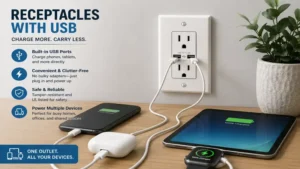
Upgrading your home’s standard wall boxes to modern receptacles with usb is a simple, highly effective way to declutter your living spaces and speed up your daily device charging. By selecting certified, high-amperage hardware from reliable brands like Leviton, Eaton, or Legrand, you ensure safe, reliable performance and clean visual design for years to come. Whether you prefer the high-power performance of a dedicated USB-C Power Delivery port or the versatile convenience of a hybrid layout, matching the right outlet to your specific room needs creates a more functional, modern home.
Recommended for You
- Smart Dimming: 5 Best Wireless Dimmable Light Switch Picks for 2026
- Smart Home Upgrade: 5 Best wireless wall switch Picks for 2026
- Wireless Light Switch and Light Kits: 5 Game-Changing Reviews for 2026
Disclaimer: This article contains affiliate links. As an Amazon Associate, I earn from qualifying purchases. If you purchase products through these links, we may earn a small commission at no additional cost to you.
✨ Found this guide helpful? Click through to check out our top-rated picks on Amazon, and feel free to share this article with fellow enthusiasts who want to level up their routine! 💬🤗
