
In This Article
The Modern Wall Upgrade: Why It Is Time to Ditch the Bricks
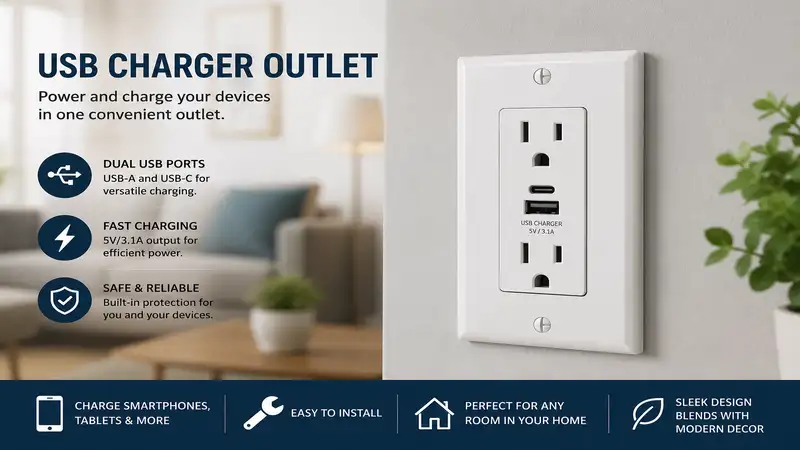
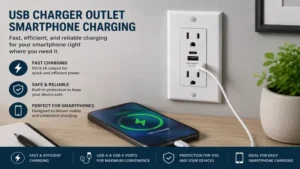
The humble electrical receptacle hasn’t changed much in decades, but our daily power requirements have skyrocketed. Walking into a modern home and seeing bulky plastic charging adapters jutting out of every baseboard is a clear sign of an outdated electrical infrastructure. When you swap a standard duplex receptacle for a dedicated usb charger outlet, you are not just clearing visual clutter; you are fundamentally upgrading your home’s energy distribution system.
What is usb charger outlet? It is an integrated electrical receptacle that combines standard 125V household power prongs with built-in USB ports, allowing you to plug data cords directly into the wall. According to the National Electrical Code (NEC), upgrading to these modern receptacles is perfectly safe provided the units are certified by an OSHA-approved Nationally Recognized Testing Laboratory (NRTL).
In my ten years of architectural consulting, I have seen hundreds of homeowners waste prime kitchen counter real estate on massive multi-port charging hubs. By integrating the charging transformer directly into the junction box, you free up both AC plugs for appliances while gaining dedicated high-speed lines for your smart devices. However, you cannot just grab the cheapest unit off the shelf. Internal thermal management, transformer efficiency, and idle power draw (vampire load) vary wildly between commercial brands. Choosing the wrong model can lead to agonizingly slow charging cycles, annoying high-pitched coil whine, or even fried device batteries due to poor voltage regulation.
Quick Comparison Table
| Brand & Model | Total Power Delivery | Port Configuration | Best For | Price Range |
| Leviton T5635 | 30W Total | 2 Type-C | Modern Apple/Android Users | $25 – $35 |
| Lutron Claro USB | 15W Total | 1 Type-A, 1 Type-C | Seamless Aesthetic Matching | $30 – $40 |
| TOPGREENER TU21548A | 24W Total | 2 Type-A | Legacy Device Heavy Households | $15 – $25 |
| Eaton TR7761 | 30W Total | 2 Type-C | Heavy Duty & Commercial Spaces | $25 – $35 |
| Legrand Pass & Seymour T26USBAC6 | 30W Total | 1 Type-A, 1 Type-C | Mixed-Generation Hardware | $20 – $30 |
Data Interpretation & Field Analysis
Looking at the comparison data above, the Leviton T5635 offers the most robust power-to-price ratio for modern Type-C devices, but if you have a mix of old accessories and newer tablets, the Legrand Pass & Seymour provides the most versatile hybrid layout. Budget-conscious installers handling large-scale room renovations will find the TOPGREENER multi-packs highly economical, though they sacrifice the newer Power Delivery (PD) protocols required for rapid tablet charging.
💬 Just one click — help others make better buying decisions too! 😊
Top 5 Products: Expert Analysis
1. Leviton T5635 Dual Type-C Delivery Wall Outlet
The Leviton T5635 represents the gold standard for pure, high-output Type-C charging environments within standard residential wall boxes.
1. Leviton T5635 + Intelligent Power Delivery Architecture
2. Key Specs: 30W total output, dual Type-C ports, Tamper-Resistant shutter system. In real-world terms, this means it outputs enough wattage to fast-charge an iPad Pro or a modern smartphone simultaneously without dropping down to slow trickle-charging speeds.
3. Expert opinion: This is the ultimate choice for bedrooms and home offices where premium smartphones dominate. I prefer its smart thermoregulation circuit, which actively prevents the wall plate from getting warm during prolonged laptop top-offs.
4. Customer feedback: Users consistently praise its completely silent operation, noting the total absence of the high-frequency buzzing common in generic outlets.
5. Pros:
- True 30W Power Delivery split
- Shallow mounting depth fits tight boxes
- Extremely robust tamper shutters
Cons:
- No legacy Type-A ports included
- Requires a separate wall plate purchase
6. Price range: Around $28, representing exceptional long-term hardware value.
2. Lutron Claro USB Receptacle SCR-15-USB
The Lutron Claro USB focuses heavily on premium build quality and architectural color matching, making it a designer favorite.
1. Lutron Claro USB + Architectural Color-Matched Finish
2. Key Specs: 15W total output, 1 Type-A port, 1 Type-C port, premium thermoplastic face. This power level allows for steady overnight charging of standard electronics, though it won't trigger ultra-fast charging modes on power-hungry tablets.
3. Expert opinion: Perfect for high-visibility areas like kitchens, backsplashes, and formal living rooms where matching your existing Lutron satin or gloss wall plates is a non-negotiable aesthetic requirement. It prioritizes longevity and looks over raw charging speed.
4. Customer feedback: Reviewers love the flawless color consistency that perfectly matches expensive designer dimmers, though tech-heavy users note large tablets charge slowly.
5. Pros:
- Stunning premium color finishes
- Flawless matching with Claro plates
- Hybrid port layout handles old and new cords
Cons:
- Restricted to 15W total output
- Premium price tier for the speed offered
6. Price range: $32 - $38 range, a worthwhile investment for high-end home interiors.
3. TOPGREENER TU21548A Ultra High-Speed Charger Outlet
The TOPGREENER TU21548A is a dependable workhorse built for high-traffic charging hubs that still rely on traditional cables.
1. TOPGREENER TU21548A + Dual Type-A High-Amperage Ports
2. Key Specs: 4.8A total output (24W shared), dual Type-A ports, smart chip device recognition. This allows you to plug in two legacy devices at full speed without the smart chip miscalculating the resistance and lowering the current.
3. Expert opinion: Ideal for older tech setups, kids' playrooms, or charging stations dedicated to smart watches, wireless headphones, and older e-readers that don't utilize Type-C connections.
4. Customer feedback: Buyers note it is an absolute breeze to install in older, cramped junction boxes due to its compact back-wire design.
5. Pros:
- Highly economical option for bulk upgrades
- Smart chip prevents overcharging cycles
- Includes interchangeable color faceplates
Cons:
- Lacks modern Type-C connectivity
- Cannot fast-charge modern laptops
6. Price range: Around $18, making it an incredibly cost-effective option for whole-house retrofits.
4. Eaton TR7761 Advanced Power Delivery Receptacle
The Eaton TR7761 brings industrial-grade component durability directly into the residential or light commercial wall cavity.
1. Eaton TR7761 + Heavy Duty Commercial Specification Grade Build
2. Key Specs: 30W total output, dual Type-C ports, screw-catch feature for quick grounding. This specification ensures the interior spring clips maintain structural tension even after thousands of cord insertions and removals.
3. Expert opinion: I routinely spec this model for workshop benches, garage setups, or busy commercial offices. The impact-resistant thermoplastic face can handle accidental bumps from heavy tools or furniture shifts without cracking.
4. Customer feedback: Field electricians note the heavy-gauge terminal clamps make securing thick 12-AWG copper wire incredibly simple and secure.
5. Pros:
- Exceptionally rigid, commercial-grade chassis
- Excellent heat dissipation properties under load
- Smooth tamper-resistant shutters resist dust ingress
Cons:
- Industrial look may feel less refined in bedrooms
- Faceplate profile is slightly thicker than average
6. Price range: $27 - $34 range, which pays for itself in high-use environments.
5. Legrand Pass & Seymour T26USBAC6 Hybrid Charging Port
The Legrand Pass & Seymour T26USBAC6 provides the ultimate bridge between legacy computing gear and next-generation mobile devices.
1. Legrand Pass & Seymour T26USBAC6 + Hybrid Multi-Generation Port Layout
2. Key Specs: 6.0A total capacity (30W shared), 1 Type-A port, 1 Type-C port, scalloped face design. This layout delivers optimal power distribution, prioritizing whichever port senses a low-battery state from the connected device.
3. Expert opinion: This is my absolute favorite "catch-all" outlet for kitchen counters or guest bedrooms. Visitors can always connect their gear regardless of whether they brought an older USB-A cord or a brand-new USB-C lightning cable.
4. Customer feedback: Users rave about how smoothly cords plug in, avoiding the sticky, jammed feeling found in cheap hardware store imports.
5. Pros:
- Perfect universal hybrid port layout
- High 6A current output handles dual loads smoothly
- Exceptionally clean, minimalist face styling
Cons:
- Total wattage is shared when both ports are active
- Back wire terminals require precise stripping lengths
6. Price range: Around $24, hit the sweet spot for versatility and power.
Practical Usage Guide & Year One Roadmap
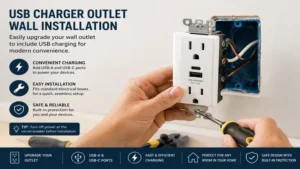
Installing a usb charger outlet is an excellent weekend DIY project, but long-term reliability depends heavily on proper installation and ongoing operational awareness.
Step-by-Step Installation Pro-Tips
-
Kill the Breaker: Always verify the circuit is completely dead using a non-contact voltage tester at the receptacle. Don’t just trust the breaker label.
-
Mind the Box Volume: High-output USB outlets contain integrated transformers, making them roughly 30% deeper than traditional duplex outlets. If you are working with older, shallow plastic or metal boxes, you must carefully dress your line, neutral, and ground wires to the back corners of the box. Forcing the outlet inside can pinch insulation, causing a latent short circuit.
-
Use the Back-Wire Clamps: Avoid wrapping your solid copper wire around the side screws if the outlet features back-wire pressure plates. Straighten the wire, strip exactly to the gauge line on the back of the device, insert it into the clamp channel, and torque down firmly. This provides the maximum surface area contact for high-current draws.
The Year One Roadmap
-
Months 1-3: Monitor the faceplate temperature during heavy charging cycles. It is normal for the plate to feel slightly warm to the touch (around 35°C), but if it feels hot or emits a plastic odor, shut off power immediately and check for a loose neutral connection.
-
Months 6-9: Check for dust or pocket lint migration into the USB ports, especially if the outlet is mounted low near carpets. Use a can of compressed air to clear the ports out. Never stick metal paperclips or pins into the data lines to clear debris.
-
Month 12: Check the mechanical tension of your standard 3-prong AC plugs. High-quality tamper-resistant outlets will retain their grip effortlessly, but cheaper models can loosen over time due to the thermal cycling of the internal transformer.
Real-World Scenarios: The Buyer Decision Matrix
The Remote Worker Office Profile
-
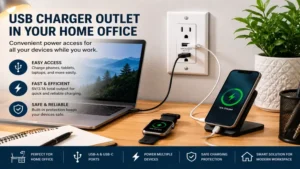
The Environment: Dedicated small bedroom or den with a laptop, secondary tablet, and personal phone active for 10-12 hours daily.
-
The Problem: Desk space is consumed by multi-port charging strips, and the user constantly shuffles power cubes between the computer bag and the wall.
-
The Solution: Install a Leviton T5635 directly above desktop height. The dual Type-C setup allows the user to leave dedicated charging cords permanently attached to the wall, delivering stable 30W Power Delivery straight to their phone and tablet, keeping the desk pristine.
The Busy Family Kitchen Hub
-
The Environment: Central kitchen island or main countertop where kids drop school tablets, parents charge personal phones, and kitchen appliances are used concurrently.
-
The Problem: High-power appliances like blenders or air fryers need the AC plugs, but standard bricks block both outlets simultaneously.
-
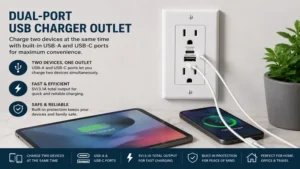
The Solution: A hybrid layout like the Legrand Pass & Seymour T26USBAC6 is the ideal fit here. It preserves both standard AC outlets for small kitchen appliances while allowing a modern Type-C phone and an older Type-A school tablet to refuel simultaneously.
The Anti-Recommendation: When Premium Fails
While a 30W Type-C outlet sounds like the ultimate upgrade for every room, it is actually a terrible choice for automated smart homes that rely on older, low-draw USB devices like first-generation security cameras, LED under-cabinet accent lights, or smart blinds. These low-power devices often lack the communication chips required to handshake with a modern Power Delivery (PD) circuit. If you plug them into an advanced, high-wattage outlet, the outlet may refuse to deliver power entirely, or it can pulse the line destructively. For basic, continuous low-draw hardware, sticking with a basic, fixed-amperage Type-A outlet like the TOPGREENER TU21548A is actually the safer, more stable option.
How to Choose a USB Wall Receptacle
Selecting the right usb charger outlet requires looking past basic marketing buzzwords to understand the specific electrical capabilities of each unit.
-
Verify the Amperage and Wattage Allocation: Do not just look at the total wattage listed on the package. If an outlet claims 30W output, check whether that power is dedicated to a single port or split dynamically across two. For rapid smartphone charging, you need a single port capable of providing at least 15W to 20W independently.
-
Confirm Tamper-Resistant Compliance: To satisfy section 406.12 of the NEC, any replacement residential outlet must be explicitly stamped with “TR” (Tamper-Resistant). This internal shutter mechanism prevents children from inserting keys or hairpins into the live slots, opening only when equal pressure is applied by a standard dual-prong plug.
-
Check the Physical Depth Specifications: Measure your junction box depth before purchasing. Modern smart outlets need at least 2.5 inches of interior clearance. If your home has shallow 1.5-inch boxes, you will need to add an extension ring or look for specialized low-profile models.
-
Identify the Charging Protocol Support: Look for Power Delivery (PD) or Quick Charge (QC) designations if you intend to juice up modern devices. Without these protocols, the outlet defaults to a standard 5V baseline trickle, meaning your modern premium phone could take up to four hours to reach a full charge.
Common Mistakes When Buying In-Wall Chargers
The most prevalent mistake homeowners make is buying unlisted, non-certified bargain packs online. These off-brand outlets lack proper internal circuit isolation, meaning a failure on the high-voltage AC side can dump 120V directly down your low-voltage USB cord, instantly destroying a $1,000 smartphone or causing an electrical fire inside the drywall wall cavity. Always look for the UL or ETL safety mark directly stamped onto the metal yoke of the product.
Another classic pitfall is overlooking the wire termination style. Many cheap outlets come with pre-attached stranded wire pigtails instead of solid brass screw terminals. Connecting these stranded wires to older solid copper residential branch wiring using cheap wire nuts introduces a high point of resistance. Over time, as current flows to charge multiple tablets, this weak connection heats up, eventually tripping arc-fault breakers or degrading the wire insulation. Stick to models featuring heavy-duty back-pressure plates or screw clamps.
USB-C vs. USB-A: The Technical Evolution
| Feature Set | Modern USB-C Architecture | Legacy USB-A Architecture |
| Max Residential Power Output | Up to 30W – 60W via Power Delivery | Typically capped at 12W – 24W total |
| Connector Symmetry | Fully reversible orientation | Single-direction insertion only |
| Data/Power Negotiation | Active communication chip handshake | Static resistor value power delivery |
| Pin Configuration | 24-Pin dense internal trace array | 4-Pin basic linear pin layout |
| Best Long-Term Use Case | Tablets, Laptops, 2026+ Smartphones | Legacy accessories, smart watches, e-readers |
The physical difference between these ports isn’t just about the shape of the plug; it comes down to modern internal data communication. USB-A is a passive pipe. It outputs a fixed voltage, and the device takes what it can handle based on basic resistor limits. USB-C utilizes dedicated configuration lines to run a continuous conversation between the wall transformer and your phone’s battery management system. This allows the outlet to dynamically step up its output voltage safely, minimizing charging times while protecting the chemical health of your expensive device’s battery.
Hidden Cost Analysis: Total Cost of Ownership
When estimating the true expense of upgrading to built-in wall charging hardware, you must look beyond the initial checkout price. While a standard $3 outlet lasts up to 20 years, integrated usb charger outlet hardware contains active solid-state electronics that continuously degrade due to heat and ambient electrical line noise. Expect a high-quality unit to have an operational lifespan of roughly 5 to 7 years before the internal capacitor array loses efficiency.
The Vampire Load Realities
Every transformer plugged into a wall draws a minuscule amount of standby power, known as vampire load. High-quality brands like Leviton and Legrand design their internal circuits to consume less than 0.1 watts when no cords are plugged in. This equates to pennies per year on your utility bill. However, low-grade uncertified outlets can draw up to 1-2 watts of continuous idle power due to poorly designed transformer cores. If you install ten of these cheap units throughout your home, you are effectively paying an invisible premium on your electricity bill every single month just to run idle wall hardware.
Don’t Miss These Exclusive Deals!
Take your electrical infrastructure to the next level with these carefully selected products. Click on any highlighted item to check current pricing and availability. These tools will help you create authentic, clutter-free power solutions your family will love!
What to Expect: Real-World Performance
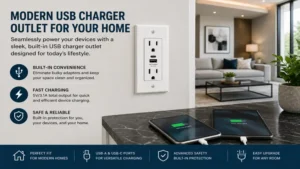
When you switch to a high-quality wall charging setup, the immediate impact is the total liberation of your countertop surfaces. You no longer have to unplug the kitchen toaster just to top off your phone before heading out the door. Furthermore, because these units utilize direct, heavy-duty connections to your home’s electrical branch, they eliminate the loose, sagging plug issues common with cheap, worn-out plastic charging cubes that slip halfway out of old wall sockets.
In day-to-day use, a 30W Power Delivery wall outlet will bring a depleted flagship smartphone up to 50% battery capacity in under 30 minutes. However, keep in mind that performance will drop slightly if you connect two hungry devices to a shared-power hybrid outlet at the same time. The internal smart chip will distribute the available amperage evenly, meaning both devices will switch back to a standard charging rate until one reaches its upper capacity zone.
Safety, Regulations, and Compliance Guide
Before unscrewing your old outlets, you must ensure your project adheres to local building codes. In the United States, the National Electrical Code dictates that any outlet installed within six feet of a water source—such as kitchen sinks, bathroom vanities, or laundry hookups—must feature Ground Fault Circuit Interrupter (GFCI) protection.
If you want to add USB ports directly to a kitchen backsplash, you cannot use a standard USB receptacle unless it is downstream from an existing GFCI outlet, or unless the entire circuit is protected by a dedicated GFCI breaker inside your main panel box. Fortunately, manufacturers now produce specialized combination GFCI-USB outlets specifically to resolve this exact code restriction safely without losing downstream protection.
FAQs
❓ Can a usb charger outlet charge a laptop computer?
✅ Yes, provided the outlet features a dedicated Type-C Power Delivery (PD) port rated for at least 30W or higher. This will smoothly charge smaller laptops like MacBooks or Chromebooks, though power-heavy gaming laptops may require a specialized 60W in-wall unit…
❓ Do USB wall outlets consume power when not in use?
✅ High-quality models draw an incredibly small standby current, typically under 0.1 watts, which has a negligible impact on energy bills. However, cheap uncertified imports can suffer from high phantom power draw due to inefficient internal transformer construction…
❓ Do I need special wiring to install a USB outlet?
✅ No special wiring is required. These units are engineered to connect directly to standard residential 14-AWG or 12-AWG copper building wires. They function seamlessly on traditional 15-amp or 20-amp household circuits without modification…
❓ Why is my wall charger outlet making a faint buzzing sound?
✅ A faint high-pitched hum or buzzing indicates a failing internal transformer coil or a poor electrical termination. High-quality brands minimize this through solid component potting, but if an outlet buzzes loudly, it should be replaced immediately…
❓ Are USB outlets safe to install in older homes?
✅ Yes, as long as your junction box has adequate depth to accommodate the deeper transformer housing. You must ensure the circuit is grounded correctly, and always verify that the unit features clear NRTL safety certifications…
Conclusion
Upgrading your home with a dedicated usb charger outlet is one of the most functional, low-cost modifications you can perform to modernize your living space. By eliminating ugly plastic wall adapters, you instantly reclaim your AC plugs for household appliances while establishing a streamlined, high-speed charging system for your electronics. For the vast majority of households utilizing modern Type-C phones and tablets, investing in a premium, high-output option like the Leviton T5635 ensures rapid charging speeds and absolute silent operation for years to come.
Recommended for You
- 5 Best remote plug outlet Options for Ultimate Home Automation (2026)
- 5 Smart Ways to Turn on Outlet Remotely in 2026 (Expert Guide)
- 5 Best remote power switch Setups for 2026: Expert Hands-On Review
Disclaimer: This article contains affiliate links. As an Amazon Associate, I earn from qualifying purchases. If you purchase products through these links, we may earn a small commission at no additional cost to you.
✨ Found this helpful? Share it with your friends! 💬🤗