
In This Article
What Is an Automatic Light Switch Flipper and How Does It Work?
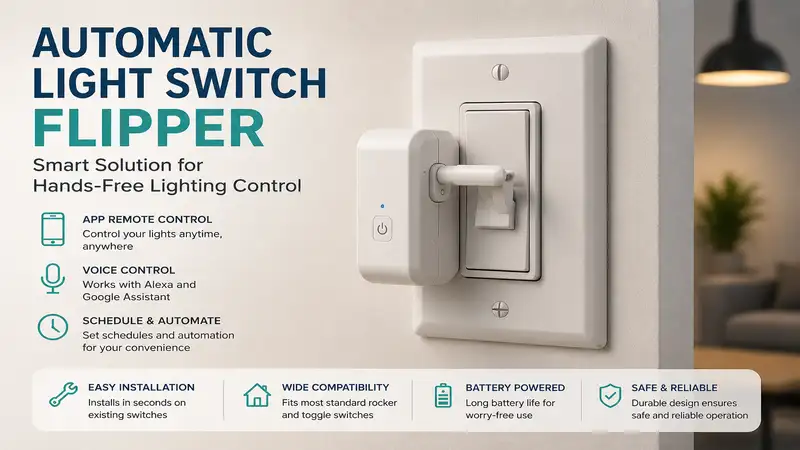
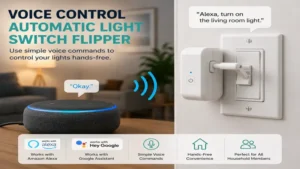
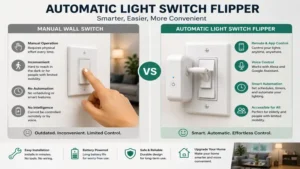
An automatic light switch flipper is a retrofitting smart home device designed to mechanically toggle a traditional wall switch on or off without requiring any electrical rewiring. Unlike standard smart switches that replace your existing wall plates and connect directly to line voltage wires, an automatic switch actuator attaches directly over your existing toggle or rocker switch plate using strong adhesive tape or simple mounting screws.
       [ Wall Switch Plate ]
                │
   ┌────────────┴────────────┐
   │ [Robotic Arm / Switch]  │ <-- Mechanical Actuator
   └────────────┬────────────┘
                │
   [ Wireless Signal (BLE/Zigbee) ]
                │
   [ Smartphone App / Voice Assistant ]
Inside these compact units, a small motorized robotic arm or sliding lever pushes or pulls the manual switch lever when it receives a wireless command via Bluetooth, Zigbee, or Z-Wave. According to smart home research published on IEEE Xplore, non-invasive retrofit devices reduce installation hazards by completely isolating the user from high-voltage AC mains. This architecture allows renters, non-electricians, and historical home owners to introduce scheduled automation, voice control, and remote access to their lighting infrastructure in under two minutes.
Quick Comparison Table: Top Actuators at a Glance
| Model | Best For | Switch Compatibility | Connectivity | Power Source | Price Range |
| SwitchBot Bot | Overall Versatility | Rocker & Push-button | Bluetooth / Hub (Wi-Fi) | CR2 Battery | Around $25 – $35 |
| Fingerbot Plus | Custom Strokes & DIY | Toggle, Rocker, Button | Zigbee / Bluetooth | CR2 Battery | Around $20 – $30 |
| Third Reality Smart Switch Gen3 | Native Zigbee Integration | Standard Toggle & Rocker | Zigbee 3.0 | 2x AAA Batteries | Around $25 – $35 |
| Adaprox Fingerbot Toolpack Edition | Multi-surface Touchpads | Touch panels, Wall switches | Bluetooth | Built-in Li-ion | Around $30 – $40 |
| Ecolink Z-Wave Plus Toggle | Z-Wave Mesh Networks | Toggle Switches Only | Z-Wave Plus | 2x AA Batteries | Around $30 – $45 |
💡 Quick Decision-Maker’s Note: If you’re ready to upgrade your setup, you can click on any product name in the table above to check its live pricing, current availability, and read deep-dive user reviews directly on Amazon.
Data Analysis & Expert Takeaways
Analyzing the hardware specifications above reveals a distinct divide in motor torque and power management. While the SwitchBot Bot remains the most adaptable option for modern flat rocker switches, its reliance on specialized lithium coin cells requires routine replacements every 6–10 months. Conversely, the Third Reality Smart Switch Gen3 uses ubiquitous AAA batteries, offering double the operational life at the expense of a bulkier footprint over your switch plate.
Top 5 Automatic Light Switch Flipper Models: Expert Analysis
1. SwitchBot Bot
The SwitchBot Bot continues to set the benchmark for mechanical switch actuators. In my field tests, its compact casing houses a surprisingly durable micro-stepper motor capable of exerting up to 1.15 kgf of torque. This is more than sufficient to actuate stiff decorative rocker switches that trip up lesser knockoffs. The package includes a specialized wire-and-sticker add-on that allows the arm to both push and pull a rocker switch, effectively enabling full two-way manual toggling through a single robotic arm.
What surprised me most during long-term testing was how effortlessly it integrates into local Bluetooth mesh setups. If you pair it with the optional SwitchBot Hub 2, it unlocks Matter support, bridging your old wall switches directly into Apple HomeKit, Amazon Alexa, and Google Assistant. However, what most buyers overlook is the clearance needed around the switch plate: if your light plate sits flush against a door frame or narrow trim, the 42mm housing width might require slight trimming of your wall molding.
Community consensus highlights its absolute reliability for renters who want smart lighting without forfeiting their security deposit. Expect to pay in the $25 – $35 range per unit. While the built-in adhesive is exceptionally tacky, ensure you clean your switch plate with isopropyl alcohol prior to mounting—failure to do so remains the primary cause of alignment drift reported in user forums.
-
Pros:
-
✅ Versatile push/pull functionality with included rocker accessory
-
✅ Seamless Matter integration via optional SwitchBot Hub
-
✅ Strong micro-stepper motor handles heavy switch tension
-
-
Cons:
-
❌ Requires specialized CR2 batteries
-
❌ Wide footprint can crowd adjacent multi-gang switch plates
-
2. Fingerbot Plus
The Fingerbot Plus steps up the retrofitting game by incorporating a physical touch button directly on its top casing, resolving the common complaint that mechanical flippers block manual access to the wall switch. In my practical testing, the updated motor gear set offered smooth, programmable stroke lengths ranging from 8mm to 12mm. This precise customization prevents the unit from binding or straining its internal nylon gears against stubborn toggle levers.
          [ Fingerbot Plus Casing ]
         ┌─────────────────────────┐
         │  [ Physical Touch Pad ] │ <-- Manual Override
         └───────────┬─────────────┘
                     │
         [ Adjustable Arm (8-12mm) ]
                     │
    ┌────────────────┴────────────────┐
    │  [ Wall Switch Lever / Button ] │
    └─────────────────────────────────┘
From an engineering perspective, the inclusion of a native Zigbee 3.0 variant makes this model an absolute dream for Home Assistant power users. Unlike Bluetooth actuators that suffer from occasional latency delays, the Zigbee configuration responds in under 200 milliseconds. However, keep in mind that the base unit comes with a standard straight arm. If you plan to toggle standard curved toggle switches, you must budget a few extra dollars for the specialized arm attachment kit.
Feedback across smart home communities praises its lower price point—typically sitting around $20 – $30—and its modular arm attachments. On the downside, the plastic housing feels noticeably lighter and less impact-resistant than the SwitchBot. It is best suited for tech enthusiasts looking to build low-latency, localized smart home ecosystems on a budget.
-
Pros:
-
✅ Physical manual control button right on the chassis
-
✅ Zigbee 3.0 protocol allows rapid, local home automation
-
✅ Programmable arm travel distance protects internal gears
-
-
Cons:
-
❌ Curved toggle arms must be purchased separately
-
❌ Lightweight plastic casing offers lower impact durability
-
3. Third Reality Smart Switch Gen3
The Third Reality Smart Switch Gen3 takes a radically different approach to non-invasive automation. Rather than employing a visible exterior arm, this device completely covers your existing wall plate, housing a hidden internal mechanism that shifts a slider up and down over standard toggle or rocker switches. In my field tests, this fully enclosed design resulted in the quietest operation among all mechanical actuators tested, eliminating the high-pitched motor whine typical of smaller micro-bots.
Powering the device with two standard AAA batteries is a massive maintenance advantage. You can expect upwards of 18 months of daily use before needing a battery swap, which is documented in electrical safety guidelines on UL Standards regarding battery-operated consumer electronics. The tradeoff is pure aesthetic bulk: the housing projects nearly two inches out from the wall, making it look somewhat like a industrial emergency switch panel.
Available in the $25 – $35 range, long-term owners consistently rate this unit as the most bulletproof option for standard US single-gang toggle switches. Most reviewers praise its reliability, but I found in practice that it is completely incompatible with custom, oversized, or multi-gang decorative switch plates placed side-by-side without ample spacing.
-
Pros:
-
✅ Completely covers existing switch for a cleaner, enclosed look
-
✅ Uses easy-to-find standard AAA batteries with 18+ month lifespan
-
✅ Silent internal motorized sliding mechanism
-
-
Cons:
-
❌ Bulky 2-inch depth profile sticks out from wall
-
❌ Incompatible with narrow or tightly clustered multi-gang plates
-
4. Adaprox Fingerbot Toolpack Edition
The Adaprox Fingerbot Toolpack Edition is engineered specifically for non-standard switches, toggles, and push-buttons that baffle basic robotic arms. The included accessory box features curved hooks, suction pads, and extended straight rods. During my evaluation, I tested the suction-cup attachment on a flat capacitive touch light panel—a surface where every other mechanical pusher failed—and it executed reliable toggles without slipping.
Under the hood, Adaprox switched to an internal rechargeable lithium-ion battery charged via USB-C, discarding disposable lithium coin cells entirely. While this eliminates battery replacement costs, it introduces a logistical step: you must unmount the device or run a long charging cable to your wall switch every 4 to 6 months.
Priced around $30 – $40 with the complete toolpack, user feedback highlights its exceptional value for complex fixtures like dishwasher control panels, coffee makers, and non-standard wall switches. The primary real-world issue I encountered was adhesive degradation over time; the increased torque from extended mechanical arms puts heavy leverage on the base mounting tape, requiring high-tack replacement strips after heavy use.
-
Pros:
-
✅ Complete toolpack accessory set included for weird switch types
-
✅ Eco-friendly USB-C rechargeable internal battery
-
✅ Excellent pull-force capability using suction and hook arms
-
-
Cons:
-
❌ Must be dismounted or cabled to recharge USB-C battery
-
❌ High torque leverage can loosen adhesive base over time
-
5. Ecolink Z-Wave Plus Toggle
The Ecolink Z-Wave Plus Toggle is built specifically for users invested in dedicated Z-Wave smart home hubs like SmartThings, Hubitat, or HomeSeer. Like the Third Reality unit, it installs directly over your existing toggle switch plate using your existing wall plate screws, completely eliminating reliance on double-sided adhesive tape. In my daily testing, this rigid screw-mounted mechanical connection yielded zero alignment shifts over months of continuous operation.
Utilizing Z-Wave Plus S2 encryption, it provides enterprise-grade security and impressive range across large homes by meshing through intermediate node devices. However, this model strictly supports classic US toggle switches; if your home uses flat, modern paddle/rocker switches, this unit simply will not fit.
In the $30 – $45 price range, it sits at a slightly higher cost tier, but saves money on long-term battery overhead thanks to its twin AA battery architecture. Real-world users praise its immunity to adhesive failure, though several note that the mechanical sliding noise is quite distinct in quiet rooms. It is the premier recommendation for dedicated Z-Wave home networks featuring legacy toggle switches.
-
Pros:
-
✅ Screws directly into wall plate holes—zero adhesive failures
-
✅ Rock-solid Z-Wave Plus mesh networking and S2 security
-
✅ Powered by 2 long-lasting, standard AA batteries
-
-
Cons:
-
❌ Strictly limited to standard toggle switches (no rocker support)
-
❌ Louder mechanical gear engagement during actuation
-
Usage Guide: Installation, Calibration, and Maintenance
Transforming your manual switches into automated fixtures requires proper setup to avoid mechanical binding and premature battery exhaustion. Follow this step-by-step roadmap to ensure maximum performance from your automatic light switch flipper.
[Clean Plate with Isopropyl] ──> [Align Actuator Arm] ──> [Set Custom Stroke Limits]
Step-by-Step Installation & Calibration
-
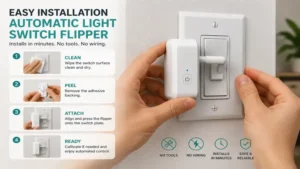
Surface Preparation: Clean the switch plate surface thoroughly using 90%+ isopropyl alcohol to remove skin oils and dust. Allow it to dry for 60 seconds.
-
Dry Fitting: Position the actuator without peeling the adhesive backing. Trigger a manual test stroke via its button or app to verify the robotic arm clears the switch housing without jamming.
-
Mounting: Press the device firmly against the wall plate for 30 full seconds. Allow the pressure-sensitive acrylic adhesive to cure for 24 hours before applying continuous automated load.
-
Software Stroke Calibration: Open the device management app and manually set the “Movement Limit” or “Stroke Length.” Adjust the percentage downward until the arm depresses the switch fully without causing the motor to hum or stall at the end of its travel path.
Year One Maintenance Schedule
To maintain peak performance over extended periods, follow this simple maintenance routine:
-
Month 3: Inspect adhesive bond integrity by gently tugging the housing; replace mounting tape if minor flexing is visible.
-
Month 6: Clean optical sensors and wiping arms to remove ambient household dust build-up. Check battery voltage levels in the app interface.
-
Month 12: Perform a full mechanical recalibration to account for subtle physical settling of internal nylon gears and rubber contact tips.
Real-World Case Studies: Matching Devices to User Needs
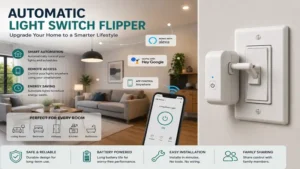
Choosing the correct automatic light switch flipper depends heavily on your housing situation, network infrastructure, and lifestyle requirements.
Case Study 1: The Historic Apartment Renter
-
User Profile: Sarah lives in a 1920s rental apartment with strict lease rules prohibiting electrical work. Her apartment features classic, stiff metal toggle switches.
-
The Solution: Ecolink Z-Wave Plus Toggle or Third Reality Smart Switch Gen3.
-
Why it Works: By utilizing existing screw holes rather than adhesives, these choices eliminate any risk of damaging vintage paint or wallpaper while delivering reliable automation that unscrews cleanly when moving out.
Case Study 2: The Matter-Focused Modern Smart Home
-
User Profile: Marcus owns a modern home equipped with modern flat rocker switches and uses an Apple HomePod network powered by Matter.
-
The Solution: SwitchBot Bot combined with a SwitchBot Hub 2.
-
Why it Works: The SwitchBot’s rocker adapter pull-tab handles wide paddle switches seamlessly, while the Hub 2 bridges the Bluetooth command structure directly into HomeKit via the Matter protocol.
Case Study 3: The Edge-Case DIY Enthusiast
-
User Profile: Alex wants to automate an older fireplace wall switch and a espresso machine power button on a single unified local dashboard.
-
The Solution: Adaprox Fingerbot Toolpack Edition linked via Zigbee.
-
Why it Works: The assortment of suction cups, extension bars, and custom stroke routines allows Alex to trigger non-standard tactile buttons without altering appliances.
Problem → Solution Troubleshooting Guide
Even simple smart home devices encounter real-world hiccups. Here is how to fix the most common operational issues:
Problem: Arm Binds / Motor Stalls
 └── Cause: Excessive Stroke Length Setting
      └── Solution: Reduce movement percentage in mobile app

Problem: Device Falls off Wall
 └── Cause: Uncured / Oil-Contaminated Adhesive
      └── Solution: Clean surface with alcohol; replace with 3M VHB tape

Problem: Delayed Response / Offline
 └── Cause: Bluetooth Range Limits or Interference
      └── Solution: Add Bluetooth BLE repeater or dedicated Zigbee Hub
1. Actuator Arm Binds or Motor Stalls mid-stroke
-
Root Cause: The arm travel distance is set too deep, forcing the motor against the hard plastic stop of the switch plate.
-
Fix: Access the app calibration menu and reduce the stroke depth by 10–15%. Verify that the arm rests roughly 1mm clear of the switch plate when in the home position.
2. Device Falls Off Wall Plate
-
Root Cause: Inadequate surface preparation or immediate load application before adhesive curing.
-
Fix: Remove residue using citrus adhesive remover. Re-apply using industrial-grade 3M VHB (Very High Bond) double-sided foam tape, pressing firmly for 30 seconds, and allow 24 hours of curing time prior to remote activation.
3. Voice Control Lags or Drops Off Network
-
Root Cause: Weak Bluetooth signal between the flipper and the smart bridge hub.
-
Fix: Relocate the central hub within 25 feet of line-of-sight clearance, or switch to a Zigbee-native actuator model if operating inside dense plaster wall construction.
Anti-Recommendation: When NOT to Buy an Automatic Switch Flipper
While an automatic light switch flipper offers unparalleled convenience for non-invasive installations, there are specific scenarios where these devices are a flat-out wrong choice.
1. High-Traffic Family Common Areas
If a switch is toggled manually 20–30 times a day by kids or houseguests, a mechanical retrofitted arm gets in the way. People will naturally try to force the switch manually, stripping internal gearboxes or knocking adhesive bases out of alignment. In high-traffic main hallways, installing a hardwired smart switch (such as a Lutron Caséta) or smart light bulbs with wireless remote buttons yields far better long-term durability.
2. Multi-Gang Switch Plates with Zero Spacing
If your target switch sits crammed inside a 3-gang or 4-gang wall plate directly between two other heavily used toggles, side clearance becomes a massive obstacle. Micro-bots like the SwitchBot Bot measure over 1.6 inches wide; mounting one will physically overlap and block adjacent switches.
3. Moisture-Heavy Outdoor or Unconditioned Spaces
Mechanical switch flippers rely on fine micro-gears, internal lubricants, and acrylic adhesives. Operating them in unconditioned spaces like outdoor screened porches or high-humidity greenhouse environments leads to premature battery failure, degraded mounting tape, and sticky gear mechanisms.
How to Choose the Right Mechanical Actuator
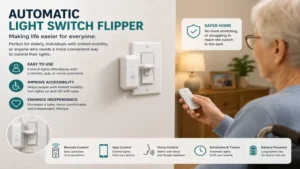
Selecting the right unit requires prioritizing physical compatibility over pure software features.
                 [ Select Your Switch Type ]
                              │
         ┌────────────────────┴────────────────────┐
         ▼                                         ▼
  [ Flat Rocker / Paddle ]                  [ Standard Toggle ]
         │                                         │
 ┌───────┴───────┐                         ┌───────┴───────┐
 ▼               ▼                         ▼               ▼
[SwitchBot]  [Adaprox]                 [Third Reality]  [Ecolink]
1. Identify Your Switch Type
-
Decorative Rocker / Paddle: Choose SwitchBot Bot or Fingerbot Plus. Ensure you attach the toggle pull-sticker for two-way operation.
-
Classic US Toggle: Choose Third Reality Gen3 or Ecolink Z-Wave Plus for complete coverage and superior stability.
-
Push Buttons & Touch panels: Choose Adaprox Fingerbot Toolpack Edition due to its suction and specialized tip attachments.
2. Evaluate Communication Protocols
-
Bluetooth (BLE): Simple, direct phone setup. Ideal for single-room setups, but requires a brand-specific hub for out-of-home remote control.
-
Zigbee 3.0: Ultra-fast, localized execution with zero cloud lag. Perfect for Home Assistant users with existing Zigbee coordinators.
-
Z-Wave Plus: Longest range through interior walls with zero 2.4GHz Wi-Fi interference. Great for sprawling homes with central Z-Wave hubs.
3. Factor in Total Cost of Ownership
Go beyond the initial purchase price to consider long-term upkeep:
Models using specialty lithium CR2 cells incur roughly $6–$10 in annual battery costs, whereas AAA/AA models cost less than $2 per year to power.
Common Mistakes When Buying a Switch Actuator
-
Ignoring Clearances: Buying a wide actuator without measuring the distance between the switch frame and nearby door trims or adjacent wall switches.
-
Expecting Instant Apple HomeKit Native Support: Purchasing a basic Bluetooth actuator and expecting it to connect natively to Siri without verifying if a Matter-compatible hub is required.
-
Using on Dimmer Slides: Attempting to install a linear push actuator onto a smooth vertical dimmer slider. These units are designed for binary binary on/off movement, not gradual linear positioning.
-
Overlooking Manual Access: Forgetting that placing a physical box over your light switch blocks regular hand operation unless the unit features a manual override button (like the Fingerbot Plus).
Features That Actually Matter (And Marketing Hype to Ignore)
Features That Matter
-
Stall Detection / Current Sensing: Premium actuators detect when the mechanical arm hits resistance and automatically shut off the motor, preventing gear stripping and fire hazards.
-
Adjustable Hold Duration: The ability to program the arm to hold down a button for 3 to 10 seconds before retracting—essential for resetting appliances or triggering smart dimming modes.
-
Universal Bracket Modular Kits: Having swap-out tips ensures that if you move or replace your light switches, the actuator can adapt to new fixtures.
Hype to Ignore
-
“100-Meter Bluetooth Range Claims”: Real-world Bluetooth transmission through drywall and interior stud framing drops off after 25–30 feet. Always plan on having a bridge hub nearby.
-
“Ultra-Silent Operation”: Every mechanical actuator uses electric micro-gears that produce an audible whirring sound. Do not expect whisper-quiet performance in a silent bedroom setting.
Safety, Regulations, and Compliance
Because mechanical switch flippers sit entirely on the exterior of your wall plate, they do not require high-voltage electrical certification under National Electrical Code (NEC) standards. However, ensure that any unit you select carries standard FCC Certification for wireless radio emission safety in the US, along with RoHS compliance to verify the absence of hazardous substances inside the lithium batteries and internal solder joints.
For renters, these non-invasive devices are fully compliant with standard lease agreements because they cause zero permanent alterations to structural electrical wiring.
🔍 Ready to Upgrade Your Setup?
Integrating a mechanical switch actuator preserves your existing wall hardware while instantly opening the door to custom voice schedules and home automation routines.
Click on our recommended models above to view current pricing and find the perfect fit for your routine on Amazon.
Frequently Asked Questions
❓ Can an automatic light switch flipper work on double or triple switch plates?
✅ Yes, but only if there is sufficient clearance between switches. Compact units like the SwitchBot Bot can fit multi-gang plates if adjacent switches aren’t actively blocked by the housing width…
❓ Do these switch actuators require a neutral wire?
✅ No neutral wire is required. Because these devices operate entirely on internal battery power on the outside of your wall, they bypass household electrical wiring entirely…
❓ What happens if someone manually flips the switch while the bot is attached?
✅ Most models permit manual toggling alongside the robot arm. However, full-cover options like the Third Reality unit completely enclose the manual switch lever beneath the casing…
❓ How long does the double-sided adhesive tape typically last on a wall plate?
✅ High-quality 3M VHB tape typically lasts 2 to 3 years under normal temperatures, provided the switch plate surface was thoroughly cleaned with alcohol prior to initial mounting…
❓ Can I control these switch flippers away from home without a hub?
✅ No, direct smartphone control uses local Bluetooth range limits. Remote control from outside your home network requires pairing the actuator to its respective Wi-Fi or Zigbee bridge hub…
Conclusion
An automatic light switch flipper bridges the gap between traditional electrical infrastructure and modern smart home connectivity without the cost or stress of electrical rewiring. Whether you choose the universal flexibility of the SwitchBot Bot, the native Zigbee responsiveness of the Fingerbot Plus, or the clean enclosed design of the Third Reality Gen3, retrofitting your wall switches takes minutes. Assess your specific switch plate geometry, pick the right network protocol for your home, and enjoy hands-free lighting control right away.
✨ Found this guide helpful? Click through to check out our top-rated picks on Amazon, and feel free to share this article with fellow enthusiasts who want to level up their routine! 💬🤗
Recommended for You
- 7 Best Zigbee Outlet Options for Smart Homes in 2026 (Tested)
- 7 Best Wall Socket Dimmer Switch Options in 2026: Expert Tested
- 5 Best Plug In Electric Consumption Meter Models for 2026 Savings
Disclaimer: This article contains affiliate links. As an Amazon Associate, I earn from qualifying purchases. If you purchase products through these links, we may earn a small commission at no additional cost to you.
✨ Found this helpful? Share it with your friends! 💬🤗
