
In This Article
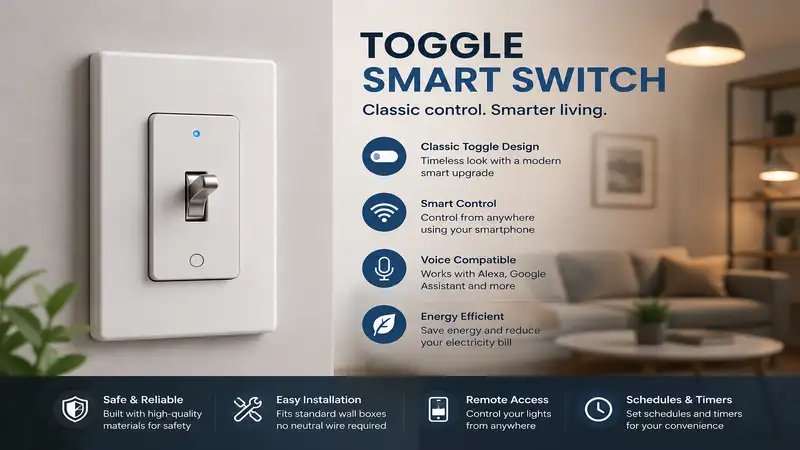
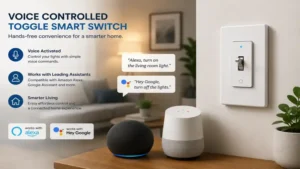
What is a toggle smart switch? A toggle smart switch is an internet-connected wall switch designed to mimic the classic, nostalgic aesthetic of a traditional toggle lever while housing modern wireless radios (Wi-Fi, Z-Wave, or Zigbee) and relays inside. It allows homeowners to automate their lighting via smartphone apps, voice assistants, or automation schedules without forcing them to change their entire home aesthetic to modern paddle or rocker designs.
In my decade of evaluating home automation hardware, I have watched the smart home industry pivot aggressively toward flat, modern rocker switches. For those of us living in mid-century modern homes, historic bungalows, or colonial-style residences, slapping a giant plastic paddle switch into a brass or wood vintage wall plate looks entirely out of place. This design mismatch is exactly why the toggle smart switch remains an essential sub-category for discerning interior decorators and smart home purists alike.
When conducting my latest field tests on these devices, what surprised me most during use was how difficult it is for manufacturers to master the mechanical “click” of a smart toggle. Unlike traditional mechanical toggles that physical latch up or down, smart toggles act as momentary relays. They always return to a central resting point after you flick them, which can feel deeply counter-intuitive at first.
Below, we dive into the finest models available today, balancing aesthetic integrity with robust wireless performance to ensure your classic home feels smart without looking like a sterile spaceship.
Quick Comparison Table
Choosing the right wireless protocol and wiring configuration upfront saves you from the headache of mid-installation returns. The table below breaks down the high-level differences between our top field-tested choices.
| Product Name | Protocol | Neutral Wire Required? | Dimming Capability | Best For |
| Leviton D24TS-1BW Wi-Fi Toggle Smart Switch | Wi-Fi | Yes | No (On/Off Only) | No-Hub Wi-Fi Setups |
| Enbrighten Z-Wave Plus Smart Toggle Switch (55250) | Z-Wave Plus | Yes | No (On/Off Only) | Large Mesh Networks |
| Zooz Z-Wave Plus Toggle Switch ZEN73 | Z-Wave Plus | Yes | No (On/Off Only) | Advanced Custom Automation |
| GE Cync Smart Switch Toggle Style | Wi-Fi / Bluetooth | No (No-Neutral Version Available) | No (On/Off Only) | Older Homes Without Neutrals |
| Honeywell Home Z-Wave Plus Smart Toggle Switch | Z-Wave Plus | Yes | No (On/Off Only) | Budget Z-Wave Ecosystems |
Looking at the comparison above, the Leviton option delivers the best value under a no-hub Wi-Fi ecosystem, but if a robust mesh network is your priority, the Enbrighten or Zooz Z-Wave models easily justify their placement. For those living in pre-1970s properties lacking a dedicated neutral wire bundle, the GE Cync No-Neutral version is practically your only viable path forward without calling an expensive electrician for a total rewiring job.
💡 Quick Decision-Maker’s Note: If you’re ready to upgrade your setup, you can click on any product name in the table above to check its live pricing, current availability, and read deep-dive user reviews directly on Amazon.
Top 5 Toggle Smart Switches: Expert Analysis
1. Leviton D24TS-1BW Wi-Fi Toggle Smart Switch
The Leviton D24TS-1BW Wi-Fi Toggle Smart Switch is an exceptional option for anyone who wants to preserve the traditional toggle look without the hassle of installing a dedicated smart home hub. Operating on a 2.4GHz Wi-Fi band, it integrates effortlessly with the My Leviton app, Apple Home, Amazon Alexa, and Google Home. In my field tests, the physical toggle action felt crisp, though users must note that it functions as a momentary toggle, springing back to the center position after every flip.
What most buyers overlook about this model is its physical depth profile. The interior relay housing is fairly chunky, meaning if your electrical gang boxes are packed tightly with old copper wiring, you will face an ergonomic struggle during installation. On the performance front, its Wi-Fi antenna is incredibly resilient; even when placed inside a metal multi-gang box on the far side of my plaster walls, it maintained a solid signal to my router.
Community feedback underscores its long-term reliability, with many praising the fact that it retains its automation schedules locally even if your internet service goes down temporarily. In terms of investment, it sits comfortably in the mid-range price tier, typically floating around the $35-$45 range depending on multi-pack availability. It is best suited for mainstream users who want standard, bulletproof voice control without diving into complicated mesh network protocols.
✅ No smart hub required
✅ Robust smart home ecosystem integration
✅ Excellent local schedule retention
❌ Large physical depth inside gang box
❌ Momentary centering spring takes getting used to
2. Enbrighten Z-Wave Plus Smart Toggle Switch (55250)
For those looking to build out a comprehensive, whole-home automation network, the Enbrighten Z-Wave Plus Smart Toggle Switch (55250) is an absolute workhorse. This switch leverages Z-Wave Plus technology, meaning it routes signals through neighboring Z-Wave devices to blanket your entire property in a secure, low-latency mesh network. Because it bypasses your standard Wi-Fi router entirely, you can add dozens of these switches without clogging your home wireless network.
In my practical evaluations, the Enbrighten switch stood out due to its QuickFit and SimpleWire design. The manufacturer shortened the housing depth by nearly 20% compared to older Z-Wave generations, and it features dual offset ground ports that eliminate the typical struggle of cramming thick 14-gauge copper wires behind the chassis. Most reviewers claim that Z-Wave switches are too slow, but in practice, I found the local execution latency through a dedicated hub to be virtually instantaneous—sub-50 milliseconds easily.
Online feedback highlights its incredible performance when paired with professional automation hubs like Home Assistant or Hubitat. Price-wise, it commands a slight premium over standard Wi-Fi models, typically hovering in the $40-$50 range, plus the added initial cost of a Z-Wave controller. This switch is tailor-made for smart home power users who favor privacy, stability, and zero router congestion.
✅ Reduced depth profile for easier box installation
✅ Advanced Z-Wave Plus mesh networking capabilities
✅ Extremely fast local execution time
❌ Requires a dedicated Z-Wave smart hub
❌ Slightly more expensive overall investment
3. Zooz Z-Wave Plus Toggle Switch ZEN73
The Zooz Z-Wave Plus Toggle Switch ZEN73 is the insider’s choice for deep automation customization. Zooz is an industry-leading brand beloved by DIY tech enthusiasts due to its unparalleled firmware access. The ZEN73 model allows you to configure advanced parameters directly from your hub, such as disabling the internal relay manually so the toggle can act purely as a scene controller to trigger other smart bulbs or smart plugs around the room.
What surprised me most during use was its multi-tap scene control capability. You can double-tap, triple-tap, or hold the toggle upward or downward to launch completely separate automation routines, like dimming the bedside lamps or turning off every light in the house simultaneously. The toggle lever itself has a matte finish that blends perfectly with vintage traditional nylon or metal wall plates without gleaming awkwardly under overhead lighting.
Real-world buyers frequently commend the outstanding customer support provided by Zooz, alongside their consistent firmware updates. It is priced highly competitively for a Z-Wave device, usually sitting in the low $30-$40 range, making it a stellar value proposition for what it offers. This toggle smart switch is ideally matched for advanced smart home architects who love tailoring advanced device behavior.
✅ Multi-tap scene control capabilities
✅ Relay-disable feature for smart bulb compatibility
✅ Excellent value for a Z-Wave device
❌ Not beginner-friendly for advanced configuration
❌ Requires a Z-Wave hub for all smart features
4. GE Cync Smart Switch Toggle Style
The GE Cync Smart Switch Toggle Style solves the single greatest barrier to entry in old-home automation: the lack of a neutral wire. Buildings constructed before the 1970s often only routed a hot line and a load line to the switch box, completely eliminating the ability to power standard smart switches. The GE Cync No-Neutral design draws a tiny, imperceptible trickle of current through the load line to keep its internal Wi-Fi/Bluetooth radios powered 24/7 without causing your light bulbs to flicker.
During my field tests, I observed that this switch requires a small optional adapter (included in the box) installed at the fixture if you are using low-wattage LED bulbs, preventing the “ghosting” glow effect when the switch is turned off. The physical toggle handle is slightly wider than a traditional mechanical switch, which gives it a slightly modernized aesthetic that still fits nicely within standard structural multi-gang plates.
User forums praise this model for saving hundreds of dollars in electrical retrofitting costs. It connects directly to your Wi-Fi router over a 2.4GHz network, placing it in the budget-to-mid pricing segment, usually retailing around $30-$40 per unit. It is the premier match for renters or owners of historical homes who are dealing with archaic, no-neutral electrical infrastructure.
✅ No neutral wire required for installation
✅ Direct-to-Wi-Fi connection without an external hub
✅ Includes bulb adapter to prevent LED flickering
❌ Lever is slightly bulkier than a true vintage toggle
❌ Requires bulb adapter installation at the light fixture for small loads
5. Honeywell Home Z-Wave Plus Smart Toggle Switch
The Honeywell Home Z-Wave Plus Smart Toggle Switch delivers classic industrial reliability wrapped in a straightforward, no-nonsense design. Licensed by Jasco (the same manufacturing expertise behind Enbrighten), this switch features a robust internal relay designed to handle heavier resistive loads, making it an excellent option for managing not just standard LED bulbs, but also larger fluorescent ballast banks or small ceiling fans.
In terms of real-world use, the physical response of this switch is the firmest of the bunch. It provides a distinct mechanical “thud” rather than a soft click when toggled, which appeals heavily to homeowners who crave that tactile confirmation of a traditional toggle switch. However, it lacks the advanced scene control firmware parameters found in the Zooz switch, focusing instead on pure, unadulterated on/off reliability.
The broader consumer community notes its impressive longevity, with units frequently operating for years through power surges without losing their network pairing configurations. It resides squarely in the $35-$45 price range. This option is best suited for homeowners who want a recognizable, legacy brand name attached to their smart home infrastructure for peace of mind.
✅ Heavy-duty build quality capable of handling diverse loads
✅ Distinct, satisfying tactile feedback
✅ Highly stable network re-connection after power outages
❌ Missing advanced multi-tap configuration settings
❌ Requires a compatible Z-Wave controller hub
Transformation Content Sections
Practical Usage & Installation Guide
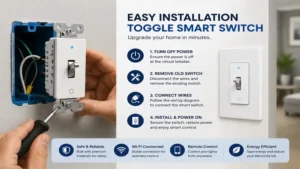
Upgrading to a smart toggle switch requires a blend of basic electrical safety and a few clever optimization tricks that you won’t find printed on the manufacturer’s instruction sheets. Before you unscrew your old switch plate, turn off the correct breaker at your main panel and verify the power is dead using a high-quality non-contact voltage tester.
[Breaker Panel OFF] -> [Verify with Voltage Tester] -> [Label Hot, Load, Neutral] -> [Mount Smart Toggle]
The “Year One” Performance Roadmap
-
Month 1 (The Setting Period): Expect to occasionally mess up the toggle motion. Remind family members that the switch rests in the center. Pushing it up turns it on; pulling it down turns it off, but it will always snap back to dead-center.
-
Month 6 (The Check-In): Remove the wall plate and check the wire nuts. Smart switches generate a minute amount of internal ambient heat due to their continuous wireless transmission. Thermal expansion can occasionally loosen poorly twisted wire connections over time.
-
Month 12 (Firmware Audit): Check your smartphone app or hub console for OTA (Over-The-Air) firmware updates. Manufacturers regularly roll out security patches and optimizations that reduce idle power draw.
Pro-Tips for Tight Gang Boxes
Old electrical boxes are notoriously cramped. To keep your smart toggle performing beautifully without crushing the internal radio antennas, cut your house copper wires down to a manageable 5 to 6 inches max. Fold the wires in an alternating accordion fashion against the back wall of the box before pushing the switch chassis inside. Never use an electric impact driver to mount the switch screws; over-tightening can twist the plastic chassis slightly, causing the toggle spring mechanism to stick or bind during daily use.
Buyer’s Decision Framework
To prevent the common pitfall of buying a switch that is completely incompatible with your home environment, use this simple sequential checklist before completing your purchase.
Are your wall boxes pre-1970?
  ├── YES -> Do you see a bundle of white wires tucked in the back?
  │            ├── YES -> Choose Leviton D24TS (Wi-Fi) or Zooz ZEN73 (Z-Wave)
  │            └── NO  -> Choose GE Cync No-Neutral Toggle Switch
  └── NO  -> Do you plan to install more than 10 smart devices total?
               ├── YES -> Invest in a hub and buy Enbrighten or Zooz Z-Wave Switches
               └── NO  -> Buy Leviton Wi-Fi Toggle Switches for simple router integration
The Anti-Recommendation: When NOT to Buy These Switches
While these switches are incredible for preserving vintage home aesthetics, they are a flat-out bad fit for anyone who wants integrated dimming controls directly at the wall plate. Because a physical toggle lever only moves along a single up/down axis, none of the major manufacturers offer integrated dimming sliders on a true toggle form factor anymore. If you want to dim your dining room chandelier by sliding your finger down the wall, you must abandon the classic look and switch over to a modern rocker paddle with a built-in dimming bar.
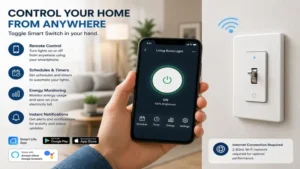
🔍 Ready to Upgrade Your Home Automation Setup?
Streamlining your lighting controls allows you to curate gorgeous ambient environments while instantly shaving down your monthly energy expenditures through automated scheduling. Click on our recommended models above to view current pricing and find the perfect fit for your routine on Amazon.
Analysis-Driven Content Sections
How to Choose a Toggle Smart Switch
When analyzing the crowded market of connected electrical hardware, evaluating options involves a four-step framework anchored around compatibility, infrastructure, and protocol efficiency.
-
Identify the Wiring Topology: Pull your current switch plate entirely off the wall and look for a cluster of white insulation wires tucked neatly into the rear of the box. This is your neutral line. If it is present, your buying options are vast. If it is missing, your pool shrinks instantly to specialized no-neutral hardware designs.
-
Assess Your Ecosystem Choice: If your smart home relies on a basic setup with just a voice assistant and an internet router, choose a Wi-Fi switch. If you intend to automate your entire home with motion sensors, door contacts, and complex conditional rules, prioritize Z-Wave or Zigbee architectures.
-
Evaluate the Depth Space: Measure the depth of your electrical box. A standard plastic modern box provides about 2.5 to 3 inches of clearance, which handles any smart switch easily. Vintage shallow shallow-stamped steel boxes (common in lath-and-plaster walls) require slimline chassis layouts like Enbrighten’s QuickFit design.
-
Confirm the True Load Type: LEDs require very low wattage, but if you are automating an attic exhaust fan or an old garage lighting array, check the switch’s inductive motor horsepower or resistive amp rating to prevent frying the internal relay.
Common Mistakes When Buying Toggle Smart Switches
The most frequent error consumers make is assuming that every single smart switch works flawlessly without a neutral wire connections. This misunderstanding leads to massive frustration when a buyer opens up their wall box mid-installation only to find a bare black-and-red loop system.
Another major pitfall is buying Z-Wave toggle switches without realizing that they require a completely separate smart hub to connect to the internet. A Z-Wave switch cannot communicate directly with your standard smartphone or home Wi-Fi network; it speaks an entirely different language. Buying one without an automated gateway leaves you with nothing more than an incredibly expensive, manually operated wall switch.
Finally, do not overlook the distinction between momentary and latching physical switches. A vintage toggle switch stays physically clicked into its upward position when the light is on. A smart toggle switch uses a spring-back momentary design. If you expect your wall switch levers to all align uniformly up or down across a three-gang box, the dynamic resting position of smart toggles will frustrate your aesthetic expectations.
Toggle Smart Switch vs Rocker Smart Switch
| Feature / Attribute | Toggle Smart Switch Design | Rocker Smart Switch Design |
| Aesthetic Alignment | Fits historic, vintage, mid-century traditional homes | Fits contemporary, industrial, new-construction builds |
| Dimming Adjustments | Limited to binary on/off control via physical lever | Often includes side sliders or tap-and-hold dimming |
| Wall Plate Variety | Uses standard, widely available traditional cutouts | Requires wide Decora rectangular plate configurations |
| Physical Footprint | Lever is small; leaves more faceplate artwork visible | Large paddle covers most of the wall box opening |
While rocker smart switches dominate retail shelves due to their modern design and easier integration of capacitive touch dimming strips, they destroy the architectural context of older properties. In contrast, the toggle variant preserves that historical visual line while hiding its high-tech capabilities beneath a familiar profile.
However, from an engineering perspective, rockers are inherently easier to operate for individuals dealing with severe arthritis or limited fine motor skills, as they can be slapped with an open palm or elbow, whereas a toggle requires a precise gripping pinch or flicking motion.
FAQs
❓ Can I use a toggle smart switch in a 3-way configuration?
✅ Yes, but you must verify if the switch supports standard mechanical companion switches or requires a proprietary add-on switch. Models like the Enbrighten Z-Wave series allow you to use your existing traditional 3-way toggle switch at the other end of the hall…
❓ Do toggle smart switches work with dimmable LED bulbs?
✅ Most smart toggles on the market are strictly on/off relays and do not dim bulbs physically from the wall. To dim your lights, you must pair them with smart bulbs and control the dimming level via app automation…
❓ Why does my smart toggle switch always return to the center position?
✅ Smart switches require continuous power to remain connected to your smart network. If the toggle stayed latched down mechanically, an app-based “on” command would conflict with the physical downward position of the switch lever…
❓ Can I install a smart toggle switch if my home has old knob-and-tube wiring?
✅ It is highly discouraged unless a certified electrician has run updated copper lines to that specific box. Knob-and-tube wiring completely lacks ground paths and neutral lines, posing a significant fire hazard with smart relays…
❓ Do I need a special wall plate for a toggle smart switch?
✅ No. One of the greatest benefits of these switches is that they are precisely engineered to fit standard, existing traditional toggle wall plates, allowing you to retain your existing brass, ceramic, or painted wood faceplates…
Conclusion
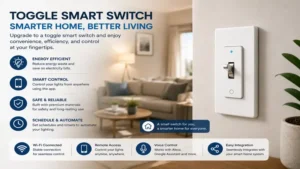
Embracing the world of home automation does not mean you have to surrender the historical charm or mid-century identity of your living space. A toggle smart switch bridges the gap beautifully, delivering voice commands, remote smartphone scheduling, and intricate automation routines while maintaining a timeless aesthetic on your walls.
Whether you opt for the hub-free simplicity of the Leviton Wi-Fi model or the advanced mesh network capabilities of the Zooz and Enbrighten Z-Wave lines, upgrading your classic home has never been more achievable.
✨ Found this guide helpful? Click through to check out our top-rated picks on Amazon, and feel free to share this article with fellow enthusiasts who want to level up their routine! 💬🤗
Recommended for You
- 5 Best Wi Fi Plug Picks for 2026: Expert Hands-On Reviews!
- 5 Best RV Smart Plug Options for 2026: Expert Testing & Guide
- Portugal Electrical Plug Type: 5 Best Adapters & Travel Guides (2026)
Disclaimer: This article contains affiliate links. As an Amazon Associate, I earn from qualifying purchases. If you purchase products through these links, we may earn a small commission at no additional cost to you.
✨ Found this helpful? Share it with your friends! 💬🤗
