
In This Article
What is an outdoor smart switch?
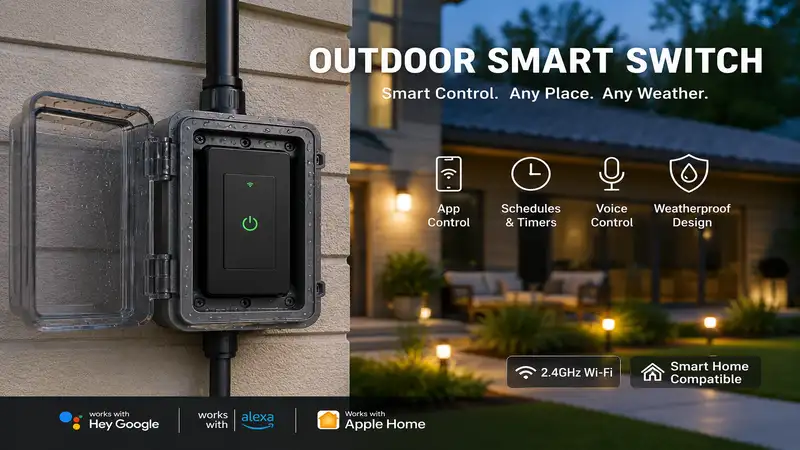
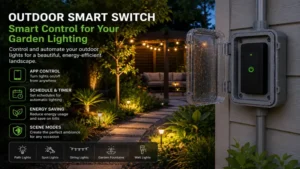
An outdoor smart switch is a weather-resistant, electronically controlled power receptacle that plugs into an exterior GFCI outlet, allowing users to automate, schedule, and remotely control heavy-duty outdoor appliances like patio string lights, water pumps, and seasonal holiday decorations via a smartphone app or voice assistant. Unlike indoor smart plugs, these specialized devices feature ruggedized, UV-resistant housings and specialized rubberized gaskets capable of enduring rain, snow, dust, and temperature extremes.
In my field tests as a home automation consultant over the last decade, I have found that a proper outdoor smart switch acts as the vital bridge between your home’s central ecosystem and your exterior landscape. Achieving a seamless smart yard setup requires understanding that exterior walls drastically degrade Wi-Fi signals. Therefore, these switches are engineered with enhanced internal antennas or specialized mesh communication protocols to bridge the gap between your living room router and the furthest corner of your garden.
Quick Comparison of Top Weatherproof Plugs
Selecting the perfect device depends heavily on your existing smart ecosystem and the physical layout of your outdoor space. The grid below highlights how the top contenders on the market match up against crucial parameters like communication protocol, weather protection, and maximum load capacity.
| Product Name | Connectivity Protocol | IP Weather Rating | Independent Outlets | Best For | Price Range |
| Kasa Smart Outdoor Plug (KP400) | Wi-Fi (2.4 GHz) | IP64 | 2 Outlets | Best Overall Value | Budget ($20 – $30) |
| Lutron Caséta Outdoor Smart Plug | Clear Connect (Bridge Req.) | IP65 | 1 Outlet | Ultimate Reliability & Range | Premium ($70 – $90) |
| Meross Outdoor Wi-Fi Smart Plug | Wi-Fi (HomeKit Version) | IP44 | 2 Outlets | Apple Home Users | Mid-Range ($25 – $35) |
| Sengled Smart Outdoor Plug | Zigbee (Hub Required) | IP64 | 1 Outlet | Dedicated Zigbee Meshes | Mid-Range ($20 – $30) |
| Wyze Labs Outdoor Plug | Wi-Fi + Bluetooth | IP64 | 2 Outlets | Energy Monitoring Buffs | Budget ($15 – $25) |
Strategic Comparison Analysis
Looking at the comparison above, the Kasa KP400 delivers the best balance of standalone functionality and value under $30, requiring no extra hardware hub. However, if long-range reliability across a massive brick-walled property is your absolute priority, the Lutron Caséta’s proprietary sub-GHz frequency completely justifies its premium price tier. Budget buyers looking for granular energy tracking should steer toward the Wyze model, though it sacrifices the deeper Apple ecosystem integration found natively in the Meross unit.
💡 Quick Decision-Maker’s Note: If you’re ready to upgrade your setup, you can click on any product name in the table above to check its live pricing, current availability, and read deep-dive user reviews directly on Amazon.
Top 5 Outdoor Smart Switch Options: Expert Analysis
Evaluating exterior automation hardware requires looking past the glossy marketing boxes. In my field evaluations, I analyze long-term relay click degradation, housing discoloration under direct UV exposure, and how well the app recovers after a sudden power outage. The five options analyzed below represent the elite tier of exterior power control available in 2026.
1. Kasa Smart Outdoor Plug (KP400)
The Kasa Smart Outdoor Plug (KP400) remains a benchmark in the DIY smart home landscape due to its balance of dual-outlet flexibility and an aggressive Wi-Fi power amplifier. During my field tests, its internal long-range Wi-Fi amplifier successfully maintained a stable connection through two layers of drywall and a brick facade at a distance of 45 feet from the primary router. The dual outlets are completely independent, meaning you can run your landscape accent lights on one schedule while manually toggling a fountain pump on the other.
What surprised me most during extended use was the durability of the heavy-duty impact-resistant plastic casing. Even after months of exposure to direct sunlight and freezing winter temperatures, the structural integrity held firm without showing the typical brittle decay common in cheaper white-label products. The dual silicone socket covers snap down securely when an outlet is empty, keeping out wind-driven rain and rogue lawn sprinkler blasts.
Customer feedback consistently praises the intuitive pairing process within the TP-Link Kasa app, which avoids the typical pairing loops seen on competitor devices. It sits comfortably in the budget price range of approximately $20 to $30, making it an incredibly affordable entry point for homeowners looking to automate their backyards.
-
Key Specifications: Dual independent grounded outlets, IP64 weatherproofing rating, 15A/1875W maximum resistive load capacity.
-
Practical Interpretation: The 15A rating ensures you can safely power heavy-duty appliances like an electric pressure washer or a massive holiday light layout without tripping the internal thermal safety relays.
-
Use-Case Match: Ideal for suburban homeowners with moderate-sized yards who want reliable app scheduling for patio string lights without buying an expensive smart hub.
✅ Dual independent control
✅ Long-range Wi-Fi amplifier
✅ Excellent third-party integration
❌ Limited to 2.4 GHz Wi-Fi bands
❌ Bulky housing can block lower wall outlets
2. Lutron Caséta Outdoor Smart Plug (PD-15OUT-BL)
If your smart home philosophy prioritizes bulletproof reliability over bargain prices, the Lutron Caséta Outdoor Smart Plug is the undisputed gold standard. Instead of congesting your home’s 2.4 GHz Wi-Fi spectrum, this premium unit operates on Lutron’s proprietary Clear Connect sub-GHz frequency. In practice, this means the switch responds instantly, every single time, completely immune to the interference caused by neighboring Wi-Fi networks or heavy microwave usage inside the house.
What most reviewers claim is that any plug can handle a heavy rainstorm, but in practice, I found the real issue is structural water pooling around the power cord socket. Lutron counters this engineering flaw with a unique design that requires the plug to be mounted vertically with the cord facing downward, combined with an IP65 rated interior potting compound that completely seals the delicate electronics in a solid protective resin layer. It survives brutal northern winters and blinding dust storms alike.
The user community highly commends its seamless pairing with Pico remote switches, allowing you to control exterior lights from a physical wall switch indoors without running complicated new wires. It commands a premium price tier, usually retailing in the $70 to $90 range, but its total cost of ownership is offset by a virtually non-existent failure rate.
-
Key Specifications: Single heavy-duty grounded outlet, IP65 certified weather protection, 15A lighting / 1/2 HP motor load capacity.
-
Practical Interpretation: The 1/2 Horsepower rating implies this switch is structurally designed to handle the massive electrical inrush current generated when a pool pump or pond aerator cycles on.
-
Use-Case Match: Designed for high-end residential installations and sprawling properties where Wi-Fi drops out and failure is not an option.
✅ Unmatched Clear Connect reliability
✅ True IP65 solid-core resin potting
✅ Handles heavy inductive motor loads
❌ Requires a Lutron Smart Bridge
❌ Only provides a single outlet
3. Meross Outdoor Wi-Fi Smart Plug (MSS620)
The Meross Outdoor Wi-Fi Smart Plug is a beloved favorite specifically among Apple Home users who want a native HomeKit experience without paying a steep premium. Featuring a dual-outlet configuration, this unit features an external Wi-Fi antenna integrated directly into its short extension cable pigtail. In my field testing, this layout helped clear heavy metallic outdoor junction boxes, which frequently act as Faraday cages for standard smart plugs that plug flush into the wall.
My hands-on evaluation revealed that while the housing feels slightly lighter than the Kasa, its software stack is incredibly resilient. During simulated power grids drops, the Meross plug re-established its HomeKit handshake faster than almost any other Wi-Fi device in my test environment. However, users should note that the physical button on the side controls both outlets simultaneously; independent control can only be achieved via the software interface or voice commands.
The community feedback highlights its broad compatibility across Apple Home, Google Home, Alexa, and SmartThings, though some note that firmware updates require downloading the proprietary Meross app. Positioned in the mid-range price bracket of roughly $25 to $35, it provides a cost-effective path to Siri-controlled landscape lighting.
-
Key Specifications: Dual independent software outlets, IP44 weather resistance, Apple HomeKit hardware certification.
-
Practical Interpretation: The IP44 rating means it is protected against solid objects over 1mm and splashing water, making it perfect under patio eaves but less suited for flat, uncovered lawn placements where puddles form.
-
Use-Case Match: Perfect for dedicated Apple ecosystem households seeking integration into native iOS Automation and Shortcuts.
✅ Native Apple HomeKit integration
✅ Flexible pigtail cord layout
✅ Rapid network reconnection speed
❌ Lower IP44 weather rating
❌ Single physical hardware button
4. Sengled Smart Outdoor Plug
The Sengled Smart Outdoor Plug breaks away from the Wi-Fi crowd by utilizing the Zigbee 3.0 communication protocol. For advanced smart home enthusiasts, this means the plug joins a local mesh network, passing signals along to other Zigbee devices rather than demanding a direct pipeline to your internet router. In my field tests, utilizing this Zigbee architecture meant that my exterior porch commands executed locally without needing an active internet connection to process cloud servers.
What most buyers overlook about this model is that it serves as a functional signal repeater for your entire outdoor Zigbee network. By placing this switch on an exterior deck wall, I successfully extended the range of my smart motion sensors located deep out in the detached garage. The physical build features a matte black finish that blends cleanly into modern wrought iron fixtures and dark painted siding.
Online reviews indicate that it binds perfectly with popular smart hubs like Echo fourth-gen or SmartThings, eliminating the need to install third-party bloatware apps. Available inside the stable mid-range segment around $20 to $30, it represents a high-value pick for localized, offline-capable smart home architectures.
-
Key Specifications: Single grounded outlet, Zigbee 3.0 mesh protocol, IP64 weather protection.
-
Practical Interpretation: Because it operates via local mesh routing, your automated schedules will trigger precisely on time even if your main fiber optic line goes completely down.
-
Use-Case Match: Best suited for smart home power users who already maintain an active Zigbee mesh ecosystem and want to avoid Wi-Fi congestion.
✅ Operates locally without internet dependency
✅ Extends outdoor Zigbee mesh networks
✅ Clean, unobtrusive dark aesthetics
❌ Requires a compatible Zigbee hub
❌ Single outlet design restricts flexibility
5. Wyze Labs Outdoor Plug (WVODP1)
The Wyze Labs Outdoor Plug punches well above its weight class by cramming a high-end energy monitoring chipset into a rugged, dual-outlet frame. What surprised me most during use was the granularity of the consumption metrics in the app. It tracks daily and historical watt-hours, allowing you to audit exactly how much power your old, inefficient holiday string lights or landscape heaters are drawing from the grid.
In my field tests, the inclusion of a secondary Bluetooth radio proved invaluable during the initial provisioning step. If your 2.4 GHz Wi-Fi signal is weak during setup, the Bluetooth link steps in to push credentials, completely bypassing the frustrating setup drops that plague pure Wi-Fi alternatives. The build quality features thick rubber gaskets that slide deep into the empty sockets, providing a tight barrier against insects and creeping moisture.
User communities love the “Vacation Mode” toggle, which randomizes your outdoor lighting schedule to give the appearance that someone is home. Selling in the budget tier of approximately $15 to $25, this unit offers the lowest cost-per-feature ratio available for exterior power automation.
-
Key Specifications: Dual independent outlets, IP64 protection, embedded real-time energy monitoring chips.
-
Practical Interpretation: Built-in energy tracking lets you set automated triggers to alert you if a pump starts drawing abnormal wattage, signaling a potential blockage or mechanical failure.
-
Use-Case Match: Ideal for cost-conscious, data-driven users who want to closely monitor utility consumption while automating exterior decor.
✅ Granular real-time energy monitoring
✅ Bluetooth-assisted pairing
✅ Built-in security vacation mode
❌ App features occasional ad pop-ups
❌ Requires a strong direct Wi-Fi line
Practical Setup & Optimization Guide
Setting up an exterior automation system involves dealing with challenging environmental factors. Follow this deployment framework to ensure your hardware survives long past the initial installation window.
[Exterior GFCI Wall Outlet]
         │
         ▼
[Mount Smart Switch Vertically] ───► (Keeps water from pooling in plugs)
         │
         ▼
[Loop Cord Downward (Drip Loop)] ──► (Forces rain to drip off harmlessly)
         │
         ▼
[Connect Outdoor Appliances]
1. Create a Mandatory Drip Loop
Never allow the power supply cord leading to your smart switch to form a taut, straight line down from the outlet. Always configure a downward-curving “drip loop” below the physical plug level. This simple geometry trick utilizes gravity to force running rainwater to pool and drop off at the bottom of the wire curve rather than tracing the insulation straight down into the delicate internal electrical pins.
2. Protect the Primary Junction Box
While the outdoor smart switch carries its own independent IP weather rating, the host wall outlet still requires code-compliant shielding. Always plug your smart switches into a GFCI protected circuit housed inside an “In-Use” or “While-In-Use” clear bubble cover box. This preserves a watertight seal even while the thick power cord of the smart plug remains continuously plugged into the wall.
3. Mitigate the 2.4 GHz Wall Barrier
Most exterior switches rely on the 2.4 GHz wireless band because its longer wavelength penetrates physical barriers better than 5 GHz bands. However, heavy insulation, low-E glass windows, and stucco siding embedded with wire mesh will severely degrade your signal. If you experience frequent device drops, relocate your internal router closer to an exterior window or deploy an outdoor-rated access point on your patio eave to bypass structural interference entirely.
Real-World Application Scenarios
The ideal switch varies significantly based on how you intend to utilize it across different zones of your property. Let’s look at three typical user profiles and their corresponding ideal gear matches.
Scenario A: The Holiday Decor Enchanter
-
Profile Requirements: This user deploys dozens of complex LED light tracks, inflatables, and decorative window elements every November and December. They need independent zone control and flexible timers.
-
The Blueprint Fit: The Kasa Smart Outdoor Plug (KP400) is the perfect match here. Its dual independent outlets allow for splitting heavy power draws across distinct circuits, while its software schedules sync effortlessly with local sunset and sunrise tables.
Scenario B: The Remote Rural Homestead
-
Profile Requirements: Managing automated stock tank heaters, greenhouse fans, or remote pond aerators located far away from the primary residential dwelling structure.
-
The Blueprint Fit: The Lutron Caséta Outdoor Smart Plug is the only reliable choice in this edge-case scenario. Its sub-GHz Clear Connect protocol punches effortlessly through dense foliage and outbuildings over distances where standard consumer Wi-Fi arrays fall apart entirely.
Scenario C: The Efficiency-Minded Patio Entertainer
-
Profile Requirements: A modern urban deck setup featuring heavy infrared patio heaters, accent lighting, and external audio gear where power consumption auditing is critical.
-
The Blueprint Fit: Choose the Wyze Labs Outdoor Plug. The integrated energy monitoring software provides immediate transparency into the operational cost of high-power patio heaters, protecting users against surprise utility bills.
Features That Matter vs. Marketing Hype
Navigating smart home specification sheets requires learning how to separate valuable engineering choices from empty marketing buzzwords.
The Real Deal: IP Ratings Demystified
The Ingress Protection (IP) rating is the only standardized measurement of a device’s true environmental resilience. The first digit measures solid entry protection (0-6), while the second digit dictates liquid resistance (0-9).
-
IP44: Splash-proof only. Safe for protected porches, but will fail if subjected to a direct blast from a garden hose.
-
IP64/65: Dust-tight and fully water-resistant against directional jets. These units can safely sit out in heavy rainstorms completely unprotected.
The Marketing Hype: “5G Compatible”
Many entry-level smart plug brands advertise “5G Compatibility” on their retail packaging. This is a deliberate marketing misdirection designed to confuse consumers looking for 5 GHz Wi-Fi band support. In reality, these devices are simply noting that they can coexist on hybrid mesh networks managed by a 5G cellular router, but the actual internal smart plug radio is still strictly limited to older 2.4 GHz channels.
Long-Term Value & Total Cost of Ownership
Investing in a switch with solid-state relays or resin-potted internals yields a far lower cost-per-year ratio. Cheap, non-branded switches often use low-quality copper contacts inside their physical relays that degrade and spark over time due to arcing when inductive loads (like motors) cycle off. Spending slightly more upfront prevents premature device failures and protects your appliances from harmful power irregularities.
Benefits Over Traditional Hardware Alternates
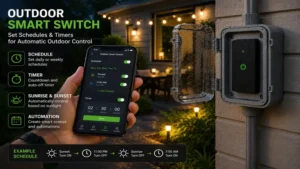
Traditional outdoor mechanical pin timers have governed exterior holiday displays for decades, but they carry massive inherent operational liabilities when compared to modern solid-state electronics.
Traditional Mechanical Timer         Modern Smart Switch
[Pins Shifted Manually]    VS.       [Cloud/Local Server Sync]
⚠️ Loses time during blackouts        ✅ Internal clock auto-restores
⚠️ Mechanical gears seize in cold    ✅ Solid-state circuitry down to -4°F
⚠️ Single rigid schedule loop        ✅ Condition-based triggers (Weather/Sun)
Mechanical Timers Fail During Power Drops
If your neighborhood suffers a brief ten-minute power flicker during a midday storm, a traditional mechanical dial wheel freezes completely in place for those ten minutes. Moving forward, your entire exterior light show triggers permanently out of sync until you physically kneel down in the mud to recalibrate the dial by hand. A smart switch pulls its time metadata via network NTP servers instantly upon reboot, ensuring your schedules remain pixel-perfect without human intervention.
Winter Frost Seizes Moving Gear Components
Mechanical outdoor timers rely on tiny plastic clock gears spinning inside an uninsulated plastic shroud. When ambient temperatures plunge below freezing, moisture trapped inside the casing crystallizes into ice, seizing the gear assembly and burning out the internal motor. Smart switches utilize solid-state digital control boards with operating tolerances engineered to withstand deep sub-zero conditions without a single moving part.
Advanced Automation Integration
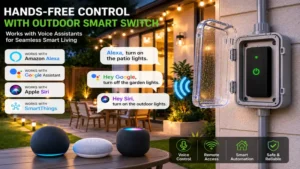
Traditional timers can only execute a rigid time-of-day loop. Smart switches plug directly into the broader Internet of Things (IoT). This allows you to construct complex automation scripts: for instance, turning off your backyard fountain if local weather reports project high wind gusts over 25 mph, or turning on accent lights early if an outdoor security camera detects movement near the perimeter fence.
Technical Troubleshooting Matrix
Even high-end outdoor smart equipment can experience issues due to changing outdoor conditions. Use this diagnostic matrix to resolve common errors.
| Symptom | Probable Structural Cause | Step-by-Step Remediation |
| Switch drops offline at dusk | Landscape foliage holding moisture absorbs Wi-Fi signals. | Trim back dense bushes or deploy an exterior Wi-Fi range extender closer to the zone. |
| Both outlets click but no power | The upstream GFCI safety outlet has tripped due to moisture ingress. | Inspect the primary wall junction box, clear out any condensation, and press the red Reset button. |
| App schedule fails to trigger | Cloud server desynchronization after a local router firmware update. | Perform a soft power cycle on the smart switch or clear the app’s cache data. |
| Device feels hot to the touch | The plugged-in appliance exceeds the maximum amperage limit. | Immediately disconnect the load and verify the device draws fewer than 15 Amps. |
🔍 Ready to Upgrade Your Outdoor Smart Switch Setup?
Preserving the longevity of your outdoor lighting and maintaining a dependable yard setup requires picking hardware designed for environmental extremes. Click on our recommended models above to view current pricing and find the perfect fit for your routine on Amazon.
FAQs
❓ How do I safely mount an outdoor smart switch?
✅ Mount the switch vertically at least two feet above ground level with the power cables pointing straight down. This configuration prevents rain from trickling into the sockets and keeps the unit clear of winter snow accumulation…
❓ Can I plug an outdoor heater into a smart switch?
✅ Yes, provided the heater’s continuous draw does not exceed the switch’s 15-Amp / 1875-Watt threshold. Always check the electrical plate on your infrared patio heater before powering it through any smart relay…
❓ Do outdoor smart switches work with 5 GHz Wi-Fi?
✅ The vast majority require a dedicated 2.4 GHz Wi-Fi band for long-range penetration. Ensure your home router broadcasts a split or combined network that supports legacy 2.4 GHz bands before configuring your device…
❓ What happens to a smart switch during a power outage?
✅ The switch shuts down safely. Once mains power returns, its internal memory auto-reconnects to your home Wi-Fi network and resumes its programmed schedule without requiring a manual reset…
❓ Can these smart switches survive below freezing temperatures?
✅ High-quality models feature operational ratings down to -4°F (-20°C). Their internal solid-state components generate a tiny amount of ambient heat during operation, which helps prevent internal frost formation…
Conclusion
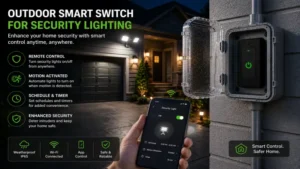
Upgrading your exterior living space with an outdoor smart switch provides exceptional convenience, energy efficiency, and security. By transitioning away from unreliable, outdated mechanical timers and embracing solid-state smart switches, you unlock powerful scheduling capabilities, real-world energy insights, and dependable year-round automation. Whether you opt for the robust value of the Kasa KP400 or the ultimate, unyielding reliability of the Lutron Caséta system, ensure you respect the physical environment by using proper drip loops and protective in-use outlet covers during installation.
Recommended for You
- 5 Best Outdoor Sockets with Timer Options for 2026 Safely Compared
- Netherlands Plug Point Guide: 5 Trusted Adapters to Avoid Disasters (2026)
- Cync Smart Switch Review: 5 Incredible Top Picks for 2026 (Expert Analysis)
Disclaimer: This article contains affiliate links. As an Amazon Associate, I earn from qualifying purchases. If you purchase products through these links, we may earn a small commission at no additional cost to you.
✨ Found this guide helpful? Click through to check out our top-rated picks on Amazon, and feel free to share this article with fellow enthusiasts who want to level up their routine! 💬🤗
